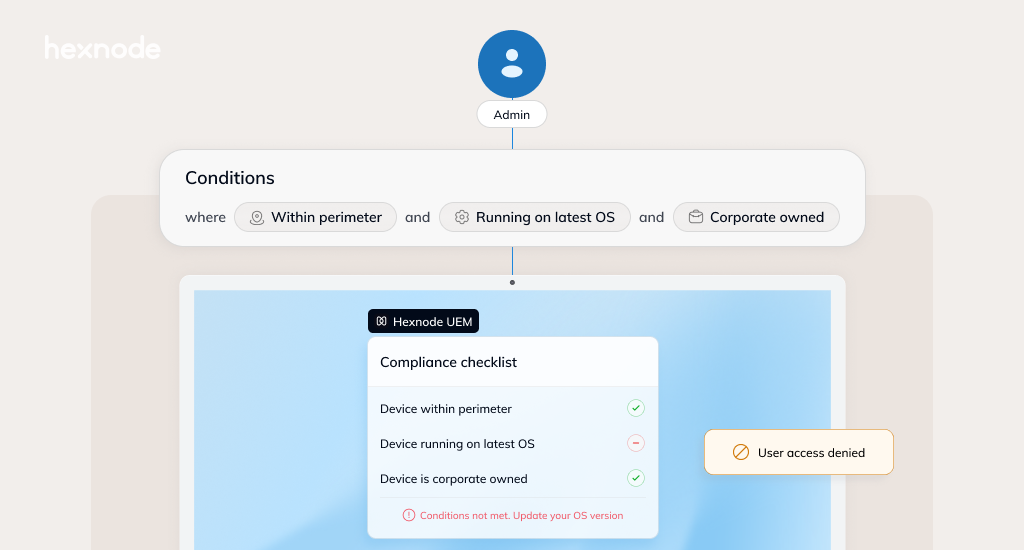
- Hybrid work has turned every laptop, phone and tablet that touches business data into part of the security boundary — whether the organization owns it or not.
- Identity checks alone cannot reveal whether an endpoint is outdated, unencrypted, compromised or compliant with organizational policies.
- Unified Endpoint Management (UEM) closes that gap by combining fleet-wide visibility, compliance baselines, conditional access and automated remediation — making Zero Trust continuous rather than one-and-done.
Work no longer happens within the neat boundaries of an office network. Employees routinely access corporate applications and data from homes, airports, cafés and customer sites — often switching between company-owned laptops and personal phones in the same workday.
In a recent Hexnode Live session, Mostafa Matar, Associate Security Consultant at CyberKnight, examined what this shift means for enterprise security. “I wouldn’t say that the perimeter has completely disappeared,” Matar explained. “I believe it has just fragmented.”
That fragmentation changes the trust equation. It is no longer enough to verify who is requesting access — organizations must also verify what is requesting it. This is where Unified Endpoint Management (UEM) enters the Zero Trust conversation.
Device Trust in Zero Trust: Why Identity Alone Is Not Enough
Many organizations treat zero trust primarily as an identity problem: authenticate the user, enforce multifactor authentication and move on. Device posture receives far less attention, even though it answers a fundamentally different question. Identity tells an organization who is requesting access, while posture indicates whether the endpoint is secure enough to receive it. “Zero trust is incomplete if we only verify the user and ignore the device,” Matar noted.
Consider an employee attempting to open a customer database from a personal phone. They may enter the correct password and complete multifactor authentication, but the phone could still be jailbroken, unencrypted or running an outdated operating system. Identity verification confirms the user without establishing whether the device meets the organization’s security requirements.
This is why device compliance, and conditional access must work together. An endpoint should meet the required security baseline before accessing corporate resources and remain compliant afterward. Because its configuration and security status can change, compliance cannot be treated as a one-time check.
Securing the Borderless Endpoint: A 4-Step Operational Framework
Once device posture becomes part of the access decision, the next challenge is applying it consistently across the fleet. None of this must happen overnight. As Matar explained, organizations do not need to “purchase and apply every security control on day one.” They need to identify the essentials, introduce them in the right order and build from there. The following four steps provide that foundation.
1. Visibility
IT teams should begin by identifying every endpoint accessing corporate applications and data. The inventory should show the assigned user, ownership, enrollment status, operating system, installed applications and last check-in.
Matar summarized the principle simply: “You cannot secure what you don’t see.” Without reliable visibility, unknown or unmanaged endpoints may continue accessing sensitive resources outside corporate policy.
Devices can then be classified as corporate-owned, personally owned, shared, or unmanaged. This classification gives the organization a basis for applying stronger requirements where the potential impact is higher.
2. A clear security baseline
Once IT has visibility across the device fleet, the next step is to define the minimum conditions each endpoint must meet. This security baseline may include encryption, a supported operating system, current patches, a strong password and approved security applications. Rooted or jailbroken devices should be classified as noncompliant.
The controls need not be identical for every device. Corporate endpoints can support full-device management, while Bring Your Own Devices (BYOD) policies may rely on containerization to separate business applications and files from personal content. This prevents managed data from being copied into personal storage, messaging or AI tools without giving IT unnecessary access to the user’s private space.
Because threats and regulations shift over time, the baseline itself should not be static. Most organizations benefit from reviewing it on a regular cadence; a quarterly check-in is a practical starting point, with more frequent reviews for high-risk or regulated environments.
3. Continuous policy enforcement
A policy has little value if it is checked only during enrollment. An endpoint management solution turns the security baseline into an enforceable standard by continually evaluating device posture and detecting deviations. If encryption is disabled, a required application is removed or updates fall behind, the device can be marked as non-compliant, prompting access restrictions or remediation workflows until it returns to a trusted state.
“The important part here is that trust is not permanent,” Matar stressed. Endpoint management operationalizes this principle by sharing current compliance signals with an identity provider, enabling conditional access policies to grant, limit or block access as the device’s posture changes.
4. Remediation and automation
Organizations must also decide what happens when a device becomes noncompliant, compromised, lost or stolen. Depending on the risk, IT may notify the user, revoke access, lock the device, restore a required setting or selectively wipe corporate data.
These responses can then be automated through predefined workflows. Instead of waiting for an administrator to notice and address every issue manually, the endpoint management platform can take the approved action when a device falls outside policy. Together, these four capabilities turn device trust from a one-time assumption into a process that can be measured, enforced and restored.
What Comes Next: From Endpoint Foundations to Context-Aware Access
The main takeaway is simple: verifying the user is not enough. The device must also be known, secure and compliant when access is requested.
UEM gives organizations a practical way to do this across their fleet. Hexnode UEM can provide this central device layer by helping IT track compliance, apply policies, automate approved responses and share device status with supported identity systems.
This also brings operational value. With device information and routine management tasks handled through one platform, IT teams can spend less time switching between tools, checking endpoints manually and repeating the same fixes. Better visibility and automation can reduce avoidable support tickets, speed up remediation and make policies more consistent.
For IT and security leaders, the next step is not simply adding more tools. It is ensuring that endpoint management and access control use the same device information, so security decisions reflect the condition of the endpoint when access is requested.
Get the most out of your endpoint management investments
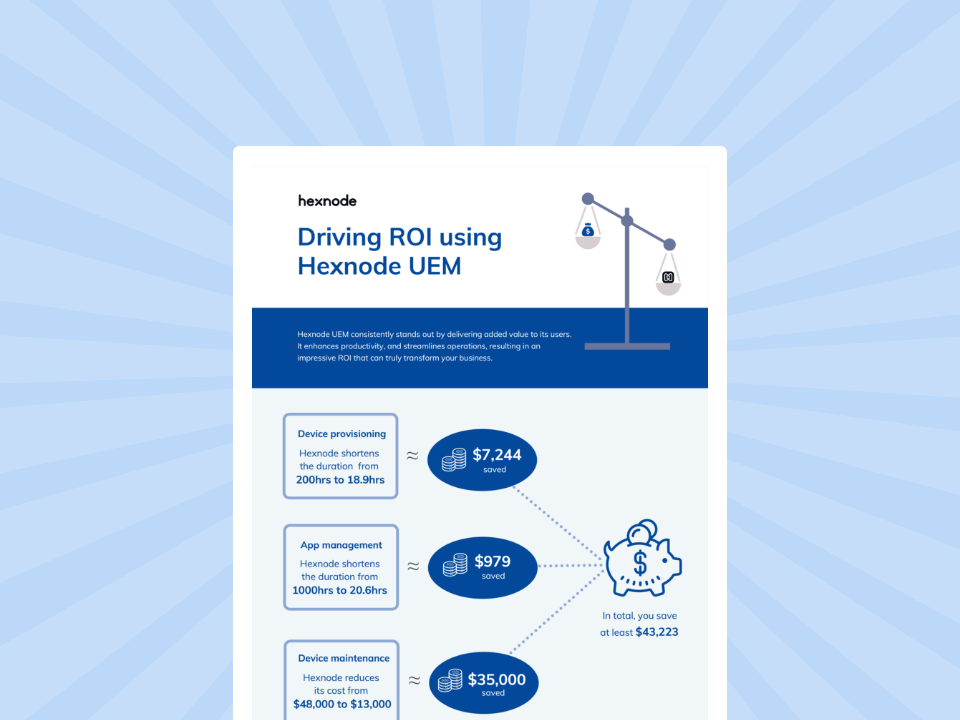
Driving ROI with Hexnode
Download the infographic to check out how Hexnode UEM drives ROI for organizations.
Get the infographicFrequently Asked Questions (FAQs)
How do you prevent strict endpoint policies from driving more Shadow IT?
Endpoint policies exist for a reason. An unencrypted device, an unpatched operating system or an unmanaged app with access to corporate data are not hypothetical risks; they are the exact gaps that attackers and compliance auditors look for. Relaxing controls to avoid friction simply trades a visible problem for an invisible one.
That said, controls that feel arbitrary or disruptive will push employees toward workarounds, creating the exact blind spots the policies were meant to eliminate. The most effective approach is to roll out controls in stages. Start with a small group, measure the impact on productivity and adjust thresholds before expanding. Communicate clearly to users what is being enforced and why, so restrictions feel purposeful rather than punitive. Build formal exception workflows that let employees request access to tools or configurations outside the baseline, with IT reviewing and approving based on risk rather than defaulting to a blanket block. The goal is a security posture that is tight enough to protect corporate data but practical enough that people do not feel forced to route around it.
Can UEM enforce Zero Trust on IoT and non-standard endpoints?
Most UEM platforms were originally built around traditional endpoints like laptops, smartphones and tablets. Support for IoT and non-standard devices is growing, but it varies widely between vendors. Hexnode UEM extends management to several of these categories from the same console used for traditional endpoints. It supports kiosk lockdown for single-purpose devices such as point-of-sale terminals and self-service stations, digital signage management across Android, Apple TV and Fire OS, and OEM-specific controls for rugged hardware from manufacturers like Zebra, Honeywell, Kyocera and Datalogic through OEMConfig integrations. It also manages AOSP-based devices, wearables and visionOS endpoints. For organizations with mixed fleets, the ability to enroll, monitor and enforce policy on these devices alongside standard endpoints closes a visibility gap that would otherwise sit outside Zero Trust entirely.
How should organizations handle unmanaged contractor or third-party devices?
Contractors and third-party users often connect with devices the organization does not own or manage. UEM addresses this through a combination of limited enrollment profiles and containerization. Rather than requiring full device management, IT can deploy a managed workspace container that isolates corporate applications and data from the rest of the device. Access policies can then require the container to meet a defined security baseline, including encryption and a minimum OS version, before granting access to corporate resources. If the contractor’s engagement ends or the device falls out of compliance, IT can selectively wipe the container without affecting personal data.