OEMConfig becomes necessary for Zebra and Honeywell devices when standard MDM cannot access OEM-specific configurations. It enables direct control over device settings, scanners, and enterprise features exposed through OEMConfig apps, ensuring consistent policy enforcement, faster feature availability, and scalable deployments across enterprise environments.
Managing OEMConfig for Zebra and Honeywell devices becomes essential when organizations require control over configurations that are not exposed through standard Android Enterprise policies. This is especially relevant in environments where device behavior directly impacts operational efficiency and accuracy.
Modern MDM platforms can enforce baseline restrictions, but OEM-specific capabilities, particularly on rugged devices, are delivered through OEMConfig apps. These apps expose vendor-defined settings within the management console, allowing administrators to configure hardware-level and system-level features with greater precision.
As deployments scale and use cases become more specialized, relying only on standard policies creates gaps in control and consistency. In this blog, we will explore when Android OEMConfig becomes necessary for Zebra and Honeywell devices and how it addresses these limitations.
What needs to be secured and controlled on these devices
Zebra and Honeywell devices are designed for operational environments where device behavior must align precisely with workflows such as scanning, printing, and field operations. These requirements are commonly seen in rugged device management, where consistency and precision are critical.
Key control areas include:
Hardware-driven configurations such as barcode scanning parameters, trigger behavior, and device input settings
Network configurations, including Wi-Fi, APN profiles, DHCP settings, and roaming data control through Honeywell OEMConfig
System-level controls such as display behavior, system update configurations, and firmware update controls
Application-level controls, including app access, provisioning configurations, and file distribution settings
For example, Honeywell devices expose configurations like app whitelisting, key remapping, scanner (DCS) settings, and network parameters through OEMConfig, enabling centralized and precise control. These requirements go beyond standard Android policy frameworks.
Where Standard MDM Capabilities Break Down
Standard MDM policies are limited to predefined Android Enterprise controls and do not expose the full range of configurations defined by device manufacturers. This becomes a limitation in rugged device management, where device behavior often depends on OEM-level configurations.
This results in:
No access to OEM-specific configurations unless they are exposed through OEM-provided apps like OEMConfig
Inability to configure advanced features such as scanner (DCS) profiles, trigger behavior, and device-specific input controls
Limited control over configurations like provisioning modes, system settings, and network parameters that the OEM defines
Dependency on OEMConfig app updates to access newly introduced device capabilities
OEMConfig addresses this by allowing OEMs to publish their configuration schema through managed applications on Google Play. The MDM console reads these schemas and enables administrators to configure and deploy OEM-specific settings directly through policy-based management.
OEMConfig – Breaking the boundaries of Android device management
OEMConfig simplifies advanced Android device management through OEM-specific policy configurations.
When OEMConfig Becomes Necessary for Zebra and Honeywell Devices
OEMConfig becomes necessary when operational requirements depend on settings that are not part of standard Android management.
Advanced Hardware and Scanner Configuration
Honeywell devices expose detailed scanner configurations that are not accessible through standard MDM policies. These include:
DCS scanner settings, such as decode, trigger, imager, and notification parameters
Data processing configurations for barcode scanning
These controls are available only through Honeywell OEMConfig, making it necessary when scanning behavior must be precisely configured.
Access to OEM-Specific Management Capabilities
Zebra devices provide extended device control through proprietary frameworks such as Mobility Extensions (Mx), which are exposed via Zebra OEMConfig.
This allows administrators to:
Configure device-specific features not available in standard Android Enterprise policies
Access OEM-defined controls such as device administration, connectivity, and system behaviors directly from the management console
Without OEMConfig, these configurations cannot be applied through standard MDM policies.
Configuration of System and Network Parameters
OEMConfig enables administrators to configure system and network settings defined by the device manufacturer.
For example, Honeywell OEMConfig supports:
Network configurations such as Wi-Fi, Ethernet, DHCP host name, roaming data, and APN profiles
Display and input settings, including brightness, rotation, and touch modes
System update configurations, such as OS update package deployment and firmware downgrade control
Similarly, Zebra OEMConfig exposes network and device-level configurations such as DHCP parameters, connectivity behavior, and firmware update controls through Mobility Extensions.
These configurations are available only through OEMConfig apps and are not fully accessible via standard Android policies.
Application and Device Control Requirements
OEMConfig allows administrators to enforce device-level and application-level controls beyond standard MDM capabilities.
This includes:
Application whitelisting and blacklisting
Device provisioning configurations, such as provisioning mode and setup behavior
Restrictions on system features such as Bluetooth, Wi-Fi, clipboard usage, and factory reset
For Zebra devices, similar controls are exposed through Zebra OEMConfig, including application control, system restrictions, and device administration settings.
These controls are defined by the OEM and configured through managed app configurations.
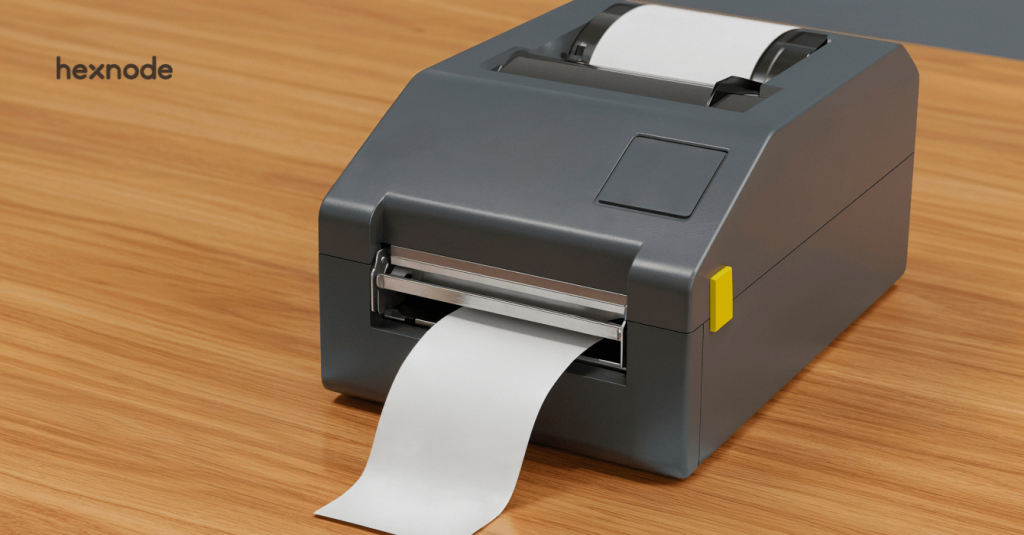
Zebra Printer Configuration Requirements
Zebra printers’ management involves configurations that go beyond basic restrictions and focus on connectivity, file management, and printing behavior.
These typically include:
Network connectivity settings, such as Wi-Fi and Ethernet, for establishing communication
Weblink configurations to enable communication with backend or server systems
Mirror configurations for managing printer files, firmware updates, and configuration sync
Label configuration settings, such as dimensions and offsets for accurate printing
In Hexnode, printer management is handled through dedicated policies and controls, with available configurations depending on the supported integration and device capabilities.
Need for Immediate Feature Availability
OEMConfig apps are published and updated directly by device manufacturers through Managed Google Play.
This ensures:
Newly introduced configurations are immediately available for both Zebra OEMConfig and Honeywell OEMConfig
No dependency on MDM platform updates to access new features
Faster adoption of device-specific capabilities across deployments
Why Hexnode is a practical choice for Zebra and Honeywell devices
Managing OEMConfig for Zebra and Honeywell devices requires a platform that can apply both standard policies and OEM-specific configurations without fragmentation.
Hexnode UEM enables this through integrated OEMConfig support and device-specific policy controls.
Unified Policy Management
Hexnode allows administrators to manage:
Standard Android policies
OEMConfig-based configurations
From a single console, ensure consistent enforcement across Zebra and Honeywell devices.
Support for Honeywell OEMConfig Integration
Hexnode supports configuring Honeywell devices using OEMConfig by:
Deploying the Honeywell OEMConfig app
Applying managed configurations through policies
Enabling access to OEM-defined settings within the console
Hexnode manages Zebra printers separately using dedicated policy-based controls, distinct from OEMConfig-based management for Zebra and Honeywell Android devices.
This allows administrators to enforce specific printer behaviors and configurations through centralized policies without relying on OEMConfig.
Centralized Policy Deployment Across Devices and Groups
Hexnode enables centralized management of configurations across Zebra and Honeywell devices, including OEMConfig-based settings.
This allows:
Applying policies to devices, users, and groups
Managing configurations across distributed environments
Maintaining consistency across device fleets
Updating policies centrally and pushing changes automatically
Practical Enforcement of Device Restrictions
Hexnode enables the enforcement of device-level controls aligned with operational requirements across Zebra and Honeywell devices.
This includes:
Restricting device functionality based on usage requirements
Controlling access to system settings and configurations
Securing endpoints such as Zebra printers and managed devices
This ensures consistent device behavior and reduces the risk of misuse across deployments.
Featured resource
Rugged device management tool kit
Comprehensive toolkit for rugged device management strategy, policies, guides, templates, and implementation insights
OEMConfig for Zebra and Honeywell devices directly impacts how organizations apply, update, and maintain configurations at scale. Understanding this operational impact is important for evaluating how effectively organizations can manage OEM-specific capabilities without delays or inconsistencies.
Key impacts include:
Faster access to OEM features without waiting for MDM updates
Accurate configuration of device-specific capabilities
Reduced reliance on manual or fragmented tools
Improved consistency across Zebra and Honeywell deployments
Better alignment with operational workflows
When OEMConfig Becomes Necessary in Practice
Scenario
Why OEMConfig Is Required
Advanced hardware configuration
Required to configure device-specific features such as scanner behavior, input controls, and OEM-level hardware settings
Access to OEM-specific features
Needed when configurations are only exposed through OEM-defined schemas and not available in standard Android policies
System and network configuration
Required to manage settings like Wi-Fi, APN profiles, DHCP, and system update controls defined by the OEM
Application and device restrictions
Needed to enforce app control, provisioning modes, and system-level restrictions beyond standard MDM capabilities
Large-scale deployments
Required to apply consistent configurations across devices using managed app-based policies
Immediate feature availability
Needed when new OEM features must be used without waiting for MDM platform updates
Challenges Without OEMConfig
Without OEMConfig for Zebra and Honeywell devices, organizations face limitations in applying and managing OEM-defined configurations through standard MDM policies.
Key challenges include:
Limited access to OEM-defined settings, such as scanner (DCS) configurations, provisioning modes, and device-specific controls
Inability to configure hardware-level features exposed only through OEMConfig apps
Dependency on separate OEM tools or manual configuration methods for advanced settings
Inconsistent device behavior due to a lack of standardized OEM-level configurations
Reduced visibility into applied configurations, making troubleshooting and validation difficult
Conclusion
OEMConfig for Zebra and Honeywell devices becomes necessary when enterprise requirements extend beyond standard Android management capabilities. It enables direct access to OEM-defined configurations, ensures faster feature availability, and supports consistent policy enforcement across device fleets.
For organizations managing rugged devices, OEMConfig is not an enhancement; it is a requirement for achieving complete control.
Simplify OEM device management today
Start your free trial and manage Zebra and Honeywell devices effortlessly
A storyteller for practical people. Breaks down complicated topics into steps, trade-offs, and clear next actions—without the buzzword fog. Known to replace fluff with facts, sharpen the message, and keep things readable—politely.