Manual, decentralized management causes Zebra Link-OS printer fleets to drift out of consistency; Hexnode UEM fixes this with one centralized control plane.
Site-by-site tweaks, uneven firmware, and local troubleshooting create configuration drift and heavy IT support load as fleets scale.
Hexnode standardizes enrollment, policies, remote actions, and custom scripting to enforce consistent settings, security, and firmware across every printer.
Result: reduced downtime, lower support tickets, and measurable ROI through proactive reporting and uptime monitoring.
Centralized Link-OS management with Hexnode UEM removes the costly, complex, and time-wasting pitfalls of decentralized Zebra printer setup. With a unified control plane, Hexnode delivers consistent policies, secure over-the-air firmware updates, and advanced scripting, standardizing your entire Link-OS fleet from day one.
Modern deployments are typically fast and largely hands-off, with technicians provisioning Wi-Fi via Bluetooth using mobile devices, Setup Utilities, or automated onboarding workflows. Printers can quickly join the network and begin operating with minimal friction.
The real challenge begins after that first successful connection.
As fleets expand across warehouses, retail floors, healthcare facilities, and distribution centers, inconsistencies gradually emerge. Site-level configuration tweaks, uneven firmware update cycles, and localized troubleshooting habits introduce configuration drift. Over time, even well-provisioned devices begin operating slightly differently from one another.
Hexnode UEM takes Link-OS from “manageable” to “mass-manageable.” Instead of repetitive tweaks, you orchestrate behavior at the fleet level. Want to enforce a sleep timeout? The actionable step is simple—create a single Hexnode power-management policy and apply it to your printer group.
The true value of Link-OS is unlocked when its power is governed by a unified policy engine.
The result: security, standardization, and control across your entire printer ecosystem.
Zebra Link-OS is the intelligent operating system powering Zebra printers, while Print DNA is the software suite behind essential capabilities like secure connectivity, remote management, and productivity tooling. Together, they form a tightly integrated platform built for high-volume, high-reliability environments.
At the technical core of this ecosystem lies the Set-Get-Do (SGD) command language, controlling everything from print darkness to device identity.
For example:
! U1 getvar "device.name"
retrieves the printer’s current name. Managing these commands through decentralized processes often leads to subtle inconsistencies in print quality and network behavior across different sites. Link-OS delivers the levers of control; understanding SGD is what lets you use them with precision via Hexnode.
This foundational layer sets the stage for consistent, predictable printer behavior across the entire fleet.
What is SGD?
SGD stands for Set-Get-Do. It is the language that allows you to configure settings (Set), retrieve status (Get), and trigger actions (Do) on the printer. Hexnode translates your policy clicks into these commands.
How Zebra technologies power work devices for specially tailored rugged applications
Hexnode manages your entire Zebra rugged ecosystem. Deploy, secure, and configure all devices from one console.
The pitfalls of manual Link-OS management
Manual Link-OS management may work for a small fleet, but at scale it quickly becomes operationally fragile. Device-by-device setup creates inconsistencies, delays critical updates, and forces IT into reactive firefighting instead of predictable control.
Core challenges with manual management include:
Tool Sprawl & Silos: Managing printers through a mix of local Setup Utilities, web-interfaces, and PPME creates a fragmented view of the fleet.
Delayed Security Patching: Without a central push, firmware updates rely on localized site schedules, leaving portions of the fleet vulnerable to version drift.
High IT Support Load: Troubleshooting requires “remote-control-by-proxy”—asking a local worker to check settings because the central office lacks a real-time console view.
As fleets grow, these gaps compound quickly, making it clear that organizations need a centralized, scalable management layer, not another round of manual fixes.
Hexnode as the central control plane for Link-OS printers
As Zebra fleets grow, so does the complexity of keeping configurations, firmware, and security posture aligned across every site. This is where a UEM becomes essential. Instead of juggling disconnected Setup Utilities, site-level scripts, and localized printer-by-printer adjustments, Hexnode provides a single centralized control plane. It unifies visibility and governance under one console while eliminating the inconsistencies that come with decentralized administration.
Here’s the set foundation for everything that follows: Hexnode as the operational hub that brings order, standardization, and predictability to modern Link-OS environments.
Featured Resource
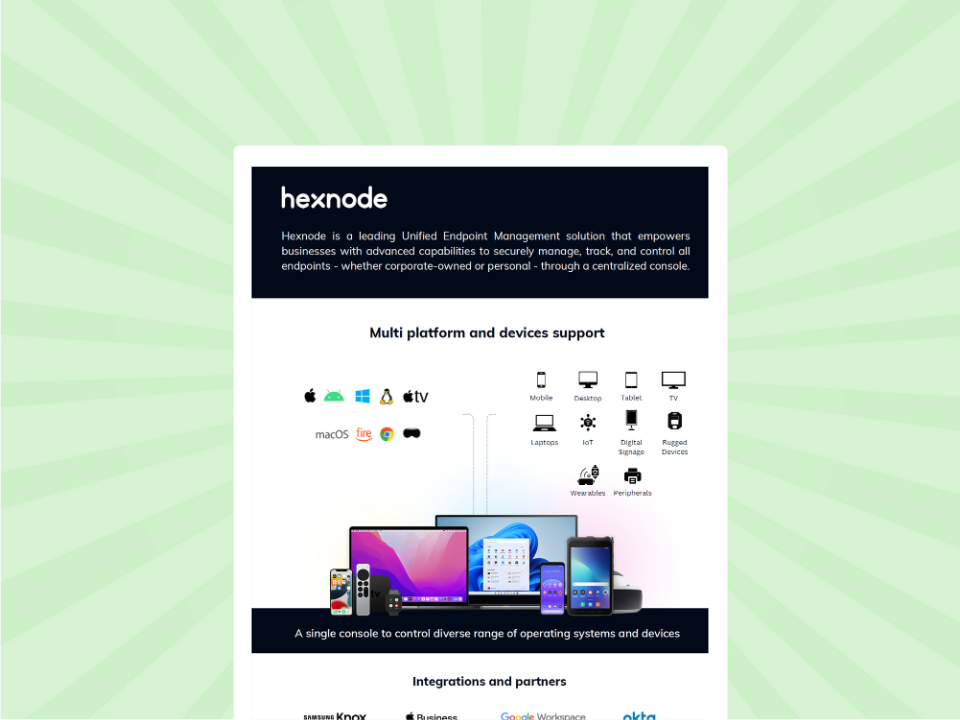
Introduction to Hexnode
Before configuring your Zebra fleet, get a fast overview of the UEM platform. This sheet shows Hexnode's core capabilities in streamlining device control and simplifying IT workflows.
Before any management policy, script, or FOTA update can take effect, Link-OS printers must be enrolled quickly and securely. Hexnode streamlines this with two enrollment pathways, Open Enrollment for speed at scale, and Authenticated Enrollment for controlled, security-first deployments. Both are purpose-built for Zebra environments where onboarding delays directly impact warehouse, retail, and logistics operations.
Open enrollment: Fast, high-volume onboarding
This method is ideal when onboarding dozens or hundreds of printers in a single wave. The workflow is simple:
Technicians use the Zebra Setup Utility app to point the printer toward the Hexnode WebLink, and the device is automatically enrolled into the console. This pathway supports high-volume onboarding, making it well-suited for multi-site rollouts or rapid seasonal expansions where the priority is standardizing a large fleet in a single window.
For environments prioritizing tighter access control such as healthcare, finance, or restricted manufacturing, Hexnode supports a secure enrollment model based on authentication passwords.
Administrators configure a unique enrollment password within Hexnode. Only users with this credential can onboard a Link-OS printer, ensuring that every device joining the console is traceable, authenticated, and approved.
This method prevents accidental or unauthorized enrollments and provides a verifiable chain of control from day one.
Together, these two enrollments give enterprises the flexibility to choose their onboarding strategy, speed at scale or strict authorization while maintaining consistent, predictable Link-OS management across the fleet.
Hexnode’s Policies tab is the command center for transforming complex, raw Link-OS SGD commands into easily deployable, scalable profiles, ensuring 100% configuration consistency across your fleet. By consolidating every critical setting from media properties to network governance into a single policy, Hexnode eliminates configuration drift and enforces IT standards automatically.
After enrollment, configuration standardization is paramount. Manual Link-OS configuration leaves settings like print darkness or media type vulnerable to human error. Our console brings unparalleled simplicity to this complexity.
Enforcing base settings and media control
Within the Policies tab, Hexnode provides dedicated sections to lock down fundamental operating parameters. You can enforce ideal settings for Printer Darkness, select the appropriate Print Method (e.g., direct thermal vs. thermal transfer), and dictate the Print Media Type being used.
Additional Link-OS base settings for consistency include:
Print Speed (to match media/ribbon and prevent smudging)
Tear-Off / Label Positioning controls
Print Width & Label Calibration parameters
Head Check Thresholds
Real-Time Clock (RTC) sync settings
ZBI (Zebra Basic Interpreter) enable/disable
Enforcing these base settings significantly reduces consumables waste, as standardized policies help optimize darkness, speed, and media alignment across the fleet.
Advanced governance and protocol control
Hexnode extends far beyond base settings, offering granular control over communications and security. Under the Network configurations, you can lock down Wi-Fi and Ethernet parameters. Crucially, the Communications Protocol section lets you centrally manage services like SNMP, LPD, TCP Socket Protocol, and HTTP, enforcing security by disabling unused ports.
Additional protocols and advanced settings include:
FTP / FTPS (commonly used for unattended file transfer)
IPP / AirPrint controls (especially in mixed-OS environments)
Bluetooth & Bluetooth LE enable/disable
mDNS / DNS Discovery Settings
CUPS / Queue Sharing modes
Syslog & Event Logging configuration for compliance
RFID configuration blocks (for printers with RFID modules—encoding standards, power levels, retries)
“A policy isn’t just a setting; it’s a permanent enforcement of a business rule.”
Hexnode also allows you to configure Mirror (FTP-based mirroring) settings – specifying the IP address, username, password, and update frequency to automate the reliable transfer of fonts, forms, ZPL templates, and graphic files to all printers. This eliminates manual transfers and ensures every device always has the latest formats.
❗ Note on access:
The Mirroring Server capability, along with other high-level actions like Execute Custom Script, is available as a standard part of Hexnode’s Zebra printer management console, with no separate add-on required to unlock these advanced controls.
Standardizing Link-OS printers through policies ensures a clean baseline, but maintaining that state during peak operational windows requires a centralized remediation engine. Hexnode’s Automation tab allows IT to bypass localized troubleshooting and push immediate, fleet-wide fixes.
Execute custom script: The engine for deep control
This allows you to bypass the graphical interface and issue advanced, immediate configurations, a lifesaver during urgent device incidents or when executing batch operations. Hexnode lets you remotely push raw SGD commands, ZPL code, .nrd packages, and .txt-based configuration bundles, giving you access to the deepest layers of Link-OS control. This is ideal for one-off fixes, high-priority adjustments, or any workflow that requires going beyond GUI-based policies.
Additional advanced configurations you can push via scripts include:
RFID encode parameter updates (for RFID-enabled Zebra printers)
Printhead maintenance commands (cleaning, pressure, temperature tuning)
Deploying advanced ZPL logic for specialized label formats
?Pro tip:
Here is a code snippet showing how to retrieve the printer’s current configuration and then update its print darkness: ! U1 getvar "allcv" ! U1 setvar "print.tone" "10"
Upload this ZPL file to the Hexnode repository and select Execute Custom Script from the Actions Bar for the target printer.
If you can script it, Hexnode can push it, eliminating the physical gap between IT and the device.
This level of remote granular control is how Hexnode ensures your Link-OS investment drives maximum productivity.
Connecting Link-OS Printers to ERP, WMS, and POS Workflows
Policies and scripts standardize how a printer behaves. But most label-printing demand doesn’t originate in the Hexnode console, it comes from line-of-business systems.
Zebra printers are rarely used in isolation. They sit downstream of ERP, warehouse management (WMS), and point-of-sale (POS) systems that trigger the actual print jobs.
Link-OS supports this through open APIs and SDKs, letting developers wire printers directly into these platforms. A WMS can fire a print command the moment a pallet is scanned. A POS can generate a receipt the second a sale closes.
This is where governance and integration meet. Hexnode doesn’t replace these API-level connections, it protects them.
By locking down base settings, network protocols, and RTC sync at the fleet level, Hexnode ensures the printer receiving that ERP-triggered job is configured identically to every other unit in the warehouse.
Inconsistent darkness or media settings at the device level can silently break labels generated by an otherwise perfectly integrated WMS.
Typical integration patterns include:
Automated label generation triggered by inventory scans
Receipt printing tied to POS transaction completion
Custom applications built on Zebra SDKs for specialized workflows
Teams building these integrations still need Hexnode’s policy layer underneath. API-level automation without fleet-level standardization just means errors happen faster, at scale.
Proactive troubleshooting & ROI via reporting
Once your Link-OS fleet is enrolled, configured, and governed through policies, the final step is ensuring long-term sustainability—catching issues before they impact operations. Hexnode’s reporting engine transforms IT from reactive crisis response to proactive, data-driven maintenance by surfacing granular insights into device health, status, and uptime. By tracking metrics like Printer Uptime and Battery Level, administrators can quantify the ROI of centralized management and prevent failures well ahead of end-user disruption.
Real-time health and proactive maintenance
Hexnode surfaces critical telemetry through the Device Summary, offering real-time visibility into:
Printer Status (Ready, Paused, Error, Media Out)
Battery Level (for mobile Zebra printers)
Last Checked-In Time
Network Connectivity Status
Last Policy Sync
Paired with an Alert Policy, this data becomes an early-warning system that automatically notifies IT of conditions that require intervention.
Triggerable states include:
Head Open / Door Open events
Ribbon Low / Ribbon Out
Calibration Failure Alerts
Network Offline for X Minutes
Overheat / Thermal Warning states
These real-time triggers eliminate operational blind spots and give IT a predictable, repeatable process for preventing disruptions.
ROI metrics and performance audits
The new Printers Report consolidates uptime, usage, and diagnostic data across the entire Link-OS fleet, enabling organizations to measure and continually improve their operational efficiency.
Key metrics include:
Firmware Version Consistency (ensures security and compliance)
Print Count / Total Labels Printed (tracks workload distribution)
Media Remaining % (predicts refill cycles and reduces print failures)
Analyzing these fields provides a clear reliability profile and highlights recurring issues before they scale. Eliminating unexpected reboots, for example, reduces system faults and sharply cuts recurring support tickets.
Performance audit table
Report data field
Business impact
Printer uptime
Quantifies efficiency; reduces unplanned downtime
Printer last reboot reason
Pinpoints recurring errors needing policy fixes
Non-compliant devices
Audits security posture and protocol adherence
Firmware version
Ensures standardized, secure environments
Total print count
Balances workload and predicts maintenance
Preventive Maintenance: Protecting Printhead and Hardware Lifespan
Reporting tells you when something has already gone wrong. Preventive maintenance is how you stop it from happening in the first place.
Printheads, rollers, and sensors degrade with use. Left unmanaged, this shows up as faded labels, jams, or misreads, problems that generate support tickets long before a printer actually fails.
Hexnode’s reporting layer feeds directly into a maintenance rhythm:
Print Count data flags high-usage units due for physical cleaning
Firmware Version Consistency confirms devices are running the latest LifeGuard-class security and stability patches
Calibration Failure Alerts catch sensor drift before it causes downtime
None of this replaces hands-on care. Printheads still need regular cleaning. Rollers still need inspection. But Hexnode removes the guesswork of deciding which printers in a 500-unit fleet actually need attention this week.
Pair scheduled physical maintenance with Hexnode’s automated triggers, and IT shifts from reactive firefighting to a predictable cadence: clean, calibrate, update, repeat.
For distributed fleets, this cadence is what actually protects lifespan. A printer that’s remotely monitored but never physically maintained will still fail early. A printer that’s cleaned on schedule but never monitored will fail without warning. Hexnode’s telemetry closes the visibility gap; the maintenance schedule closes the physical one. Together, they extend hardware life and cut emergency service calls.
Security & governance best practices
Hexnode UEM enforces a zero-trust security model for Link-OS devices by centrally mandating strong authentication, restricting vulnerable communication channels, and automating the entire device lifecycle. This policy-driven approach minimizes the printer fleet’s attack surface, keeps configurations consistent, and ensures sensitive print data remains protected.
Core security controls
Certificate Deployment: Push Wi-Fi, EAP-TLS, and server certificates so printers authenticate securely and avoid weak, shared credentials.
Bluetooth Restrictions: Disable or limit Bluetooth to prevent unauthorized pairing and local access.
Protocol Enforcement: Allow only approved communication protocols (SNMP, LPD, TCP sockets, HTTP/HTTPS) while blocking unused services to reduce exposed ports.
Access Governance: Standardize SNMP community strings, restrict admin interfaces, and enforce uniform security profiles across every site.
Firmware & patch governance
Secure FOTA Updates: Deploy Link-OS firmware patches (4.3+) over the air to eliminate vulnerabilities and prevent version drift.
Scheduled Patch Windows: Push updates during low-traffic periods to avoid workflow interruptions.
Secure device lifecycle
Disenroll device: Cleanly remove a printer from management while revoking policies, certificates, and credentials.
Reset network / Factory reset: Wipe stored profiles, cached data, and network settings for a fully sanitized retirement.
Audit compliance: Use Reports to verify firmware versions, protocol adherence, and enrollment integrity across the fleet.
This structured, policy-driven model ensures every Link-OS printer remains secure, compliant, and operationally predictable throughout its entire lifecycle.
Your path ahead
Managing a Link-OS fleet doesn’t have to be complex. With Hexnode, organizations gain a unified control plane that centralizes enrollment, automates configuration through scalable policies, strengthens security, and delivers measurable ROI through proactive monitoring and uptime reporting. From custom scripting to FOTA patching, every operational lever is brought under one streamlined platform—eliminating drift, reducing support load, and maximizing printer reliability.
Start automating today!
If you’re ready to standardize, secure, and scale your Zebra environment with confidence,
What LinkOS version do I need for Hexnode enrollment?
Hexnode’s Zebra Printer Enrollment requires devices running LinkOS version 5.0 or above. Printers on older firmware versions will need a firmware update before they can be onboarded into the console. Confirming this version compatibility beforehand helps avoid failed enrollment attempts during large-scale rollouts.
Can I switch a printer from Open Enrollment to Authenticated Enrollment later?
Enrollment mode is a fleet-wide console setting rather than a per-device toggle, so mixing modes on already-enrolled printers typically requires disenrolling and re-enrolling under the new authentication method. Organizations usually decide on one pathway upfront based on their security requirements, then apply it consistently across a site or deployment wave. For mixed environments, some teams run separate policies for high-security locations versus high-volume rollout sites.
Does pushing a firmware update (FOTA) interrupt active print jobs?
Firmware updates should be scheduled during low-traffic periods specifically to avoid workflow interruptions, since the printer is unavailable for print jobs while the update installs. Hexnode’s Scheduled Patch Windows feature exists to let IT time these deployments outside of peak operational hours. Planning updates around shift changes or off-hours minimizes disruption to warehouse or retail throughput.
What’s the difference between the Mirror feature and Execute Custom Script for pushing files to printers?
The Mirror feature automates ongoing FTP-based synchronization of fonts, forms, templates, and graphics to the entire fleet on a set schedule. Execute Custom Script is used for one-off or urgent pushes, letting IT send raw SGD commands, ZPL code, or configuration files to a specific printer on demand. Mirror suits recurring, fleet-wide asset distribution, while scripting suits immediate, targeted fixes.
Can Hexnode manage Zebra printers alongside other device types like Android or Windows?
Yes, Hexnode operates as a Unified Endpoint Management platform, meaning Zebra Link-OS printers are managed from the same console as other enrolled device types. This consolidates enrollment, policy management, and reporting into a single pane of glass instead of requiring separate tools per platform. It reduces tool sprawl, one of the core pitfalls of decentralized device management described earlier.
How do I know if a Zebra printer’s RFID module is configured correctly through Hexnode?
RFID configuration is managed through dedicated policy blocks covering encoding standards, power levels, and retry settings, and can also be adjusted via custom scripts for RFID encode parameter updates. Administrators can verify settings through the Printers Report and Device Summary telemetry to confirm the printer is applying the intended RFID configuration. Calibration Failure Alerts can also flag RFID-related sensor issues before they affect tag encoding accuracy.
Associate Product Marketer at Hexnode focused on SaaS content marketing. I craft blogs that translate complex device management concepts into content rooted in real IT workflows and product realities.