Multi-tenant device management enables MSPs to manage multiple customer environments from one platform while keeping every tenant’s data, policies, and devices isolated. Hexnode UEM MSP provides a centralised dashboard for overseeing independent UEM nodes with strict tenant isolation, while individual UEM portals support automations for supported device-management tasks.
Managing one customer environment is straightforward. Managing fifty is a different challenge. MSPs must support diverse device fleets, enforce customer-specific security policies, and maintain compliance without increasing operational overhead. Multi-tenant device management addresses this challenge by allowing MSPs to manage multiple customers through a single platform while keeping every environment securely isolated.
As MSPs grow, operational complexity often grows faster than revenue. Technicians spend more time switching between management consoles, recreating policies, and generating separate reports for every customer. These repetitive tasks reduce efficiency, increase the risk of administrative errors, and make it harder to deliver consistent service quality.
A multi-tenant architecture eliminates much of this complexity. Instead of managing every customer as an independent deployment, MSPs can centralise operations while maintaining strict separation between tenants. The result is a more scalable operating model that improves productivity without compromising security.
In this guide, you’ll learn how multi-tenant device management works, why it has become essential for modern MSPs, and the capabilities to look for when evaluating a solution.
Multi-tenant device management is an architecture that allows multiple independent organisations, known as tenants, to use the same management platform while keeping their devices, administrators, policies, and data completely separate. Each tenant functions as an isolated environment even though they share the same underlying infrastructure.
For MSPs, this means administrators can manage every customer from a single console without exposing one customer’s information to another. Each customer maintains its own:
Unlike traditional deployments that require a separate management instance for every customer, multi-tenancy removes duplicate administrative work. MSPs can standardise routine operations while still applying customer-specific configurations whenever necessary.
Although MSPs represent the primary use case, this model also benefits enterprises with multiple subsidiaries, franchise businesses, educational organisations, and IT outsourcing providers that manage separate business entities.
How multi-tenant device management works
A multi-tenant platform combines central administration with logical separation between customers. Administrators work from a single interface, but the platform isolates each tenant’s resources so that policies, devices, and reports never overlap.
The typical workflow is straightforward:
Create a dedicated tenant for a customer.
Enroll customer devices into that tenant.
Apply security policies and configurations automatically.
Assign administrators to the appropriate tenant.
Generate customer-specific inventory, compliance, and audit reports.
This approach gives MSPs complete operational visibility while preserving customer privacy. It also reduces manual administration because technicians no longer need to maintain separate management portals for every organisation.
Key benefits of multi-tenant device management for MSPs
As MSPs expand their customer base, managing multiple environments efficiently becomes increasingly important. Multi-tenant device management streamlines operations by centralising administration while preserving customer isolation. The following benefits show how this approach helps MSPs improve service delivery, strengthen security, and scale their operations more effectively.
Centralised management without sacrificing customer isolation
A multi-tenant platform allows MSPs to manage hundreds or thousands of devices from a single console while keeping every customer’s environment separate. Each tenant maintains its own devices, policies, administrators, and reports, preventing accidental changes or data exposure across customers. This centralised approach reduces context switching and simplifies large-scale administration without compromising security.
Faster customer onboarding
Efficient onboarding enables MSPs to deliver services sooner and reduce deployment costs. Administrators can create new customer environments using tenant templates, automate provisioning, and enrol devices in bulk instead of configuring each deployment manually. Standardised onboarding workflows minimise setup time while ensuring every customer starts with consistent security and management configurations.
Consistent policy management at scale
Maintaining consistent policies across multiple customers becomes increasingly difficult as an MSP grows. Multi-tenant device management lets administrators deploy standard baseline policies while creating customer-specific exceptions where needed. Centralised policy management also makes updates easier and reduces configuration drift, helping MSPs maintain consistent security across diverse customer environments.
Improved operational efficiency
Managing multiple customers through separate management systems creates unnecessary administrative work. A unified platform eliminates many repetitive tasks by centralising device management, reporting, and policy deployment. Technicians spend less time performing routine administration and more time resolving customer issues, improving productivity and simplifying day-to-day operations. This efficiency is particularly valuable for organisations delivering mobile device management for MSP customers.
Delegated administration
Different customers often require different levels of administrative access. Multi-tenant platforms support delegated administration through role-based access controls, allowing MSP administrators, customer IT teams, and read-only users to access only the resources relevant to their responsibilities. Applying the principle of least privilege strengthens security while enabling customers to manage approved tasks independently.
Better compliance and audit readiness
Many MSP customers must demonstrate compliance with industry or regulatory requirements. Multi-tenant platforms simplify this process by maintaining separate audit logs, customer-specific reports, and complete policy histories for every tenant. This organised structure improves policy traceability and makes it easier to collect evidence during security assessments or regulatory audits.
MSP Compliance: Policy Staging and Validation for Preventing Breaches
Learn how policy staging and validation help MSPs prevent breaches and maintain client compliance.
Easier business growth
As customer portfolios expand, MSPs need a management model that scales efficiently. Multi-tenancy allows providers to add new customers quickly without deploying separate management environments for each organisation. It also supports global operations, simplifies the integration of acquired businesses, and enables technicians to manage larger device fleets from a single platform. These efficiencies help MSP device management teams grow their services while maintaining consistent operational quality.
Essential features to look for in a multi-tenant device management solution
The right multi-tenant platform should do more than centralise administration. It should help MSPs deliver secure, consistent, and scalable services without increasing operational complexity. When evaluating a solution, focus on capabilities that simplify management while supporting customer isolation and long-term growth.
Strong tenant isolation is the foundation of any multi-tenant platform. Each customer’s devices, data, policies, and reports should remain completely separate to prevent accidental access or configuration changes across tenants.
Granular role-based access control (RBAC) enables MSPs to assign permissions based on responsibilities rather than giving broad administrative privileges. This approach strengthens security and supports shared management with customer IT teams.
Automated device enrolment reduces manual effort during deployments. Combined with policy inheritance and reusable templates, it helps administrators onboard customers faster while maintaining consistent security standards.
A platform should also provide cross-platform device support so MSPs can manage Windows, macOS, Android, iOS, and other supported operating systems from one console. This flexibility reduces the need for multiple management tools.
Operational efficiency depends on built-in management capabilities. Remote troubleshooting tools, patch and application management, and comprehensive asset inventory and reporting allow technicians to resolve issues, maintain software compliance, and track managed devices without switching between systems.
Finally, organisations should prioritise compliance monitoring, API integrations, and automation capabilities. These features simplify routine administration, improve reporting, and integrate device management into broader IT workflows. Some MSPs may also benefit from white-label branding, allowing them to provide a more consistent customer experience under their own brand.
Common use cases for multi-tenant device management
Although MSPs represent the primary users of multi-tenant platforms, the same architecture supports many organisations responsible for managing multiple independent environments.
Managed Service Providers
MSPs can manage multiple customer environments from one console while keeping every tenant isolated. This approach simplifies administration, improves technician productivity, and enables faster customer onboarding.
Enterprise subsidiaries
Large organisations often operate regional offices or independent business units with different administrative requirements. Multi-tenancy allows local IT teams to manage their own environments while corporate administrators maintain central oversight and governance.
Franchise businesses
Franchise operators can enforce organisation-wide security policies while allowing individual locations to manage approved day-to-day activities. This balance supports operational consistency without removing local flexibility.
Educational service providers
Institutions that manage technology for multiple schools or campuses can maintain separate device inventories, policies, and reporting for each organisation while reducing administrative overhead.
IT outsourcing companies
IT service providers supporting multiple enterprise customers can securely separate customer environments, delegate administrative access where appropriate, and manage devices from a unified platform.
Best practices for implementing multi-tenant device management
A successful deployment begins with careful planning rather than technology alone. Organisations should design a clear tenant hierarchy before enrolling devices to ensure customers, administrators, and reporting structures remain organised as the environment grows.
Standardising baseline security policies helps maintain consistency across customer environments while allowing documented exceptions for unique business or regulatory requirements. Reusable policy templates further reduce administrative effort and improve deployment speed.
Role-based access should replace shared administrator accounts to improve accountability and strengthen security. Organisations should also automate device enrolment wherever possible, continuously monitor tenant health, review permissions regularly, generate scheduled compliance reports, and document customer-specific configurations to simplify future audits and troubleshooting.
Featured Resource
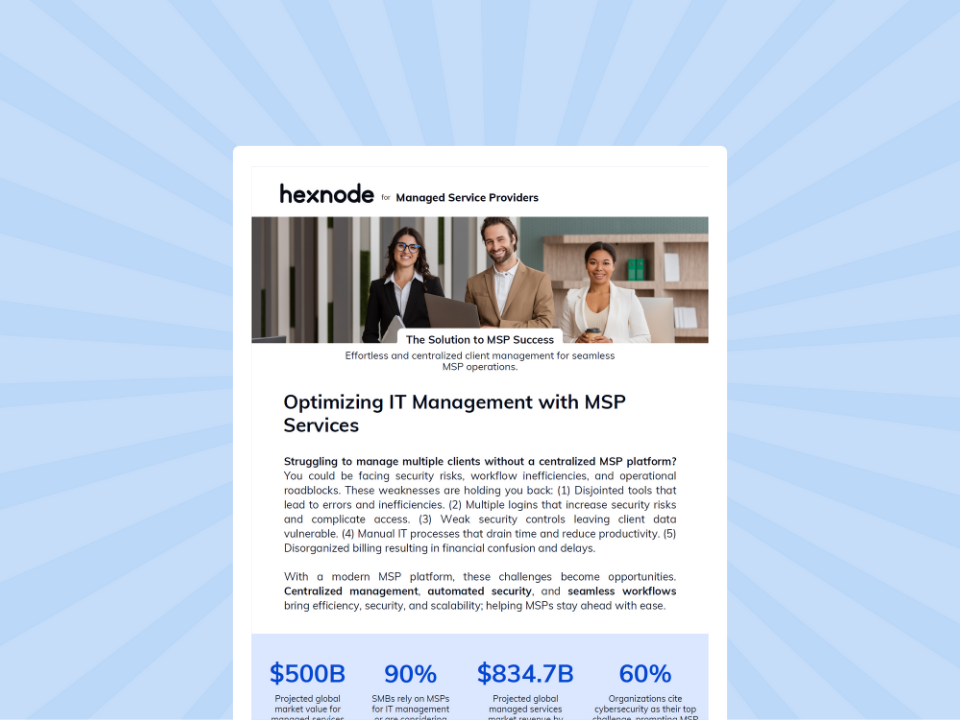
Hexnode UEM for MSPs
Discover how Hexnode UEM for MSPs simplifies multi-client endpoint management from a single platform.
How Hexnode UEM helps MSPs simplify multi-tenant device management
Hexnode UEM MSP provides a dedicated portal through which service providers can oversee multiple independent UEM nodes, with each node functioning as a standalone Hexnode UEM portal. Administrators can create independent UEM portals, assign technicians appropriate roles and scopes, organise devices into groups within each portal, and manage policies separately for each tenant.
Hexnode UEM supports Android, iOS and iPadOS, Windows, macOS, tvOS, Linux, ChromeOS, visionOS, and Zebra printers, although available management features vary by platform. It supports application management, remote actions, compliance and device reports, and inventory capabilities, while patch management is documented for Windows and macOS. These features help MSPs standardise administration while maintaining flexibility for individual customer requirements.
Hexnode UEM MSP centralises high-level oversight, maintains strict tenant isolation, and allows administrators to create new UEM portals and assign technicians to specific nodes.
FAQs
What is the difference between single-tenant and multi-tenant device management?
Single-tenant deployments provide a dedicated management environment for one organisation, while multi-tenant device management allows multiple organisations to share the same platform with completely isolated devices, policies, administrators, and data.
Can MSPs manage multiple customers without sharing data?
Yes. A properly designed multi-tenant platform logically separates every customer’s environment, ensuring devices, reports, policies, and administrative access remain isolated from other tenants.
How does multi-tenant device management improve operational efficiency?
It centralises administration, reduces repetitive tasks, simplifies policy management, automates routine workflows, and allows technicians to manage more customer devices from a single platform.
Conlusion
Multi-tenant device management gives MSPs the foundation to scale without increasing operational complexity. By centralising administration while maintaining strict customer isolation, it improves efficiency, strengthens security, and supports consistent service delivery. As customer environments become more diverse, Hexnode UEM MSP can centralise multi-tenant oversight while keeping data, device logs, and user credentials isolated within each tenant.
Simplify Multi-Tenant Device Management
Manage every customer securely from one console with Hexnode UEM built for modern MSPs.
Content writer at Hexnode. Fueled by good coffee and the occasional cat cuddle, I enjoy crafting content that informs, connects, and resonates. Nothing excites me more than knowing my words have been read, appreciated, and maybe even bookmarked.