Enterprise enrollment converts unmanaged ChromeOS endpoints into centrally governed devices, reducing security risks and configuration inconsistencies.
Centralized policies help limit unauthorized access, compliance gaps, manual troubleshooting, and reactive IT maintenance.
Enterprise management enables network provisioning, app control, kiosk configurations, and remote device protection, while zero-touch enrollment provides an automated alternative to manual enrollment for compatible, pre-provisioned ChromeOS devices.
Hexnode UEM integrates with Google Workspace to synchronize ChromeOS devices, users, and organizational units while managing them alongside other supported endpoints from a unified console.
The security and financial risks of unenrolled devices
Understanding the Chrome OS enterprise enrollment benefits starts with recognizing the risks of leaving devices unmanaged. Unenrolled ChromeOS devices lack the centralized controls IT teams need to enforce security policies, manage access, and respond to incidents, increasing the risk of unauthorized access, data exposure, and compliance violations.
The operational cost is equally significant. IT teams may have to troubleshoot devices individually, perform manual fixes, and rely on reactive maintenance instead of centralized management. As the device fleet grows, these repetitive tasks consume more support time and increase administrative overhead.
Lost or stolen devices create an additional risk. Without the ability to remotely secure or wipe an endpoint, corporate data may remain exposed, forcing IT teams to spend additional time on incident investigation, credential resets, and compliance response.
Together, these security gaps and manual support requirements turn unenrolled devices into both an endpoint security risk and an avoidable financial burden.
What are the top 7 benefits of enterprise enrollment for ChromeOS?
The main Chrome OS enterprise enrollment benefits include centralized device management, automated security enforcement, network provisioning, controlled app deployment, kiosk configuration, remote device protection, and zero-touch onboarding.
Enterprise enrollment registers ChromeOS devices with an organization so IT teams can manage endpoints centrally instead of configuring and securing each device manually.
1. Centralized cloud-based management
Enrollment gives IT teams a centralized environment for managing ChromeOS endpoints across locations. Administrators can apply device settings and organize endpoints according to departments, roles, or operational requirements.
This enables IT to:
Apply configurations consistently across device groups.
For growing fleets, policy-driven management makes endpoint administration significantly more scalable.
2. Over-the-air security policy enforcement
Enrolled devices can receive security policies remotely without requiring physical access. Administrators can enforce settings governing user access, browser behavior, guest usage, updates, and other device-level controls.
Key advantages include:
More consistent security configurations.
Reduced configuration drift.
Faster rollout of policy changes.
Centralized enforcement across distributed endpoints.
This helps move security from manual configuration toward continuous, centrally governed policy enforcement.
3. Automated network and Wi-Fi provisioning
Enterprise enrollment allows IT teams to centrally provision approved network configurations instead of asking users to configure connectivity manually.
Automated provisioning reduces setup errors and helps ensure endpoints connect using organization-approved network configurations.
4. Streamlined app deployment and blacklisting
Enrollment also gives administrators greater control over the applications and extensions available on managed devices.
IT teams can:
Force-install required applications and extensions.
Allow approved applications.
Block unauthorized or unnecessary software.
Apply different app policies to specific device or user groups.
This reduces manual software installation while creating a more predictable and controlled application environment.
5. Kiosk mode and managed guest sessions
Enrolled ChromeOS devices can be configured for dedicated or shared-use scenarios. Kiosk mode can restrict a device to a designated application or workflow, while managed guest sessions support shared access without requiring users to sign in with individual Google Accounts.
Centralized configuration allows IT to maintain these deployments without manually preparing every device.
6. Remote wiping and lockdown for lost devices
When a managed endpoint is lost, stolen, or no longer trusted, enrollment gives administrators remote options for protecting organizational data.
Depending on the scenario, IT can:
Disable a managed device.
Prevent continued organizational use.
Remotely wipe device data when required.
Respond without having physical access to the endpoint.
These controls reduce the security impact of lost hardware and support faster incident containment.
7. Zero-touch bulk onboarding
Zero-touch enrollment enables supported ChromeOS devices purchased through participating partners to enroll automatically when first powered on and connected to the internet.
For IT teams, this can mean:
Less hands-on device preparation.
Faster large-scale rollouts.
Direct shipment of devices to users or locations.
More consistent enrollment during initial setup.
Collectively, these benefits shift ChromeOS administration away from manual configuration toward a scalable, policy-driven endpoint model.
Centralized ChromeOS management can support a zero-trust strategy by helping IT maintain consistent device configurations and security posture, while access to enterprise resources still requires explicit authentication, authorization, and ongoing evaluation.
The complete guide to Chrome OS device management
Learn how to enroll, secure, manage, and optimize ChromeOS devices.
Supercharge ChromeOS management with Hexnode UEM
The Chrome OS enterprise enrollment benefits become easier to operationalize at scale with Hexnode’s Google Workspace integration. The integration brings enrolled ChromeOS endpoints into the Hexnode UEM console, allowing IT teams to manage them alongside supported mobile and desktop platforms from a unified management environment.
Once the Google Admin Console is linked with Hexnode UEM, administrators can synchronize Google Workspace directory and ChromeOS management data instead of recreating the same structures manually. Specifically:
Organizational Units (OUs) are automatically synchronized from Google Workspace.
Users and user groups can be imported based on configured domains and sync targets.
Enrolled ChromeOS devices and their assigned users are synchronized with the Hexnode portal.
Scheduled Scans can automatically initiate Google Workspace synchronization on a daily or weekly schedule, while the on-demand Sync with Google Workspace remote action can pull subsequent changes, including user, group, domain, and Organizational Unit updates, into Hexnode UEM.
From Manage > Devices, IT teams can view enrolled ChromeOS endpoints and maintain device inventory alongside other managed platforms. Hexnode also provides device reports for tracking enrollment, activity, compliance, ownership, and lifecycle status.
Administrators can also execute lifecycle actions directly from the portal. For example, selecting Actions > Device Control > Disenroll Device terminates the management relationship for an active device.
This unified console allows IT to coordinate endpoint security and configuration policies across mobile and desktop fleets while still applying the platform-specific controls required by ChromeOS and other operating systems.
Featured resource
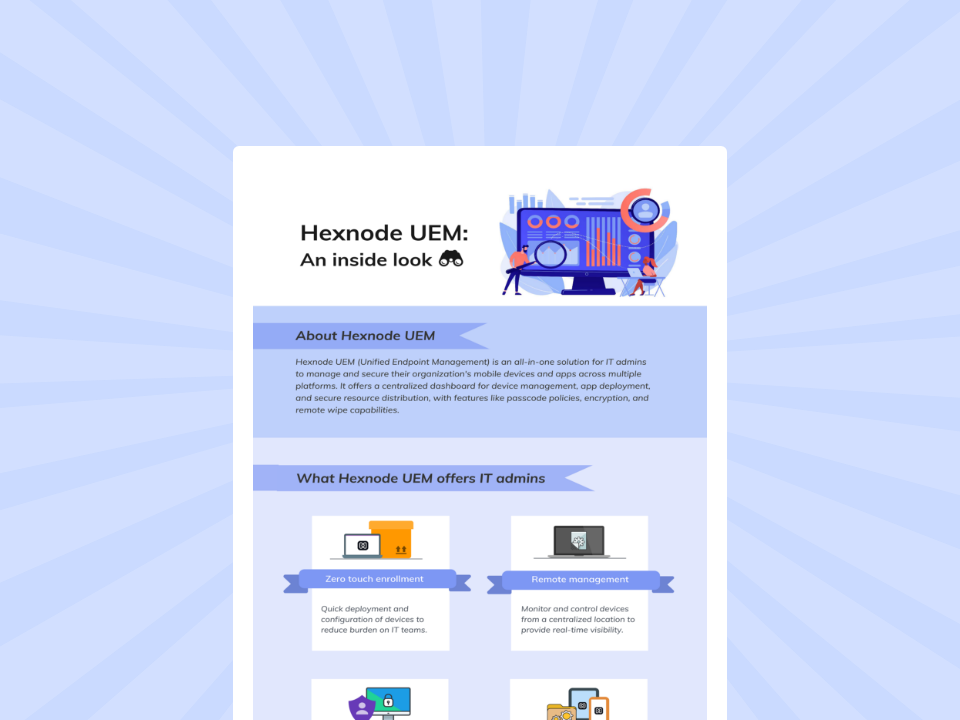
Hexnode UEM: An inside look
Discover how Hexnode UEM centralizes cross-platform mobile device management, security, app deployment, and remote administration.
Do ChromeOS devices need enterprise enrollment for centralized policy enforcement?
Yes. Enterprise enrollment allows IT teams to apply device settings, security controls, network configurations, and application policies centrally instead of configuring each endpoint manually.
How does ChromeOS enterprise enrollment support a zero-trust endpoint strategy?
Enterprise enrollment supports zero-trust principles by giving IT centralized control over device configuration, access, and security policies. This reduces reliance on individually configured endpoints and helps maintain consistent controls across distributed ChromeOS fleets.
Can enterprise-enrolled ChromeOS devices be used for kiosks and shared workstations?
Yes. Enrolled ChromeOS devices can be configured for kiosk mode or managed guest sessions, making them suitable for digital signage, self-service kiosks, shared workstations, and other task-specific deployments.
Centralize your ChromeOS fleet today
Decentralized ChromeOS management increases security gaps, configuration inconsistencies, and unnecessary IT workload. By bringing enrollment, provisioning, policy enforcement, and device oversight under centralized management, IT teams can replace repetitive manual processes with a more scalable endpoint strategy.
Hexnode UEM helps administrators manage ChromeOS alongside their broader endpoint fleet from a unified console, reducing fragmented administration and simplifying policy enforcement.
A storyteller for practical people. Breaks down complicated topics into steps, trade-offs, and clear next actions—without the buzzword fog. Known to replace fluff with facts, sharpen the message, and keep things readable—politely.