Successful enrollment alone does not guarantee operational readiness; configuration errors can disrupt frontline work and increase support demand.
Use representative pilots, approved baselines, and operational acceptance checks. Require IT and operations sign-off before expanding deployment batches.
Hexnode supports Zero-Touch Enrollment for compatible Android devices, OEMConfig settings, and group-level policies. Your organization retains responsibility for rollout approval.
Why do rugged device rollouts need validation before scale?
Successful enrollment alone does not establish that a rugged device can complete its intended operational tasks. Rugged device rollout planning must therefore validate both provisioning and real workflows.
Consider handhelds that complete setup at IT’s staging desk. On the warehouse floor, scanners capture the wrong barcode format, or workers cannot access the inventory application.
For IT administrators, maintaining consistent configurations becomes harder across device models, operating systems, sites, and shifts. A setting that works for one device role may need adjustment for another. A representative pilot lets IT and operations identify deployment and workflow problems before repeating them across the fleet.
What happens when provisioning problems reach the entire fleet?
An unvalidated rollout can multiply configuration errors, interrupt frontline work, and increase support demand. Problems missed during staging become recurring incidents as more workers receive affected devices.
Scanning errors require inventory corrections and repeat checks.
Failed application access delays dispatch while staff wait for working devices or restored access.
Inconsistent settings force technicians to troubleshoot the same workflow across different configurations.
IT may then need to recall devices from service and reconfigure them manually, delaying site launches. Meanwhile, inconsistent deployment leaves administrators uncertain whether required controls reached every device, making it harder to approve the next batch with confidence.
What is rugged device rollout planning?
Rugged device rollout planning defines how devices will be provisioned, tested, approved, and deployed in controlled batches. Validate a versioned configuration baseline on representative devices, test real frontline workflows, and require IT and operations sign-off before expanding deployment.
Three milestones define that progression:
Enrollment establishes management, allowing IT to assign policies and applications.
Configuration validation confirms that devices have the intended settings and applications, including approved variations.
Operational acceptance confirms that workers can complete real tasks under representative working conditions.
A representative pilot is a limited deployment covering the device types, environments, and workflows expected across the fleet. It should expose meaningful differences that testing one model at a staging desk could miss.
An approved configuration baseline documents the agreed settings and applications for a device role. Consistent provisioning means applying the correct baseline, with documented differences for models, sites, and operating systems. For example, warehouse picking devices and field-service handhelds may require different applications or scanner settings.
Why do rugged device rollouts need validation before scale?
Consider handhelds that complete setup at IT’s staging desk. On the warehouse floor, scanners might capture the wrong barcode format, or workers cannot access the inventory application. Successful enrollment alone does not establish that a rugged device can complete its intended operational tasks.
An unvalidated rollout multiplies these configuration errors across the fleet, interrupting frontline work and increasing support demand. Problems missed during staging become recurring incidents, such as scanning errors requiring inventory corrections or failed application access delaying dispatch. IT may then need to manually recall and reconfigure devices, delaying site launches and leaving administrators uncertain whether required controls reached every device.
How do you validate a rugged device rollout before expanding it?
Select representative devices, verify configuration consistency, test operational acceptance, and expand through approved deployment batches.
IT owns provisioning evidence, operations validates workflows, and a named rollout owner authorizes expansion based on the results.
How to Manage Rugged Devices and Smartphones with a Single UEM Platform
Manage rugged devices and smartphones from one UEM console with tailored policies, apps, and remote support.
Step 1: Which devices and environments belong in the pilot?
Include device combinations and working conditions that could change provisioning results or task completion. Build a pilot matrix covering:
Device configuration: models, OS and firmware versions, scanner types, peripherals, and enrollment routes.
Usage: shared or individually assigned devices, representative shifts, and frontline users.
Environment: warehouse zones and field connectivity conditions.
Test the actual applications and accessories workers will use, including charging docks and printers where relevant.
Size the pilot around meaningful differences and operational risk, rather than an arbitrary fleet percentage. Include combinations where a failure would disrupt critical work. Record untested combinations and require additional validation before introducing them into deployment batches.
Step 2: Which provisioning and configuration checks should you complete?
Verify that the intended provisioning method consistently applies the approved configuration and leaves devices ready for use.
Define a versioned baseline covering device identity, management mode, application versions, permissions, network settings, certificates, scanner configuration, and required restrictions. Document approved variations by role or site.
Repeat provisioning on multiple representative devices using the intended production method:
Compare actual device settings and application versions with the baseline.
Check that users can access required applications and connect to the intended networks.
Restart devices and confirm that required settings persist and application access still works.
Capture setup duration, failed steps, retries, and manual interventions for each attempt. Test recovery from an interrupted setup and confirm that devices become usable through documented steps, without undocumented technician fixes.
If recovery requires additional technician work, document the procedure and repeat the affected checks before approving the baseline.
Feature Resource
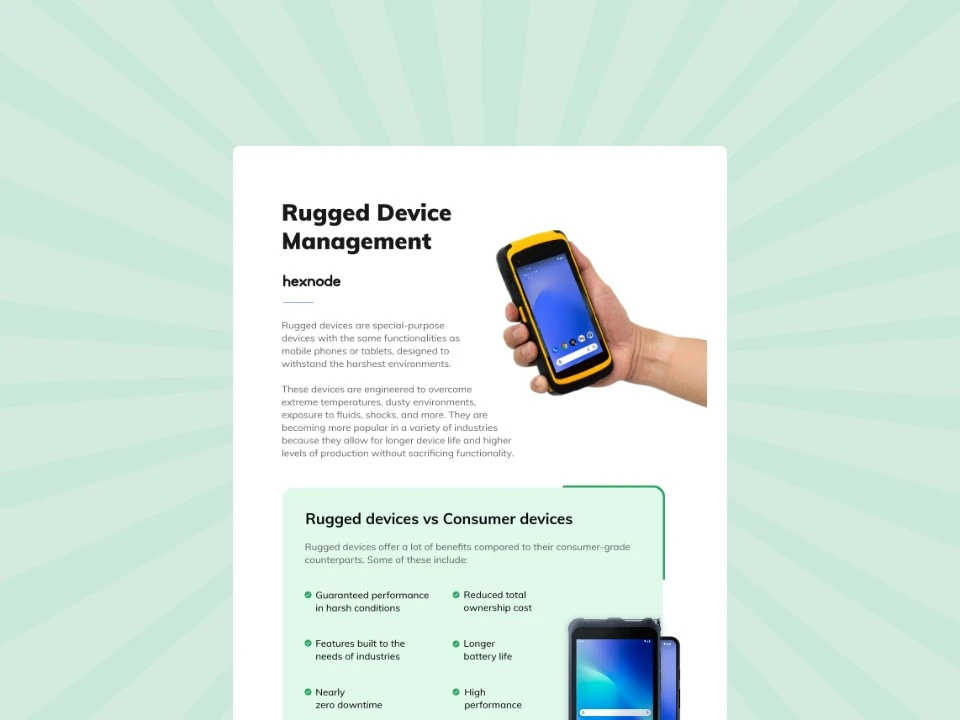
Managing your rugged fleet of devices with UEM
Modern UEM solutions like Hexnode provide enterprises with advanced features to manage and secure rugged devices. Download the infographic to learn more.
Step 3: What operational acceptance criteria should a pilot meet?
A pilot meets operational acceptance when workers demonstrate completion of required work under representative conditions.
Test warehouse scan-to-record accuracy and field-service job completion. Test offline capture and later synchronization only where the application supports them.
Record applicable checks in an acceptance table:
Test
Expected result
Evidence
Owner
Pass/fail
Transaction accuracy
Correct inventory records and completed jobs
Transaction records
Operations
Pending
Application response
Meets agreed response times
Timed runs
Operations
Pending
Connectivity recovery
Work resumes within agreed limits
Recovery logs
IT
Pending
Shift handover
Next worker completes required tasks
Handover checklist
Operations
Pending
Battery endurance
Supports planned working period
Battery readings
Operations
Pending
Peripheral use
Required docks and printers work
Test records
IT
Pending
Agree local thresholds for provisioning time, task completion, manual intervention, and recovery before testing. Replace each pending decision with pass or fail based on recorded evidence.
Obtain IT and operations sign-off before authorizing expansion. Unresolved critical workflow failures must block the next deployment batch.
Step 4: How should you expand bulk provisioning after the pilot?
Expand from the representative pilot to a limited operational batch, then deploy more widely by site, shift, or device role. Set batch sizes according to support capacity, network capacity, and readiness to recover failed devices.
For each batch, reuse the approved baseline and repeat acceptance checks. Before releasing the next batch, review:
Provisioning failures and configuration deviations.
Support requests and operational defects.
Define pause criteria before expansion, such as critical workflow failures, missing required settings, or support demand exceeding available capacity. Maintain a tested recovery plan that includes spare devices, configuration restoration where supported, or reprovisioning.
When hardware, firmware, applications, or configuration changes, revalidate affected workflows before deploying the revised setup more widely.
How does Hexnode support validated rugged device provisioning?
Hexnode supports Android Zero-Touch Enrollment for compatible, corporate-owned Android rugged devices. Add Hexnode’s enrollment JSON as DPC extras in the Android Zero-Touch portal configuration and assign it to the registered devices. Provisioning runs on first boot or after a factory reset, with internet connectivity; already-configured pilot devices need a factory reset to repeat zero-touch provisioning.
Before activation, complete Android Enterprise setup in Hexnode, have an authorized reseller register compatible devices, and ensure internet connectivity. In the Zero-Touch portal, Upload Batch Configuration assigns configurations in bulk through a CSV file. Validate the configuration on pilot devices before assigning it more widely.
For manufacturer-specific settings, approve and install the corresponding OEMConfig app on enrolled Android Enterprise devices. Documented examples include Zebra OEMConfig powered by MX, Honeywell OEM config, and Datalogic OEMConfig.
In a Hexnode policy, navigate to Android > App Management > App Configurations, select the approved app, and configure the settings it exposes. Associate the policy with the target devices or group. Available settings depend on the OEM’s implementation, so validate their behavior against the actual device model, OS version, and OEMConfig app version.
Use Custom Device Groups to organize pilot devices and deployment batches under administrator control. Membership is static: administrators add devices manually or through CSV. Review existing memberships because devices can receive policies from multiple groups.
Use Associate Policy to apply the approved baseline policies at group level. These features provide mechanisms for distributing configurations; operational acceptance and authorization to expand remain part of your organization’s rollout process.
FAQs
What is the difference between device enrollment and operational acceptance in a rugged device rollout?
Enrollment confirms that IT can manage the device and assign policies or applications. Operational acceptance verifies that frontline workers can complete real tasks, such as scanning inventory or finishing field-service jobs, under representative working conditions.
How large should a rugged device pilot be before bulk deployment?
Pilot size should reflect operational risk and meaningful differences across device models, OS and firmware versions, scanner types, enrollment routes, sites, and workflows. Include combinations whose failure could disrupt critical work, and document any untested combinations for validation before deployment.
What should be included in a rugged device provisioning baseline?
A versioned baseline should cover device identity, management mode, application versions, permissions, network settings, certificates, scanner configuration, and required restrictions. It should also document approved variations for specific device roles, sites, models, or operating systems.
When should IT pause a rugged device rollout?
IT should pause expansion when critical workflows fail, required settings are missing, configuration deviations appear, or support demand exceeds available capacity. The next batch should proceed only after the issue is resolved, affected checks are repeated, and IT and operations approve the results.
Can Hexnode automate bulk provisioning for rugged Android devices?
Hexnode supports Android Zero-Touch Enrollment for compatible, corporate-owned Android rugged devices and allows configurations to be assigned in bulk through the Zero-Touch portal. IT can also use supported OEMConfig apps for manufacturer-specific settings and Custom Device Groups to organize pilot devices and deployment batches.
How can you evaluate your rugged device rollout with Hexnode?
Evaluate Hexnode using representative rugged devices and your pilot acceptance checklist. Confirm enrollment compatibility, validate OEM-specific configuration, test group targeting, and complete a real warehouse or field-service workflow.
Bring your device models, OS versions, provisioning requirements, and rollout constraints to the discussion.
Validate Your Rugged Rollout
Test rugged device enrollment, configurations, and workflows with Hexnode UEM before scaling your rollout.
I’m a technical content writer at Hexnode who loves simplifying tech. I break down complex ideas, remove the fluff, and help readers clearly understand our product for what it actually is: simple, reliable, and built to solve real problems.