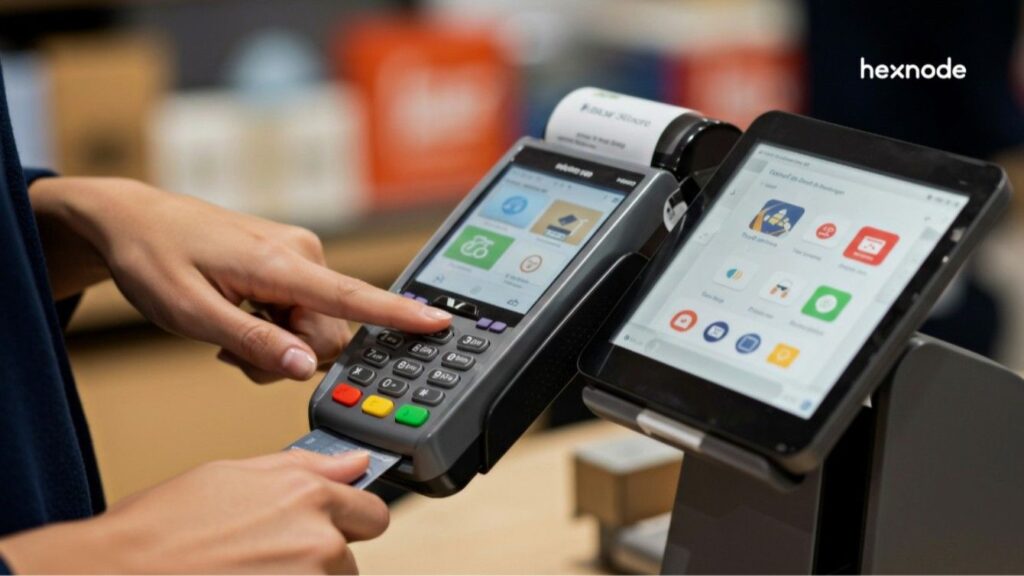
Public-facing kiosks may look locked down, but their physical interfaces can still create overlooked security gaps. Kiosk peripheral security control helps organizations restrict how USB devices, keyboards, wireless accessories, and other peripherals interact with these endpoints.
An exposed USB port can provide a path for unauthorized data transfer or malicious files. Likewise, unrestricted keyboards and wireless connections can create opportunities to bypass intended kiosk functions.
Organizations with kiosks across multiple locations may also need to manage these peripheral risks consistently across a larger fleet.
This guide explains which kiosk peripherals require attention and how to control them through policy-based restrictions. It also covers practical steps for USB lockdown, peripheral access, wireless connectivity, and fleet-wide enforcement.
Why Unsecured USB Ports and Peripherals Put Your Kiosks at Risk
Open USB ports and unrestricted peripherals can expose kiosks to malware, data theft, and attempts to bypass kiosk restrictions.
Because users may have direct physical access to kiosk hardware, exposed ports and peripherals can expand the device’s attack surface.
Retail stores, healthcare facilities, transit hubs, and warehouses may place kiosks within users’ physical reach. Organizations should therefore assess physical interfaces alongside network-facing threats.
For example, someone could connect unauthorized USB storage and attempt to introduce malicious files. An attached keyboard could also expose operating system shortcuts when administrators leave them unrestricted.
Depending on the kiosk configuration, certain keyboard shortcuts can expose system functions or exit paths. Windows Assigned Access uses Ctrl+Alt+Del as its default breakout sequence, although administrators can configure a different sequence.
As a result, USB port control and broader kiosk USB lockdown measures form an important part of kiosk physical security. These controls can restrict how users interact with unnecessary or unauthorized hardware interfaces.
The Business Cost of Ignoring Kiosk Peripheral Security
A compromised kiosk can expose sensitive data, trigger compliance obligations, and increase incident-response costs across a distributed fleet.
In distributed kiosk deployments, similar configurations can extend the potential impact of a peripheral-security weakness across multiple devices or locations.
Within PCI DSS scope, Requirement 9 addresses applicable physical-access controls. Requirement 9.5 applies to deployed POI devices that capture payment-card data through direct physical interaction in card-present transactions. Its controls are not required, but PCI SSC recommends them as best practices for manual PAN key-entry components and qualifying mobile, merchant-owned COTS devices such as smartphones and tablets.
Meanwhile, the HIPAA Security Rule requires regulated entities to implement reasonable and appropriate administrative, physical, and technical safeguards for ePHI. Its physical safeguards protect electronic information systems and related buildings and equipment from natural and environmental hazards and unauthorized intrusion.
Therefore, weak kiosk peripheral security control can become more than an endpoint security issue. A peripheral-related incident can create remediation costs and operational disruption and, depending on the circumstances, regulatory or reputational consequences.
The impact can also scale across a distributed deployment. If kiosks share configurations, teams may need to review similar devices across multiple locations. Consequently, organizations should treat peripheral access as part of their broader kiosk security and compliance strategy.
What Is Kiosk Peripheral Security Control?
Kiosk peripheral security control is the practice of managing which physical devices can connect to or interact with a locked-down kiosk. These peripherals can include USB drives, keyboards, printers, scanners, and Bluetooth accessories.
Kiosk lockdown restricts users to approved applications and system functions while limiting access to operating-system features outside the intended kiosk experience.
Meanwhile, USB port control governs how USB devices can interact with the kiosk. Administrators can restrict unnecessary device functionality instead of relying only on physical port covers or barriers.
However, peripheral security extends beyond USB connections. Organizations may also need to control keyboards, wireless accessories, printers, scanners, and other connected hardware. Therefore, effective kiosk peripheral security control combines kiosk mode security with policy-based restrictions that define permitted peripheral interactions.
Which Kiosk Peripherals Need to Be Controlled?
Organizations should assess USB storage, physical hotkeys, Bluetooth and NFC, printers, scanners, and card readers based on each kiosk’s operational requirements and security risks. Each interface creates a different path for unauthorized access, data movement, or misuse.
Effective kiosk peripheral security control should match each peripheral with its operational purpose and associated risk.
Peripheral
Primary Risk
Typical Control Method
USB storage
Malware introduction or unauthorized data transfer
Block removable storage, restrict USB data access, or allow only approved device classes
Physical hotkeys
Keyboard shortcuts can expose system interfaces or kiosk exit paths
Restrict unnecessary shortcuts and system functions where the operating system and kiosk configuration support those controls
Bluetooth / NFC
Unauthorized pairing or unintended wireless data exchange
Disable unused connectivity or restrict pairing and data exchange
Printers / scanners
Sensitive information can leave the kiosk through unmonitored printing or scanning
Limit peripheral access to approved applications and required workflows
Payment card readers
Tampering or unauthorized substitution can enable payment-card skimming
For deployed POI devices covered by PCI DSS Requirement 9.5, maintain the required device list, inspect devices for tampering or unauthorized substitution at the frequency determined by the applicable targeted risk analysis, and train personnel to recognize suspicious behavior and attempted device tampering or replacement
However, peripheral lockdown should not interfere with hardware that supports the kiosk’s intended workflow. A retail kiosk may require a card reader and receipt printer. Meanwhile, a warehouse kiosk may depend on a scanner.
Therefore, administrators should permit required peripheral functions while restricting unnecessary interfaces and connectivity.
How to Control USB Ports and Peripherals on Kiosk Devices
To secure kiosk peripherals, admins should assess whether to restrict USB data transfer, unnecessary OS shortcuts, unapproved accessories, and unused wireless connectivity based on kiosk requirements and risk. Where supported, centralized management can apply these controls consistently across the fleet.
Disable unnecessary USB ports or restrict USB functionality
Block removable storage when the kiosk does not require it. If workflows require USB access, restrict unnecessary functionality instead of allowing unrestricted data transfer. This approach strengthens USB port control while preserving required device functions.
Allow only approved peripherals
Identify the hardware that each kiosk workflow requires. Approved devices might include receipt printers, scanners, audio devices, keyboards, or mice. Then, restrict unnecessary peripheral classes and connections. This allowlist approach can reduce exposure while preserving access to identified, approved peripherals.
Restrict unnecessary hotkeys and OS shortcuts where supported
Restrict keyboard combinations that could expose system interfaces or help users leave the kiosk application. Additionally, review accessibility functions, task switching, system shortcuts, and other potential escape paths. These controls play an important role in hardening kiosk mode security.
Restrict Bluetooth, tethering, and NFC
Disable wireless interfaces that the kiosk does not require. However, kiosks using Bluetooth or NFC peripherals need more selective device functionality restrictions. Admins should permit required connectivity while restricting unnecessary pairing, tethering, or data-sharing functions.
Apply peripheral policies centrally across the fleet
Manual configuration becomes difficult to maintain across distributed kiosk fleets. Instead, define standardized peripheral policies and deploy them through a device management platform. Centralized peripheral policies can help teams maintain more consistent configurations across locations.
Central policy enforcement also simplifies exceptions. For example, different kiosk groups can receive restrictions based on their hardware requirements and operational roles.
5 Features Every Kiosk Management Solution Must Have
Explore five essential kiosk management capabilities for maintaining secure kiosk deployments.
Kiosk Peripheral Security Control Checklist
A kiosk peripheral security checklist should consider appropriate technical, physical, and procedural controls based on device requirements and assessed risks. Review these controls across shared and public-facing kiosks:
USB storage restricted as appropriate: Apply suitable physical, procedural, or technical restrictions to unnecessary removable storage based on operational requirements and assessed risk.
Unnecessary hotkeys and shortcuts restricted where supported: Restrict keyboard shortcuts and system functions that could expose interfaces outside the intended kiosk experience.
Bluetooth and NFC assessed and restricted as appropriate: Disable unused wireless interfaces or limit their functionality according to operational requirements and risk.
Printer and scanner access scoped: Permit printing and scanning only when approved kiosk workflows require these peripherals.
Peripheral policies centrally managed where supported: Use centralized policies to maintain consistent peripheral restrictions across applicable devices, while retaining required physical and procedural controls.
Security reviews performed as appropriate: Review peripheral configurations based on organizational risks and changes, and separately evaluate any specific PCI DSS or HIPAA Security Rule obligations that apply.
As a security practice, review peripheral controls at an organization-defined interval and reassess them when hardware, workflows, risks, or applicable requirements materially change. These checks help teams identify unnecessary peripheral access and prevent outdated exceptions from remaining active.
Featured resource
The Ultimate Guide to Kiosk Management: Everything your business needs to know
Build a stronger kiosk strategy with practical guidance on deployment, management, security, and scaling dedicated-device fleets.
Hexnode UEM provides policy-based controls for managing peripheral access and kiosk lockdown, with available restrictions varying by platform, OS version, enrollment type, and device configuration.
Administrators can restrict removable storage and USB functionality through supported platform-specific policies. Depending on the platform, Hexnode documents controls for USB file transfer, USB storage, external media, and removable drives.
For example, supported Android configurations provide controls such as USB Mass Storage, USB file transfer, and USB Host Storage. On supported Samsung Knox devices, administrators can also use a USB Exception list to permit specified USB device classes when USB Host Storage is disabled.
Hexnode also provides storage and peripheral restrictions for other desktop platforms. Windows policies can restrict the use of storage cards and USB drives. Meanwhile, Media Management on supported macOS devices can control external media such as USB flash drives, SD cards, and other mountable media.
Administrators can associate Hexnode UEM policies with individual devices or device groups. Therefore, organizations can apply the supported peripheral controls appropriate to each platform while managing those policies through the Hexnode UEM console.
No. Block unnecessary USB access while allowing peripherals required for the kiosk workflow. Approved devices may include scanners, receipt printers, keyboards, mice, or audio accessories.
Is physically covering USB ports enough to secure a kiosk?
No. Physical barriers address only part of the risk. Organizations should use appropriate physical, procedural, and technical controls to manage removable media and peripheral access.
How often should kiosk peripheral security settings be reviewed?
Review peripheral restrictions at an organization-defined interval and whenever kiosk hardware, workflows, risks, or applicable requirements materially change. These reviews can help identify unnecessary access and outdated exceptions across the kiosk fleet.
Can kiosk peripheral controls help with PCI DSS or HIPAA compliance?
Yes. Where either framework applies, appropriately configured peripheral controls may support specific PCI DSS requirements or HIPAA safeguards relevant to the kiosk environment. However, peripheral lockdown alone does not establish compliance with either framework.
Can Hexnode manage USB restrictions across multiple kiosks?
Yes. Hexnode UEM can apply supported peripheral restrictions through policies assigned to individual devices or device groups. Available USB controls depend on factors such as the platform, OS version, supported Samsung Knox version, and Android enrollment mode.
Secure Every Kiosk Port Before It Becomes a Breach
Practical kiosk peripheral security measures can include restricting unnecessary USB functionality, controlling approved accessories and shortcuts, and addressing other peripheral risks based on operational requirements. Where supported, organizations should use centralized policies to manage applicable peripheral controls instead of configuring each kiosk separately.
This policy-driven approach can help teams maintain more consistent peripheral lockdown across distributed kiosk fleets. It also helps teams maintain restrictions as hardware requirements and operational workflows change.
Strong peripheral controls also support broader security and compliance efforts. Organizations should assess applicable PCI DSS requirements for in-scope payment environments and HIPAA Security Rule safeguards when regulated entities use kiosks to handle ePHI.
Put Kiosk Peripheral Controls into Practice
Test Hexnode UEM policies for kiosk lockdown, USB restrictions, external media, and other supported device controls.
I write at the intersection of technology, process, and people, focusing on explaining complex products with clarity. I break down tools, systems, and workflows without any noise, jargon, or the hype.