In the traditional Enterprise IT ledger, a device has two states: Active (in use) or Retired (disposed).
But there is a third, silent state that drains budgets and carbon credits alike: The Zombie State.
A “Zombie Device” is an endpoint that is technically powered on and connected to the network, yet provides zero business value. Common examples include:
Laptops left running in vacant cubicles for months.
Digital signage players in closed warehouses.
Tablet fleets constantly charging in closets after a project cancellation.
Research indicates that up to 30% of enterprise servers and roughly 15% of end-user devices fit this description. For a fleet of 10,000 devices, that is 1,500 endpoints burning electricity, consuming software licenses, and expanding your attack surface for nothing. Effective Green IT Device Management starts with visibility into these forgotten assets.
In 2026, “Green IT” is no longer just a PR slogan; it is a CFO mandate. Energy costs are volatile, and ESG (Environmental, Social, and Governance) reporting is rigorous.
This guide explores how to repurpose Hexnode UEM from a management tool into a Sustainability Engine for green IT device management, using granular reporting to identify, isolate, and decommission zombie devices to reduce your carbon footprint.
Hexnode Marks its Move into Endpoint Security with Hexnode XDR
Hexnode released Hexnode XDR, its extended detection and response platform. Read to know more.
The Impact of Zombie Devices: Carbon Footprint, Cost, and Security Risks
Why worry about a few idle laptops? Because they are not truly idle.
Modern OS architectures (Windows 11, macOS, Android Enterprise) are chatty. Even when “sleeping,” they wake for network calls, patch checks, and background syncs.
Energy Waste: A standard desktop PC draws 60–100 watts at idle. Over a year, 1,000 zombie desktops consume ~500,000 kWh. At $0.15/kWh, that is **$75,000** wasted annually.
Carbon Footprint: That same waste equates to roughly 200 tons of CO2, which is the equivalent of burning 200,000 pounds of coal.
Security Risk: A device no one is using is a device no one is patching. Zombie devices are the preferred entry point for lateral movement attacks because no user is there to notice the anomaly.
You don’t need new hardware to fix this. You just need better telemetry.
Zombie Device
Phase 1: The “Pulse Check” (Identifying Inactivity)
The most obvious zombies are the ones that haven’t “phoned home” in weeks. However, we need to distinguish between a device that is turned off (in a drawer) and one that is turned on but ignored (the energy waster).
Report 1: The “Inactive Devices” Audit
This report identifies devices that have stopped communicating with the Hexnode server. How to Generate:
Filter Logic: Set the inactivity threshold to > 30 Days.
The Sustainability Pivot: Cross-reference this list with the “Last Known Battery Level”.
If Last Seen = 30 days ago AND Battery = 0%: It’s likely in a drawer (Low Energy Risk).
If Last Seen = 30 days ago AND Battery > 0%: It is a Zombie. It is powered on, connected to a network, but the Hexnode agent is likely blocked or the device is stuck in a loop.
Actionable Step: Create a dynamic device group named “Audit – Potential Zombies”. Set an automated policy to send a push notification to these devices: “Please confirm device usage or return to IT”. This is an important step in Green IT Device Management, allowing you to automate outreach before a device becomes a total energy sink.
Phase 2: The “Zero-Drift” Analysis (Data Usage)
The more dangerous zombie is the one that is checking in. It sits on a desk, stays charged, and talks to the MDM, but no human is touching it. To find these, we look at Data Consumption.
Report 2: Network Data Usage Report
A device used by a human generates a “Data Pattern” like spikes during work hours and lulls at night. A zombie generates a flatline. How to Generate:
Navigate to Reports > Built-in Reports > Usage Insights > Data Usage.
Select “Devices”.
The Analysis: Export to CSV and look for devices with < 50MB of usage over 30 days.
The Insight: A laptop that has only used 10MB in a month is clearly not being used for work. It is likely sitting open, running background OS tasks, and burning power.
🗒️ Note
When running the Data Usage report, exclude dedicated kiosks or digital signage from your CSV filter. These devices are designed to have static data patterns and may flag as “Zombies” even when they are performing their intended business function.
Connectivity without activity is just expensive electricity.
Phase 3: The “Battery Vampire” Hunt
For mobile fleets (logistics, retail), the waste often comes from devices left on charging cradles 24/7. This doesn’t just waste electricity; it destroys the lithium-ion battery, forcing expensive premature hardware replacement.
Report 3: Battery Health & Cycle Count
We use Hexnode to identify devices that are constantly plugged in. How to Generate:
Navigate to Reports > Custom Reports
Click on Add
Create a custom report
Look for devices that report 100% Battery consistently for 7+ days without fluctuation.
The Logic: A device that never drops below 95% is likely sitting on a charging dock unused. This is a primary target for any Green IT Device Management strategy.
The Fix: Configure a Smart Policy for these devices
Trigger: If “Charging State” = Connected for > 48 hours.
Action: Enable “Kiosk Mode Screensaver” (Black Screen) to reduce screen burn-in and power draw.
⚠️ Warning
Keeping Lithium-ion batteries at 100% capacity in high-temperature environments (like a closed closet or a hot warehouse) significantly accelerates battery swelling. Identifying these devices doesn’t just save electricity; it prevents a potential fire hazard and extends your hardware’s lifespan by up to 40%.
IT Asset Management Playbook
Optimize The IT Asset Management System of Your Organization
Ten proven strategies to optimize the IT asset management system of your organization. Download the infographic to know the ITAM best practices.
Your Chief Sustainability Officer (CSO) doesn’t care about “compliance.” They care about “efficiency.” You can build a custom view in Hexnode just for them. Constructing the Dashboard:
Widget 3: Hardware End-of-Life – Devices older than 4 years are 40% less energy efficient than modern equivalents.
Green IT Device Management
Automating the Decommissioning (The Kill Switch)
Once you identify a Zombie Device, manual retrieval is too slow. You need an automated decommissioning workflow to stop the energy loss immediately.
The “Eco-Mode” Policy
Create a policy in Hexnode specifically for suspected zombies.
Step 1: The Warning. Send a notification to the device screen: “This device is flagged for inactivity. Please contact IT.”
Step 2: The Throttle. If no response in 7 days, move to the “Eco-Mode Group”.
Display: Brightness set to 10%, Screen Timeout set to 15 seconds.
Connectivity: Wi-Fi disabled (unless required for recovery), Bluetooth off.
Background: Block all non-essential background apps.
Step 3: The Wipe. If no response in 30 days, execute a Remote Wipe and mark the serial number for e-waste recycling.
Achieving ESG Success with Data-Driven Lifecycle Insights
This isn’t just about saving $50 on electricity. It’s about the narrative you present to your board and your auditors.
By using Hexnode to actively manage the lifecycle of your hardware, you are generating the Data Artifacts required for:
ISO 14001 Certification: Proving you have a system to minimize environmental impact.
Scope 2 Emissions Reporting: Quantifying the reduction in electricity usage from IT assets.
🗒️ Note
A “Zombie” high-spec laptop from Engineering can be wiped via Hexnode and reprovisioned as a perfectly good machine for a Data Entry role, extending its life by 3 years.
The Hexnode Role: Use the “Wipe and Re-Enroll” feature to instantly sanitize the device OS, making it ready for a new user without shipping it back to HQ.
In the past, “Green IT” was viewed as a compromise, sacrificing performance for the planet. Today, it is the opposite. A green fleet is a lean fleet.
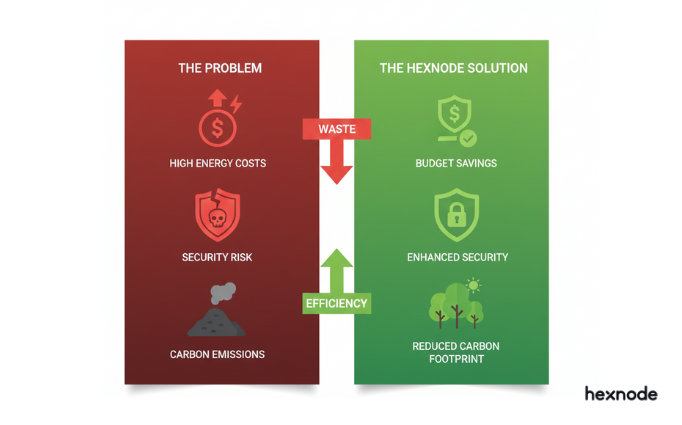
Every device you identify and decommission using Hexnode is a triple win: you reduce your attack surface (Security), you cut your electricity bill (Finance), and you lower your carbon footprint (ESG).
By adopting a rigorous approach to Green IT Device Management, you ensure that your infrastructure is as efficient as it is secure.
Stop paying for ghosts. Turn on the lights, find the zombies, and clean up your fleet.
Try Hexnode free for 14 days
Learn how to configure Inactive Device Reports and Battery Health Analytics in Hexnode today.
Q: What is a ‘Zombie Device’ in IT? A: A “Zombie Device” is an IT asset (server, laptop, or tablet) that is powered on and connected to the network but provides no business value. These devices consume electricity, require cooling, and pose security risks (as they are often unpatched) without contributing to productivity.
Q: How can MDM help reduce IT energy costs? A: MDM reduces energy costs by identifying idle devices via Inactivity Reports and Data Usage Analysis. IT admins can then remotely power down, wipe, or repurpose these devices. Additionally, MDM can enforce energy-saving policies, such as aggressive screen timeouts and “Eco-Mode” settings, across the entire fleet.
Q: Which Hexnode report helps identify unused devices? A: The “Inactive Devices” report is the primary tool. However, for a deeper analysis, admins should use the “Network Data Usage” report to find devices with near-zero data traffic and the “Battery History” report to identify mobile devices that are perpetually charging, indicating they are not being used in the field.
I’m a technical content writer at Hexnode who loves simplifying tech. I break down complex ideas, remove the fluff, and help readers clearly understand our product for what it actually is: simple, reliable, and built to solve real problems.