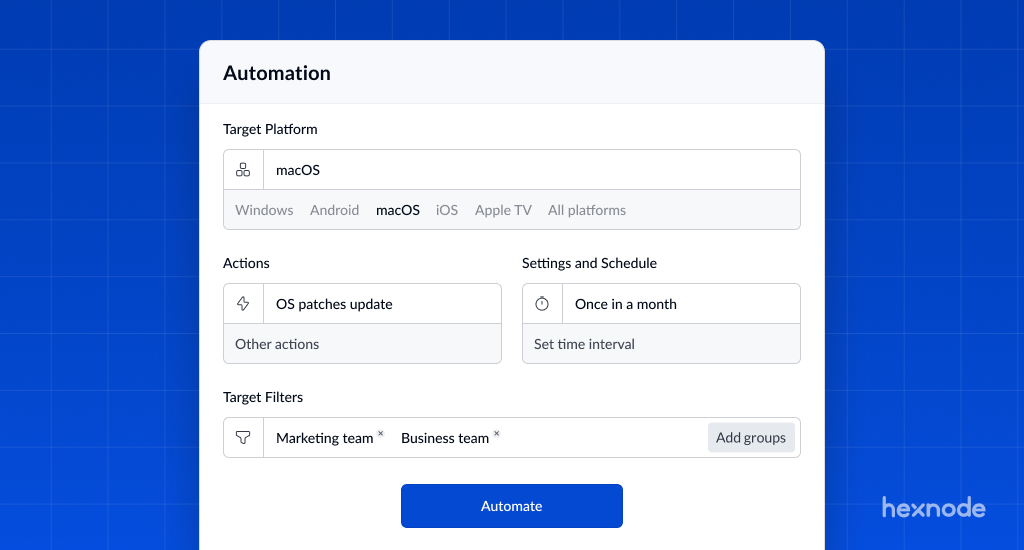
If we asked your IT team what they spent most of their week doing, they likely wouldn’t say “innovating” or “optimizing infrastructure.” They would say “maintenance.” We consistently hear the same frustration: highly skilled technicians are drowning in routine tasks. The biggest culprit? Automated patch management is the missing piece of the puzzle.
Manual patching is not just a productivity killer; it is an operational risk. Relying on a human to manually approve and deploy updates across hundreds of devices is slow and prone to “fat-finger” errors.
Hexnode changes this dynamic by treating Patch Management not just as a security checkbox, but as a productivity engine. We move you away from the reactive “Tuesday Morning Scramble” to a proactive, automated workflow.
The “Set It and Forget It” Workflow: Automated Patch Management
The traditional “Patch Tuesday” routine manually reviewing lists, approving updates, and clicking “Deploy” for every single device is a relic of the past. Hexnode replaces this manual labor with a logic engine. You don’t manage individual patches; you manage the rules that govern them. Once these rules are set, the system runs on autopilot.
Technical Detail:
Criteria-Based Automation: Instead of approving updates one by one, you build an automation policy based on logic. You can tell Hexnode:
- “If an update is marked ‘Critical’ or ‘Security-related,’ deploy immediately.”
- “If an update is a ‘Feature Pack’ or ‘Major Upgrade,’ defer for 7 days.”
This ensures your fleet is protected against zero-day threats instantly, while non-critical updates are held back until you know they won’t break your internal apps.
Zero-Touch Deployment: Once your criteria are defined, Hexnode constantly scans your fleet. When a device meets your conditions (e.g., a Windows laptop missing a critical security fix), Hexnode automatically pushes the patch without you ever logging in. It works silently in the background, keeping compliance high and administrative effort at zero.
Cross-Platform Parity & Third-Party Apps: Most tools force you to use one console for Windows (like WSUS) and another for Mac. Hexnode unifies this. You can build these automation rules for both Windows and macOS from the same dashboard.
Bonus: We don’t just patch the OS. On Windows, Hexnode can also automate updates for third-party applications (via Winget integration), ensuring apps like Adobe Reader, Zoom, and Chrome are just as secure as the operating system itself.
Eliminating the “Reboot Ticket” with Automated Patch Management
There is no faster way to anger an employee than having their laptop forcibly restart in the middle of a Zoom presentation or while they are saving a complex spreadsheet. This disruption leads to a flood of “My computer rebooted on its own!” tickets and causes employees to view security updates as an enemy rather than a necessity.
Hexnode eliminates this friction with Intelligent Maintenance Windows. Instead of forcing updates at the moment, they are available; you configure the device to respect the user’s schedule. You determine when the device patches, and more importantly, when it reboots.
Active Hours & Maintenance Windows:
- Windows & macOS: You can define specific “Active Hours” (e.g., 8:00 AM – 6:00 PM) during which reboots are strictly forbidden. Hexnode will download and stage the update in the background but will wait until the device is idle, or the user explicitly shuts down to finalize the installation.
- Deadline Enforcement: To balance user convenience with security, you can set a Deadline (e.g., 5 days). The user can defer the reboot multiple times, but once the deadline hits, the update is enforced to ensure compliance.
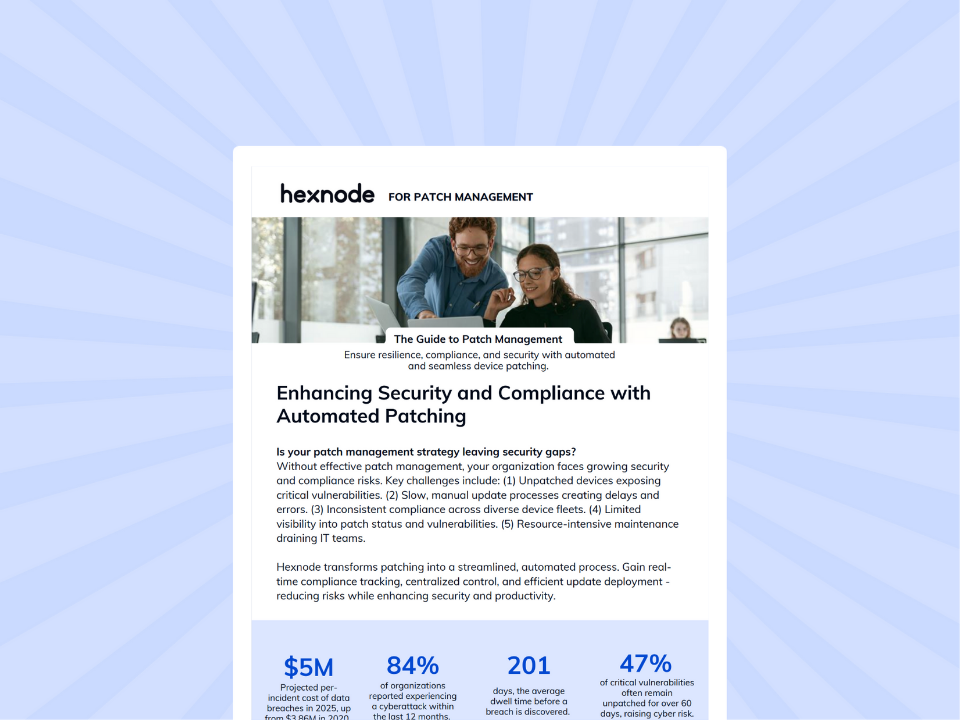
Featured Resource
The Complete Guide to Patch Management
Download our comprehensive whitepaper on effective patch management strategies.
Download WhitepaperUser-Centric Deferrals (Grace Periods):
- Customizable Snooze Options: If a reboot is pending, you can allow users to “Postpone” the notification (e.g., for 1 hour, 4 hours, or 1 day).
- Attempt Limits: To prevent eternal procrastination, you can set a cap for example, “Allow postpone up to 3 times.” After the third dismissal, the device will prioritize the security update.
Notification Management:
- Customize the restart notification message to sound like a helpful IT alert rather than a system error.
- Suppress Reboots: For critical devices (like Kiosks or Digital Signage), you can completely suppress reboot notifications and force the device to only update during a graveyard shift (e.g., 2:00 AM on Sundays).
The Benefit: You drastically reduce help desk volume and “apology emails.” Security gets what it needs (compliance) without sacrificing what the business needs (uptime).
Automation Beyond Patching: “Self-Healing” IT
In a traditional IT environment, compliance is a manual loop: a report is generated, an admin spots a non-compliant device, and then manually applies a fix. Every manual step in that chain introduces a delay and the potential for human error. Hexnode removes this friction by using Dynamic Groups to create a “Self-Healing” infrastructure. We replace manual checks with automated logic, ensuring that if a device breaks a rule, the system fixes it instantly.
How It Works: The “Detector & Enforcer” Model
The Detector (Dynamic Groups): Instead of manually dragging devices into static folders (like “Sales Team” or “New York Office”), you create Dynamic Groups based on live criteria. You set the rules once for example, “Any device where Compliance Status is ‘False'” or “Any device missing the ‘Salesforce’ app.” Hexnode constantly monitors your fleet; the moment a device matches these criteria, it is automatically pulled into this group.
The Enforcer (Automated Policy Association): This is where magic happens. You attach a remediation policy to that Dynamic Group before any device is even in it.
- Scenario: You create a Dynamic Group for “Non-Compliant Devices.” You attach a policy to this group that enforces a strict passcode and restricts corporate email access.
- Action: If an employee removes their passcode, Hexnode detects the change, instantly moves the device into the “Non-Compliant” group, and the restrictive policy is applied immediately.
The Result: The device effectively “heals” itself. This drastically lowers your Incident Response Time from hours (waiting an admin to notice) to seconds (machine speed), all without you ever clicking a mouse.
Centralized Management: One Screen, All Context
“Centralized Management” is consistently a top priority for IT Directors. The reason is simple: Context switching is a hidden productivity killer. If your team has to jump between an Apple MDM for iPads, a WSUS server for Windows, and a spreadsheet for asset tracking, they are bleeding hours every week just navigating interfaces.
The Solution: Hexnode consolidates your entire estate iOS, Android, Windows, and macOS into a single pane of glass. We don’t just show you a list of devices; we give you an immediate, actionable context.
Unified Dashboard Widgets:
- Upon logging in, your team sees a “Fleet Health at a Glance” dashboard.
- Patch Status Widget: Instantly see a breakdown of “Missing Critical Updates” across your Windows and Mac fleets side-by-side.
- Compliance Breakdown: A simple red/green visual showing exactly how many devices are encrypted, password-compliant, or jailbroken, regardless of OS.
Actionable Reporting:
- Stop manually compiling CSVs for your Monday morning meeting. Hexnode allows you to Schedule Reports (e.g., “Weekly Patch Compliance” or “Device Inventory”) that land in your inbox automatically.
- You can prove to your C-suite that 100% of the fleet is patched and compliant without opening Excel.
The Benefit: You stop managing “Apple problems” or “Windows problems” and start managing business endpoints. This unified view allows for faster decision-making and ensures no device hides in a silo.
Frequently Asked Questions (FAQs)
Can I automatically deploy only critical security patches while delaying feature updates?
Yes. Hexnode allows you to build automation policies based on update classifications. You can configure rules such as:
- Deploy updates marked as “Critical” or “Security” immediately
- Defer “Feature Packs” or “Major Upgrades” for a defined number of days
This ensures rapid protection against vulnerabilities while giving your team time to test non-critical updates before rollout.
Does Hexnode support third-party application patching?
Yes. On Windows devices, Hexnode supports third-party application updates through Winget integration. This allows you to automate patching for commonly used applications like Adobe Reader, Zoom, Chrome, and more ensuring your entire software stack stays secure, not just the operating system.
Can I control when devices reboot after updates?
Absolutely. Hexnode allows you to configure Active Hours and Maintenance Windows for both Windows and macOS devices. You can:
- Block reboots during working hours (e.g., 8:00 AM – 6:00 PM)
- Allow updates to install silently in the background
- Enforce reboots only during off-hours or when the device is idle
This prevents disruption during meetings, presentations, or critical work sessions.
Can Hexnode automatically remediate non-compliant devices?
Yes. Using Dynamic Groups and automated policy association, Hexnode enables a “Detector & Enforcer” model.
If a device becomes non-compliant (e.g., passcode removed or encryption disabled), it is automatically moved into a Dynamic Group. Any remediation policy attached to that group is instantly applied reducing response time from hours to seconds without manual intervention.
Conclusion
Hexnode doesn’t just patch your devices; it patches your schedule. By automating the repetitive “grunt work” of identifying, testing, and deploying updates, we return valuable hours to your IT team every single week. You stop chasing progress bars and start focusing on the strategic initiatives that actually drive your business forward.
Take a moment to calculate exactly how many hours your team spends on manual patching today. Then, start a 14-day free trial to see exactly how many of those hours you can get back.
Ready to Automate Your Updates?
Experience true automated patch management with Hexnode.
Get Started Free