TL;DR:
Android digital signage lets enterprises broadcast dynamic content at scale, but the real challenge is managing and securing those screens, not deploying them.
- Signage now anchors retail, healthcare, hospitality, and workplace environments, raising the stakes on fleet-wide control and security.
- A UEM beats standalone CMS or kiosk tools by unifying enrollment, kiosk lockdown, content delivery, and remote troubleshooting in one console.
- Hexnode consolidates management and signage into a single platform, delivering secure, centrally controlled displays that scale from one screen to thousands.
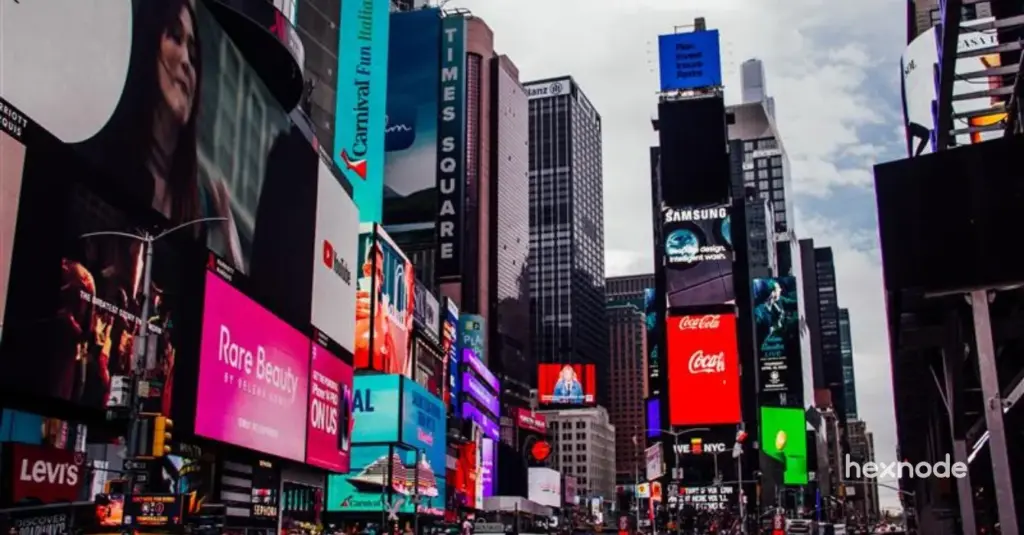
Screens now anchor the physical environments where enterprises meet their audiences. Retail floors, hospital waiting rooms, hotel lobbies, and corporate atriums all rely on dynamic displays to inform, direct, and persuade. For IT and endpoint teams, the challenge is no longer whether to deploy screens but how to manage them securely at scale. This guide covers what Android digital signage is, why the platform dominates, how to choose the right management tool, and how to deploy, secure, and run a signage fleet with Hexnode UEM.
What is Android digital signage?
Android digital signage is the use of Android-powered displays to broadcast media such as advertisements, announcements, wayfinding, and interactive content. The Android OS runs the display application, while a management layer controls what plays and when, letting administrators update content remotely and instantly.
A digital signage deployment typically combines display hardware with a media player or system-on-chip platform and, in centrally managed deployments, software for distributing and scheduling content. Unlike static posters, digital signage can be updated quickly and can use motion, video, live data, and other dynamic content, making it useful in high-traffic environments.
Why use Android based digital signage software?
Android is used across a wide range of signage hardware and supports extensive application customization, making it one of several common platforms for digital signage deployments. Key reasons enterprises choose it:
- Hardware variety: From budget tablets to professional 4K displays, media boxes, and rugged devices.
- Cost efficiency: Android is available on hardware across a wide range of price points, which can provide cost-effective options for some signage deployments.
- Scalability: Deployments grow from one screen to thousands under one console.
- App integration: The open ecosystem supports third-party and custom signage apps.
- Manageability: A standardized fleet is straightforward to enroll, configure, and monitor.
Top 10 digital signage solutions for your business
Choosing the right tool: CMS vs. kiosk software vs. UEM
Not all signage tools do the same job, and picking the wrong category is a common early mistake.
CMS primarily manage and distribute signage content, although enterprise platforms may also include device monitoring, security, and remote-management capabilities.
Kiosk software
Kiosk software restricts devices to approved applications or experiences, and many modern kiosk platforms also provide centralized monitoring, configuration, updates, and remote-management capabilities.
covers the full device lifecycle: enrollment, policy enforcement, security, remote troubleshooting, and content delivery from a single dashboard.
For an unattended, public-facing fleet, a UEM such as Hexnode is the practical choice because it consolidates management, security, and signage rather than stitching together separate tools.
How Android digital signage powers enterprise engagement
Different industries put Android signage to work in distinct ways — here’s how it plays out across sectors.
Push real-time promotions, update flash-sale pricing instantly, and enrich product areas with video. A promotion can go live across every store at once, and interactive screens support recommendations at the shelf.
Hospitality:
Handle wayfinding, event schedules, and promotions for spas, dining, and local attractions. During emergencies, the same screens broadcast safety information.
Healthcare:
Display appointment queues and wait times to reduce uncertainty, carry wellness campaigns, and broadcast urgent notices instantly.
Workplace:
Surface company news, achievements, and training on digital bulletin boards, keeping employees aligned and cutting paper memos.
Selecting signage hardware
Hardware choice determines reliability more than any other factor.
Commercial vs. consumer: Commercial signage displays are designed for business workloads and may carry 16/7 or 24/7 duty-cycle ratings depending on the model. Suitability for persistent static content and resistance to image retention should be verified from the specific display’s specifications.
Power recovery: For unattended deployments, verify that the display and media player can automatically power on, restart the signage application, and resume playback after a power outage.
Brightness: Choose display brightness according to ambient-light conditions and placement. Window-facing and outdoor installations generally require higher luminance than typical indoor signage, particularly where screens must remain readable in direct or strong daylight.
Environment: Use rugged, weather-resistant devices for outdoor or industrial sites.
| Hardware type |
Ideal use case |
Key advantage |
| Consumer tablet |
Restaurants, checkout |
Low cost, touch-ready |
| Professional TV |
Shopping malls |
High brightness, 4K |
| Android box or Android TV |
Lobby and retail displays |
Connects to existing screens |
| Rugged tablet |
Outdoor, industrial sites |
Durable, weather-resistant |
Setup: Professional deployment with Hexnode
Deployment follows three steps: select hardware, install the signage player, and lock the device into kiosk mode. At scale, automate enrollment and standardize policy.
Bulk enrollment: Use Zero-Touch Enrollment for automated, out-of-box bulk deployment, or QR code enrollment to simplify onboarding by reducing manual entry on each device.
Policy templates and grouping: Apply standardized kiosk policies and group devices by location or use case.
Signage lockdown: Navigate to Policies > Kiosk Lockdown > Android Kiosk Lockdown > Digital Signage Display, then enable signage and upload media. Hexnode supports JPG and PNG for images, MP4 and MKV for video, and MP3 and OGG for audio, on Android 5.0+ and Android TV OS 5.0+, with recommended video resolution up to 1920×1080.
Content best practices
Effective signage is a design discipline, not just a distribution task.
Readability at distance: Use large type and high contrast so content is legible from where viewers actually stand.
Dwell time: Match content length to how long people pause. Lobby screens can carry longer segments; checkout screens need short, punchy loops.
Playlist pacing: Vary content and use shuffle so repeat viewers do not see the same loop every time.
How to setup a digital signage using Hexnode UEM?
Learn how to set up digital signage on Android, Windows, and Apple devices with Hexnode UEM's step-by-step guide.
Troubleshooting common issues
Black screens: Use remote management to view the device and confirm the app is running.
Overheating: Ensure adequate ventilation and operate displays within the manufacturer’s specified temperature and duty-cycle limits. Scheduled restarts may be useful for software maintenance but should not be presented as a method for extending hardware lifespan.
App crashes: Kiosk lockdown restricts access to approved applications and device settings; administrators should configure the appropriate kiosk and peripheral settings to maintain the intended lockdown experience.
Security for Android signage
Hexnode locks each device into a dedicated kiosk mode, blocking access to system settings and unapproved apps. Because public screens are exposed to tampering, layered controls matter.
Kiosk lockdown: Restricts the device to the signage app as a Deny All environment by default.
OS protection: For Android Enterprise devices provisioned as Device Owner, use Hexnode’s Android OS update policy to automatically install updates, schedule them during inactive hours, or postpone them as required.
Peripheral control: On supported Android devices, restrict USB file transfer and configure available hardware-button restrictions according to the device model and enrollment mode.
Network restrictions: Limit devices to approved Wi-Fi networks.
Android Enterprise (Device Owner): Enroll as Device Owner for the strongest enforcement.
Content management and measurement
Hexnode consolidates content operations into one console, so admins update playlists globally instead of visiting each site with a USB drive.
- Media editor: Trim, mute, and add background music, and control animations and speed.
- Automated playlists: Build playlists from folders, with looping, shuffle, and ordered playback.
- Display settings: Adjust brightness and orientation from the portal.
- Device grouping: Target different content to different cities or departments.
- Monitoring: Use Hexnode device and kiosk reports to identify active devices and devices currently in kiosk mode.
When does an Unmanaged Digital Signage become a Cybersecurity Liability?
Why Hexnode leads for Android digital signage
Hexnode combines endpoint-management capabilities with built-in digital-signage functionality for supported Android devices within the Hexnode UEM platform. Most organizations buy one tool for device management and another for signage; consolidating both lowers total cost and simplifies the stack.
Built-in signage module: Stream image and video loops natively under lockdown.
Display control: Configure screen brightness and orientation centrally, and mute video audio when required.
Recognized platform: Listed as a Leader and Major Player in the IDC MarketScape: Worldwide UEM 2025/26 assessments, and recognized as an Honorable Mention in the 2026 Gartner Magic Quadrant for Endpoint Management Tools.
FAQ
What is the difference between Android digital signage and a self-service kiosk?
Digital signage can be either passive or interactive and is primarily used to communicate or present managed content. A self-service kiosk is designed around task completion, such as ordering, check-in, payments, or data entry, although the two categories can overlap. A single Android device can run either mode, and a UEM like Hexnode can switch a device between signage and kiosk configurations through policy.
How many Android signage screens can one administrator manage from a single console?
Hexnode supports large-scale device management through policies, device groups, bulk actions, and automated enrollment methods, allowing administrators to manage large signage fleets without configuring every device individually. Bulk enrollment methods like Zero-Touch and device grouping are what make large fleets manageable by a small team.
Does Android digital signage need to run 24/7, and how does that affect the device?
Continuous operation can increase heat and image-retention risks. Choose commercial displays rated for the required duty cycle (such as 16/7 or 24/7) and follow manufacturer guidelines. Scheduled restarts may improve software reliability but do not necessarily extend hardware lifespan.
Can Hexnode update signage content without taking the screen offline?
Yes. Administrators can remotely change or remove Android digital-signage content through Hexnode and modify the associated signage policy without physically visiting the device.
What happens to an Android signage display if it loses internet connection?
Offline behavior depends on the signage platform and content type. Systems that cache media locally can continue playing supported images and videos during an outage, while live streams, web content, and other network-dependent sources generally require connectivity. This makes offline-capable signage suitable for locations with unreliable or intermittent Wi-Fi.
Is Android or Windows better for digital signage deployments?
Android generally offers a wider hardware range and lower device cost, making it well suited to large or budget-conscious signage fleets. Windows can be preferable when signage must run specialized desktop applications or integrate with existing Windows infrastructure. The right choice depends on application requirements, existing IT investment, and total cost of ownership across the fleet.
Conclusion
Android digital signage gives enterprises flexible, low-cost, high-impact displays across every customer-facing and internal environment. Managed through Hexnode UEM, those screens become secure, centrally controlled endpoints rather than isolated devices, delivering consistent messaging, remote troubleshooting, and signage that scales with the business.
Turn every screen into a managed signage endpoint
From retail floors to hospital lobbies, deploy and secure Android digital signage at scale with Hexnode UEM, all from one console.
Sign Up Now