TL;DR:
Managing enterprise digital signage requires a Unified Endpoint Management (UEM) strategy, not just a content system, because screens are IT assets that need device-level security and control.
- A digital signage CMS primarily manages and schedules screen content, while a UEM focuses on broader endpoint administration, including device configuration, security policies, application management, and other device-level controls.
- Prioritize cross-platform OS support, zero-touch enrollment, remote troubleshooting, and content automation when choosing a platform.
- Hexnode manages hardware and content from one console, keeping distributed screens secure, compliant, and always on.
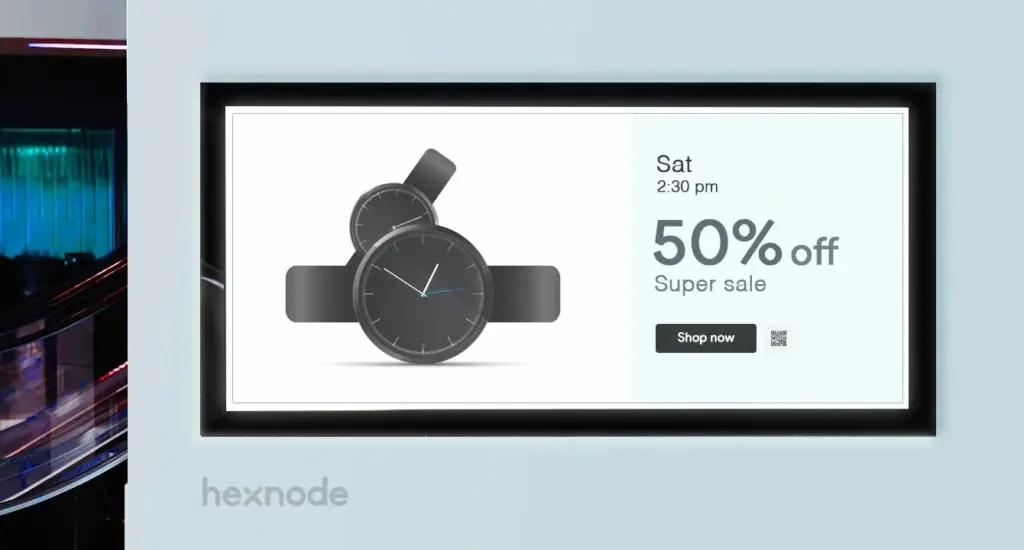
Digital signage solutions are centralized systems for deploying, managing, and securing remote screens and media players from a single console. For enterprise deployments, organizations should evaluate both content management and device-level management requirements; depending on the architecture, these capabilities may come from a digital-signage platform, a UEM solution, or a combination of tools. Hexnode manages both hardware and content from one central dashboard, which is what separates a scalable signage network from a maintenance liability.
This guide covers how UEM differs from a CMS and dedicated kiosk software, what to evaluate when selecting a platform, pricing and licensing, a practical deployment walkthrough, the technical and security requirements for enterprise use, industry-specific use cases, and maintenance strategies for screens in the field.
Why Enterprises Choose UEM Over a Standard CMS
A digital signage CMS primarily handles content creation, scheduling, distribution, and playback, while a UEM provides broader endpoint-management capabilities such as configuration, security policy enforcement, application management, and supported OS- and device-level controls. This is the core distinction for any deployment that requires sustained uptime and enterprise-grade security.
Modern digital signage systems can be network-connected IT endpoints that use touch interfaces, sensors, applications, or other connected components. These capabilities introduce security risks that organizations should manage according to the device’s attack surface, the data it processes, and applicable regulatory requirements. A UEM platform functions as the control layer for these distributed hardware networks, giving IT the same visibility over a screen in a remote branch that it has over a corporate laptop.
CMS vs Kiosk Software vs UEM: Which Do You Need?
Buyers usually weigh three categories of tooling, and each solves a different problem. Choosing correctly depends on how much control, security, and remote management your deployment requires.
A CMS manages the media shown on screen: playlists, scheduling, and layouts. It excels at content orchestration but does little for device security or OS-level control. A CMS alone leaves the underlying hardware unmanaged, which is a risk for any public-facing screen.
Dedicated Kiosk Software
Kiosk software locks a device to a single app or website, preventing users from reaching system settings. It is stronger than a CMS on lockdown but typically narrow in scope, offering limited fleet management, patching, or cross-platform coverage.
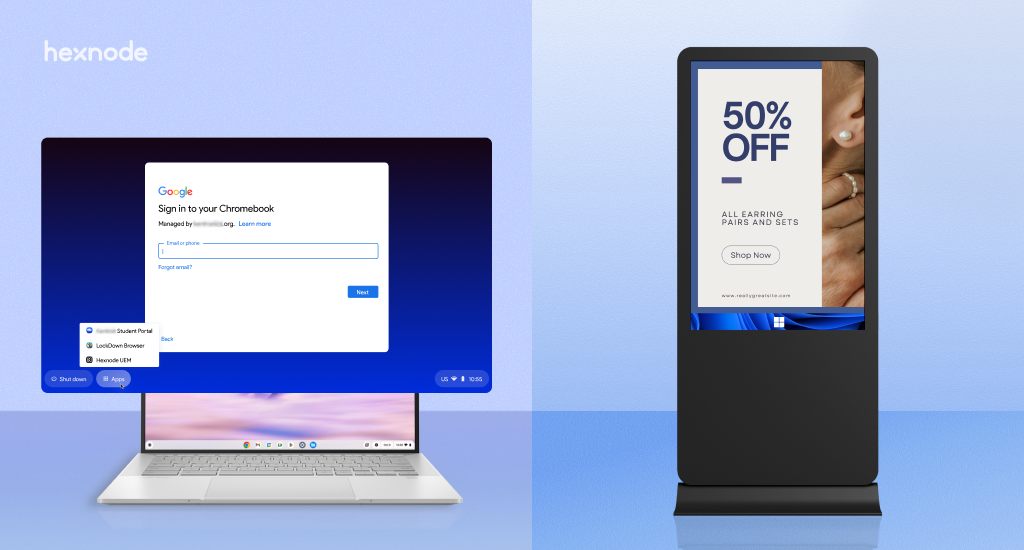
A UEM centralizes endpoint-management functions such as enrollment, configuration, security policy enforcement, application management, monitoring, and supported update or troubleshooting capabilities. Digital-signage content management may be provided separately or integrated into a particular platform. For enterprises running screens across many locations, this consolidation is what keeps a large fleet secure and consistent. Hexnode delivers content management and kiosk lockdown within a single UEM console, so there is no need to stitch together separate tools.
Top 10 digital signage solutions for your business
How to Choose Digital Signage Solutions
Selecting digital signage for business comes down to hardware compatibility, remote scalability, and security enforcement. A capable platform supports diverse operating systems, simplifies content deployment, and gives administrators deep visibility into every remote screen. Use the following criteria to evaluate any candidate.
1. Verify Cross-Platform OS Support
A UEM solution should support the operating systems and device types used across the organization’s digital-signage estate, particularly when deployments span multiple hardware platforms. Most enterprises run a mix of hardware brands across global locations, so single-OS tools create management silos. Hexnode supports these platforms from a unified console, which keeps signage administration consistent regardless of the underlying device.
2. Prioritize Zero-Touch Enrollment
Zero-touch deployment can provision compatible devices for enterprise management without IT physically configuring each device. Android Enterprise also supports other provisioning methods, including QR-code, NFC, and DPC-based enrollment, depending on the deployment.
Compatible devices can be shipped directly to remote sites with an enterprise configuration assigned and can begin managed provisioning on first boot, reducing the amount of hands-on IT configuration required during deployment.
QR-Based Provisioning
For compatible Android devices that are not enrolled through zero-touch, QR-code provisioning can simplify setup, although an installer generally still needs to initiate provisioning and scan the code on each device.
3. Evaluate Remote Control and Troubleshooting
Remote management is what sustains uptime across a distributed fleet. Administrators must be able to view the live screen, diagnose playback errors, and act without a site visit. Hexnode provides Remote View and Remote Control on supported devices for real-time troubleshooting; administrators can also use separate supported remote actions, such as restarting a device, from the Hexnode console.
4. Check for Advanced Kiosk Lockdown
Signage must run in a locked, single-purpose state to prevent public tampering. Effective kiosk lockdown stops users from exiting the media loop or reaching system settings.
Single-App and Multi-App Modes
Hexnode supports single-app and multi-app kiosk modes on supported platforms. On supported Android devices, administrators can also customize the kiosk launcher with options such as a title-bar logo and app layout.
5. Review Content Management and Automation
For Android and Android TV digital signage, Hexnode lets administrators configure media playback and remotely set options such as screen orientation and brightness from the portal. On Android digital signage, administrators can specify a folder path on the target device and optionally include media files from its subfolders. This keeps every screen updated and visually consistent without manual intervention.
6. Analyze Security and Peripheral Control
Security controls should include web content filtering and restriction of device functions. This prevents users from browsing non-business sites or misusing the device, and it protects any sensitive data displayed on screen. Encrypted communication between the console and the device secures policy and content as it travels across the network.
How to choose a UEM solution best suited for your organization?
Hexnode Digital Signage Capabilities
Hexnode consolidates content delivery, device lockdown, and full endpoint management into one console, positioning it ahead of standalone CMS and kiosk tools. It was named an Honorable Mention in the 2026 Gartner Magic Quadrant for Endpoint Management Tools, and a Notable Vendor in the 2026 Gartner Midmarket Context report for the same market. Its in-depth signage feature set includes:
- Media playback configuration: configure images and videos for digital signage and play supported media in loops on supported devices.
- Android signage format support: Android/Android TV digital signage supports JPG/PNG images, MP4/MKV videos, and MP3/OGG audio; supported formats differ on other platforms.
- Android media controls: on Android digital signage, administrators can configure options including video trimming, muting, background music, transmission speed, and transition animations.
- Folder-based media configuration: Android digital signage can use media from a specified device folder and optionally include files in its subfolders.
- Android display control: configure brightness and screen orientation for supported Android/Android TV digital-signage deployments.
- Fleet-wide deployment: associate supported content or signage policies with individual devices or supported target groups from the Hexnode console.
- Kiosk lockdown: use supported single-app and multi-app kiosk modes; supported Android devices can additionally use a customizable kiosk launcher.
- Remote management: use Remote View and Remote Control on supported endpoints for interactive troubleshooting, with separate supported remote actions available for tasks such as device restart.
- Enrollment at scale: Android zero-touch, ABM for Apple, and QR-based provisioning.
- Security controls: Hexnode provides platform-specific controls such as web content filtering and Android kiosk peripheral settings, while device-server communication uses secure protocols appropriate to the managed platform.
- Role-based access: custom roles separating operator and administrator permissions.
- Cross-platform coverage: Android, Android TV, Windows, iOS, tvOS, and Fire OS from one portal.
How to setup a digital signage using Hexnode UEM?
Set up digital signage on Android, Windows, and Apple devices using Hexnode UEM with this step-by-step guide.
Technical Requirements for Enterprise Digital Signage
Enterprise-grade signage depends on stable hardware, resilient networking, and centralized software. Large networks often span continents and require continuous monitoring. The following components underpin a professional deployment.
High-Resolution Commercial Displays
Commercial panels are built for continuous operation in high-traffic public spaces. They offer higher brightness than consumer TVs to counter glare and often include System on a Chip (SoC) technology for integrated management.
Industrial Media Players
Media players provide processing and, depending on the architecture, local storage or caching for screen content. Their resolution, performance, and durability should match the requirements of the signage deployment; 4K playback may be appropriate where 4K content and displays are used. Organizations can use a range of dedicated or general-purpose media players for digital signage. Amazon, for example, offers the purpose-built Amazon Signage Stick, which works with compatible digital-signage CMS providers.
Robust Network Connectivity
Signage networks rely on Wi-Fi, Ethernet, or 5G to sync new content. Digital-signage platforms that cache required media locally can continue playing cached content during temporary connectivity outages, helping reduce the risk of blank screens; offline behavior depends on the specific player and CMS implementation.
Securing Digital Signage Networks
For security teams, a public screen is an exposed endpoint on the corporate network, so it needs the same rigor as any managed device. A UEM enforces that rigor centrally.
Web Filtering and Peripheral Restriction
Web content filtering blocks non-business sites and restricting device functions prevents misuse. This keeps the screen focused on its task and reduces the attack surface a public device presents.
Hexnode’s custom technician roles allow administrators to separate duties by granting or restricting access to portal areas and supported management actions. Organizations can configure roles so that selected technicians have device-management permissions while policy-management access remains restricted.
Encryption and Compliance
Encrypted communication protects policy and content in transit between console and device. In environments where digital-signage endpoints create, receive, maintain, or transmit ePHI, centralized access controls, policy enforcement, monitoring, and audit capabilities can help regulated entities implement relevant HIPAA Security Rule safeguards, but using a UEM does not by itself establish HIPAA compliance. Hexnode documents GDPR compliance and provides security, auditing, and compliance-management capabilities that can support organizations with requirements such as SOC 2.
Industry-Specific Applications
Signage requirements vary by sector, so a UEM must be flexible enough to serve each. The following use cases show the range.
Digital Signage for Retail Stores
Retail signage bridges online and offline shopping through interactive self-service kiosks. Screens can display promotions, real-time inventory, and zone-based offers. Hexnode helps retailers manage these touchpoints securely across large branch networks, and idle kiosks can double as promotional displays when not in use.
Signage for Restaurants and Hospitality
Restaurants use digital menu boards to update pricing and mark items sold out instantly, eliminating the cost and delay of reprinting physical menus. UEM keeps these boards locked and tamper-resistant. Hotels extend the same model to lobby signage, wayfinding, and guest services.
Corporate and Healthcare Signage
Corporate and healthcare environments use signage for wayfinding, queue management, and internal communication such as company KPIs and employee recognition. These organizations may use UEM alongside identity, network, endpoint-security, and signage-management controls to support privacy and compliance requirements applicable to their deployments.
The rise of the unattended retail – powered by kiosks
Troubleshooting and Maintenance Strategies
Proactive monitoring and timely patch management can improve the reliability and security of digital-signage deployments. Screens in public spaces face connectivity issues and power fluctuations, and a central console lets IT stay ahead of both.
Keeping the media player’s OS patched closes the vulnerabilities that attackers target on public screens. Hexnode supports scheduled OS updates during off-hours, so patching does not interrupt daytime display.
Real-Time Monitoring and Alerts
Administrators can configure inactivity thresholds and alert profiles to identify and receive notifications about supported device events, including devices that become inactive after losing communication with the Hexnode server.
FAQ
How much does it cost to run a digital signage network at scale?
Total cost depends on hardware, network, and management software rather than screen count alone. Consumer-grade or low-cost media-player hardware can reduce upfront hardware costs in some deployments, but total cost of ownership should account for licensing, reliability, support, maintenance, replacement cycles, and management overhead. Remote provisioning and troubleshooting can reduce ongoing support costs by resolving many configuration and software issues without an on-site technician visit.
Can I convert existing consumer TVs into managed digital signage?
Compatible Android TVs and tablets that support the required enterprise-management and kiosk capabilities may be repurposed as managed digital-signage endpoints. On compatible hardware, centralized management and kiosk restrictions can help turn general-purpose devices into dedicated signage endpoints while providing additional configuration and security controls. Verify that the specific model supports automatic power-on recovery after an outage, which is critical for unattended screens.
How is digital signage management different from standard mobile device management?
Hexnode combines endpoint-management controls with platform-specific digital-signage capabilities, allowing administrators to manage devices and configure supported signage content from the Hexnode console.
Can one platform manage a mix of retail kiosks and passive signage displays?
Yes, a single UEM can manage both interactive kiosks and passive display screens across the same fleet. Administrators apply single-app or multi-app kiosk modes depending on whether the device needs user interaction or a locked media loop. Hexnode can manage both interactive kiosk deployments and digital-signage deployments using supported kiosk and signage configurations.
Power your digital signage with Hexnode
Manage, secure, and automate your entire signage fleet from one console, across Android, Windows, iOS, and more.
Free For 14 Days!