Top Windows security tips you need to know
Essential Windows security tips every organization should implement.

Get fresh insights, pro tips, and thought starters–only the best of posts for you.

Windows app configuration has quietly become one of the most critical elements of enterprise security and operational governance. Organizations deploy hundreds of applications across distributed environments, yet many lack consistent control over how those applications behave. Misconfigured settings expose sensitive data, weaken compliance posture, and create unpredictable user experiences.
In today’s hybrid and remote-first world, Windows app configuration directly influences:
When IT teams treat configuration as governance instead of a technical afterthought, they reduce risk and gain measurable control. Unified endpoint management platforms such as Hexnode enable enterprises to centralize Windows application management, enforce policies consistently, and eliminate configuration drift at scale.
Windows app configuration goes far beyond toggling a few settings. It governs how applications interact with users, data, and the broader enterprise ecosystem.
Effective Windows application management includes:
Each application type introduces its own management complexity. Enterprises must handle:
Managing these consistently without centralized visibility creates operational strain. Enterprises need structured Windows app deployment tightly integrated with configuration enforcement.
Security teams now operate under Zero Trust principles that assume compromise and eliminate implicit trust. If applications function outside defined boundaries, security frameworks fail.
Poor configuration can result in:
Many enterprises still separate Windows app deployment from configuration. They install the app and move on. Without structured Windows app policies, organizations face:
Configuration drift builds gradually as teams adjust settings or delay patches. Over time, it creates inconsistent device behavior, higher troubleshooting effort, conflicting versions, and compliance gaps.
In hybrid environments, manual enforcement becomes unreliable. Devices operate beyond traditional network boundaries, making centralized, cloud-native Windows application management essential for maintaining security and control.
Modern enterprises require the ability to configure Windows apps remotely without depending on VPN tunnels or physical proximity.
That requires:
Organizations that rely solely on legacy infrastructure struggle to scale. They create bottlenecks during onboarding and delay security enforcement.
Cloud-native unified endpoint management closes that gap.
Hexnode approaches Windows app configuration as an integrated governance function rather than a fragmented task.
Hexnode allows IT teams to deploy Win32, MSI, MSIX, and Store applications from a single console. More importantly, administrators can configure those applications simultaneously. This eliminates the separation between installation and governance.
IT teams can:
This unified approach strengthens consistency across distributed environments.
Hexnode enables detailed control over Windows app policies. Administrators can define specific configuration parameters and enforce them dynamically. This capability supports least privilege principles and reduces unnecessary exposure.
Instead of relying on complex scripting, IT teams use structured policy frameworks that scale efficiently across thousands of devices.
Application updates introduce both opportunity and risk. Hexnode supports structured Windows app deployment and update management through:
Automation ensures security updates apply consistently while minimizing disruption to users.
Visibility transforms management from reactive to proactive. Hexnode provides:
IT leaders gain measurable oversight into Windows enterprise app security across the organization.
Hexnode supports hybrid Azure AD environments and remote-first organizations without heavy on-prem infrastructure. Policies apply securely over the internet, enabling consistent Windows app configuration regardless of device location.
This scalability ensures enterprises maintain control as they grow.
Organizations that excel in Windows application management follow structured practices.
Establish Baselines
Use Role-Based Assignments
Implement Staged Updates
Monitor Continuously
Hexnode supports these best practices through centralized automation, granular targeting, and continuous reporting capabilities.
The next evolution of Windows app configuration will prioritize automation and intelligence. Enterprises will rely more heavily on:
As application ecosystems grow more complex, centralized management will become non-negotiable.
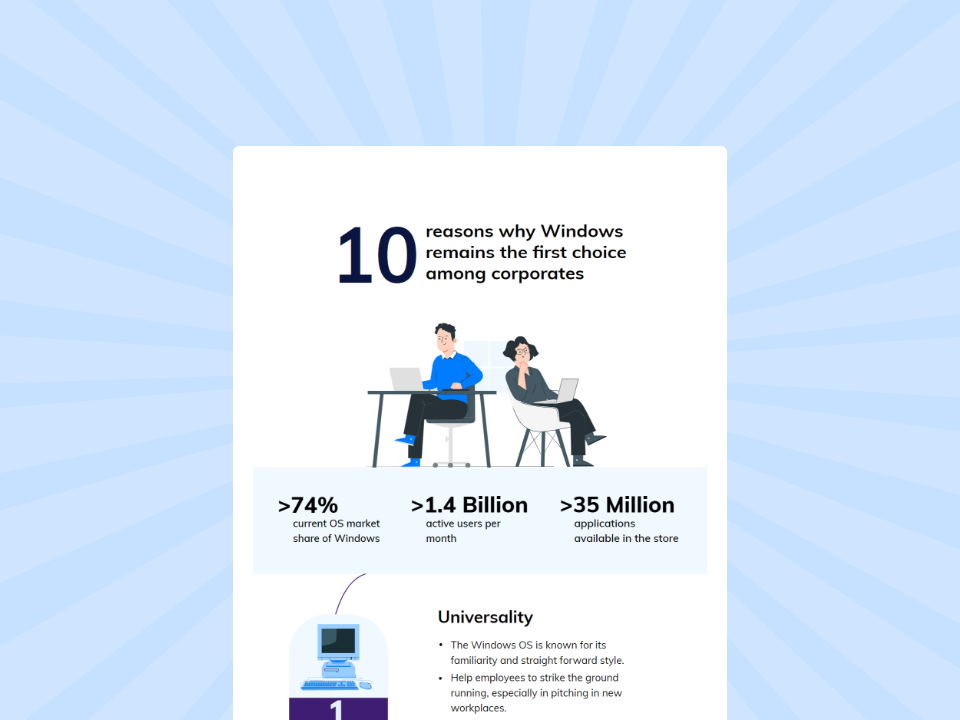
Windows remains the dominant enterprise OS, shaping strategic organizational decisions.
Download the InfographicWindows app configuration defines how securely, consistently, and efficiently enterprise applications operate. Installation alone does not protect data or ensure compliance. Governance requires centralized enforcement, automated lifecycle control, and continuous visibility.
Manual approaches introduce drift and risk. Fragmented tools slow scalability. Distributed workforces demand modern control frameworks.
Hexnode enables enterprises to centralize Windows application management, enforce structured Windows app policies, automate updates, and monitor compliance in real time. Organizations that modernize Windows app configuration today strengthen security posture, simplify compliance, and prepare for a cloud-driven future.
Let Hexnode simplify Windows app configuration and centralize Windows application management across your enterprise.
Start Your 14-day Free Trial Today!What is Windows app configuration?
Windows app configuration involves defining and enforcing application settings, permissions, updates, and compliance policies across enterprise Windows devices.
Why is Windows application management critical for enterprises?
It ensures consistent security enforcement, reduces configuration drift, and simplifies compliance reporting across distributed environments.
Can IT teams configure Windows apps remotely?
Yes. Unified endpoint management platforms like Hexnode allow administrators to configure Windows apps remotely using secure, cloud-based policy enforcement.
How does Windows app deployment differ from configuration?
Deployment installs the application. Configuration governs how the application behaves, updates, and enforces security controls.
How does Hexnode improve Windows enterprise app security?
Hexnode centralizes Windows app deployment, enforces granular policies, automates lifecycle management, and provides real-time visibility into compliance status.