Android Enterprise Zero Touch Enrollment automates corporate-owned Android provisioning from first boot, replacing manual setup with a scalable and consistent deployment process.
Automated enrollment reduces IT effort, configuration errors, and deployment complexity across large and distributed device fleets.
Devices enter management during setup, enabling immediate security policy enforcement and reducing unmanaged endpoints.
Hexnode UEM integrates with Zero Touch Enrollment to automate provisioning and centralize ongoing Android device management.
Deploying hundreds or even thousands of Android devices has become a growing operational challenge for enterprise IT teams. Manual enrollment, inconsistent configurations, and lengthy setup processes slow employee onboarding and consume valuable IT resources. As organizations embrace hybrid work, frontline mobility, and distributed offices, these traditional deployment methods struggle to keep pace.
Android Enterprise Zero Touch Enrollment addresses these challenges by automating enrollment from the moment a device powers on. Instead of configuring each device individually, IT administrators can provision devices remotely, apply corporate policies automatically, and deliver a consistent user experience at scale. The result is faster deployment, stronger security, and significantly lower operational overhead.
Android Enterprise Zero Touch Enrollment is Google’s automated enrollment framework for corporate-owned Android devices. It allows organizations to configure devices before employees receive them, eliminating the need for manual enrollment during setup.
When users switch on a new device, it automatically contacts Google’s Zero Touch service, retrieves the assigned enrollment profile, and enrolls into the organization’s Unified Endpoint Management (UEM) or Enterprise Mobility Management (EMM) platform. From there, corporate policies, security configurations, and business applications are applied without requiring IT intervention.
This enrollment method is specifically designed for work-managed devices, where organizations require full administrative control over security, compliance, and application management. By standardizing the enrollment process, enterprises reduce configuration errors while improving deployment consistency across their Android fleet.
What is Android Zero-Touch enrollment?
Learn how Android Zero-Touch Enrollment simplifies secure, automated deployment of enterprise devices.
How Android Enterprise Zero Touch Enrollment Works
Android Enterprise Zero Touch Enrollment follows a streamlined workflow that minimizes manual effort while ensuring every eligible device is configured consistently. The process begins long before an employee unboxes a device, allowing IT administrators to automate enrollment and apply management policies from the outset. Each stage builds on the previous one to deliver secure, scalable, and efficient device deployment. Here’s how the process works.
Purchase devices from an authorized reseller
The process begins when organizations purchase supported Android devices from an authorized Zero Touch reseller. Instead of shipping devices as standalone hardware, the reseller registers each device identifier with the organization’s Zero Touch customer portal.
This registration creates a trusted association between the device and the enterprise before the device even reaches an employee. Because enrollment information already exists in Google’s infrastructure, IT teams avoid collecting serial numbers or manually importing device inventories later.
Configure deployment profiles
Administrators then create deployment profiles inside the Zero Touch portal and associate them with their preferred UEM solution. These profiles specify how devices should enroll during initial setup and can include provisioning information that streamlines the deployment process.
Once the profile is assigned, every matching device follows the same automated workflow. This standardized approach improves device provisioning by ensuring every employee receives the same security policies, corporate applications, and management settings regardless of location.
Automatic enrollment during first boot
When employees power on their new devices and connect to the internet, the enrollment process starts automatically. The device identifies itself, retrieves the assigned configuration, and enrolls into the organization’s management platform without requiring complicated setup steps.
Once enrollment finishes, required applications install automatically, security policies take effect immediately, and the device becomes ready for work. Instead of waiting for IT support or following lengthy setup guides, employees can begin using their devices within minutes. This seamless experience is one of the biggest reasons Zero Touch Enrollment Android has become the preferred deployment model for enterprise Android environments.
The Operational Advantages of Zero Touch Enrollment
Deploying Android devices at enterprise scale requires more than speed. Organizations also need consistency, security, and minimal administrative effort throughout the deployment process. Android Enterprise Zero Touch Enrollment addresses these challenges by automating repetitive tasks and standardizing every rollout. The following advantages explain why it has become the preferred enrollment method for modern enterprise Android deployments.
Eliminates manual device configuration
Traditional Android deployments require IT teams to unbox devices, configure settings, install applications, and enroll each device individually. While this process may work for small deployments, it quickly becomes impractical as organizations scale. Every manual step introduces opportunities for configuration errors and delays.
Automated enrollment removes these repetitive tasks. Devices arrive pre-associated with the organization’s deployment profile, allowing employees to complete setup with minimal interaction. IT teams spend less time preparing hardware and more time focusing on strategic initiatives that improve business outcomes.
Supports enterprise-scale rollouts
Large organizations often refresh thousands of devices during hardware lifecycle upgrades, mergers, seasonal hiring, or business expansion. Coordinating these deployments manually requires significant planning, logistics, and IT resources.
Automated enrollment enables enterprises to deploy large device fleets without increasing operational complexity. Because every device follows the same enrollment workflow, administrators can confidently roll out hundreds or thousands of devices while maintaining consistent configurations across every location.
Enables direct-to-employee shipping
Modern enterprises increasingly support remote employees, field technicians, and distributed offices. Shipping devices back to a central IT team for configuration before forwarding them to employees adds unnecessary costs and delays.
With automated enrollment, organizations can ship devices directly from the reseller to employees. Once connected to the internet, devices automatically enroll, download corporate policies, and install business applications. This streamlined process shortens deployment timelines while reducing logistics overhead.
Delivers a consistent deployment experience
Consistency is one of the biggest advantages of automated enrollment. Every employee receives the same applications, security configurations, restrictions, and management settings regardless of where the device is deployed.
Standardized deployments reduce support requests caused by missing applications or incorrect configurations. They also simplify troubleshooting because every managed device follows the same baseline configuration established by IT.
Security Benefits Beyond Faster Deployment
Enterprise deployments demand more than speed. Every newly deployed device must also meet the organization’s security and compliance requirements from the moment it is activated. Android Enterprise Zero Touch Enrollment strengthens security by embedding management into the deployment process instead of treating it as a separate step. This approach reduces security gaps while giving IT teams greater control over corporate devices throughout their lifecycle.
Management begins from first boot
Security should not begin after users finish configuring their devices. Organizations need assurance that devices enter management before employees can modify critical settings or install unauthorized software.
Automated enrollment establishes management during the initial setup process. Devices receive corporate management immediately after activation, allowing administrators to enforce security policies from the very beginning of the device lifecycle.
Reduces unmanaged devices
Manual enrollment depends on users completing every setup step correctly. Missed enrollment or skipped configurations can leave devices operating outside corporate management, creating unnecessary security and compliance risks.
Automated enrollment minimizes this possibility by associating eligible devices with the organization’s management platform before they are distributed. Even after a factory reset, supported devices automatically return to enterprise management, helping maintain long-term compliance.
Applies security policies immediately
Once enrollment completes, the management platform can immediately deploy password requirements, encryption policies, certificates, Wi-Fi configurations, VPN settings, and approved business applications.
Applying these controls during deployment reduces the gap between device activation and policy enforcement. Instead of relying on users to configure security manually, organizations establish a secure baseline automatically.
Common Enterprise Use Cases
Android Enterprise Zero Touch Enrollment supports a wide range of deployment scenarios across industries. Retail organizations can rapidly deploy point-of-sale tablets and handheld devices across multiple store locations. Healthcare providers can provision clinical devices consistently while maintaining organizational security requirements.
Logistics companies benefit by deploying rugged Android devices to drivers and warehouse personnel without requiring on-site IT support. Enterprises with hybrid and remote workforces can also deliver corporate devices directly to employees, allowing them to become productive immediately after unboxing. These capabilities make automated enrollment particularly valuable for organizations managing geographically distributed operations.
Android Enterprise Zero Touch Enrollment vs Traditional Device Provisioning
Feature
Automated Enrollment
Manual Enrollment
IT effort
Minimal
High
Deployment speed
Fast
Time-consuming
Scalability
Excellent
Limited
Configuration consistency
Standardized
Depends on technician
Remote deployment
Supported
Difficult
Security enforcement
Begins during setup
Begins after enrollment
Employee experience
Simple and consistent
Multiple manual steps
Best Practices for Successful Deployments
Successful deployments begin with careful planning rather than simply enabling enrollment. Organizations should purchase supported devices through authorized resellers and create standardized enrollment profiles that align with business requirements. Testing these profiles on a small group of devices helps identify potential issues before large-scale rollouts.
IT teams should also organize deployment profiles around departments, user roles, or business functions to simplify ongoing management. Automating application delivery and security policy enforcement ensures every newly enrolled device follows the same corporate standards. Finally, monitoring enrollment activity allows administrators to quickly identify deployment issues and maintain visibility across the entire Android fleet.
Featured Resource
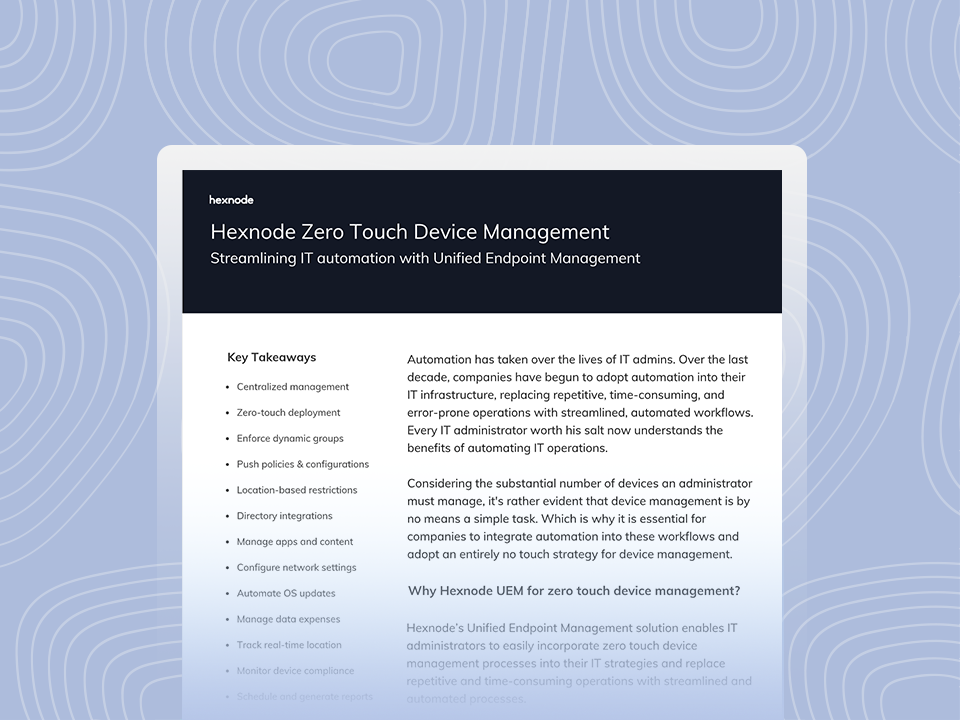
Hexnode Zero Touch Device Management
Discover how Hexnode enables secure, automated zero-touch deployment and management of enterprise devices.
How Hexnode Simplifies Android Enterprise Zero Touch Enrollment
Hexnode UEM integrates with Android Enterprise Zero Touch Enrollment to automate Android enrollment from the first device startup. Administrators can configure enrollment profiles, assign policies, distribute applications, and apply security settings without manually preparing each device.
Once devices enroll, Hexnode enables centralized management throughout the device lifecycle. IT teams can deploy applications, configure restrictions, enforce compliance policies, manage network settings, and remotely troubleshoot devices from a single console. This unified approach reduces administrative effort while helping organizations maintain consistent security and management across their Android deployment.
FAQs
What is Android Enterprise Zero Touch Enrollment?
It is Google’s automated enrollment method for corporate-owned Android devices that enrolls them into enterprise management during initial setup.
Can existing Android devices be added to Zero Touch Enrollment?
Only eligible supported devices associated with a Zero Touch reseller can be registered through the program.
How is Zero Touch different from manual enrollment?
Zero Touch automates enrollment during first boot, while manual enrollment requires users or administrators to complete setup steps themselves.
Conclusion
As enterprise Android deployments continue to grow, manual enrollment has become a significant operational bottleneck. Organizations need a deployment model that scales with their workforce while maintaining consistent security and reducing administrative overhead.
Automated enrollment delivers that capability by simplifying deployment, standardizing configurations, and ensuring devices enter management from the moment they are activated. For enterprises managing large fleets of work-managed devices, it provides a faster, more reliable approach to enterprise mobility. When combined with Hexnode UEM, organizations can automate enrollment, strengthen security, and streamline Android lifecycle management through a single, centralized platform.
Accelerate Android Device Deployment
Automate enrollment, eliminate manual setup, and deploy Android devices faster with Hexnode UEM.
Content writer at Hexnode. Fueled by good coffee and the occasional cat cuddle, I enjoy crafting content that informs, connects, and resonates. Nothing excites me more than knowing my words have been read, appreciated, and maybe even bookmarked.