VPNs secure data in transit and support remote access, but they cannot guarantee anonymity or protect enterprises against every cyber threat.
VPN protocols provide different levels of security, while outdated options like PPTP expose organizations to significant vulnerabilities.
Enterprises should combine VPNs with strong encryption, endpoint protection, access controls, and network monitoring to address risks such as malware, credential compromise, and excessive access.
ZTNA, SASE, IAM, PAM, and UEM complement or replace traditional VPN approaches by strengthening identity verification, device compliance, and least-privilege access.
Have you ever used the incognito mode of your browser to remain anonymous online? Well, if your answer is “yes”, I have bad news for you. Incognito tabs aren’t enough to keep you anonymous online.
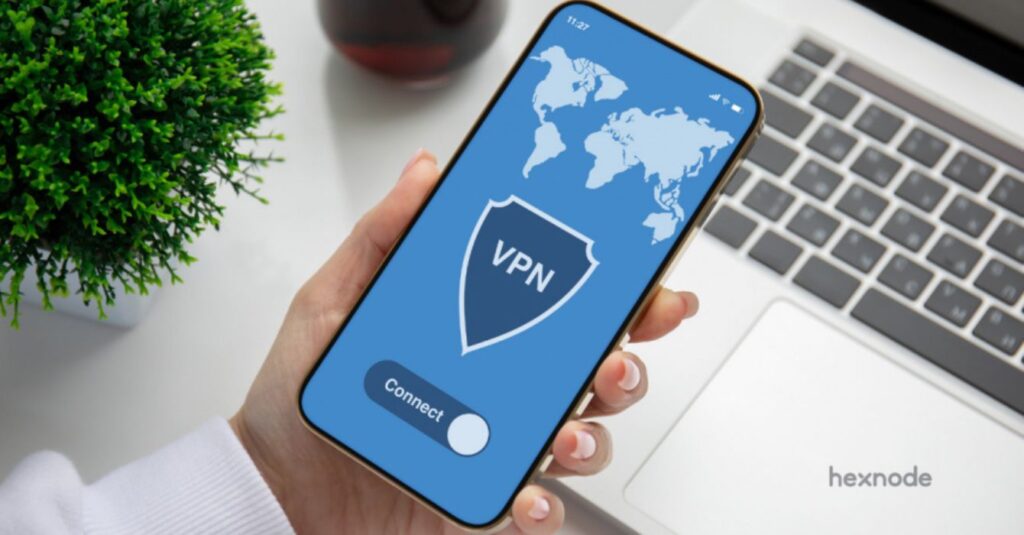
This is where VPN comes in handy. Everyone uses a VPN these days, whether it’s to watch a TV show that isn’t available in your country or to keep your data safe while using the internet. A Virtual Private Network (VPN) establishes an encrypted connection between endpoints, helping protect data in transit and secure access to corporate resources. However, VPNs cannot guarantee complete online anonymity or protection against every cyber threat.
General misconceptions about VPN
A VPN helps prevent intermediaries on untrusted networks from inspecting encrypted tunnel traffic, but it does not prevent all third parties from collecting browsing information.
There are some misconceptions about VPN, like:
Your internet slows down while using a VPN: VPNs can slow down your internet connection or increase latency due to encryption overhead, server congestion, routing distance, and network conditions. The impact varies depending on the VPN provider and configuration.
You can remain 100 percent anonymous if you use a VPN: A VPN cannot guarantee complete anonymity because websites can still track users through cookies and other tracking mechanisms.
Free VPN tools are enough to secure enterprise networks: VPN is a security or privacy tool that requires a lot of resources to stay functional. This requires a decent amount of money. Free VPN services use different funding models, and their privacy practices vary. Organizations should evaluate a VPN provider’s data-handling policies, security architecture, and reliability rather than relying on whether the service is free or paid.
Is VPN necessary for remote workforce?
Remote and hybrid work environments require secure access to corporate applications and resources from different networks and locations.
What about data privacy when remote workers use public Wi-Fi to access corporate resources? A lot of cybercriminals target devices that are connected to public Wi-Fi. A properly configured VPN encrypts traffic transmitted through its tunnel, helping protect corporate communications from interception on untrusted networks. However, traffic routed outside the VPN tunnel or beyond its termination point may require additional security controls.
Types of VPN tunneling protocol
VPNs use different tunneling and security protocols to establish connections, with encryption and authentication provided either by the VPN protocol itself or by accompanying security mechanisms such as IPsec.
1. Point-to-Point Tunneling Protocol (PPTP)
PPTP (Point-to-Point Tunneling Protocol) is one of the earliest VPN tunneling protocols, introduced in the 1990s. It offers relatively fast connection speeds and compatibility with many older devices and operating systems.
However, PPTP has significant security weaknesses, particularly in its authentication and encryption mechanisms. These vulnerabilities make it an obsolete protocol unsuitable for modern enterprise VPN deployments.
2. Layer 2 Tunneling Protocol (L2TP)
L2TP is a tunneling protocol that can’t encrypt connections. It establishes a tunnel between network endpoints but requires an additional security protocol, such as IPsec, to protect transmitted data. L2TP is usually paired with other protocols like IPsec (Internet Protocol security) to provide an encrypted connection.
L2TP does not provide encryption on its own, but when combined with IPsec, it can establish encrypted VPN connections with stronger security protections than legacy PPTP deployments. L2TP/IPsec introduces additional encapsulation and encryption overhead, which can affect connection performance depending on the network and implementation.
3. Secure Socket Tunneling Protocol (SSTP)
SSTP is a Microsoft-developed VPN tunneling protocol introduced with Windows Vista and Windows Server 2008, with support available across subsequent Windows client and server versions, subject to platform and configuration requirements.
SSTP uses TLS over TCP port 443, allowing it to traverse many firewalls that permit HTTPS traffic. However, network administrators can still identify and block SSTP connections through appropriate firewall and proxy configurations. The main problem with this protocol is that this protocol is not compatible with every device.
4. Internet Key Exchange version 2 Protocol (IKEv2)
IKEv2 is an IETF-standardized key exchange protocol developed through contributions from multiple organizations and industry experts. IKEv2 is a key exchange protocol used with IPsec to authenticate peers and establish and manage security associations that protect VPN traffic. IKEv2/IPsec implementations that support MOBIKE can maintain VPN connectivity when devices switch between networks, such as Wi-Fi and cellular connections. So, this protocol is perfect for users who are on the go.
5. OpenVPN
OpenVPN is an open-source protocol and it is supported by all the leading operating systems like Windows, macOS, Linux, Android, and iOS. It supports strong encryption and flexible authentication methods across major operating systems.
Even though this protocol is an open-source protocol, it is considered one of the most secure and widely used protocols out there. The protocol owes its popularity to the fact that developers can access the source code and make tweaks to it.
Types of VPN
There are mainly 4 types of VPN, they are:
1. Remote-access VPN
A remote-access VPN allows remote working employees to securely connect to the company’s private network safely through an encrypted connection. It creates a secure tunnel between the user and the company network even if the user is connected to public Wi-Fi. Remote-access VPNs encrypt traffic between users and VPN gateways, helping protect corporate communications from interception while requiring additional controls to secure endpoints and traffic outside the tunnel.
2. Personal VPN
A personal VPN primarily helps individuals protect their online privacy rather than access corporate networks. Normally, users connect directly to a website’s server when browsing the internet.
With a personal VPN, users first connect to a VPN server, which then routes their traffic to the destination website. This masks their public IP address from the website and encrypts traffic between their device and the VPN server.
Personal VPN services primarily route internet traffic through VPN provider servers for privacy and security, while enterprise remote-access VPNs are designed to provide authorized users with secure connectivity to private corporate networks.
3. Mobile VPN
A mobile VPN is a type of remote-access VPN designed to maintain or restore secure connectivity when devices switch between networks or experience temporary connectivity interruptions. This is where mobile VPN can help you.
4. Site-to-site VPN
Site-to-site VPN basically makes a secure connection between two networks rather than a user and a network, which is normally observed. This is useful for companies having offices in multiple locations.
Risks of using VPN
VPNs secure network connections but cannot eliminate endpoint, identity, or access-related risks. Key threats include:
VPN hijacking: Attackers may exploit stolen credentials, compromised sessions, or VPN vulnerabilities to access protected resources.
Man-in-the-middle (MITM) attacks: VPNs encrypt traffic to the VPN gateway but cannot guarantee protection beyond it.
Malware infection: VPNs do not independently prevent malware infections without additional security controls.
Excessive access: Compromised devices may expose corporate resources if VPN permissions and network segmentation are inadequate.
DNS leaks: DNS queries sent outside the VPN tunnel may expose browsing-related information to external resolvers.
Is VPN enough for data security in enterprises?
VPNs remain useful for protecting network communications, but enterprise security requires additional controls, such as strong authentication, endpoint protection, least-privilege access, and continuous security monitoring.
Some tips that might help you make the most out of your VPN are:
Use strong encryption: Choose VPNs with AES-GCM encryption and secure authentication.
Strengthen security: Use antivirus software and intrusion prevention systems.
Enable a kill switch: Block internet traffic if the VPN disconnects.
Ensure forward secrecy: Protect past sessions if long-term keys are compromised.
VPN alternatives
Organizations can strengthen or modernize VPN-based security using technologies such as ZTNA, SDP, SASE, IAM, PAM, and UEM, although these solutions serve different functions and not all directly replace traditional VPN connectivity.
Zero Trust Network Access (ZTNA)
Zero Trust Network Access provides identity- and context-based access to specific applications or resources, helping organizations enforce least-privilege access without automatically exposing the broader corporate network. When a user requests access to a protected application or resource, ZTNA evaluates identity and applicable access policies, potentially including device posture and contextual signals, before granting access only to authorized resources.
Zero Trust and cybersecurity with Hexnode MDM
Explore how Hexnode supports Zero Trust security through device compliance, access controls, and data protection.
ZTNA helps limit the potential impact of compromised devices or accounts by restricting access to explicitly authorized resources, although the effectiveness of these restrictions depends on correctly configured access policies and security controls.
Software-defined perimeter (SDP)
SDP is defined as a security structure that is used to control access to networks or resources based on identity. Software-Defined Perimeter (SDP) uses identity-aware access controls and software-defined enforcement mechanisms to restrict connectivity to protected applications and resources.
Secure Access Service Edge (SASE)
Secure Access Service Edge (SASE) combines WAN networking capabilities, such as SD-WAN, with cloud-delivered security services, including ZTNA, Secure Web Gateway (SWG), Cloud Access Security Broker (CASB), and Firewall-as-a-Service (FWaaS). SASE can help organizations consolidate networking and security services, potentially reducing operational complexity and costs depending on their existing infrastructure and deployment requirements.
Identity and Access Management (IAM) and Privileged access management (PAM)
Identity and Access Management (IAM) governs digital identities and access permissions, helping organizations authenticate users and authorize access to applications, systems, networks, and other resources. IAM solutions can support session monitoring and access evaluation when integrated with compatible authentication, logging, and security monitoring capabilities.
Privileged Access Management (PAM) controls and monitors elevated access to critical systems and resources, helping organizations restrict privileged operations to authorized users and accounts.
UEM
Beyond securing and managing corporate devices, UEM solutions can support conditional access to corporate resources. IT admins can define device compliance rules and integrate UEM with compatible access control solutions to grant or restrict access based on device compliance status.
When integrated with Zero Trust Network Access (ZTNA) solutions, UEM can provide device compliance signals that help enforce access policies and strengthen enterprise security.
Featured resource
Understanding Unified Endpoint Management (UEM)
Explore how UEM unifies device management, strengthens endpoint security, and simplifies IT operations.
A decentralized VPN (dVPN) routes traffic through a distributed network of independently operated nodes rather than relying exclusively on centralized VPN servers. These nodes may include servers or other network-connected devices.
A question that might pop up is, is it safe to allow strangers to access your device? Decentralized VPNs route traffic through distributed nodes, but privacy and security depend on the service’s architecture, encryption, node operators, and logging practices.
Decentralized VPNs may appeal to privacy-focused individuals, but their suitability for personal or enterprise use depends on the provider’s architecture, encryption, logging practices, node trust model, and ability to meet organizational security requirements. So, go for a dVPN only if you are looking for a VPN alternative to personal use. In the case of corporate environments, you can go for the alternatives mentioned above.
How Hexnode UEM Supports Enterprise IT Priorities for 2027
Hexnode UEM simplifies enterprise IT management through centralized endpoint visibility, automation, and compliance monitoring.
With Hexnode UEM, IT teams can:
Centralize management: Enroll and organize supported endpoints using Dynamic Device Groups.
Automate operations: Schedule or trigger supported device management actions with Hexnode Automate.
Manage patches: Deploy supported OS updates and patches across Windows, macOS, and Linux.
Enforce compliance: Monitor devices against defined security requirements using Compliance Policies.
Improve visibility: Track compliance, patch status, and administrative activities through centralized reports.
Capabilities vary by platform and device eligibility.
Frequently Asked Questions
Can a VPN completely protect employees from cyberattacks?
No. A VPN encrypts traffic between its endpoints but does not independently prevent malware infections, phishing, credential theft, or compromised-device access. Enterprises should combine VPN protection with endpoint security, identity controls, and network monitoring.
What is the difference between a VPN and Zero Trust Network Access (ZTNA)?
A VPN establishes an encrypted connection to a network or VPN gateway, while ZTNA provides identity- and context-based access to specific applications or resources. ZTNA supports least-privilege access without automatically exposing the broader corporate network.
In conclusion
VPNs remain valuable for securing network communications, but organizations can strengthen enterprise security by combining them with identity-based access controls, endpoint protection, network segmentation, and continuous monitoring.
Modernize Enterprise Network Security
Strengthen device trust, enforce secure access, and protect enterprise endpoints with Hexnode.
Content writer at Hexnode. Fueled by good coffee and the occasional cat cuddle, I enjoy crafting content that informs, connects, and resonates. Nothing excites me more than knowing my words have been read, appreciated, and maybe even bookmarked.