Why organizations choose Hexnode UEM to manage Apple devices?
Hexnode UEM simplifies Apple device management by offering easy deployment, strong security, and seamless integration.

Get fresh insights, pro tips, and thought starters–only the best of posts for you.
Choosing a device management solution is a bit like picking the perfect tool for a big project. You need something powerful, reliable, and, most importantly, right for your specific needs. If you’re managing a fleet of Apple devices, you’ve likely to come across two contenders: Hexnode and Iru Endpoint.
Both platforms are established options for managing Apple devices, but they approach endpoint management from different perspectives. Iru Endpoint (formerly Kandji) built its reputation on Apple device management and has since expanded its platform to also support Windows and Android.
Hexnode manages macOS, iOS, and iPadOS alongside Windows, Android, Linux, ChromeOS, Fire OS, Apple TV, and visionOS from a single console, giving IT teams broad multi-OS coverage under one roof.
So, let’s take a friendly stroll through what makes each solution unique and help you figure out which one fits your organization’s puzzle perfectly.
Hexnode: We’re a Unified Endpoint Management (UEM) solution. Think of us as the universal remote for all your company’s devices. Whether your team uses MacBooks for design, Windows PCs for admin tasks, iPhones on the go, or Android tablets in the field, Hexnode brings them all together into a single, easy-to-manage console. Our goal is to provide management capabilities across every major operating system, including macOS, iOS, iPadOS, Windows, Android, Linux, ChromeOS, Fire OS, Apple TV, and visionOS.
Iru Endpoint: Iru Endpoint (formerly Kandji) began as a Apple device management platform and now also manages Windows and Android devices. It was built with an initial focus on managing and securing macOS, iOS, iPadOS, and tvOS devices, and its platform now extends to Windows and Android as well. Its Apple-first roots make it a natural fit for organizations centered on the Apple ecosystem, while its newer Windows and Android support extends coverage to mixed fleets.
| Aspect | Hexnode | Iru Endpoint |
| Supported Platforms | macOS, iOS, tvOS, Windows, Android, Fire OS, Chrome OS, Linux, Vision OS | macOS, iOS, iPadOS, tvOS, visionOS, Windows, Android |
| Best For | Mixed-device environments or businesses planning for future platform diversity. | Apple-first organizations, with added Windows and Android coverage from the same platform. |
Beyond the operating systems, the specific features of a UEM solution are what truly empower IT teams.
In the Hexnode vs Iru Endpoint comparison, feature sets are a major differentiator, and Hexnode offers a broad range of functionalities across the platforms it manages.
Here are a few features where Hexnode stands out:
Multi-platform managemen: Hexnode manages Windows and Android devices alongside Apple, including Android Enterprise enrollment and Windows PC and kiosk management, which supports organizations running mixed-OS fleets.
macOS management: For macOS, Hexnode offers features like Autonomous Single App Mode and Live Terminal for remote command-line access, giving administrators granular control over their devices.
Migration support: Hexnode supports migration from existing MDM solutions to simplify the switch to Hexnode.
Enhanced Security: With features like AD-Asset Binding and Advance FileVault Escrow Configurations, Hexnode provides an extra layer of security for your endpoints.
Location Tracking: Hexnode offers location tracking, location history, and geofencing, which support asset management and security use cases.
Automation and Compliance: Hexnode enables IT teams to automate routine tasks and enforce compliance effortlessly. With dynamic device grouping, custom scripts, and automated policy enforcement, administrators can streamline workflows and ensure devices stay secure and policy-compliant without manual intervention.
Likewise, Iru Endpoint brings its own set of features focused on streamlining the Apple admin experience. Here are a few areas where Iru Endpoint’s Apple-focused approach stands out:
Auto Apps library: Iru Endpoint’s Auto Apps library is a collection of third-party Mac and Windows applications that it pre-packages, hosts, and automatically patches for you.
Liftoff Onboarding: It works with Apple’s Automated Device Enrollment to ensure all necessary apps and configurations are installed before the user gets to the desktop, guaranteeing a fully provisioned device from the very first login.
Blueprints and Assignment Maps: Iru Endpoint’s configuration is built around “Blueprints” – templates that contain the apps, controls, and settings for a group of devices. Its Assignment Maps provide a visual way to scope configurations across the fleet, simplifying management across different user roles and departments.
A powerful tool is only as good as its user experience.
Here’s what one user had to say about their Hexnode experience:
“One word to describe my whole experience is: Easy. Hexnode made it super simple for the small bank I work at to enroll devices……. Their support is two clicks away, which is always nice for when I have simple questions…… The layout of the portal as well as knowledge articles….. are clear, easy to navigate, and even easier to ask for support.”
Source: Capterra
Mitsogo (Hexnode) Recognized in the 2025 Gartner® Market Guide for Endpoint Management Tools
At Hexnode, we pride ourselves on our customer-centric approach. Our dedicated support team is available 24/5 to assist you with any questions or concerns. We also offer a comprehensive library of help documentation, video tutorials, and an AI-powered chatbot to help you find the answers you need.
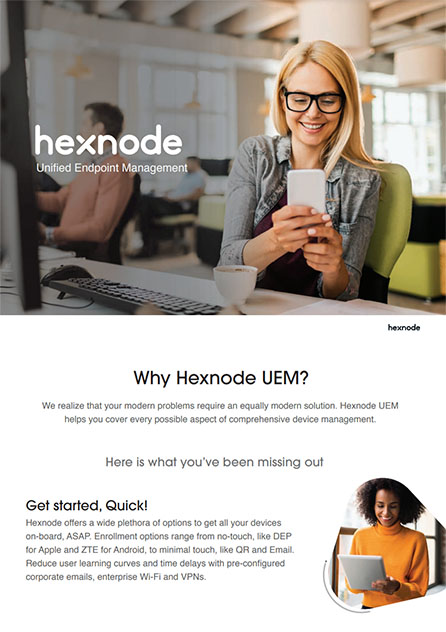
Hexnode offers a powerful suite of features to get all your devices on board and make them work-ready. Download the brochure to learn how Hexnode is the right solution for modern-day enterprise mobility problems.
Download BrochureTransparency in pricing is important for budgeting and planning.
Hexnode: We believe in flexible, transparent pricing that scales with your needs. Our pricing is tiered based on the features you require, starting from the very basics to the full UEM suite. We charge per device, per month, with tiered plans across Express, Pro, Enterprise, Ultimate, and Ultra, so you can choose the plan that covers the platforms and features your organization needs. This allows businesses of all sizes to find a plan that fits their budget without paying for features they don’t use. You can find our detailed pricing on our website.
Iru Endpoint: Iru Endpoint pricing is based on the number of devices you manage and the products you select. Quotes are provided through the Iru Endpoint sales team based on your device count and requirements. Reaching out to the Iru Endpoint sales team is the best way to get pricing specific to your organization.
To give you an idea of the value Hexnode delivers, try our ROI Calculator to estimate the potential return on investment for your business.
Let’s simplify it.
You might be a perfect fit for Iru Endpoint if:
You’ll feel right at home with Hexnode if:
Take the case of a mid-sized logistics company operating across multiple regions. Their field teams rely on Android tablets for real-time inventory tracking, office staff use Windows PCs for administrative operations, and the creative teams prefer MacBooks for design and marketing tasks. Managing this heterogeneous device fleet will be increasingly complex, especially with varying OS-specific policies, app deployment needs, and compliance requirements.
If they adopt Hexnode, the IT team can centralize device management through a unified UEM console. They can leverage Android Enterprise for secure app distribution, use Windows policy enforcement to restrict access to sensitive settings, and deploy Apple’s ADE and VPP through Hexnode to automate iOS device enrollment and silent app installations. With dynamic grouping, they can apply platform-specific policies automatically based on device type and user role.
Absolutely – this is a core strength of Hexnode. Iru Endpoint began as an Apple-focused platform and now also manages Windows and Android, while Hexnode adds Linux, ChromeOS, and Fire OS on top of Apple, Windows, and Android, making it well suited to the mixed environments common in today’s workplaces.
Our UI is built to be simple and easy to navigate for all admins, regardless of their experience. The goal is to make managing a diverse fleet just as intuitive as managing a single platform. We believe the key to a great user experience is making multi-platform management straightforward, whatever the mix of devices.
Yes. Hexnode provides macOS security features such as FileVault encryption management with recovery key escrow, security policy enforcement, Live Terminal for remote command-line access, and Active Directory binding to support security in a mixed environment.
Not necessarily. Our transparent, tiered pricing allows you to choose a plan that fits your specific needs and budget. We charge per device on a monthly basis, which can make Hexnode a cost-effective option for small to mid-sized businesses, especially as they scale. It’s all about providing a flexible solution with publicly listed, per-device tiered pricing.
At Hexnode, we’re incredibly proud of our Apple management capabilities. We offer the depth and security you need to manage your Apple fleet with confidence, combined with the flexibility to manage Windows, Android, Linux, ChromeOS, and Fire OS from the same console.
This makes the Hexnode vs Iru Endpoint decision clearer for businesses that value flexibility.
Why limit yourself? The modern workplace is diverse. Give your IT team the single tool they need to manage it all.
Experience the power of a true Unified Endpoint Management solution. Manage every device, from anywhere.
Explore Hexnode Now