Fragmented Android fleets can create security and compliance risks that a structured Android Enterprise management strategy can help address.
Mixed OEMs, inconsistent OS versions, and reliance on legacy Device Administrator mode can make consistent enterprise management more difficult. Particularly because Device Administrator lacks capabilities available through modern managed-device and work-profile modes.
Key Android Enterprise capabilities include Zero-Touch Enrollment, work-profile and company-owned management models, Managed Google Play, OEMConfig, and supported security-policy controls such as Factory Reset Protection; these operate alongside platform security mechanisms such as Android Verified Boot.
Hexnode UEM brings Android Enterprise capabilities such as Zero-Touch Enrollment, Work Profile management, Managed Google Play, OEMConfig, and documented Factory Reset Protection bypass and disable options into a centralized management console.
Why Is Managing Android Devices Still Giving IT Admins a Headache?
Android Enterprise device management features help IT teams manage Android devices, applications, work data, and security requirements across enterprise environments. Android Enterprise provides standardized APIs and tools that create a common management foundation across compatible Android devices.
Heterogeneous Android fleets can include devices from multiple manufacturers, creating OEM-specific management requirements alongside differences in OS and firmware lifecycles.
These fleets may contain different OS versions and OEM update lifecycles, which can add complexity to patch-management and application-testing processes.
Before modern Android Enterprise management became established, organizations commonly used the legacy Device Administration API, which provided device-level security controls but lacked the work-profile-based separation and broader management capabilities available through Android Enterprise.
Legacy management approaches could leave organizations with greater challenges around device security, work/personal data separation, and consistent policy enforcement.
What Happens When You Don’t Modernize Your Android Management Approach?
Reliance on outdated Android management approaches can increase management, security, and compliance risks and may create additional administrative overhead.
Without an appropriate Android management strategy, organizations may face greater difficulty maintaining consistent security, management, and compliance controls across their device fleets.
Consider what typically goes wrong when organizations delay modernization:
Data leakage from insufficiently managed BYOD devices. Without appropriate work-data separation and access controls, employee-owned devices can increase the risk of corporate data exposure if a device is lost, compromised, or improperly offboarded.
Compliance and audit challenges. Organizations subject to security, regulatory, or contractual requirements may need to demonstrate that appropriate device controls are implemented and enforced consistently.
Manual provisioning overhead. Configuring devices individually requires technician effort that increases as the number of devices grows; automated provisioning methods such as zero-touch enrollment can reduce this manual setup work.
The effects of outdated device-management practices can include slower provisioning, less consistent policy enforcement, and greater security and compliance risk.
Therefore, the question is not whether to modernize, but how quickly IT can move from ad hoc device management to a structured Android Enterprise MDM approach before these risks materialize.
What Are the Most Important Android Enterprise Device Management Features?
The most important Android Enterprise device management features fall into five practical categories: enrollment and deployment, data separation, app governance, hardware-specific controls, and security enforcement.
Together, these categories provide a standardized management foundation across compatible Android devices, with available capabilities varying by ownership model, management mode, Android version, and device support.
Android Enterprise defines standardized management capabilities and requirements, but feature availability can vary by management mode, Android version, device, and the capabilities implemented by each EMM/UEM provider. The sections below break down what each category covers and why it matters for a modern fleet.
Featured resource
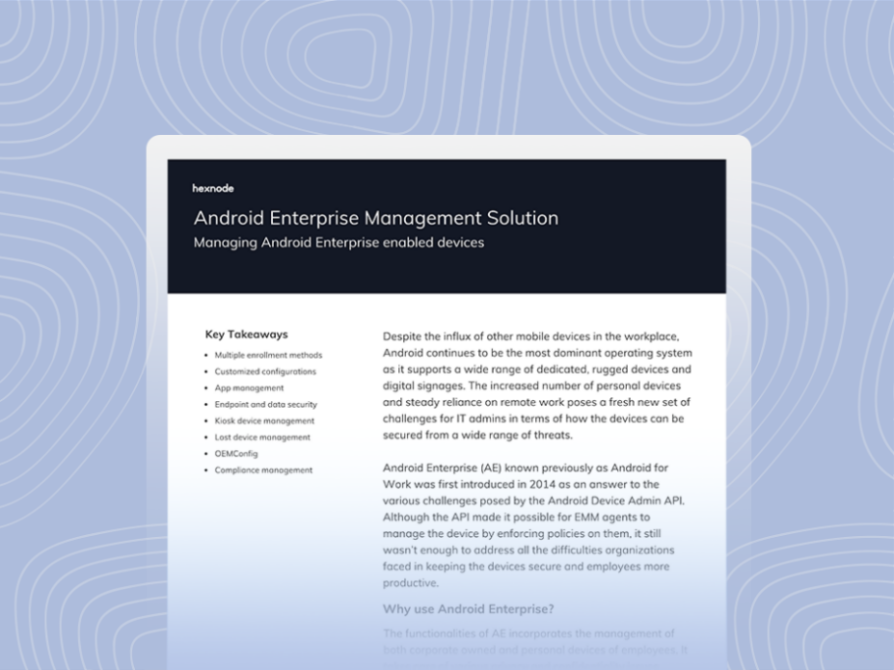
Android Enterprise Management Solution Datasheet
See how Hexnode streamlines Android Enterprise deployment, from Zero-Touch Enrollment to app governance, in one downloadable datasheet.
Zero-Touch Enrollment lets IT teams preassign an enterprise provisioning configuration to eligible company-owned devices before they reach users, allowing the devices to begin managed provisioning automatically during initial setup. Google’s zero-touch enrollment portal assigns an enterprise configuration to registered devices using supported device identifiers. On first boot or after a factory reset, a configured device automatically begins enterprise provisioning.
As a result, technicians do not need to configure each device individually. Once a registered device has network connectivity during initial setup or after a factory reset, it checks for its assigned zero-touch configuration and begins enterprise provisioning.
QR-code provisioning provides another enrollment option for supported new or factory-reset devices, but unlike zero-touch enrollment, an administrator or user must scan the EMM-generated QR code during device setup. Both methods reduce manual device-configuration work and can simplify provisioning at scale.
Work Profile and COPE for BYOD/Corporate Separation
A Work Profile creates a separate, self-contained space for work apps and data on an Android device. Work profiles can be deployed on personally owned devices and, in supported Android Enterprise deployments, on company-owned devices.
On personally owned devices, IT manages the work profile while personal apps and data remain outside the organization’s management scope. On company-owned devices with a work profile, additional device-wide and personal-usage policies may be available.
The COPE model uses a work profile on a company-owned device. It supports both work and permitted personal use while keeping work data separate from the personal profile. IT retains management capabilities appropriate for company-owned hardware.
Choosing the right mode affects user privacy and IT control. For BYOD, a Work Profile separates organization-managed apps and data from personal content.
For company-owned devices that allow personal use, organizations can use a work profile. Fully managed or dedicated-device modes suit other corporate-owned use cases.
Before choosing a mode, IT should map device ownership and intended use. This helps teams apply the right policies consistently across the fleet.
Managed Google Play and App Governance
Managed Google Play provides organizations with a managed app-distribution environment where IT can make approved public apps and organization-specific private apps available to users. IT controls which apps are available to users through Managed Google Play. Additional device or app-installation policies may be required to restrict software installation outside the managed app environment.
Where supported by the device’s management mode and EMM implementation, approved managed applications can be installed without user interaction.
Where supported, installation without user interaction can simplify initial application deployment and ongoing application management across managed devices.
App governance typically relies on two complementary controls:
Allow lists can limit the apps available or permitted within the managed environment to those approved by IT, depending on the management solution and enrollment mode.
Block lists can be used by management solutions to restrict specified apps within the scope supported by the device’s management mode and applicable policies.
Because these controls can be centrally managed through enterprise policies, IT can adjust app availability across supported managed devices or profiles without configuring each one individually.
OEMConfig and Hardware-Specific Controls
OEMConfig enables device manufacturers to expose OEM-specific management capabilities to EMM/UEM platforms. The OEM publishes an OEMConfig app with a managed-configuration schema, which the management platform uses to configure supported OEM-specific settings.
OEMs expose supported management policies through an OEMConfig app and its managed-configuration schema. Because the EMM consumes this standardized schema, OEMs can expose new or updated configurable policies through their OEMConfig implementation without requiring the EMM provider to build a separate integration for each proprietary API.
OEMConfig is particularly useful in heterogeneous fleets where administrators need manufacturer-specific controls that are not exposed through standard Android Enterprise policies.
For example, OEMConfig can expose manufacturer-specific settings that are not available through standard Android Enterprise management APIs, with the exact controls determined by the OEM’s managed-configuration schema.
Factory Reset Protection (FRP) can help prevent unauthorized activation after a reset, with behavior depending on factors including device ownership, reset method, account state, management implementation, and configured FRP policy. On supported company-owned deployments, Enterprise Factory Reset Protection (EFRP) lets IT specify Google accounts authorized to activate an FRP-locked device.
Verified Boot cryptographically verifies executable code and data involved in booting Android, establishing a chain of trust that starts with a hardware-protected root of trust and extends to the bootloader, boot partition, and other verified partitions.
Android Enterprise management solutions can implement compliance enforcement for supported policy violations, with available remediation actions depending on the management API, management mode, and EMM/UEM implementation.
The effectiveness of these capabilities depends on selecting appropriate management modes and configuring them to match the organization’s deployment and security requirements.
How Do You Actually Roll Out These Android Enterprise Features?
Organizations need a structured rollout plan to get the most from Android Enterprise device management features. Start by selecting the right management mode, then configure enrollment, apps, device policies, and compliance controls.
Choose a management mode based on device ownership and intended use. Determine whether devices should use a work profile on personally owned devices, a work profile on company-owned devices, fully managed mode, or dedicated-device management, as applicable.
Set up zero-touch or QR-based enrollment. For eligible devices purchased through an authorized zero-touch reseller, assign the appropriate zero-touch configuration for bulk provisioning; alternatively, use QR-code provisioning for supported devices when appropriate.
Configure Managed Google Play and app policies. Build the approved app catalog, then apply allow lists or block lists depending on how restrictive the environment needs to be. Enable silent installation for apps every device requires.
Use OEMConfig where applicable for OEM-specific controls. Identify devices that expose required manufacturer-specific settings through OEMConfig and configure those supported settings through the management platform.
Define compliance policies and remediation actions. Configure supported compliance conditions and determine the appropriate enforcement actions when managed devices or work profiles fall out of compliance.
Even a well-planned rollout can stall on avoidable mistakes. Watch for these common pitfalls:
Skipping a pilot group. Deploying policies fleet-wide before testing on a small group makes it harder to isolate configuration errors.
Ignoring OEM-specific configs. Treating all Android devices identically overlooks hardware features that OEMConfig was built to manage.
No offboarding or wipe plan. Failing to define what happens when a device leaves the fleet creates lingering security and data exposure risks.
How Does Hexnode UEM Support Android Enterprise Management?
Hexnode UEM brings key Android Enterprise device management features into a centralized console, including enrollment, app management, OEM-specific configurations, device restrictions, and compliance controls.
Zero-Touch Enrollment support lets admins deploy devices in bulk through the Android Zero-Touch Provisioning portal, configuring settings before devices reach end users. This directly addresses the manual-provisioning cost discussed earlier.
Hexnode’s Android Enterprise integration also includes Managed Google Play support, allowing IT to distribute approved public and private apps, customize the Managed Google Play Store layout, and perform supported silent app installation and uninstallation.
Admins can configure app blocklists or allowlists through Hexnode policies and associate them with supported Android Enterprise devices, subject to the applicable enrollment mode.
For hardware-fragmented environments, Hexnode supports OEMConfig for manufacturers including Zebra and Honeywell, as well as Samsung devices through the Knox Service Plugin, allowing admins to deploy supported OEM-specific configurations from Hexnode UEM.
Hexnode supports Android Enterprise Profile Owner and Device Owner enrollment modes, enabling different levels of management for personally owned and corporate-owned devices.
For supported Android Enterprise Device Owner devices that meet the applicable OS requirements, Hexnode provides policy options for Factory Reset Protection, including documented options to bypass or disable FRP and configure accounts authorized to access FRP-locked devices.
Together, these capabilities allow IT teams to centrally configure and manage supported Android Enterprise devices through Hexnode UEM.
Frequently Asked Questions
What is the difference between Work Profile and fully managed device mode in Android Enterprise?
A Work Profile separates corporate apps and data from personal content. IT manages the work profile while personal apps and data remain outside its management scope. Fully managed mode gives IT control over the entire device and typically suits corporate-owned devices.
Does Android Enterprise work on all Android devices?
Android Enterprise requirements vary by management mode, provisioning method, ownership model, and Android version. Devices without Google Mobile Services (GMS) cannot use features such as Managed Google Play. IT should verify device and feature requirements before deployment.
What happens to the Work Profile when an employee leaves the company?
The Android Enterprise Work Profile can be removed from a managed Profile Owner device. This removes the managed work environment from the device.
How often should IT review Android Enterprise compliance policies?
IT should review compliance policies periodically and whenever significant changes occur to devices, Android versions, applications, security requirements, or organizational needs. Regular reviews help ensure policies remain aligned with the managed fleet and current security requirements.
Is Android Enterprise free to use?
Android Enterprise provides Google’s enterprise management capabilities and APIs without a separate framework license. However, organizations may incur costs for their EMM/UEM solution, related services, or certain provisioning arrangements.
Ready to Simplify Android Enterprise Management?
Managing a fragmented Android fleet manually no longer scales. The right Android Enterprise device management features can help IT standardize provisioning, app management, security, and policy enforcement. A centralized approach can also reduce management complexity, compliance gaps, and the overhead of legacy methods.
Hexnode UEM brings Zero-Touch Enrollment, Managed Google Play, OEMConfig, and compliance capabilities into one console. IT can use these capabilities to manage supported Android Enterprise devices based on applicable OS, enrollment-mode, and OEM requirements.
If your fleet still relies on manual setup or inconsistent policies, now is the time to change that.
Simplify Android Enterprise Management
Streamline Android enrollment, app management, device policies, and more with Hexnode UEM, all from a centralized console.
I write at the intersection of technology, process, and people, focusing on explaining complex products with clarity. I break down tools, systems, and workflows without any noise, jargon, or the hype.