AI agents in IT operations can interpret requests, determine next steps, and execute authorized actions across endpoint, identity, and ticketing systems. However, a single incorrect action can affect multiple systems before an administrator intervenes.
Human-in-the-loop oversight involves human participation in an AI-driven workflow through activities such as supervision, feedback, intervention, or approval at appropriate decision points. To introduce AI agents safely, IT teams must define permissions, establish approval checkpoints, monitor execution, handle failures, and expand autonomy gradually.
What Are the Risks of AI Agents in IT Operations?
AI agents in IT operations introduce four key risks: excessive permissions, unapproved actions, incomplete audit trails, and unclear failure ownership. These gaps can leave administrators unable to contain changes, reconstruct events, or determine who must resolve a failed workflow.
Excessive permissions: An LLM-based agent receives administrator-level access when its task only requires reading device inventory. OWASP classifies excessive permissions, functionality, and autonomy as contributing causes of the Excessive Agency vulnerability.
Unapproved high-impact actions: An agent isolates a production endpoint without human approval, disrupting critical business operations.
Incomplete audit trails: An agent modifies security policies without recording the initiating request, approval decision, or execution outcome.
Unclear failure ownership: An automated remediation fails, but no designated administrator receives an escalation or assumes responsibility.
The same execution speed that makes AI agents useful can amplify the impact of incorrect or unauthorized actions. Therefore, effective AI orchestration for IT operations requires defined permissions, approval checkpoints, and accountability.
How Do You Introduce AI Agents into IT Operations Safely?
Introduce AI agents in IT operations through five controls: least-privilege permissions, human approval, execution monitoring, exception handling, and staged rollout. Together, these controls define what agents can do independently and when administrators must intervene.
Define permissions: Grant agents only the access required for their assigned tasks.
Set approval gates: Require human authorization for sensitive or difficult-to-reverse actions.
Monitor execution: Record agent decisions, approvals, actions, and outcomes.
Plan for exceptions: Establish pause, escalation, and recovery procedures for failures.
Pilot gradually: Start with one low-risk workflow and expand autonomy only after reviewing performance.
Use the NIST AI Risk Management Framework (AI RMF 1.0) as a voluntary framework for structuring AI governance around Govern, Map, Measure, and Manage. NIST states that a revised version is in progress; the framework’s functions guide risk management but do not prescribe a fixed sequence of implementation steps.
Featured resource
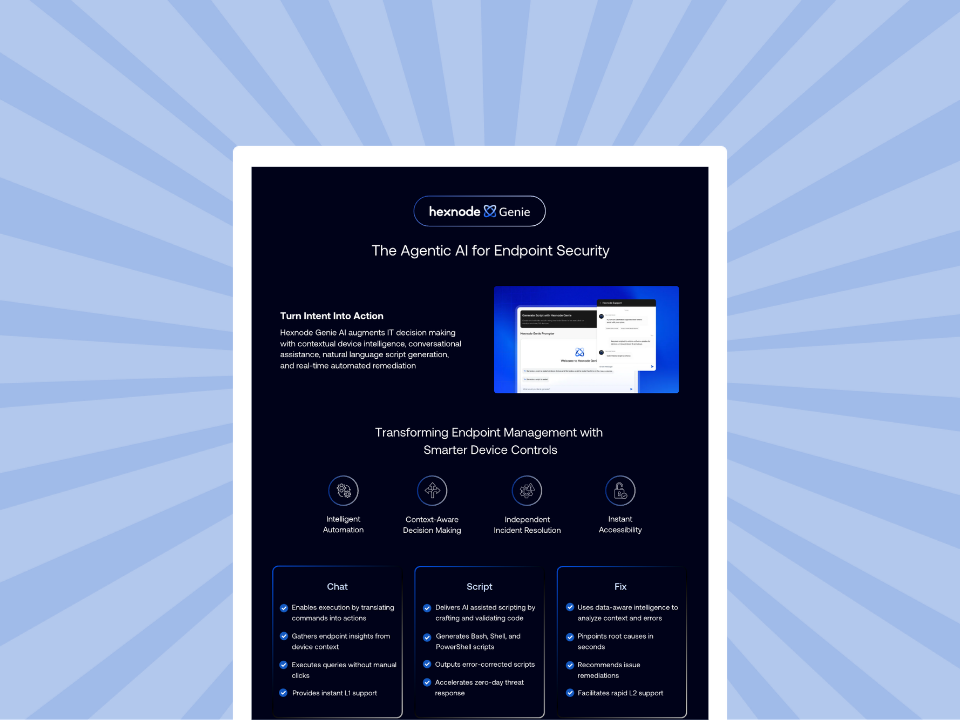
Accelerate Endpoint Management with Hexnode Genie
Explore Hexnode Genie’s AI-powered assistance, contextual device intelligence, natural-language script generation, and automated remediation for endpoint management workflows.
What Permissions Should AI Agents Have in IT Operations?
AI agents in IT operations should receive only the permissions required for their assigned tasks. Give each agent a unique identity, a named human owner, and clearly defined access boundaries. These controls improve traceability and limit the potential impact of compromised credentials or unauthorized actions.
Start With an Agent Access Inventory
First, inventory every agent and the systems, APIs, and data it can access. Avoid shared service accounts and borrowed administrator credentials. Instead, assign each agent a unique identity so administrators can trace its actions.
Use a permissions matrix to document access:
Agent identity
Systems it can access
Permitted actions
Human owner
Access window
Device-diagnostics-agent
UEM console, endpoint telemetry
Read device status, collect diagnostics
Endpoint administrator
During assigned task
Access-request-agent
Identity platform, IT service management (ITSM)
Read access requests, recommend role assignments
IAM administrator
During request processing
Enforce Least Privilege, JIT Access, and RBAC
Least privilege means granting an identity only the permissions necessary for its authorized tasks. NIST SP 800-53 control AC-6 describes this principle as a security control.
Just-in-time (JIT) access grants temporary permissions when a task requires them and removes them when the access window ends. Prefer temporary access over standing privileges to reduce unnecessary exposure.
Role-based access control (RBAC) assigns permissions according to defined roles and responsibilities. Use RBAC to establish consistent boundaries, then review agent permissions regularly and revoke access when it is no longer needed.
Zero Standing Privileges: What It Means and How to Actually Implement It
Explore how zero standing privileges, permission scoping, and revocation controls help reduce unnecessary privileged access.
When Should an AI Agent Require Human Approval?
An AI agent should require human approval before executing high-impact, privileged, or difficult-to-reverse actions. Examples include wiping a device, isolating a production endpoint, or changing administrator access. Low-risk tasks can run autonomously within approved boundaries, while prohibited actions must remain blocked.
Define Risk-Based Approval Tiers
Classify agent actions according to their operational impact, reversibility, and security sensitivity.
Tier
Criteria
IT example
Autonomous
Low-risk, read-only, or easily reversible actions
Retrieve device inventory or check endpoint health
Approval-required
Privileged, disruptive, or difficult-to-reverse actions
Wipe a device, isolate an endpoint, or modify administrator access
Restricted
Actions prohibited by organizational policy
Delete production backups or disable critical security controls
Establish Clear Approval Gates
Every approval request should identify a named approver and explain the proposed action. Show the target system, the requested change, and the agent’s reasoning so the administrator can assess the consequences.
Apply three controls to each approval workflow:
Named approver: Assign an administrator authorized to approve the requested action.
Default-deny timeout: Reject the request automatically if the approver does not respond within the defined time limit.
Approval record: Log the approver’s identity, decision, timestamp, and associated action.
Prevent Approval Fatigue
Requiring approval for every routine task can slow operations and encourage superficial reviews. Instead, reserve approval gates for consequential actions and let authorized, low-risk tasks proceed autonomously.
Track approval delays to identify workflow bottlenecks and review denial reasons to assess whether approval rules align with operational risks. Interpret both metrics alongside action criticality and review outcomes before changing approval requirements.
How Do You Monitor and Audit What AI Agents Do?
Monitor AI agents through a centralized execution history that records what triggered each task, what the agent decided, which actions ran, and how they ended. Regular reviews and alerts help IT teams detect failures, investigate unexpected activity, and maintain accountability.
Maintain a Complete AI Agent Audit Trail
An AI agent audit trail is a chronological record of an agent’s decisions, actions, approvals, and execution outcomes.
Capture these six fields for every task:
Trigger: The request, alert, or event that started the workflow.
Agent decision: The proposed action and its reasoning.
Approver: The administrator who approved or rejected the action, if applicable.
Action executed: The command, API call, or configuration change.
Timestamp: When the action started and finished.
Outcome: Success, failure, rejection, or partial completion.
Protect these records and retain them according to your audit and investigation requirements. Where possible, correlate agent activity with existing endpoint and IT service management records.
Track Four Operational Metrics
Review these metrics to assess reliability and the effectiveness of human oversight:
Metric
What it measures
Completion rate
Percentage of tasks completed successfully
Approval delay
Time between an approval request and the decision
Failure rate
Percentage of executions that fail
Human override rate
Percentage of executions that administrators interrupt or reverse
Establish a Review Cadence
Review these metrics weekly during rollout to identify problems early. Once workflows stabilize, consider monthly reviews, adjusting the frequency to the workflow’s risk and operational impact.
Use the findings to refine permissions, approval checkpoints, and escalation procedures. This creates a repeatable process for assessing agent performance as deployment expands.
How Should AI Agents Handle Exceptions and Failures?
AI agents should pause when they encounter unexpected conditions rather than guess or continue with incomplete information. Missing application licenses, failed integrations, and uncertain decisions should trigger predefined exception-handling procedures. These procedures help administrators investigate failures before the workflow resumes.
Follow a Five-Step Exception Playbook
Detect: Identify failed API calls, missing resources, or unexpected results.
Pause: Stop the affected workflow to prevent further unintended actions.
Record: Log the error, affected systems, execution state, and attempted actions.
Escalate: Notify the responsible administrator or create an IT service management (ITSM) ticket.
Verify and resume: Confirm that the issue is resolved before restarting the workflow.
Prepare Emergency Stops and Rollback Procedures
An AI agent kill switch provides an emergency mechanism to halt further execution. However, queued tasks and actions already running in downstream systems may need separate intervention.
Rollback reverses recent changes to restore a previous operational state. Since some actions cannot be reversed automatically, define recovery procedures and test them before deploying agents in production.
Example: Failed Employee Onboarding
An onboarding agent cannot assign an application because no licenses remain. The agent pauses provisioning and creates an ITSM ticket for the administrator.
After the administrator resolves the licensing issue, the workflow verifies license availability before resuming. It also checks completed steps to prevent duplicate actions.
How Do You Pilot AI Agents and Expand Their Autonomy Over Time?
Pilot AI agents in IT operations through one repeatable, low-risk workflow, such as employee onboarding or alert triage. Start with human approval for every operational change, then expand autonomy only when performance reviews show consistent reliability.
Follow a Three-Phase Rollout
Phase 1: Recommend-only. Let agents analyze requests and suggest actions without executing changes. Advance when administrators consistently validate recommendations and task outcomes meet predefined accuracy criteria.
Phase 2: Act with approval. Allow agents to execute changes only after human authorization. Advance when completion rates remain reliable, failures stay within acceptable limits, approval delays remain manageable, and human overrides do not reveal recurring problems.
Phase 3: Limited autonomy. Permit independent execution of approved, low-risk actions. Continue monitoring completion rate, approval delay, failure rate, and human override rate. Restore approval requirements if performance deteriorates.
Before each transition, document the review results and obtain approval from the responsible IT owner. Keep human approval mandatory for high-impact actions.
How Hexnode Synapse Supports Human Oversight of AI Agents
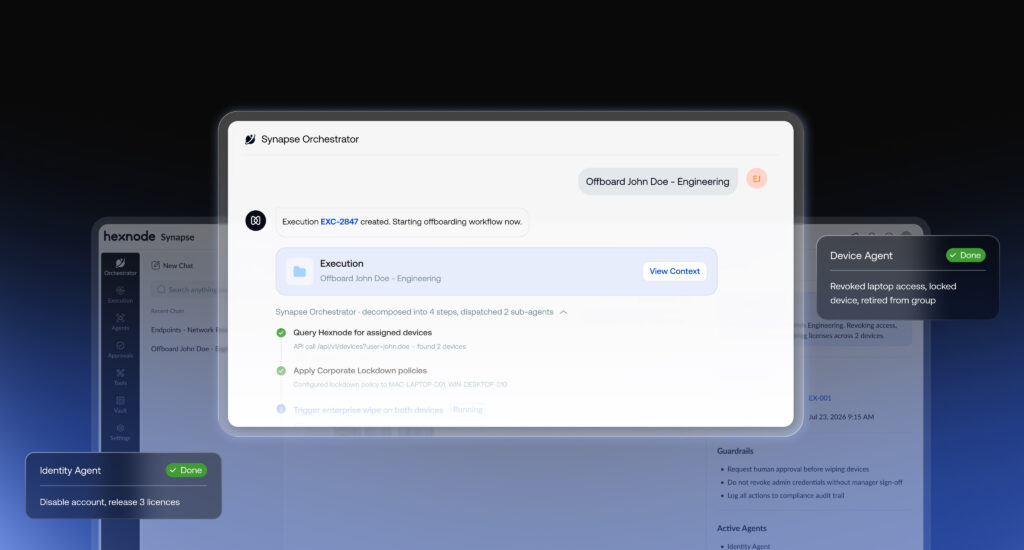
Hexnode Synapse is an agentic AI orchestration layer for IT and security operations. It brings specialized agents together to coordinate workflows across endpoint management, identity, and threat response, with governance controls to support human oversight.
Hexnode Synapse introduces three agents for distinct operational workflows:
Device Agent: Supports device diagnostics, compliance, and provisioning through Hexnode UEM.
Identity Agent: Supports access and account workflows through Hexnode IdP.
Threat Agent: Supports alert triage, investigation, and containment through Hexnode XDR.
Guardrails and Human Approval
Hexnode Synapse uses guardrails to define agent boundaries and approval gates for sensitive actions, such as device wipes, endpoint isolation, and privileged access changes. These controls help administrators retain oversight of consequential operations.
Execution Centre and Integrations
The Execution Centre records agent triggers, decisions, approvals, and executed actions, allowing administrators to review and export execution histories. Synapse also integrates with ServiceNow, Zendesk, Microsoft Entra ID, and BambooHR.
Frequently Asked Questions
What is the difference between AI agents and traditional IT automation?
Traditional IT automation follows predefined rules and workflows. AI agents can interpret requests, determine appropriate next steps, and execute authorized actions across connected systems. As a result, organizations need controls that govern agent decisions, permissions, and execution.
How can IT teams prevent approval fatigue when managing AI agents?
IT teams can reduce approval fatigue by allowing low-risk, authorized tasks to run autonomously. Reserve human approval for privileged, disruptive, or difficult-to-reverse actions. Regularly review approval delays and rejection patterns to identify unnecessary checkpoints.
Can AI agents work with existing ITSM and identity management systems?
Yes, AI agents can interact with IT service management and identity systems through supported integrations and APIs. These connections can support workflows such as ticket handling, access requests, and employee onboarding. However, organizations should validate each integration and restrict the agent’s permissions before enabling automated actions.
Build Trust in AI Agents Gradually
Introduce AI agents through controlled pilots, explicit permissions, and documented oversight. Expand autonomy only when execution results support it, while retaining human approval for high-impact actions.
Explore Hexnode Synapse
Discover how Hexnode Synapse coordinates AI agents across endpoint, identity, and security operations, with governed workflows and human approval controls.
I write at the intersection of technology, process, and people, focusing on explaining complex products with clarity. I break down tools, systems, and workflows without any noise, jargon, or the hype.