Fragmented technician logins across multiple client portals create severe security vulnerabilities and significant administrative overhead for MSPs.
Managing separate authentication systems causes login fatigue, encouraging the use of shared credentials that destroy individual accountability.
Implementing a universal login centralizes identity verification, drastically reducing login friction while maintaining unique technician identities.
Universal login streamlines authentication, but administrators must still enforce strict, client-specific authorization controls to maintain secure access boundaries.
Why is managing technician logins across client portals difficult for MSPs?
Managing technician logins is difficult because MSPs must juggle isolated authentication systems for every client, forcing technicians to navigate separate management portals, track multiple credentials, and repeatedly complete multi-factor authentication steps just to resolve routine endpoint issues.
This fragmented access model becomes exponentially harder to control as the business scales. When an MSP onboards new clients or expands its helpdesk team, administrators must manually provision, track, and maintain independent accounts across disjointed customer environments. Furthermore, assigning different responsibilities, such as granting L1 support limited troubleshooting capabilities while giving senior engineers broader configuration privileges, requires redundant, manual configuration within each individual client tenant.
Implementing a universal login simplifies this workflow by centralizing the identity verification process. It allows technicians to authenticate using a single, secure identity, drastically reducing login friction. However, universal login is strictly an authentication mechanism; it verifies the user’s identity but does not automatically grant access to every customer portal. Administrators still retain strict client-specific authorization controls to dictate exactly what each technician can see and manage.
What are the risks of fragmented technician access for MSPs?
Fragmented technician access exposes MSPs to severe security vulnerabilities and significant administrative overhead due to the unmanageable sprawl of multiple independent accounts. When technicians require separate logins for every client portal, onboarding and offboarding become highly complex, manual processes. This decentralized approach creates dangerous opportunities for forgotten “orphan” accounts and the accumulation of excessive permissions as technicians move between projects.
To bypass login fatigue, teams may resort to using shared credentials, which destroys individual accountability and makes audit trails useless. Furthermore, isolated client environments often suffer from inconsistent MFA enforcement. This leaves critical infrastructure highly vulnerable, especially when privileged accounts inadvertently remain active long after a technician changes roles or departs the MSP.
Ultimately, these structural weaknesses damage daily operations. Technicians suffer from slower ticket resolution due to continuous authentication hurdles. Simultaneously, IT directors face a greater risk of unauthorized client access and frustratingly difficult access reviews, leading to reduced confidence in the MSP’s overarching security controls.
What is universal login for MSP technicians, and how does it work?
Universal login is an access model that lets MSP technicians use a consistent identity and authentication process to reach authorized management environments, significantly reducing the need for separate credentials.
This framework relies on Single Sign-On (SSO), central identity providers (IdP), and Multi-Factor Authentication (MFA) to establish trust. To understand how it works, MSPs must distinguish between authentication and authorization. Authentication verifies who the technician is. Authorization, enforced through role-based access control (RBAC) and client-specific scoping, determines what they are permitted to do once inside the portal.
Hexnode UEM supports this architecture by offering documented technician SSO options through Google, Microsoft, and Okta. These integrations simplify and secure authentication directly into the central Hexnode UEM portal. Once authenticated, Hexnode’s technician roles and scopes determine the user’s permitted management activities. It is important to note that these options centralize access to the Hexnode platform; they do not automatically grant SSO access into unrelated, third-party client applications.
How is universal login different from shared technician accounts?
Shared administrative credentials are a critical security risk because they obscure audit trails and complicate offboarding. Universal login, by contrast, ensures every technician operates under a unique, individual identity. This guarantees strict accountability for every action taken and enables MSPs to immediately revoke a single technician’s access without forcing a password reset for the entire team.
While SSO centralizes the initial authentication step, it does not replace the need for application-level permissions. MSPs must still enforce strict customer boundaries, granular access roles, and continuous session security to protect client environments.
Hexnode UEM MSP: All you need to know
Discover how Hexnode UEM MSP simplifies multi-client management with unified access, licensing, and security.
What access controls should MSPs prioritize when organizing client portals?
When organizing client portals, MSPs must prioritize three essential access layers: identity verification, role-based permissions, and client-specific resource scope. Identity verification confirms the technician is who they say they are. Role-based permissions define their capabilities, for example, ensuring an L1 technician only has basic troubleshooting access, while a senior administrator holds broader configuration privileges. Finally, resource scoping restricts those permissions to specific clients, ensuring a technician cannot accidentally alter settings in an unauthorized environment.
Hexnode UEM facilitates these layers through Custom Technician Roles and Technician Profiles. Administrators can build highly differentiated permission sets by combining sign-in security policies, specific roles, and precise resource scopes. These scopes can be tightly restricted to specific devices, device groups, users, user groups, or domains within the relevant Hexnode environment.
For co-managed IT environments, MSPs must enforce a strict governance workflow that separates internal client IT staff from MSP-wide engineers. Internal client administrators are provisioned directly within their single, dedicated customer portal and assigned scoped Custom Technician Roles, restricting them solely to local day-to-day management without visibility into the broader MSP hierarchy. Conversely, MSP engineers authenticate at the parent MSP console, using Technician Profiles to switch seamlessly between authorized client portals while maintaining centralized oversight and auditability.
Crucially, while centralized authentication streamlines login, it does not replace the need for strict tenant isolation. MSPs must layer SSO with mandatory MFA, automated session expiration, strict IP restrictions, and periodic permission reviews across both internal MSP staff and co-managed client users to ensure that cross-client access boundaries remain impenetrable.
How can MSPs implement secure universal login for their technicians?
Transitioning to a secure universal login requires a structured implementation sequence. MSPs must move systematically from auditing existing identities to configuring authentication, assigning permissions, and executing rigorous testing. Using Hexnode UEM as the primary management environment, administrators can configure centralized access while maintaining strict internal boundaries.
It is important to note that configuring SSO for the Hexnode portal is distinct from configuring authentication within other third-party client applications. A successful rollout is measured by clear validation criteria: successful technician authentication, strict role enforcement, restricted access to out-of-scope resources, and immediate session termination upon account deactivation.
Step 1 — Audit technician identities and client portal access
Begin by inventorying the management portals each technician uses, their current authentication methods, assigned privileges, and specific client responsibilities. This audit must identify and eliminate shared accounts, purge inactive identities, downgrade unnecessary administrative privileges, and flag highly sensitive client environments requiring additional access controls.
Establish the core identity provider for your endpoint management console. In Hexnode UEM, administrators navigate to Admin > Logon Restrictions > Global SSO Login Settings to configure technician SSO through Google, Microsoft, or Okta. When setting up these identities, verify all supported SSO configurations, including the documented requirement to integrate your specific Okta domain prior to deployment.
Step 3 — Assign technician roles and resource scopes
With authentication centralized, apply authorization controls by creating and assigning Technician Profiles. These profiles bind a specific role, resource scope, and sign-in restriction to the technician. For example, assign an L1 support technician a profile with a tightly scoped device list for basic troubleshooting, while assigning a senior administrator a profile with broader management responsibilities across multiple domains.
Step 4 — Enforce authentication and session safeguards
To reduce exposure if a technician’s credentials or active session are compromised, enforce strict session boundaries. Configure Hexnode-managed 2FA, restrict allowed login methods, enable CAPTCHA, apply rigid IP restrictions, and set aggressive session inactivity timeouts.
Step 5 — Test access boundaries and offboarding
Finally, validate all permitted and prohibited actions using representative technician accounts against actual customer resources. Crucially, test account deactivation, role changes, SSO password resets, and session termination to ensure offboarding protocols instantly revoke access before rolling out the configuration across the entire MSP team.
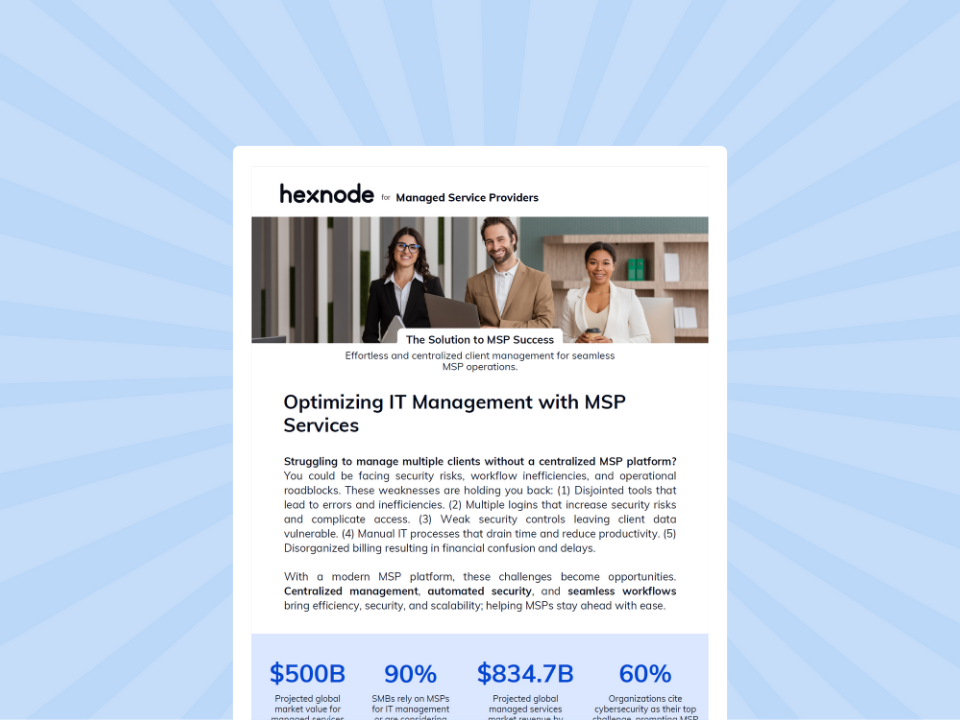
Feature Resource
Hexnode UEM for MSPs
Download the one-pager to see how Hexnode UEM simplifies client management and improves operational efficiency for MSPs.
How does Hexnode simplify technician login and access management for MSPs?
Hexnode UEM MSP operates as a parent management console (“Manager of Managers”) that connects isolated, standalone client UEM portals (“Nodes”), enabling MSPs to oversee multi-client fleets and move between segregated customer environments from a single platform without fragmented credentials. While Hexnode does not provide universal access into unrelated third-party client applications, it securely centralizes all access workflows within Hexnode-managed environments.
Consider a practical MSP scenario: a helpdesk engineer is promoted from tier-one support to a senior administrative role. Using Hexnode, IT directors can instantly upgrade the technician’s management capabilities across specific client environments, strengthen their sign-in security requirements, and seamlessly revoke their previous restricted access, all without manually reconfiguring multiple separate client tenants.
Technician SSO with Google, Microsoft, and Okta
To eliminate local credential sprawl, Hexnode’s Global SSO Login Settings support centralized technician authentication using Google, Microsoft, or Okta credentials. By linking an existing identity provider to the Hexnode UEM portal, administrators reduce the need for separate local passwords and enable technicians to authenticate securely using their primary corporate identities.
Technician Profiles for consistent access policies
Managing permissions individually does not scale. Hexnode resolves this through Technician Profiles, located under Admin > Technicians and Roles. These profiles allow administrators to bundle Sign-in & Security rules, assigned Roles, resource Scopes, and Password Policies into reusable templates. Assigning these profiles ensures that technicians with similar operational responsibilities instantly inherit consistent authentication and authorization policies.
Custom Technician Roles and granular access scopes
Standard roles rarely fit complex MSP hierarchies. Hexnode’s Custom Technician Roles allow administrators to define permitted console functions and actions far beyond predefined capabilities. When paired with specific resource scopes, administrators can restrict a technician’s visibility exclusively to designated devices, device groups, users, or domains. This helps MSPs enforce strict least-privilege access, ensuring technicians only interact with the exact client environments they are authorized to manage.
Technician login restrictions and session security
Centralized access requires rigorous session defenses. Hexnode reinforces platform security through built-in login restrictions, including Hexnode-managed 2FA, CAPTCHA, IP-based login restrictions, and configurable inactivity timeouts. Active technician sessions are forcefully terminated when an account is deactivated or deleted, when the technician’s role, username/email, or password is changed, when SSO is revoked or reset, or when 2FA is enabled, helping administrators immediately cut off access during employee offboarding or role transitions.
FAQs
Does SSO automatically grant technicians access to all client data?
No, Single Sign-On (SSO) only verifies a technician’s identity during the initial authentication process. Once logged in, role-based access controls (RBAC) and resource scopes determine exactly which client devices and settings the technician is authorized to view or manage.
What happens to active sessions when an MSP technician is offboarded?
Deactivating or deleting a technician’s account, changing their assigned technician role, or revoking/resetting their SSO login immediately terminates their existing active session, preventing former employees from retaining access to client environments. This immediate revocation prevents former employees from retaining unauthorized access to client environments after they depart the organization.
Which identity providers can MSPs use for technician SSO in Hexnode?
Hexnode UEM natively supports technician Single Sign-On integrations with Google, Microsoft, and Okta. Administrators can configure these identity providers through the global SSO login settings to centralize authentication without maintaining local portal passwords.
How can MSPs secure universal logins against compromised credentials?
MSPs should layer centralized authentication with mandatory Multi-Factor Authentication (MFA) and strict IP-based login restrictions. Enforcing automatic session inactivity timeouts further reduces the risk of unauthorized access if a technician’s credentials are ever exposed.
How can MSPs evaluate technician access management with Hexnode?
To validate these controls, MSPs should evaluate Hexnode UEM using a representative set of technician accounts, access roles, and managed endpoints. Focus this trial on real-world technician login, permission management, and overarching operational security. A secure implementation must meet strict acceptance criteria: technicians must authenticate seamlessly through the configured SSO provider, assigned roles must permit only intended actions, resource scopes must restrict visibility appropriately, and deactivated accounts cannot regain access under any circumstances. using a representative set of technician accounts, access roles, and managed endpoints. Focus this trial on real-world technician login, permission management, and overarching operational security. A secure implementation must meet strict acceptance criteria: technicians must authenticate seamlessly through the configured SSO provider, assigned roles must permit only intended actions, resource scopes must restrict visibility appropriately, and deactivated accounts cannot regain access under any circumstances.
Ready to centralize your access workflows? Book a demo with our team to discuss your specific technician access requirements, supported identity providers, permission structures, and endpoint management workflows.
Centralize your MSP access workflows
Securely manage all your client environments from a single console with SSO and strict RBAC.
I’m a technical content writer at Hexnode who loves simplifying tech. I break down complex ideas, remove the fluff, and help readers clearly understand our product for what it actually is: simple, reliable, and built to solve real problems.