Hexnode UEM simplifies work email, calendar, and contact management by centralizing account configurations and application settings across supported devices.
Inconsistent account configurations increase onboarding delays, troubleshooting, and access issues across employee devices.
Hexnode UEM supports Exchange ActiveSync, CalDAV, CardDAV, Hexnode Email, and Android Outlook App Configurations for different communication requirements.
IT teams can standardize deployment through policies, user-specific wildcards, and targeted assignments while verifying synchronization, access controls, and account removal during offboarding.
Why is managing work email, calendars, and contacts difficult across devices?
Manual account setup and inconsistent device configurations create recurring work for IT administrators. Each operating system, application, and service provider introduces requirements that administrators must address before employees can use their work accounts.
Consider a new employee who can receive email but cannot access team calendars or essential contacts. The mailbox works, yet the employee still needs separate support requests to complete their setup. Repeating this process across departments makes onboarding harder to standardize.
Effective email, calendar, and contact management requires a defined configuration for each device environment. IT teams need to distribute the appropriate settings centrally while accounting for corporate and personal ownership, enrollment methods, and the services employees already use.
What happens when work account configurations remain inconsistent?
Inconsistent configurations delay onboarding, increase troubleshooting, and leave employees with unpredictable access to business communications. Administrators must investigate individual devices instead of applying a repeatable configuration.
Account and sharing settings also affect where employees can use business information. An inappropriate configuration may permit account use or data sharing beyond organizational requirements. The exposure depends on the application, its permissions, and the controls administrators apply.
Evaluate the operational impact through measurable outcomes:
Setup time: How long does account configuration take per employee?
Support volume: How many tickets involve authentication or synchronization?
Functional readiness: Do email, calendar, and contact tests succeed?
Offboarding verification: Has the organization confirmed managed account removal?
How does centralized email, calendar, and contact management work?
Centralized management lets IT distribute account settings and application controls through management policies. Connected services continue to supply the underlying email, calendar, and contact data.
Hexnode UEM provides several configuration mechanisms. Exchange ActiveSync policies configure supported Exchange accounts. CalDAV profiles connect supported calendar services, while CardDAV profiles configure server-backed address books. For Android Enterprise environments, App Configurations provides application-specific settings for Microsoft Outlook.
These options serve different environments. An organization might configure Exchange accounts on iPhones, a separate calendar service on Macs, and Outlook on Android devices. Administrators manage the configurations centrally, while employees access resources through the relevant applications.
Here, work essentials means the communication resources employees need on their managed devices. The deployment design should identify the appropriate account profile or application configuration for each resource, along with authentication requirements and the controls needed for its intended use.
Choose the right Hexnode configuration for each device environment
Start with the device platform, service provider, and intended client. Those choices determine which configuration applies.
Device environment
Configuration option
Intended use
Key prerequisite
iOS devices using Exchange
Exchange ActiveSync
Configure access to Exchange resources
Compatible service and authentication settings
iOS and macOS using separate calendar services
CalDAV
Synchronize server-based calendars
Compatible CalDAV server
iOS and macOS using separate contact services
CardDAV
Synchronize server-based contacts
Compatible CardDAV server
Android Enterprise devices using Outlook
App Configurations
Apply Outlook account and application settings
Android Enterprise enrollment and Outlook in the app inventory
iOS devices using Hexnode Email
Hexnode Email policy
Configure the dedicated email client
Installed Hexnode Email app
These configurations have distinct requirements; they do not provide identical controls across applications.
Also distinguish current Android Enterprise app configuration from the legacy Android Exchange ActiveSync policy. Hexnode documents that policy for Samsung Knox devices running Android below 9 and Knox below 3.2.1. It should not serve as the default deployment approach for current Android fleets.
How do you deploy work accounts with Hexnode UEM?
Validate prerequisites, select the appropriate account or application policy, configure its settings, assign a pilot group, and test the employee experience.
The following workflow includes alternative configuration paths. Use the Exchange, Hexnode Email, CalDAV/CardDAV, or Android Outlook sections according to your environment. A device does not need every configuration. Establish the required resources first so that overlapping policies do not create duplicate accounts or unnecessary authentication prompts.
Featured Resource
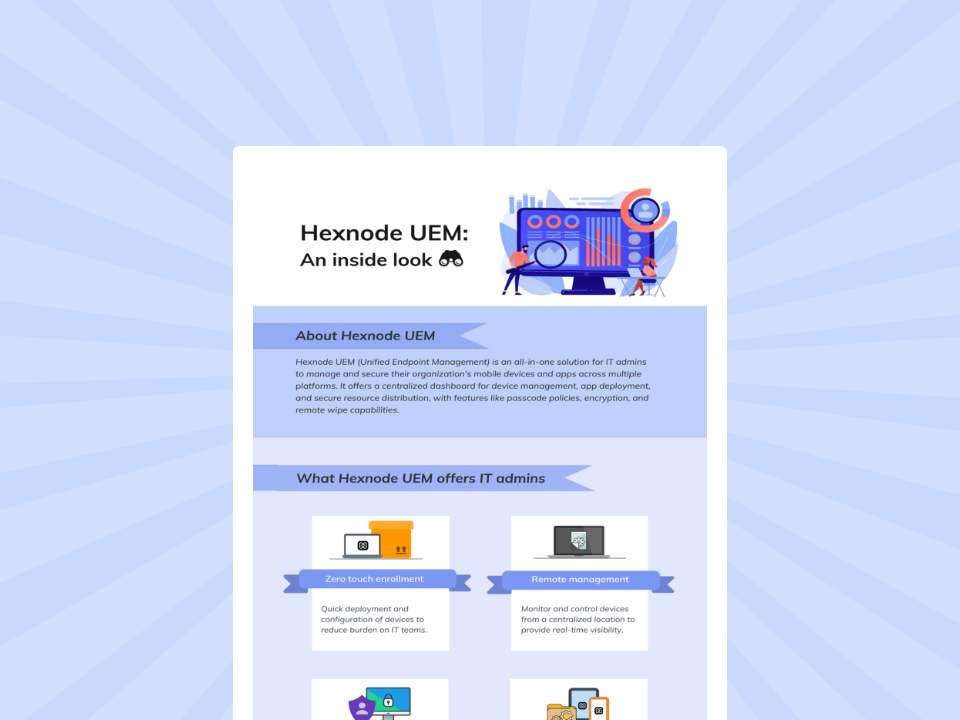
Hexnode UEM: An inside look
Explore how Hexnode UEM simplifies device management, security, app deployment, and cross-platform administration.
Confirm device, account, and authentication prerequisites
Inventory the operating systems, enrollment methods, ownership types, applications, and service endpoints in scope. Identify which employee groups require email, calendars, contacts, or a combination of these resources.
Next, verify user-to-device mapping and the account attributes stored in Hexnode. Supported Wildcards, including %email% and %username%, substitute the relevant user information into supported policy fields. They personalize configurations; they do not create mailboxes or authenticate users. Check wildcard support for each field before deployment.
Confirm application prerequisites as well. Install Hexnode Email before applying its iOS configuration. For Outlook on Android, enroll the organization and target devices in Android Enterprise and add Outlook to the Hexnode app inventory.
Document the service’s authentication requirements and any user interaction needed during setup. Treat that interaction as part of onboarding rather than assuming policy delivery completes account access.
Configure Exchange accounts on supported Apple devices
In the policy editor, navigate to iOS > Accounts > Exchange ActiveSync or macOS > Accounts > Exchange ActiveSync. Enter the server information, account identity, and applicable user-specific wildcards.
Configure authentication and connection settings separately. OAuth determines the authentication method, while Use SSL controls the encrypted connection setting. Follow the platform-specific configuration requirements. For macOS, Hexnode documents the OAuth Sign in URL as mandatory when administrators select OAuth.
On iOS, review these settings against business requirements:
Past Days of Mail to Sync: Choose the amount of mail history available through synchronization.
Allow Move: Review whether users should move or forward messages between accounts.
Allow Recent Address Syncing: Decide whether recently used email addresses should synchronize with the user’s iCloud account.
After the user authenticates, test mail, calendar, and contact access individually. A visible account alone does not establish that every required resource works.
Configure Hexnode Email for a dedicated iOS email experience
For deployments using Hexnode’s dedicated client, navigate to iOS > Enterprise > Hexnode Business Container > Hexnode Email. Configure incoming and outgoing servers, authentication, and the account address. The email address field supports %email%.
Review three controls according to the intended workflow:
Allow users to add and manage accounts: Determine whether employees can manage accounts themselves.
Enable text selection: Govern selection and copying of email text.
Enable sharing of documents: Control sharing of documents and attachments from the app.
Set Email auto-sync frequency and explicitly review compose and reply permissions so employees can perform their required tasks.
Treat this as an email-client configuration. Provision separate calendar and contact services through the appropriate configuration path where employees need them.
Provision calendar and contact services on Apple devices
Use CalDAV when employees need access to a compatible calendar server. Configure the account through iOS > Accounts > CalDAV or macOS > Accounts > CalDAV. Supply the host, port, account identity, and applicable principal URL information, and review Use SSL.
For server-backed contacts, use iOS > Accounts > CardDAV or macOS > Accounts > CardDAV. Configure the server address, port, username, and connection security settings. Hexnode applies the account configuration so the device can synchronize with the specified contact service.
Match each configuration to an actual service requirement. A separate CalDAV or CardDAV profile may be appropriate when calendars or address books reside outside the employee’s Exchange account.
Before deployment, check whether an existing account already supplies those resources. Avoid configuring the same service twice. During testing, verify that employees can identify the correct calendar and address book and access the expected information.
Configure Outlook and contact distribution on Android
For Android Enterprise deployments, navigate to Android > App Management > App Configurations and select Microsoft Outlook. Configure the relevant account fields and use Allowed Accounts to specify which accounts employees may use within the app.
Review Contact sync enabled and Contact sync (user change enabled) together: one governs synchronization, while the other determines whether users can change that setting. Block calendar sharing addresses a separate behavior. It does not replace account setup or configure every calendar function.
Where employees need a distributed contact list, Hexnode’s Import Contacts action provides another option. Administrators can push contact information to Android devices using a .vcf file.
Treat file import as a distribution task, not an ongoing server synchronization service. Assign responsibility for maintaining the source list and define how administrators will handle later contact changes.
Assign policies and validate the employee experience
Use Policy Targets to associate configurations with the appropriate devices, device groups, users, or user groups. Begin with a representative pilot that covers the platforms and enrollment types in scope.
Check the employee experience against a defined acceptance list:
The account uses the correct employee identity.
Authentication completes successfully.
The user can send and receive work email.
Calendar information updates as expected.
Required contacts appear in the intended application.
Account and sharing restrictions match the approved configuration.
Policy delivery and functional readiness are separate checks. Record both results before expanding the deployment.
Assign troubleshooting responsibilities clearly. Endpoint administrators should inspect policy values, targeting, and user mapping. Service owners should validate server access and authentication requirements. Record failures by platform and enrollment type so a successful test on one device does not conceal problems elsewhere.
Verify account removal during offboarding
Include account cleanup in the offboarding procedure. Hexnode documents removal of the associated iOS Exchange account data when its policy is removed. Removing the Hexnode Email policy removes its account configuration from the app. Verify the resulting device state.
Keep this check separate from disabling the employee’s account and revoking access at the service provider. Do not assume identical cleanup across clients or platforms. Also check independently configured accounts and previously exported information within the scope of your organization’s offboarding process.
The essentials of a modern workplace
Explore essential tools and technologies that enable secure, productive, and connected modern workplaces.
How does Hexnode UEM bring work essentials under central administration?
Hexnode UEM centralizes supported account configurations and application settings through policies, with controls that depend on platform and enrollment.
The configuration choice follows the resource. Exchange ActiveSync supports documented Exchange account provisioning. CalDAV and CardDAV configure compatible calendar and contact services. Outlook App Configurations supplies application-specific controls for Android Enterprise deployments.
Wildcards personalize supported fields, while Policy Targets assigns configurations to the relevant users and devices. Together, these mechanisms support repeatable deployment across employee groups.
For IT teams, the practical objective is a documented configuration for each supported environment, with clear acceptance tests and accountable ownership. Evaluate that consistency through onboarding effort, successful synchronization, support demand, and verified cleanup rather than assuming every platform offers the same controls.
FAQs
Can Hexnode UEM configure work email accounts without manual setup on every device?
Yes. Hexnode UEM can distribute supported email account configurations through centrally assigned policies. Employees may still need to complete authentication, depending on the email service, operating system, and configured authentication method.
What is the difference between Exchange ActiveSync, CalDAV, and CardDAV?
Exchange ActiveSync configures access to supported Exchange resources, while CalDAV connects devices to compatible calendar servers. CardDAV provides synchronization with server-backed contact directories. IT teams should select the appropriate configuration based on their existing services and device platforms.
Can Hexnode UEM manage Microsoft Outlook settings on Android devices?
Yes. Hexnode UEM supports Microsoft Outlook App Configurations on Android Enterprise devices. Administrators can configure allowed accounts, contact synchronization settings, and calendar-sharing restrictions, subject to the supported application configuration options.
Centralize your team’s work accounts with Hexnode UEM
Start with one employee group, its existing service provider, and representative devices. Validate account setup, email delivery, calendar updates, contact availability, sharing controls, and account removal. Use the results to establish an approved configuration before expanding deployment.
Evaluate work account management with Hexnode and identify the policy approach that fits your organization’s devices and communication requirements.
Simplify Workplace Communication With Hexnode
Centrally configure work email, calendar, and contact accounts on supported devices with Hexnode UEM.
Content writer at Hexnode. Fueled by good coffee and the occasional cat cuddle, I enjoy crafting content that informs, connects, and resonates. Nothing excites me more than knowing my words have been read, appreciated, and maybe even bookmarked.