When evaluating AI orchestration use cases for IT, start with a recurring workflow that has clear boundaries, requires contextual interpretation, uses accessible information, and produces a verifiable outcome. Define where the task begins, where it ends, and what success looks like.
Choosing becomes harder when requests span tickets, knowledge bases, and device records. Technicians must interpret the issue, find relevant information, and decide which guidance applies. Identify one part of that work as your starting point.
Consider a hypothetical troubleshooting handoff: gather device details, identify guidance from an approved runbook, and prepare a summary with supporting evidence. The pilot ends with a reviewed handoff, while the technician remains responsible for deciding and carrying out remediation.
What happens when you choose the wrong first workflow?
Choosing the wrong first workflow can consume IT capacity without improving service delivery. A poorly scoped pilot may create more work than it removes:
Lengthy integration work: Inaccessible systems, inconsistent records, or missing integrations can delay testing while technicians resolve dependencies.
Excessive exception handling: Requests with unclear rules or frequent special cases can repeatedly require manual intervention.
Incorrect changes: Misinterpreted requests or incomplete context can lead to changes that disrupt users and require correction.
Heavy review effort: Checking outputs and repairing mistakes can take longer than completing the original task manually.
Unclear ownership makes it harder to determine who approves actions, resolves failures, or adjusts the workflow. Without a baseline and agreed success criteria, teams cannot reliably judge whether the pilot improved service delivery. These gaps can prolong testing, pull technicians away from support, and delay wider adoption.
AIOps Explained: Where Automation Ends and AI Operations Begins
Understand when AIOps adds value beyond traditional IT automation workflows.
When does an IT workflow need AI orchestration?
An IT workflow may benefit from AI orchestration when it must interpret a request and use the information it finds to decide what happens next. AI orchestration for IT coordinates AI reasoning, information retrieval, and actions through connected tools to complete that task.
When are scripts and rules enough?
Scripts and rules suit tasks with clear conditions and known actions. For example, a rule can send a reminder when a ticket reaches a specified age.
Connecting multiple systems does not automatically require AI. If the inputs, conditions, and actions are predictable, existing automation may be sufficient. AI becomes relevant when the workflow needs to interpret varied descriptions or determine which information matters.
How does AI orchestration support troubleshooting?
AI orchestration can use a support request and the information gathered during the workflow to prepare a suggested next action. Consider a hypothetical request: My work app keeps closing.
An agent could:
Interpret the request: Identify the reported problem and ask for missing details.
Gather relevant information: Retrieve device details, such as the operating system and app version.
Consult approved guidance: Find applicable instructions in a runbook.
Prepare the handoff: Present the evidence and suggested next action for a technician to review.
The agent may choose different information or guidance depending on what it finds. The employee’s wording and device context can vary, while the expected outcome remains consistent: a troubleshooting handoff supported by evidence.
Featured resource
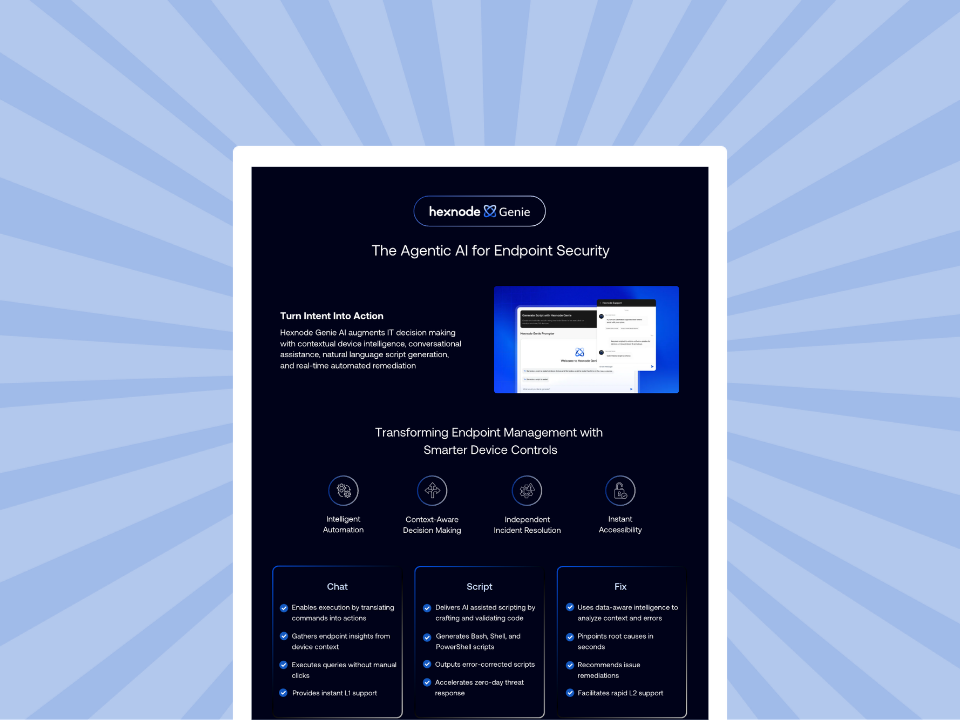
Hexnode Genie Info sheet
Explore how Hexnode Genie simplifies endpoint management with conversational assistance, contextual insights, and automated remediation.
How do you select and validate your first workflow?
To evaluate AI orchestration use cases for IT, shortlist recurring tasks, compare their suitability, confirm readiness, and validate your choice with a small pilot. These steps help you create a practical workflow brief that identifies the task, its owner, permitted actions, and the evidence needed to justify expansion.
Step 1: Shortlist recurring workflows with clear boundaries
Start with work your technicians handle regularly. Look for repeated interpretation, information gathering, or handoff preparation, then narrow each candidate to a specific task with a clear completion point.
Identify possible starting points
These examples illustrate potential candidates. Their suitability depends on your organization’s systems, information, and approval processes.
Ticket enrichment and routing: Interpret descriptions, identify missing details, and suggest the appropriate support team. Limit the pilot to one ticket category, with technician review before routing.
Endpoint troubleshooting preparation: Gather approved device information and relevant troubleshooting guidance. Keep the initial scope to preparing evidence without changing device settings.
Software-access request preparation: Check whether requests contain the required information and flag missing details for follow-up. Keep access approval and provisioning outside the pilot.
Step 2: Compare business value, AI suitability, and risk
A frequent task is not automatically the strongest candidate. Compare the useful effort AI could support with the work required to connect systems, review outputs, and correct mistakes.
Compare candidates using consistent criteria
Use the following table as a practical decision aid. Favor workflows that need contextual interpretation, have reliable information, and produce results an administrator can verify.
Selection factor
Strong starting signal
Reason to defer
Recurring demand
Repeated work consumes meaningful technician time.
Demand is unclear or provides too few representative cases.
Need for interpretation
Varied requests require contextual judgment.
Existing rules already handle the task reliably.
Information quality
Current, authoritative records and guidance are available.
Required information is missing, outdated, or contradictory.
Integration effort
Supported integrations allow the intended access.
Significant integration or access requirements remain unresolved.
Consequence of error
Mistakes have limited impact and can be corrected.
Errors could cause serious disruption or irreversible changes.
Outcome verification
An administrator can check the result against clear evidence.
Successful completion is difficult to establish.
Step 3: Confirm readiness and define the pilot scope
Turn the selected candidate into a short workflow brief. Give technicians and reviewers a shared understanding of how the task should operate, where its boundaries lie, and when a person must take over.
Document the workflow and responsibilities
Map the task: Define the trigger, required inputs, information sources, decision points, permitted actions, and completion condition.
Confirm dependencies: Check that required records, runbooks, and supported integrations are accessible and current. Specify which information the agent may read and which changes require approval.
Assign ownership: Name the workflow owner, output reviewer, and person responsible for exceptions. Define how missing information, conflicting evidence, or requests outside scope reach a human.
Step 4: Validate your choice with a small pilot
Begin with representative historical cases or a test environment, then move to a limited set of live requests under supervision. Use the pilot to check whether the selected workflow meets its defined requirements.
Decide whether to expand, revise, or defer
Compare equivalent cases: Assess handling time, correctly completed tasks, rework, review effort, and operating costs against the baseline. Count necessary human escalation as expected behavior.
Expand when criteria are met: Increase scope gradually while continuing to review outcomes and exceptions.
Revise a specific weakness: Correct issues such as missing information or unclear instructions, then retest the affected cases.
Defer when barriers remain: Reconsider workflows whose unresolved dependencies, consequences of error, or operating effort make them unsuitable.
How does Hexnode Synapse support IT workflows?
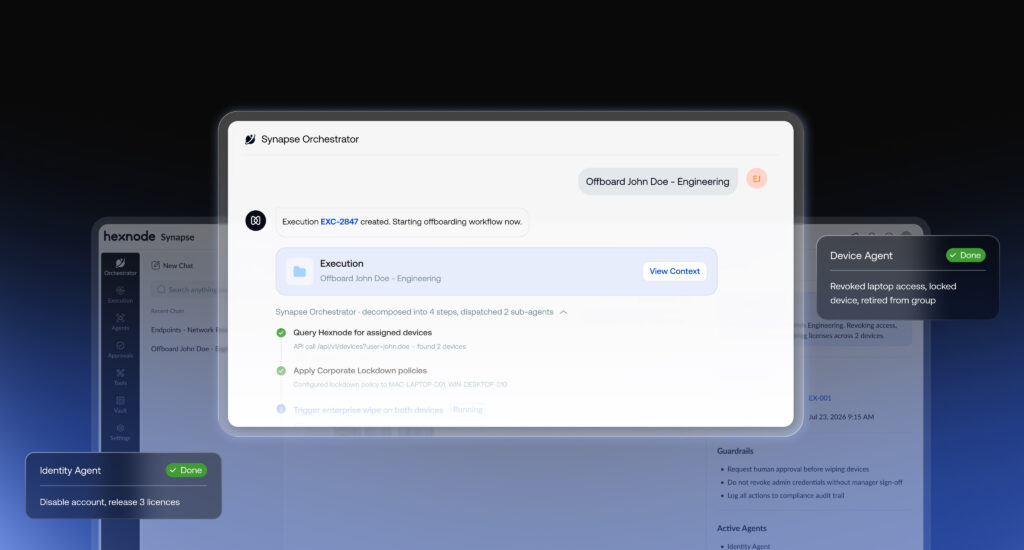
Hexnode Synapse is Hexnode’s agentic AI orchestration solution for IT and security. Its Device Agent reasons about endpoint configurations and troubleshooting requests, making it relevant to teams evaluating the troubleshooting preparation workflow discussed above.
FAQs
Can I test AI orchestration without letting it change devices?
Yes, an initial pilot can gather approved information and prepare recommendations without making device changes. Technicians can review the findings and remain responsible for remediation, while the agent’s permissions stay limited to the information it needs.
Can AI orchestration work with my existing IT tools?
AI orchestration can use existing IT tools when the chosen solution supports the required integrations and permissions. Confirm that it can retrieve the ticket details, device records, or approved guidance your selected workflow needs before committing to a pilot.
How do I know whether AI orchestration is actually saving time?
Compare total technician handling time for similar tasks before and during the pilot, including time spent reviewing outputs and correcting errors. Faster agent responses alone do not establish time savings. Include operating costs when deciding whether the improvement justifies expanding the workflow.
Start with one workflow and build from the results
Choose a task your team understands, give it a clear owner, and define what the agent may do. Record current performance and decide what improvement would make the pilot worthwhile. These requirements give you a practical starting point for evaluating solutions. Let verified results guide whether you expand.
Explore AI orchestration with Hexnode Synapse.
Find out how agentic AI could support your team’s IT workflows.
A storyteller for practical people. Breaks down complicated topics into steps, trade-offs, and clear next actions—without the buzzword fog. Known to replace fluff with facts, sharpen the message, and keep things readable—politely.