Hexnode IdP RBAC structures access around defined user roles, reducing reliance on individually managed permissions.
Excessive or outdated privileges increase unauthorized access exposure and complicate access reviews.
Effective RBAC combines least-privilege roles with lifecycle alignment, contextual controls and recurring access reviews.
Hexnode IdP Pro includes User Lifecycle Management, RBAC, MFA and Activity Reports. Enterprise includes everything in Pro and adds capabilities such as the Conditional Access Engine, Context Aware Policies and Advanced Reports.
Why Do Enterprises Struggle to Control User Permissions?
Enterprises struggle to control user permissions when teams assign access individually across growing numbers of users and applications. As environments scale, administrators must track more permissions, exceptions and changing access requirements.
Over time, users can accumulate privileges that no longer match their responsibilities. For example, an employee may retain access after moving to another role or team. Moreover, administrators may make inconsistent access decisions when they evaluate every request separately. Delayed privilege removal further increases unnecessary access across the organization.
Hexnode IdP RBAC provides a structured alternative to this user-by-user approach. Instead of manually managing every permission, administrators can organize access around defined roles. As a result, access decisions can align more consistently with job responsibilities and organizational requirements.
What Are the Risks of Poorly Managed Access Rights?
Excessive or outdated permissions increase both the likelihood and potential impact of unauthorized access. When users retain unnecessary privileges, organizations expand the access available through each account.
Overprivileged accounts can increase insider risk by giving users access beyond their current responsibilities. Likewise, a compromised account can expose more applications and functions than necessary. Excessive privileges may also enable unauthorized administrative actions. Moreover, poorly defined access boundaries can weaken separation of duties between sensitive responsibilities.
Inconsistent permission records create operational problems as well. During access reviews, administrators must determine whether individual privileges still match each user’s role. Employee transfers and departures require similar checks to identify access that teams should modify or remove.
Consequently, compliance audits can demand additional effort. IT teams must reconcile fragmented permission assignments and demonstrate who holds access to sensitive resources.
What Is Role-Based Access Control in Hexnode IdP?
Role-based access control (RBAC) assigns permissions according to a user’s organizational role or function. Role-Based Access Control in Hexnode IdP manages access rights and permissions based on the user’s defined role or function.
This approach aligns with the established RBAC model described by the National Institute of Standards and Technology. NIST describes RBAC through relationships between users, roles and assigned privileges.
At a high level, RBAC connects users with roles and permissions. In the standardized RBAC model, permissions authorize operations on protected objects.
Administrators can therefore manage access according to job responsibilities instead of evaluating every permission separately. When responsibilities differ, the assigned role determines the corresponding access rights.
This structure creates a clearer relationship between organizational functions and resource access. It also reduces reliance on individual permission assignments.
How Do You Implement RBAC with Hexnode IdP?
When planning an RBAC deployment, organizations can inventory existing access, model job functions, map permissions, assign roles and review access activity. This sequence helps organizations translate operational responsibilities into structured access controls.
Start with a limited set of high-impact applications and well-understood user groups. Then, identify the permissions each job function requires and map them to appropriate roles. This approach keeps the initial deployment manageable.
Before expanding RBAC, test each role against real work requirements. Testing helps identify missing permissions that could disrupt legitimate tasks. It also exposes excessive access that organizations should remove before wider deployment.
Step 1: Inventory Users, Roles and Applications
First, identify every identity group that requires access to enterprise resources. Include workforce groups, administrators, contractors and other relevant identities. Then, document the applications each group currently uses and the access required for routine responsibilities.
For SAML 2.0 or OIDC applications, Hexnode IdP provides an assignments section where administrators can Include or Exclude specific users or groups. App Groups let administrators bundle integrated applications and assign access to them together.
Organizations can separately consider application requirements when designing their RBAC model. Hexnode documents Application Access alongside its other identity and access controls.
Before creating roles, record each user’s current access and identify the owner of every protected resource. Also, classify applications according to their sensitivity and business importance.
This inventory establishes a clear access baseline. As a result, administrators can design roles around actual job requirements instead of reproducing unnecessary or outdated permissions.
Step 2: Design Roles Around Business Functions
Next, design roles around stable business functions rather than individual employees or specific job titles. Common functions can include security administration, identity administration, application ownership and auditing.
Hexnode IdP Role-Based Access Control manages access rights and permissions based on the user’s defined role or function. However, teams should map each role only to documented permissions and actual operational requirements.
Avoid creating a separate role for every variation in job title. Instead, determine whether two functions genuinely require different access rights. If their permission requirements remain the same, a shared role can provide a simpler model.
Consequently, a smaller set of clearly defined roles reduces unnecessary complexity. It also makes role assignments easier to understand, review and maintain as teams and responsibilities change.
Step 3: Map Permissions to Roles and Applications
Next, map each role to the minimum access rights required for its responsibilities. Then, identify the approved applications each role needs for legitimate business tasks.
Hexnode IdP Role-Based Access Control manages access rights and permissions based on the user’s defined role or function.
Separately, administrators can assign or unassign users and groups from individual applications and App Groups.
Hexnode IdP provides RBAC for managing access rights and permissions based on the user’s defined role or function. Separately, administrators can manage application access by assigning users or groups to individual applications or App Groups.
As an implementation best practice, test permitted and denied access paths before expanding the role model. Verify that assigned permissions match each role’s intended responsibilities.
Finally, document test results before expanding the role model. This process helps identify missing permissions and excessive access before they affect a broader user population.
Step 4: Keep Role Assignments Aligned with User Lifecycle Changes
Joiner, mover and leaver events can create access gaps when teams fail to update role assignments promptly. For example, transferred employees may retain permissions from previous responsibilities while gaining access for new ones.
For SCIM configuration, Hexnode IdP lets administrators selectively enable Create Users, Update Users, Deactivate Users and Sync Groups. Create Users automatically provisions a new account when a user receives an application assignment in Hexnode IdP.
When SCIM 2.0 provisioning is configured, Hexnode IdP sends enabled provisioning actions to the target Service Provider through its configured SCIM API.
Hexnode IdP lets administrators select the required SCIM 2.0 provisioning actions from Create Users, Update Users, Deactivate Users and Sync Groups. Administrators can configure the Synchronization Schedule by setting a Schedule Sync time and a Daily, Weekly or Monthly frequency.
However, organizations should apply additional oversight to sensitive role changes. Require approval and validation when users move into administrative, identity-management or security-focused functions. Likewise, verify that previous role assignments no longer provide unnecessary privileges.
Organizations should regularly review role assignments to verify that they still match users’ current responsibilities.
Featured resource
Hexnode IdP Info sheet
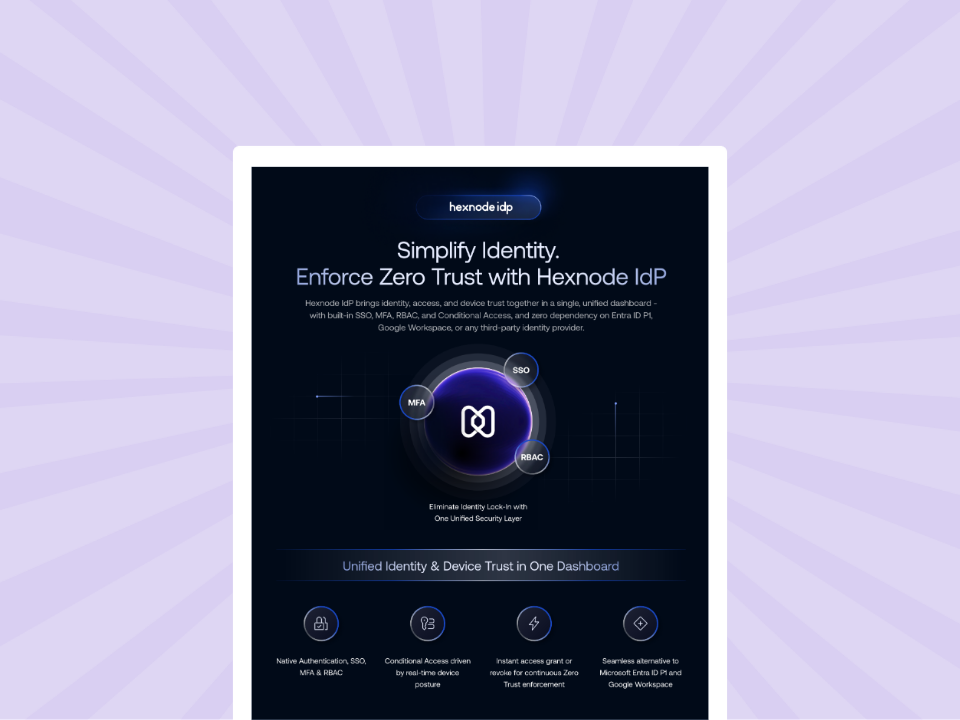
See how Hexnode IdP brings RBAC, MFA, SSO, SCIM provisioning and device-aware access controls together for enterprise identity management.
Hexnode IdP Enterprise includes the Conditional Access Engine and Context Aware Policies. RBAC manages access rights and permissions based on the user’s defined role or function.
For high-risk actions, Contextual Authentication provides step-up authentication using two-factor MFA.
Authorization should also account for what happens after authentication. Session Management controls user access duration by defining policies for session inactivity. As a result, authorized sessions do not remain unnecessarily available when users leave them unattended.
Hexnode IdP documents RBAC, Contextual Authentication and Session Management as product capabilities. RBAC manages access rights and permissions based on the user’s defined role or function, Contextual Authentication provides two-factor step-up authentication for high-risk actions, and Session Management defines policies for session inactivity.
Step 6: Monitor Access and Review Role Assignments
Finally, monitor access activity and review role assignments regularly. Hexnode IdP Activity Reports provide centralized reports covering sign-in logs, provisioning and authentication history across users and applications.
Separately, administrators should review role assignments when users’ responsibilities change and determine whether previous privileges remain appropriate.
Clear ownership makes these reviews actionable. Assign responsible personnel to approve role changes, investigate suspicious activity and remove access without a valid business justification.
For sensitive roles, organizations should conduct access reviews based on their security and compliance requirements.
Why Use Hexnode IdP for Role-Based Access Control?
Hexnode IdP Role-Based Access Control manages access rights and permissions according to each user’s defined role or function.
The Pro version includes User Lifecycle Management and Multi-factor Authentication. Hexnode IdP also provides Application Access for secure, policy-controlled access to approved web, mobile and SaaS applications.
The relevant Hexnode IdP capabilities include:
Manage permissions and applications
RBAC manages access rights and permissions based on the user’s defined role or function. Application Access provides secure, policy-controlled access to approved web, mobile and SaaS applications.
Strengthen access decisions
Hexnode IdP Enterprise includes the Conditional Access Engine and Context Aware Policies. Hexnode separately documents Contextual Authentication as two-factor step-up authentication for high-risk actions.
Sessions, provisioning and reporting
Session Management controls access duration through inactivity policies. SCIM 2.0 lets administrators select Create Users, Update Users, Deactivate Users and Sync Groups as provisioning actions, while Pro includes Activity Reports.
Hexnode IdP documents RBAC, Application Access, Contextual Authentication and Session Management as product capabilities.
When SCIM 2.0 is configured and enabled, Hexnode IdP automatically provisions identity changes to the target application. Account creation occurs upon application assignment, while updates and downstream deactivation use the configured synchronization schedule.
Separately, Pro includes User Lifecycle Management, RBAC, MFA and Activity Reports. Enterprise includes everything in Pro and adds capabilities such as the Conditional Access Engine and Context Aware Policies. User responsibilities, application requirements and authentication conditions can change over time.
Hexnode IdP Pro includes User Lifecycle Management, RBAC, MFA and Activity Reports. Enterprise includes everything in Pro and adds capabilities such as the Conditional Access Engine, Context Aware Policies and Advanced Reports.
Enterprise Identity Management: What to Look for in an IdP
Explore the capabilities enterprises should evaluate in an identity provider.
Frequently Asked Questions
What is the difference between RBAC and assigning permissions directly to individual users?
RBAC assigns permissions according to defined organizational roles rather than managing each user’s permissions separately. This approach makes access easier to align with job responsibilities as users and applications scale.
How does Hexnode IdP RBAC support the principle of least privilege?
Hexnode IdP RBAC manages access rights and permissions based on each user’s defined role or function. Organizations can apply least-privilege principles when determining which permissions each role should receive.
Should organizations use RBAC together with MFA and conditional access?
Yes. RBAC manages access rights and permissions based on the user’s defined role or function. Hexnode IdP Enterprise includes the Conditional Access Engine and Context Aware Policies. Separately, Hexnode documents Contextual Authentication as two-factor step-up authentication for high-risk actions.
How should organizations handle RBAC when an employee changes roles?
Organizations should review and update Hexnode IdP role assignments when responsibilities change. Separately, administrators can select Create Users, Update Users, Deactivate Users and Sync Groups when configuring supported SCIM provisioning for an integrated application.
How often should enterprises review RBAC role assignments?
Enterprises should conduct recurring access reviews based on their security and compliance requirements. Sensitive roles may require more frequent reviews to identify outdated assignments and unnecessary administrative access.
How can IT teams verify that RBAC policies work as intended?
IT teams should review whether each defined role contains only the access rights required for its function. Hexnode IdP RBAC manages access rights and permissions according to the user’s defined role or function.
Put Role-Based Access Control into Practice with Hexnode IdP
Effective RBAC requires more than assigning users to predefined roles. Organizations need well-designed roles, least-privilege permissions, lifecycle alignment and recurring access reviews to maintain appropriate access over time.
Start by defining roles around stable business functions and mapping only necessary permissions to each role. Then, keep assignments aligned as users join, change responsibilities or leave. Regular reviews should also identify outdated privileges and unnecessary administrative access.
Hexnode IdP Pro includes User Lifecycle Management, RBAC, MFA and Activity Reports. Enterprise includes everything in Pro and adds capabilities such as the Conditional Access Engine and Context Aware Policies. Activity Reports cover sign-in logs, provisioning and authentication history across users and applications.
Explore Role-Based Access Control with Hexnode IdP
Explore Hexnode IdP to manage role-based permissions, application access and identity lifecycle controls from a unified identity platform.
I write at the intersection of technology, process, and people, focusing on explaining complex products with clarity. I break down tools, systems, and workflows without any noise, jargon, or the hype.