Why is identity management difficult across multiple directories?
Identity management becomes difficult when accounts, groups, credentials, and access policies are managed separately across an identity provider (IdP), Microsoft Entra ID, and Google Workspace. Each directory can become a partial source of truth for the same user.
Common issues include:
Duplicate identities created for the same employee.
Inconsistent permissions between applications and directories.
Manual account updates when users join, move teams, or leave.
Separate authentication experiences that increase user friction and support requests.
IAM teams need clear ownership of identity data and defined integration flows between systems. Adding another disconnected directory usually increases reconciliation work instead of improving access control.
What are the risks of poorly integrated identity systems?
Poorly integrated identity systems can delay provisioning, leave orphaned accounts active, grant excessive access, and enforce policies inconsistently. These problems arise when identity attributes, group memberships, and account statuses are updated independently rather than synchronized through controlled workflows.
For example, a department change in the HR system may not update Entra ID groups or Google Workspace access at the same time. A disabled account in one directory may also remain active elsewhere.
How do identity providers integrate with Microsoft Entra ID and Google Workspace?
Identity provider integration commonly connects authentication, identity data, and user-lifecycle processes through federation, directory synchronization, or automated provisioning. The architecture depends on which platform is the authoritative identity source and which systems consume its identity information.
Every integration should answer three operational questions:
Who authenticates the user?
Where do identity records originate?
How do access changes propagate?
Answering these early helps IAM teams define ownership, select supported protocols, and avoid creating another disconnected identity store.
How does an identity provider integrate with Microsoft Entra ID?
An external IdP can integrate with Microsoft Entra ID through federation, allowing users to authenticate with the designated identity authority before accessing the relying service. Identity claims are then used to establish the user’s identity and access context.
Common federation standards include SAML and OpenID Connect, although available methods depend on the specific integration and Entra deployment scenario.
A reliable configuration requires IAM teams to align:
User identifiers and verified domains
Required identity claims and attributes
Signing certificates
Redirect URIs or callback endpoints
Small mismatches can cause failed sign-ins, incorrect account matching, or incomplete access decisions.
How does an identity provider integrate with Google Workspace?
Google Workspace can use a third-party IdP for federated single sign-on (SSO). When a user accesses Google Workspace, they are redirected to the configured IdP for authentication before access is granted.
The integration must correctly configure the organization’s domains, user identifiers, SSO endpoints, certificates, and required identity attributes. Consistent identifiers are particularly important when users sign in with email-based accounts.
However, authentication federation alone does not create, update, disable, or remove Google Workspace user accounts. Those lifecycle actions require separate directory synchronization or provisioning workflows.
What is the difference between federation, directory sync, and provisioning?
Federation establishes trust for authentication. Directory synchronization copies selected identity data between systems. Provisioning creates, updates, disables, or removes user accounts and, where supported, access assignments.
SSO alone does not ensure accounts and permissions remain aligned throughout a user’s lifecycle. A user may authenticate successfully but still retain outdated groups, licenses, or application access.
Common enabling technologies include:
SAML or OpenID Connect for authentication federation
Support varies by platform and connector, so each identity provider integration should be validated against the available integration method and required lifecycle scope.
5 Reasons to Invest in an Identity Provider in 2026
Unify identity, access, and device trust through Hexnode IdP management.
How should organizations plan an identity provider integration?
Plan an identity provider integration in sequence: define identity ownership, select supported integration methods, map identities, configure controls, test lifecycle events, and monitor results. This structured approach prevents authentication and lifecycle workflows from being designed independently.
Start with a controlled user group and limited application scope. Before changing production sign-in behavior, document the end-to-end authentication and provisioning flows, including ownership, approval points, dependencies, and rollback procedures.
Step 1: Define integration goals and identity ownership
First, determine what the integration must achieve. Authentication, account lifecycle management, and group updates are related functions, but they do not always use the same workflows or controls.
The integration may need to support:
SSO for centralized authentication
Account provisioning and deprovisioning
Group synchronization
Automated joiner, mover, and leaver processes
Assign authoritative ownership for usernames, email addresses, employment status, group membership, and access-related attributes. Then document which platform initiates onboarding, role changes, account suspension, and offboarding.
Step 2: Choose the appropriate integration model
Select the integration model based on the organization’s access and lifecycle requirements. Federation may be sufficient when the immediate goal is to centralize sign-in, but it does not resolve account creation or access updates across directories.
Common models include:
Federation-only for centralized authentication
Federation plus provisioning for authentication and lifecycle management
Directory synchronization for copying selected identity data between systems
Evaluate supported protocols, APIs, licensing dependencies, administrative roles, and platform limitations. Decide whether Microsoft Entra ID and Google Workspace authenticate users, delegate authentication, or consume identities from another authoritative system.
Step 3: Map users, groups, and identity attributes
Map stable user identifiers before enabling automated updates. Usernames, email addresses, and immutable IDs can be used for matching, but the chosen identifier must remain consistent across connected systems.
Define how departments, job roles, groups, managers, and other attributes translate between platforms. For example, a department value in the source system may need to map to a specific Entra ID group or Google Workspace organizational unit.
Establish rules for records with:
Missing attributes
Conflicting values
Malformed identifiers
Duplicate matches
These rules prevent incorrect provisioning or unintended access assignments.
Step 4: Configure federation and user provisioning
Configure federation by aligning the required trust metadata, endpoints, identifiers, certificates, and claims. Each platform must receive the attributes needed to identify the user and complete the selected sign-in flow.
Configure provisioning separately through a supported standard or API. Define the expected behavior for:
Account creation
Attribute updates
Group or access-assignment changes
Account suspension
Deprovisioning
SSO does not automatically synchronize accounts, groups, or access rights. These lifecycle operations require their own configuration, validation, and monitoring.
Step 5: Align access policies across the identity environment
Define how multi-factor authentication (MFA), device trust, application sensitivity, user role, and contextual signals influence access decisions. IAM teams should know which system evaluates each policy and where responsibility changes during the authentication flow.
Document how overlapping controls will work. For example, determine whether the IdP, Microsoft Entra ID, or Google Workspace applies a particular sign-in requirement, and how conflicting outcomes are resolved.
Maintain protected emergency-access accounts and recovery procedures. These controls help prevent administrator lockout during certificate failures, federation outages, or incorrectly configured access policies.
Step 6: Test authentication and lifecycle scenarios
Test authentication and lifecycle scenarios before expanding the integration to the wider organization. A successful sign-in test alone does not validate identity lifecycle behavior or policy enforcement.
Test the following authentication outcomes:
Successful sign-in
Failed authentication
MFA challenges
Access denials
Logout behavior
Also validate joiner, mover, and leaver workflows, including account creation, attribute changes, suspension, and access removal. Acceptance testing should include certificate expiration, service interruptions, and integration rollback scenarios.
Step 7: Monitor integration health and access activity
Monitor authentication failures, provisioning errors, duplicate identities, stale accounts, and unexpected access denials after deployment. Assign accountable owners and document response procedures for failed synchronization or deprovisioning events.
Review sign-in and lifecycle records periodically to confirm that changes propagate as intended. Regular reviews help IAM teams identify where the identity provider integration is failing before mismatched records become an access or audit issue.
Featured resource
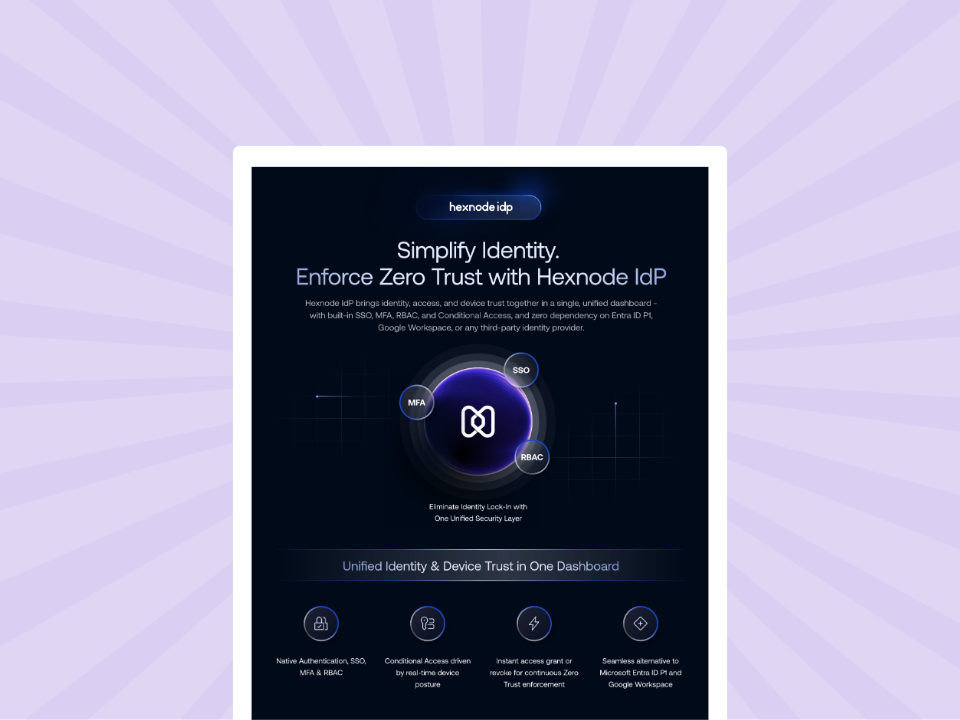
Hexnode IdP Info sheet
Hexnode IdP combines identity, access, and device trust to simplify secure enterprise access management workflows.
How does Hexnode IdP connect with Microsoft Entra ID and Google Workspace?
Hexnode IdP supports Federated Identity, enabling organizations to integrate established identity environments such as Microsoft Entra ID and Google Workspace. This allows IAM teams to connect existing directories to a centralized identity environment instead of rebuilding their identity foundation.
For lifecycle operations, SCIM-Based User Lifecycle Automation supports automated changes to user access. Organizations can use it to manage identity changes across the user lifecycle, while validating the supported integration scope for each connected platform.
Hexnode IdP also provides complementary capabilities that help operationalize an identity provider integration:
Conditional Access applies policy-controlled access requirements, including location- and network-based restrictions.
Application Access supports centralized application access management through the IdP.
Activity Reports provide visibility into sign-ins, provisioning activity, and authentication history.
Together, these capabilities help IT teams connect existing identity environments, apply access controls consistently, and review identity activity from a centralized platform.
FAQs
Can single sign-on keep user accounts and permissions synchronized?
No, SSO only centralizes or delegates authentication. Account creation, updates, group membership changes, and deprovisioning require separate directory synchronization or provisioning workflows.
What identifier should organizations use to match users across identity systems?
Organizations should use a stable, consistently maintained identifier, such as an immutable ID, username, or email address. The chosen identifier must be mapped consistently across systems to prevent duplicate accounts and incorrect matching.
What happens if a user is disabled in only one identity directory?
The user may retain access through an active account in another connected system. Deprovisioning workflows and periodic lifecycle reviews help ensure account suspension and access removal propagate as intended.
Evaluate federated identity with Hexnode IdP
A successful federated identity deployment aligns authentication, identity ownership, lifecycle automation, and access-policy enforcement across every connected system. Evaluate how these functions work together before extending the integration to production users.
Request a Hexnode IdP demonstration to assess compatibility with your Microsoft Entra ID or Google Workspace environment.
Unify identities across every directory
Secure access with Hexnode IdP. Start your free trial.
A storyteller for practical people. Breaks down complicated topics into steps, trade-offs, and clear next actions—without the buzzword fog. Known to replace fluff with facts, sharpen the message, and keep things readable—politely.