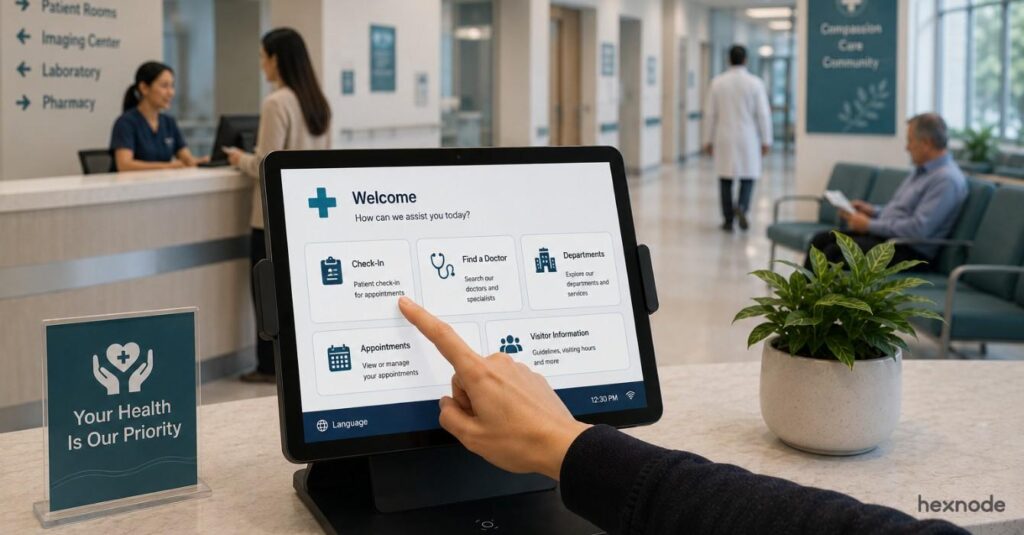
Linux kiosk security is essential when organizations deploy shared devices designed to run dedicated applications in controlled environments. These systems commonly support services such as customer check-in terminals, retail ordering stations, digital information displays, and visitor registration points.
Because kiosk devices are often used by many individuals throughout the day, administrators must ensure users cannot access the operating system, modify system settings, or launch unauthorized applications.
Organizations choose Linux for kiosk deployments because it offers flexibility and stability for building controlled application environments. However, secure deployments require structured kiosk security practices that restrict system functionality and protect device integrity.
This guide explains how organizations can strengthen Linux kiosk security, secure browser-based kiosks, and maintain reliable deployments through structured configuration and centralized kiosk management practices.
Understanding kiosk security risks in shared Linux environments
Kiosk devices differ from traditional workstations because they operate in environments where administrators cannot directly supervise user interactions. Users interact with the device briefly to complete a specific task before the next user begins. Without proper security controls, several risks can affect kiosk deployments.
Users may attempt to exit the kiosk application to explore the operating system environment or open additional programs. Others may attempt to navigate beyond the intended browser interface.
Common kiosk security risks include:
Users accessing terminal interfaces or command-line utilities that allow them to interact directly with the operating system environment and potentially modify system behavior or configuration.
Unauthorized application execution where users attempt to launch system programs or utilities outside the kiosk application interface.
Browser navigation beyond the intended service when kiosk devices rely on web applications to deliver user interactions.
Exposure of cached user session data if kiosk devices store session information locally between interactions.
These risks highlight why organizations must design kiosk environments that strictly control application access and device functionality.
Ways to strengthen Linux kiosk security
Effective Linux kiosk security begins with device configurations that restrict system functionality and ensure users interact only with the intended application or service. Administrators must configure devices so that system interfaces remain inaccessible while the kiosk application remains available and stable. Organizations typically strengthen kiosk deployments by implementing application restrictions, session protections, and centralized management policies.
These controls ensure that kiosk devices remain predictable, reliable, and secure even in environments where users interact with the device frequently.
1. Restricting applications to maintain Linux kiosk security
Application restriction is one of the most important controls for maintaining Linux kiosk security. Linux kiosk devices should allow only the applications required for the intended workflow.
Restricting application execution ensures users cannot interact with the operating system or open additional programs that could disrupt the kiosk environment.
Administrators typically configure kiosk devices so that:
The kiosk application launches automatically during device startup and remains visible throughout the user interaction without exposing the operating system interface or system navigation tools.
Users cannot open additional applications or utilities that may exist in the operating system environment.
Desktop navigation menus and system application launchers remain inaccessible to prevent users from interacting with system components.
These restrictions ensure the device functions as a dedicated service endpoint rather than a general-purpose workstation.
2. Securing browser-based kiosk environments
Many kiosk deployments rely on web applications delivered through a browser interface. In these cases, administrators configure the browser itself as the kiosk application, so the device launches directly into the intended web service.
Browsers provide powerful capabilities that may expose navigation controls, developer tools, or configuration menus if they are not properly restricted. Securing the browser environment helps maintain a controlled kiosk experience.
Administrators should configure browser kiosks to:
Launch the browser automatically in full-screen kiosk mode
Launching the browser in full- screen kiosk mode ensures the device immediately loads the intended web application during startup. Users interact directly with the service without accessing the operating system or desktop environment.
Configure the browser as the dedicated kiosk application
In Linux kiosk deployments, the browser can be configured as the primary application. This setup ensures the device operates as a browser-based kiosk and prevents users from launching additional programs.
Prevent opening additional browser windows or tabs
Limiting the ability to open new windows or tabs helps maintain a focused kiosk environment and prevents users from navigating away from the intended application interface.
These measures help maintain a controlled browser environment while supporting overall secure kiosk operation.
3. Preventing users from exiting the kiosk interface
Users interacting with kiosk devices may attempt to exit the application interface to explore system functionality. Preventing this behavior is an important part of kiosk security. Administrators must ensure users cannot access system interfaces or operating system utilities.
This typically involves:
Blocking keyboard shortcuts that may expose system functions or desktop navigation interfaces.
Preventing access to terminal or command-line utilities that allow direct interaction with the operating system.
Restricting access to desktop environments or system menus that could allow users to explore system configuration options.
Preventing users from closing or minimizing the kiosk application during the interaction session.
These restrictions ensure users remain within the designated application workflow.
4. Protecting user sessions on shared devices
Kiosk devices often serve multiple users during the same day. Without proper session protection, data from previous users may remain accessible. Administrators should implement controls that protect user privacy and maintain device integrity.
Recommended session protections include:
Clearing browser session data after each interaction to prevent access to previously entered information.
Resetting the kiosk application environment after inactivity so each user session begins in a clean application state.
Preventing persistent login sessions that may expose accounts or services to subsequent users.
Avoiding storage of sensitive information locally on kiosk devices whenever possible.
These measures ensure each user interaction remains isolated.
5. Implementing centralized kiosk management
As deployments expand, organizations must manage kiosk devices across multiple locations. Managing each device individually becomes inefficient and increases operational complexity. Centralized kiosk management platforms allow administrators to maintain consistent configurations across device fleets.
Centralized management enables organizations to:
Deploy kiosk configurations remotely across multiple devices without manually configuring each device.
Monitor device health and connectivity to identify devices that require maintenance or troubleshooting.
Apply updates and configuration changes across deployments from a centralized management console.
Maintain consistent kiosk security policies across the entire device environment.
Platforms such as Hexnode UEM help organizations manage kiosk devices from a unified platform.
What is Linux kiosk mode & how to set it up?
Set up, secure, and manage Linux kiosk deployments with centralized control
Operational practices that strengthen kiosk security
Device configuration alone cannot guarantee long-term kiosk protection. Organizations must also implement operational processes that maintain consistent configurations across deployments. Operational kiosk security practices help administrators maintain stable device behavior and identify potential issues quickly.
Recommended operational practices include:
Monitor kiosk device health
Regular monitoring helps administrators detect connectivity issues, application failures, or unexpected device behavior. Identifying problems early allows organizations to resolve disruptions quickly and maintain consistent kiosk availability.
Review kiosk configurations regularly
Periodic reviews ensure kiosk devices continue to follow approved configuration standards. Reviewing policies and settings helps administrators confirm that devices remain aligned with operational requirements and security practices.
Apply updates through centralized management tools
Applying updates through centralized management tools helps maintain consistent configurations across multiple kiosk devices. This approach ensures security updates and configuration changes are deployed reliably across the entire deployment.
Maintain standardized policies across devices
Standardized policies help organizations enforce consistent configuration settings across all kiosk devices. Maintaining uniform policies reduces configuration inconsistencies and ensures every device follows the same operational standards.
These practices ensure kiosk deployments remain stable and secure.
The global Linux interactive kiosk market was valued at $1,210.0 million in 2024 and is projected to reach $1,567.4 million by 2030
Kiosk best practices for long-term kiosk deployments
Organizations that deploy kiosks across multiple locations must maintain consistent operational standards to ensure reliable device performance. Structured kiosk best practices help administrators maintain secure environments while improving operational productivity.
Recommended practices include:
Define clear device roles and use cases
Each kiosk should have a clearly defined purpose before deployment. This helps avoid unnecessary features and ensures the device stays aligned with business workflows.
Standardize deployment across locations
Use consistent configurations, naming conventions, and policies across all kiosk locations. Standardization reduces operational complexity and simplifies troubleshooting.
Plan for remote troubleshooting and recovery
Kiosk devices should support remote diagnostics and recovery actions. This minimizes downtime and avoids the need for on-site intervention.
Implement centralized kiosk management
Centralized tools allow administrators to enforce policies, monitor devices, and maintain consistency across distributed deployments.
Establish update and maintenance cycles
Regularly schedule OS updates, app updates, and configuration reviews. This ensures devices remain secure, compliant, and optimized over time.
Design for physical security and durability
Kiosks should be deployed with secure mounts, restricted ports, and durable hardware to prevent tampering or environmental damage.
Managing Linux kiosk security with Hexnode UEM
Managing Linux kiosks manually can become difficult as deployments grow. Organizations often need a centralized platform to enforce policies, maintain device stability, and monitor device health across multiple locations.
Hexnode UEM helps organizations implement Linux kiosk security by providing centralized policy management and device monitoring capabilities. Administrators can configure kiosk environments, restrict application access, and maintain consistent device configurations from a single management console.
Key capabilities that support secure Linux kiosk deployments include:
Single-app kiosk lockdown
Hexnode allows administrators to configure Linux devices in Single App Kiosk mode so that only a specified GUI application runs, while other applications and system features are restricted.
Multi-app kiosk environments
In cases where multiple tools are required, administrators can configure a curated set of approved applications with multi-app kiosk setups. Users can access only the specified GUI applications, while other system features, settings, and applications are restricted; however, Linux notifications may still appear depending on the desktop environment.
Centralized policy deployment
Hexnode enables administrators to create kiosk policies and apply them across multiple devices simultaneously. This ensures consistent security configurations across large kiosk deployments.
Remote device management
Administrators can manage Linux kiosks remotely through the Hexnode console. Remote management allows teams to update configurations, monitor device health, and maintain kiosk stability across distributed environments.
Monitoring and troubleshooting
Hexnode provides visibility into device status and operational behavior. Hexnode’s device details page lets administrators view device information such as activity status, compliance status, last checked-in time, applied policies, installed apps, and activity logs.
By combining centralized kiosk management with structured device policies, organizations can maintain reliable and secure Linux kiosk deployments.
Featured resource
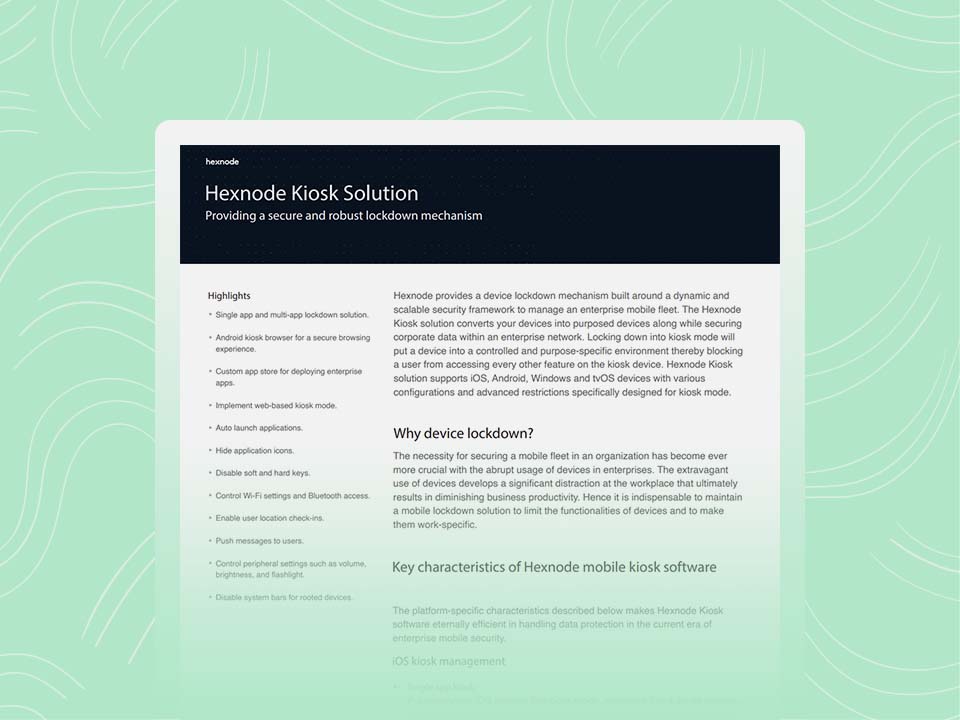
Hexnode Kiosk Solution
Create secure, purpose-built kiosk environments with Hexnode for centralized device control and enterprise data protection
Linux kiosks provide organizations with a flexible platform for delivering controlled services through shared devices. However, these deployments require strong security controls to prevent misuse and protect the operating system.
Effective Linux kiosk security combines application restrictions, session protection, and centralized device management. Organizations that implement these controls can maintain reliable kiosk deployments while protecting system resources.
By adopting structured kiosk security practices and centralized kiosk management strategies, administrators can deploy Linux kiosks that remain secure and scalable across distributed environments.
Simplify Linux kiosk management with Hexnode UEM
Start your free Hexnode trial and simplify kiosk management today.
Linux kiosk security refers to the configuration controls used to restrict device functionality, protect kiosk applications, and prevent users from accessing the operating system environment.
How can administrators secure a Linux kiosk browser?
Administrators secure a Linux kiosk browser by restricting the enablement of approved web apps, disabling browser configuration menus, and launching it in controlled kiosk mode.
Why is kiosk management important?
Centralized kiosk management allows administrators to monitor devices, deploy updates, and maintain consistent security policies across kiosk deployments.
What are common kiosk security risks?
Common kiosk security risks include unauthorized browsing, users exiting kiosk applications, exposure of session data, and access to system utilities.
A storyteller for practical people. Breaks down complicated topics into steps, trade-offs, and clear next actions—without the buzzword fog. Known to replace fluff with facts, sharpen the message, and keep things readable—politely.