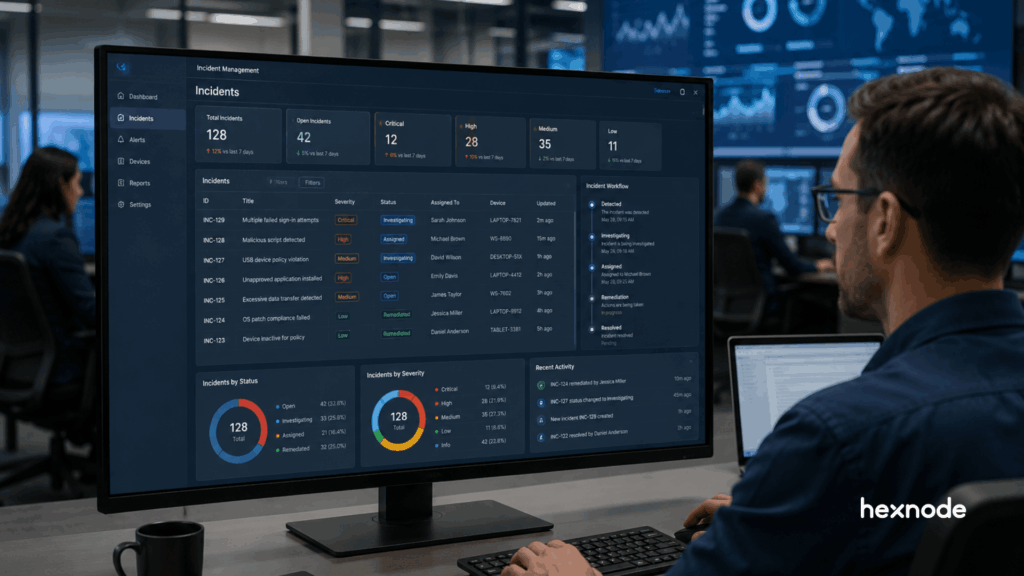
Endpoint monitoring provides visibility but often lacks a structured path to resolution. Incident-driven workflows introduce context, ownership, and continuity, shifting operations from isolated alerts to manageable outcomes. UEM incident management builds on this by organizing endpoint issues into trackable incidents with defined workflows. Hexnode’s Incidents tab centralizes incident tracking, assignment, status updates, and activity history within the UEM console, enabling IT teams to maintain better control, prioritize effectively, and handle incidents more consistently across their endpoint environment.
Endpoint monitoring has long been a core function of unified endpoint management. It provides visibility into device activity, system health, and security events. But visibility alone does not translate into control.
As endpoint environments scale, IT teams face an increasing volume of alerts without clear prioritization or context. The result is slower response, fragmented workflows, and rising operational overhead. Monitoring surfaces issues, but resolving them often requires switching tools, correlating data, and manually executing actions.
This is where UEM incident management becomes critical. Instead of treating events as isolated alerts, mature workflows may structure endpoint issues into trackable incidents with context, ownership, and response workflows.
This blog examines how traditional monitoring falls short, what modern incident workflows require, and how Hexnode’s Incidents tab enables IT teams to move from observation to structured incident handling within a unified interface.
UEM incident management is the process of detecting, analyzing, and responding to endpoint incidents within a unified operational workflow.
In mature incident-management workflows, related alerts or endpoint issues may be grouped into structured incidents to improve context and decision-making.
A complete incident response workflow typically includes:
Preparation
Detection and analysis
Containment
Eradication and recovery
Post-incident activity
The key requirement is centralization. IT teams should be able to:
View incidents in a single interface
Access relevant context without switching tools
Track, assign, review, and manage incidents from the UEM console
This approach reduces operational friction and can improve both response speed and consistency.
Where does Traditional Endpoint Monitoring Falls Short?
Traditional monitoring-heavy workflows often emphasize visibility over structured incident resolution. They generate alerts but may not provide enough context or a clear path to action.
This creates several operational challenges:
Alert overload with no effective prioritization
Lack of contextual correlation between related events
Dependence on multiple tools for investigation and response
A typical workflow looks like this:
Monitor endpoint activity
Generate alerts
Switch to another tool for investigation
Execute remediation through separate systems
Each handoff or tool switch can introduce delay and increase the chance of context loss.
The consequences are operational:
Increased response time
Higher likelihood of delayed incident handling
Persistent alert fatigue for IT teams
Monitoring alone is often insufficient for modern endpoint environments unless paired with context, prioritization, ownership, and response workflows.
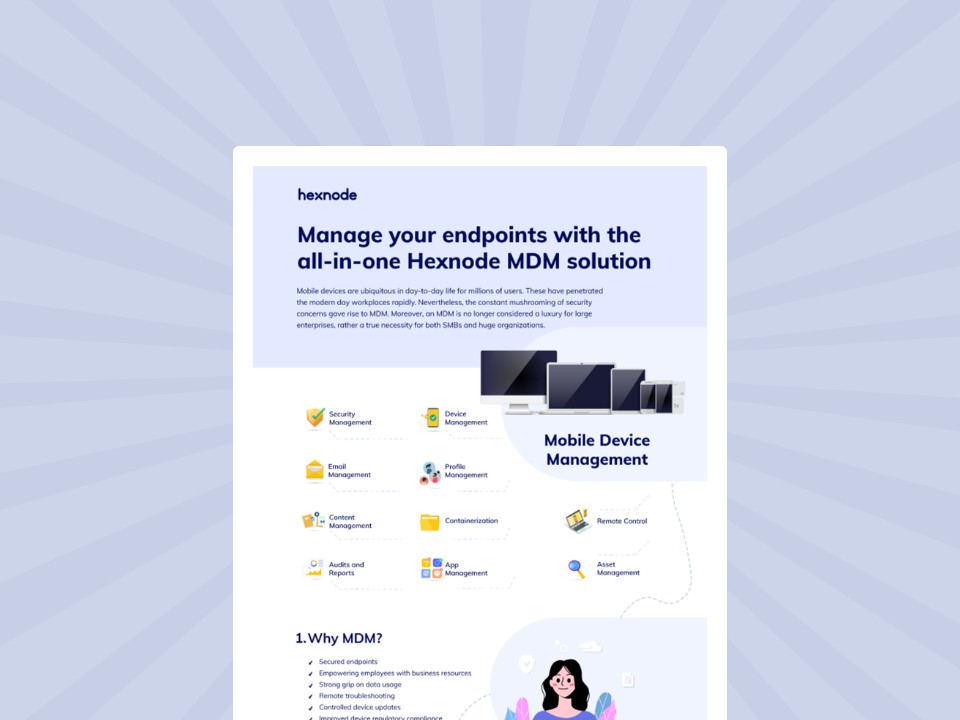
Featured resource
Manage your endpoints with the all-in-one Hexnode UEM solution
This infographic showcases feature-rich MDM solutions to empower, secure, and manage a productive mobile workforce.
To address these limitations, UEM platforms must evolve beyond monitoring and support incident-driven operations.
This requires three core capabilities:
1. Centralized Incident Visibility
A unified dashboard that aggregates incidents
Clear prioritization based on severity and impact
Continuous tracking of incident status
2. Integrated Investigation Capabilities
Access to incident details and historical updates
Contextual visibility into incident progression
Where supported, endpoint-level data can assist investigation
3. Structured Response and Corrective Workflows
Ability to manage incidents without excessive tool-switching
Timely execution of corrective actions with administrative control
Defined workflows for ownership, tracking, and resolution
Without these capabilities, IT teams remain dependent on fragmented processes that slow down response and increase risk exposure.
UEM Incident Management vs Traditional Endpoint Monitoring: Key Differences
The difference between traditional monitoring and UEM incident management becomes clear when comparing how incidents are handled:
Feature
Traditional Endpoint Monitoring
UEM Incident Management (Hexnode)
Primary Focus
Alerts and event visibility
Structured incident management
Workflow
Fragmented across tools
Unified within a single interface
Context
Limited per alert
Incident-level context with details and history
Prioritization
Manual
Based on severity and status
Ownership
Not defined
Assign incidents to technicians
Tracking
Limited
Continuous tracking with status updates
Collaboration
External tools
Built-in comments and activity history
Response Handling
Separate processes
Managed through structured updates and corrective actions
Outcome
Reactive handling
Consistent incident management workflow
How to build a successful incident response procedure
Learn the essential steps for building an effective incident response procedure to mitigate security threats.
How Hexnode Enables UEM Incident Management with the Incidents Tab?
Hexnode addresses incident tracking through the Incidents tab, a dedicated interface for viewing, categorizing, assigning, tracking, and updating incidents within the UEM console.
Centralized Incident View
The Incidents tab provides categorized access to incidents across:
Critical
Endpoints
Users
Apps
Patches
Identity Providers
Exports
Administrators can:
Monitor incidents from a single dashboard
Prioritize based on severity and status
Track incident progression over time
Each incident includes:
Associated entity details
Time of occurrence
Severity and resolution status
Incident Story showing a chronological log of updates
Context-Driven Incident Review
Hexnode provides incident details, comments, and Incident Story to help administrators review and track incident progress.
IT teams can:
Review incident details and associated context
Track updates through Incident Story
Analyze comments, status changes, and assignments
This provides a centralized view of incident data for better traceability.
This ensures incidents are managed in a structured and trackable manner.
A Unified Workflow for Incident Management
By combining categorized visibility, assignment, status tracking, comments, exports, and activity history, the Incidents tab helps administrators manage incidents more consistently from the Hexnode UEM console.
IT teams can:
Track incidents
Assign ownership
Update status and verdict
Maintain documentation and history
This reduces context switching and improves workflow consistency.
Key Capabilities at a Glance
Capability
What It Enables for IT Teams
Incident Categorization
Organize incidents across endpoints, users, apps, patches, and identity providers for better visibility
Severity and Status Tracking
Prioritize incidents and track progress through defined states
Incident Assignment
Assign incidents to technicians to establish clear ownership and accountability
Comments and Collaboration
Add contextual notes and updates for better coordination across teams
Incident Story (Activity History)
Maintain a chronological record of status changes, comments, and actions for traceability
Verdict Updates
Classify incidents based on outcome for better reporting and analysis
Export and Reporting
Export incident data for audits, reporting, and operational reviews
What This Means for IT Teams
The shift to UEM incident management impacts how IT teams handle operational workflows and endpoint risk.
With the Incidents tab in Hexnode, teams move from fragmented monitoring to structured incident handling with defined ownership and tracking.
This can result in operational gains such as:
Improved incident prioritization
Reduced workflow friction
Better coordination across teams
Additional benefits include:
Lower alert fatigue through structured incident tracking
More consistent handling of incidents
Improved visibility into incident status and history
For organizations managing distributed endpoints, this approach supports consistent and controlled incident management at scale.
Cyberattacks have surged by over 50% in the past year.
Conclusion: Turning Endpoint Visibility into Action
UEM platforms can no longer operate as passive monitoring systems. Modern endpoint environments require workflows that connect visibility with structured incident handling.
UEM incident management addresses this need by organizing endpoint issues into trackable incidents with defined ownership, context, and workflows.
Hexnode’s Incidents tab supports this approach by bringing incident visibility, categorization, assignment, tracking, and history into a centralized interface within the UEM console. For IT teams, this enables more consistent incident management and improved operational control.
Manage Incidents with Clarity and Control
Explore how Hexnode helps IT teams track, assign, and manage incidents from a single interface.
What is the purpose of the Incidents tab in Hexnode?
The Incidents tab provides a centralized interface to view, categorize, assign, track, comment on, export, and update incidents across multiple categories within Hexnode UEM.
How is an incident different from an alert?
In Hexnode, incidents serve as real-time alerts that are dynamically generated when potential risks, configuration errors, or endpoint-level failures are detected.
What remediation actions are supported in Hexnode?
Administrators can assign incidents, update status and verdict, add comments, view Incident Story, export reports, and modify incident details.
How does UEM incident management improve response time?
By consolidating incident tracking, ownership, and status updates into a single workflow, it reduces delays caused by fragmented processes.
Does Hexnode require external tools for incident investigation?
Hexnode provides built-in capabilities to view, track, assign, and manage incidents, along with detailed activity history and documentation within the UEM console.
I write at the intersection of technology, process, and people, focusing on explaining complex products with clarity. I break down tools, systems, and workflows without any noise, jargon, or the hype.