The Jade Sleet FLATROOF and ROOFDECK case highlights the risks facing developers with privileged infrastructure access. An India-based IT services provider suffered a compromise involving a DevOps engineer’s MacBook. The broader campaign used fake recruitment tasks and malicious Terraform dependencies, with Terraform lock files referencing a malicious registry such as registry.hashicorp-aws[.]com, although the initial infection route for this device remains unconfirmed.
The backdoors support remote commands, data collection, and persistent access. However, those capabilities do not prove that attackers stole every accessible secret or compromised customer environments. Organizations should review unfamiliar coding projects before execution, isolate external assessments, and reduce credentials stored on developer devices. Hexnode UEM and Hexnode XDR can support device controls, endpoint investigation, and containment alongside dependency reviews and cloud-access safeguards.
Introduction
A coding assignment can look like routine work to an engineer who builds infrastructure every day.
Research published on September 18, 2026, linked an Indian IT provider’s compromised Mac to the Jade Sleet FLATROOF and ROOFDECK backdoors. Related activity used recruitment lures and weaponized development projects, but investigators could not confirm this device’s original infection route.
The case raises a practical question: what could someone reach after gaining control of a developer’s laptop?
Who is Jade Sleet?
Jade Sleet is a North Korea-linked threat actor also known as TraderTraitor, PUKCHONG, and UNC4899. Its targeting includes cryptocurrency and blockchain organizations, along with vendors serving those businesses.
The group impersonates recruiters or developers to build trust with technical employees. It then encourages targets to download repositories or run software containing malicious dependencies. These approaches turn familiar collaboration activities into opportunities for malware execution.
FLATROOF (also known as Gaslight) and ROOFDECK previously featured in the KelpDAO bridge attack involving compromised LayerZero Labs infrastructure. Attackers deployed both macOS backdoors on a LayerZero developer’s device during the intrusion.
Its activity matters beyond cryptocurrency because technology vendors can hold valuable access to other organizations. For security teams, the relevant warning signs include unsolicited development invitations, unfamiliar dependencies, and requests to execute code during recruitment. Assess those requests independently of how convincing the sender’s profile appears.
What happened?
The incident involved an Apple Silicon MacBook belonging to a DevOps engineer at an India-based IT services provider without cryptocurrency ties.
Area
Verified details
Timeline
Both backdoors were present by March 18, 2026. Observed execution began March 29; command-and-control activity continued into June.
Execution
Cursor launched the implants within seconds of opening the ~/DevOps-Automation/cloudshield workspace. This does not establish a vulnerability in Cursor.
Campaign lure
Related GitHub projects posed as infrastructure engineering assessments and contained weaponized .terraform.lock.hcl files referencing attacker-controlled provider registries.
FLATROOF
Also called Gaslight, it supports command execution and collection of browser data, terminal history, system details, and a copy of login.keychain-db.
ROOFDECK backdoor
Supports remote shells, file operations, reconnaissance, and Launch Agent persistence. It uses the Nostr protocol for decentralized command-and-control address discovery. Before executing commands, it verifies the operator’s cryptographic signatures using an embedded public key.
Evidence limits
Initial delivery remains unconfirmed. The report does not establish MFA bypass or downstream customer compromise.
These findings distinguish observed endpoint activity from the wider campaign’s delivery methods.
Why Zero-Touch Enrollment Matters for Device as a Service Deployments
Zero-touch enrollment streamlines DaaS deployments, reduces IT workload and standardizes device setup.
Why the Terraform dependency matters
Terraform providers are executable plugins; modules are reusable infrastructure configurations. Calling both “provider modules” obscures that distinction.
During terraform init, Terraform installs required providers using configuration requirements and recorded lock-file selections. Checksums help verify package consistency, but an unfamiliar lock file does not establish that its selected dependencies are trustworthy. Before executing terraform init, inspect .terraform.lock.hcl for unofficial provider registry hostnames and verify their legitimacy.
Review provider addresses, publishers, configuration files, and lock-file changes before initializing an external project. Treat a dependency review as a security decision, even when the project arrives through a plausible interview process.
Why this matters
Developer endpoints deserve protection based on the access they hold. A laptop used for infrastructure administration may provide routes into source repositories, deployment systems, or cloud resources.
Consequently, a DevOps compromise can create exposure beyond local files. The actual impact depends on credential permissions, session validity, network access, and controls around connected services. Treat downstream access as something to investigate, rather than assume.
Patching remains necessary, but teams must also address users executing untrusted code through legitimate tools. Similarly, successful authentication does not establish that every process running afterward is safe.
Effective macOS developer endpoint security therefore needs several layers: controlled software use, limited privileges, dependency review, endpoint monitoring, and access policies. Each layer addresses a different part of the workflow.
How Hexnode can help
Hexnode can support the device-management and endpoint-response parts of this approach. Dependency validation and cloud permission reviews remain separate responsibilities.
Hexnode UEM: Control application access on developer Macs
Hexnode UEM supports application allowlisting and blocklisting on managed macOS devices. Administrators can define permitted applications or restrict access to selected apps, subject to agent and policy requirements.
For development teams, use these controls to establish an approved toolset and restrict unnecessary applications. Test policies against real engineering workflows before broad deployment.
Application controls should not be presented as a universal script or dependency filter. Allowlisting an IDE permits its normal code-execution workflows; it does not validate code or dependencies executed within that context. Dependency security requires isolation alongside application allowlisting. Run untrusted assessments in disposable, isolated environments without corporate credentials, mounted work directories, or access to production infrastructure. Teams still need procedures for reviewing external repositories and separating untrusted assessments from corporate access.
Featured Resource
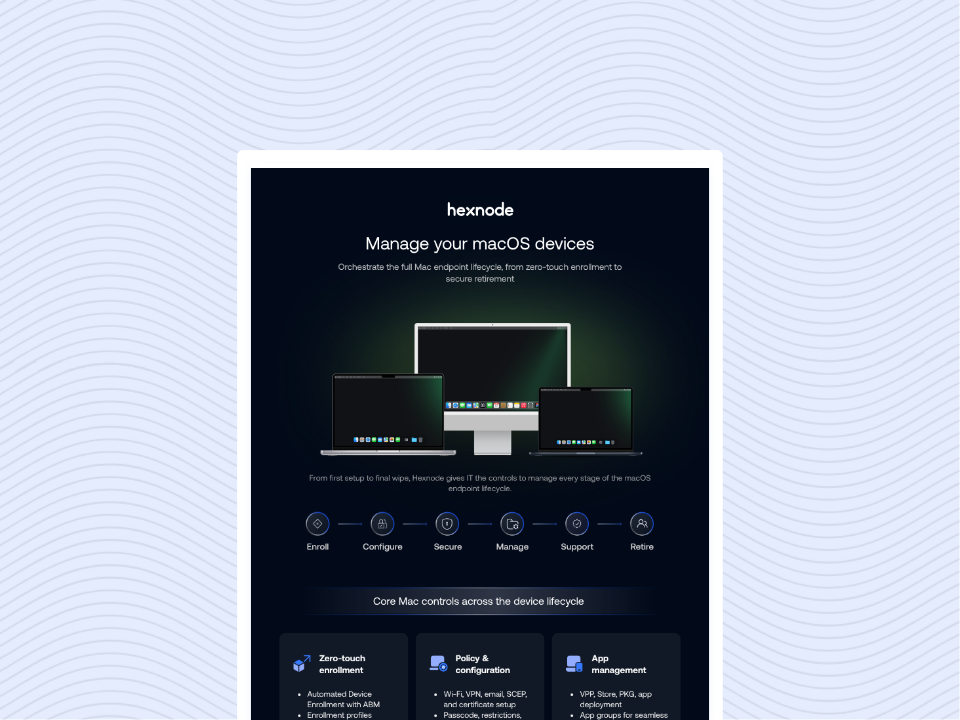
macOS Platform Capability Statement
Download the infographic to explore how Hexnode simplifies macOS device management across every stage of the endpoint lifecycle.
Hexnode UEM: Bring device compliance into access decisions
Hexnode UEM can evaluate configured device requirements, including supported operating systems, encryption, and application checks. Through its supported integration with Microsoft Entra ID, Hexnode can supply device compliance information for Conditional Access decisions. Microsoft Entra ID enforces the configured access policy.
Apply this approach to sensitive applications where the platform and integration support it. Validate coverage for each repository service and cloud console.
Compliance helps establish a device baseline. It does not certify that a workstation is malware-free or automatically revoke every credential exposed through it.
Hexnode XDR: Investigate suspicious development activity
Hexnode XDR supports endpoint investigation and response across Windows and macOS. Its documented response capabilities include device isolation, process termination, and file quarantine.
For this threat pattern, prioritize monitoring parent-child process relationships where development IDEs spawn unrecognized command-line utilities or Rust binaries. Confirm that the available endpoint telemetry exposes the required process relationships before configuring these hunts. Investigate unexpected executable paths, command arguments, persistence changes, and outbound connections alongside the process activity.
Treat these patterns as investigation leads: legitimate engineering workflows also launch command-line tools and compiled binaries. Evaluate them against approved development activity before taking containment action.
Strengthen developer workflows before the next assignment
Start by identifying developer devices with production access. Record which repositories, cloud roles, deployment systems, and secrets each device can reach. Reduce unnecessary permissions and avoid keeping production credentials in environments used for external coding assessments.
Next, require review of unfamiliar repositories, provider sources, and lock files before execution. Run approved external assessments in isolated environments without corporate credentials, shared sensitive folders, or production connectivity. Give employees a clear way to report suspicious recruitment requests.
If compromise is suspected, isolate the endpoint and preserve evidence. Review connected accounts, revoke affected sessions and tokens, and rotate exposed credentials from a trusted device. Investigate repository and deployment changes before restoring access.
Hexnode UEM and Hexnode XDR can support this work through application controls, device compliance, investigation, and containment. Begin with the developer Macs that hold the broadest access, then verify that their permissions match current responsibilities.
Try Hexnode Free for 14 Days
Sign up for Hexnode to strengthen developer device security and reduce risks across your macOS fleet.
I’m a technical content writer at Hexnode who loves simplifying tech. I break down complex ideas, remove the fluff, and help readers understand our product for what it actually is: simple, reliable, and built to solve real problems.