cPanel CVE-2026-87899 allows an authenticated hosting account to execute code as root, potentially giving an attacker control of the server. Disclosed on September 22, 2026, it affects the platform’s calendar and contact functionality. Two additional vulnerabilities involve cross-account database modification through WP Toolkit and unauthorized access to other users’ calendars and contacts. These disclosures do not establish that an attack campaign or customer breach occurred. Hosting providers should verify patched cPanel builds and update WP Toolkit separately where installed. Organizations using shared hosting should request confirmation from their providers. Hexnode can support administrator-device compliance and endpoint investigation, but these controls do not replace server patching or establish that a previously vulnerable server is clean.
Sharing a hosting server should not mean sharing access to another company’s systems. On September 22, 2026, cPanel disclosed cPanel CVE-2026-87899, which lets an authenticated account escalate privileges through its calendar and contact functionality.
Successful exploitation can give an attacker server-wide control. The disclosure therefore matters to hosting providers, MSPs, and businesses that rely on hosted websites and applications.
The immediate priority is confirming updates. However, teams should also understand the separate database and data-access flaws disclosed alongside it.
Who is cPanel?
cPanel provides web hosting management software. Its cPanel interface lets account holders manage resources such as websites, email, files, and databases. WebHost Manager, or WHM, provides administrative functions for managing hosting accounts and servers.
In shared hosting, multiple customers use resources on the same underlying server. Account permissions help separate their environments, while server administrators hold broader privileges. That distinction makes vulnerabilities crossing account boundaries particularly important.
WP Toolkit adds WordPress management capabilities to this environment. CalDAV and CardDAV support calendar and contact functions. The disclosures concern these hosting components; they do not identify a named threat group. Hosting providers generally handle server updates, while customers should verify remediation with their provider.
What happened?
The September 22 disclosures describe three distinct vulnerabilities. They should not be treated as a confirmed multi-stage attack chain.
Vulnerability
Required access
Disclosed impact
Affected versions
CVE-2026-87899
Authenticated cPanel account
Code execution as root through CalDAV/CardDAV
cPanel & WHM v120 onward, before the applicable fix
WP Toolkit CVE-2026-87900
Authenticated cPanel user
Database modifications in other accounts
WP Toolkit 6.11.2-10794 and earlier
CVE-2026-68490
Local user on the same server
Reading other accounts’ calendar events and contacts
cPanel & WHM v120 onward, before the applicable fix
The calendar permissions flaw does not grant root access or permission to modify the exposed data. Its update corrects permissions for new storage and repairs existing accounts.
Top 7 Features to Look for in an MSP-Ready UEM Platform
Explore seven essential features of an MSP-ready UEM platform for secure, scalable client management.
Which versions contain fixes?
For the two CalDAV/CardDAV issues, patched builds include 134.0.57, 136.0.41, and 138.0.8, or later builds in their respective release lines. The listed WP Squared fix is 138.1.11 or later. These versions omit the leading “11.” used in the advisories.
For WP Toolkit, update to 6.11.3 or later. Check its installed version separately rather than assuming the main control-panel update covers it.
The advisories direct administrators to update and do not document a temporary workaround.
What remains uncertain?
The advisories do not identify an attacker, victim organization, initial credential-theft method, persistence technique, or ransomware activity. They also do not establish active exploitation.
An attacker could potentially use a compromised hosting account, but credential theft is not a confirmed part of these disclosures. A malicious account holder could also satisfy the authentication requirement. No MFA bypass should be inferred.
Why this matters
Shared hosting security depends on keeping one customer’s permissions separate from another’s. A privilege-escalation flaw can undermine that separation even when the affected business maintains its own website carefully.
Potential consequences include unauthorized changes, exposure of server-accessible secrets, and disruption across hosted services. These are possible outcomes, not confirmed losses from this disclosure.
MFA can reduce some account-takeover risks, but it cannot repair a vulnerability available to an authenticated user. Similarly, securing an administrator’s laptop does not remove a flaw inside the hosting platform.
Effective MSP security therefore needs several layers: verified server updates, limited administrative access, protected administrator devices, and an investigation process. Where evidence suggests web hosting compromise, responders should assess the server and neighboring accounts rather than checking only one website.
Featured Resource
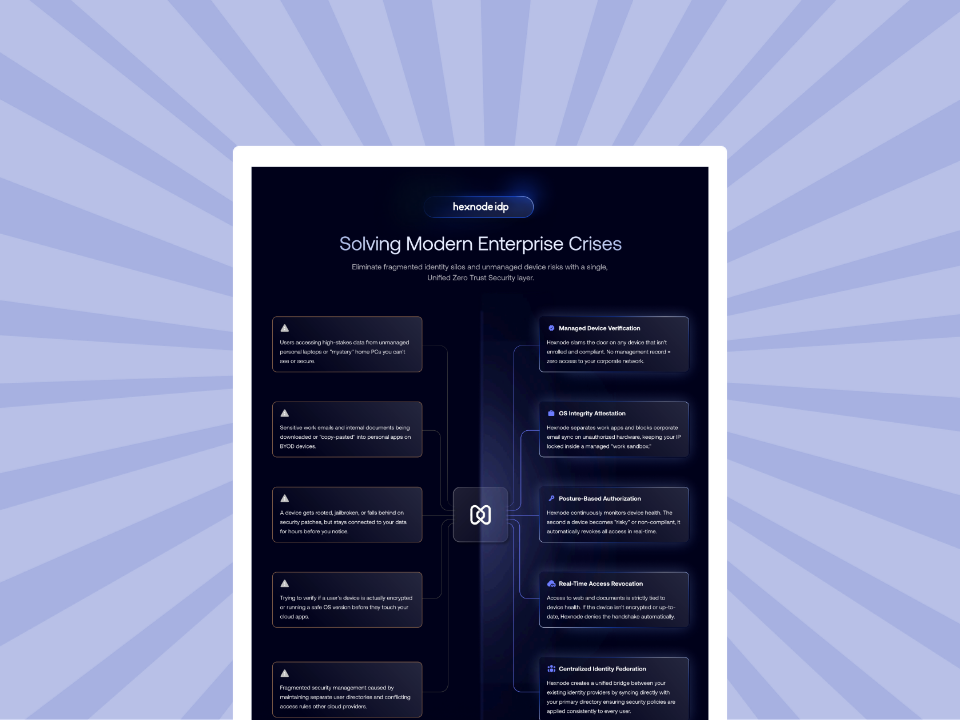
Hexnode IdP use cases
Check out this document for a quick glance into Hexnode IdP's capabilities.
Hexnode can strengthen administrator endpoints and support response to related endpoint threats. Remediation of the hosting vulnerabilities remains a server-management responsibility.
Hexnode UEM supports configurable compliance checks, including supported operating-system, encryption, and application criteria. Teams can use these checks to identify administrator devices that fall outside their security requirements.
Apply suitable policies to devices used for hosting administration and investigate compliance failures. This helps maintain the surrounding administrative environment, but device compliance does not verify a cPanel patch or prevent a malicious hosting customer from exploiting an unpatched server.
Hexnode UEM: Support device-aware access decisions
Hexnode’s Microsoft Entra Conditional Access integration lets supported device-compliance information inform access policies for integrated resources. Microsoft Entra enforces the configured access decision.
By default, cPanel/WHM authenticates users through local accounts on the Linux hosting server. Hexnode UEM’s integration does not automatically extend Conditional Access to these native logins. Access to the management console must pass through Microsoft Entra authentication—for example, through Entra Application Proxy with Entra preauthentication or a supported, configured federated single sign-on (SSO) integration. Direct login paths must also be restricted to prevent users from bypassing that access policy.
Use this where the administrative resource, device platform, and integration support the intended policy. Do not assume this automatically protects direct cPanel or WHM logins. Validate the access path and relevant licensing before relying on compliance-gated access.
Hexnode XDR: Investigate and contain affected endpoints
Hexnode XDR secures Windows and macOS administrator workstations, helping teams investigate signs of credential theft or endpoint malware. Its role here is to protect those workstations, rather than operate on the Linux hosting server itself. It supports endpoint investigation and response actions, including device isolation and process termination. These capabilities can help when an investigation finds malicious processes or other supported threat signals on an administrator endpoint.
An XDR investigation can complement server-side analysis if evidence links endpoint activity to the incident. However, endpoint telemetry alone cannot confirm whether someone exploited the cPanel service. Server logs, account activity, and forensic evidence remain necessary.
What security teams should do next
Treat cPanel root code execution as a server-remediation priority. An update closes the vulnerability, but it does not establish whether earlier compromise occurred.
Verify installed versions. Inventory affected servers, apply the correct patched build, and check WP Toolkit separately. Shared-hosting customers should request confirmation from their provider.
Review access. Remove unnecessary accounts and privileges. Restrict administrative routes and enforce appropriate authentication controls.
Investigate suspicious activity. Preserve logs and examine unexplained privileged actions, cross-account changes, unfamiliar scheduled tasks, and unauthorized access keys. These are investigation leads, not published indicators specific to these flaws.
Respond to confirmed exposure. Contain affected systems and rotate exposed credentials or keys from trusted devices. Follow incident-response procedures if server integrity is uncertain.
Strengthen administrator endpoints. Apply suitable compliance requirements through Hexnode UEM and use Hexnode XDR for relevant endpoint investigation and containment.
Close remediation only after verifying updates and resolving suspicious findings.
Try Hexnode Free for 14 Days
Sign up for Hexnode to strengthen administrator-device compliance and support endpoint threat response.
I’m a technical content writer at Hexnode who loves simplifying tech. I break down complex ideas, remove the fluff, and help readers clearly understand our product for what it actually is: simple, reliable, and built to solve real problems.