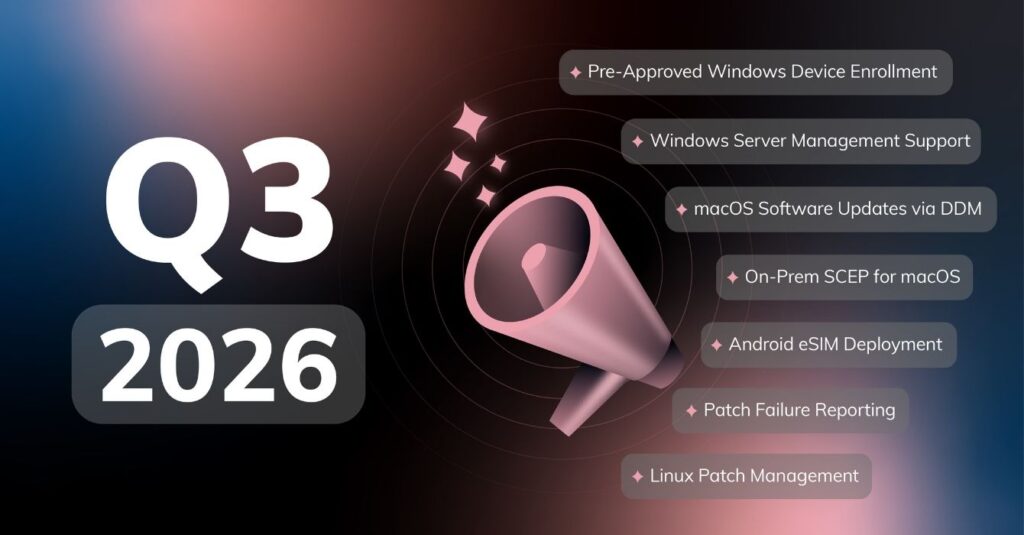
Another quarter, another round of exciting updates! Keeping the tradition going, we gathered on Wednesday, 21 October 2026, for our latest What’s New with Hexnode webinar!
We unpacked a fresh line-up of features and platform upgrades to help IT teams tackle server management, patching, remote troubleshooting, identity, and enrollment with greater ease.
Missed the live stream? We’ve got you covered! Grab a coffee and catch the full recorded session, complete with live demonstrations, on-demand whenever you’re ready.
1. Windows Server Management Support
Hexnode now extends support to Windows Server 2019, 2022, and 2025, allowing admins to manage servers alongside their mobile and desktop fleets from one portal. Servers can be enrolled through open enrollment, authenticated enrollment, or enrollment profiles, and located quickly using the platform filter. Once enrolled, admins can access servers remotely, run scripts, and manage applications, local accounts, and BitLocker. Available patches can also be deployed to automate routine server maintenance.
How it helps:
- Remote Troubleshooting: Connect to a branch office server to investigate an issue, execute a corrective script, or restart it without an onsite visit.
- Application Updates at Scale: Deploy available patches and install or uninstall applications across managed servers from the console.
- Smooth Admin Handoffs: Disable a departing administrator’s local account, update user roles, and rotate BitLocker recovery passwords during the transition.
2. Linux Patch Management
Hexnode extends patch management to Ubuntu and Fedora, unifying apt- and dnf-based updates in one console. Hexnode compares installed packages against repository data to identify pending updates, and admins can deploy Linux package updates using policies and maintenance windows, with no separate package manager commands or manual scripts.
How it helps:
- Multi-Location Patching: Roll out available updates to Ubuntu and Fedora endpoints across branch offices from a single console.
- Updates Around Operating Hours: Schedule patching for Linux kiosks and employee workstations during maintenance windows to reduce disruption.
- Automated Vulnerability Detection: Scan Linux devices and flag missing updates automatically, helping standardize patch routines and cut manual administration.
3. Live Terminal for Windows
Hexnode extends Live Terminal to Windows, allowing admins to run PowerShell commands through an encrypted SSH session directly from the Device Summary page. The Hexnode agent installs OpenSSH if needed, no logged-in user is required, and sessions run with system-level privileges, all started from the Hexnode portal.
How it helps:
- Real-Time Diagnosis: Query system logs and check service status, then use the results to guide further investigation, all within the same session.
- Quick Service Recovery: Check why a service stopped, run corrective commands, and verify its status without leaving the terminal.
- Support for Unattended Devices: Start a session to diagnose issues on a Windows endpoint even when nobody is logged in.
4. Platform SSO for macOS
Hexnode Platform SSO connects macOS login with your organization’s cloud identity provider, simplifying device sign-in and access to supported corporate apps. It keeps local Mac passwords aligned with corporate credentials and supports password synchronization or passwordless authentication using Secure Enclave or smart cards, depending on the IdP configuration. Authentication also extends to compatible apps and websites, reducing repeated sign-in prompts.
How it helps:
- Faster Onboarding: Create local Mac accounts using corporate IdP credentials through optional just-in-time provisioning.
- Fewer Password Mismatches: Employees no longer need to maintain separate passwords for their Mac and corporate identity.
- Fewer Sign-in Prompts: Employees move from Mac login to supported corporate applications without repeatedly entering credentials.
5. macOS Software Updates via DDM
Using Apple’s Declarative Device Management (DDM) framework, Hexnode can now enforce a required macOS version by a specified deadline. macOS handles the native update notifications and lets users defer installation until the deadline, while device-reported update status flows back into the Hexnode console so you can track progress.
How it helps:
- Deadline-Driven Security Updates: Set a deadline for devices to install a specific macOS update that addresses security issues.
- Employee-Friendly Rollouts: Give users time to choose a suitable installation time before enforcement becomes mandatory.
- Clear Visibility: Monitor reported update status to identify the Macs that still need attention before the deadline.
6. Pre-Approved Enrollment for Windows
Hexnode extends pre-approved enrollment to Windows, allowing admins to register devices through a CSV import and prepare their setup before enrollment. Groups, policies, and apps can be assigned in advance, and when Pre-approved Devices only is enabled, only listed devices can enroll. Enrolling devices are matched automatically against the approved list, removing manual approval steps.
How it helps:
- Ready-to-Go New-Hire Laptops: Preassign devices to the appropriate groups, policies, and apps before employees receive them.
- Approved Hardware Only: Prevent unlisted devices from enrolling.
- Mixed-Platform Rollouts: Import Windows, Mac, iOS, and Android devices through one CSV workflow to prepare deployments together.
7. Silent MSI Deployment for Co-Management
Hexnode’s new MSI package installs the Windows agent silently while keeping existing UEM management active, so you can deploy Hexnode alongside platforms such as Microsoft Intune. The agent installs in the background without prompts and without triggering the removal of Intune or another existing UEM. The MSI can be distributed through your existing deployment tools.
How it helps:
- Staged Migrations: Introduce Hexnode while retaining existing management until workloads are ready to transition.
- Low-Risk Pilots: Deploy Hexnode to a selected device group through your current UEM to evaluate its capabilities.
- Effortless Expansion: After a successful trial, roll out Hexnode across additional Windows devices without requiring users or technicians to install the agent manually.
What’s Next for Hexnode?
As we look past Q3, our engineering teams are already hard at work on what’s coming next:
- Staged Deployment Rings
- Shared Mobile Device Controls
- Asset Lifecycle Management
- Real-Time Webhooks
A big thank you to everyone who joined us for this edition! Ready for a closer look? Keep an eye on our blog as we dive into each of these new features over the coming weeks.
Ready to streamline your endpoint management?
Set up your fully functional Hexnode UEM environment today and see firsthand how we can help you secure, organise, and manage your device fleet with zero hassle.
Start Your 14-day Free Trial!