Patch management is the operational process of deploying and verifying updates; Vulnerability remediation is the broader security outcome of reducing or eliminating vulnerability-related exposure, with formal risk acceptance used when a fix is delayed or not feasible.
Patching is often the right fix, but not every vulnerability can be resolved with an update—some require configuration changes, isolation, software removal, compensating controls, or documented risk acceptance. Enterprise teams need accurate visibility, risk-based prioritization, controlled rollout, verification, and audit-ready evidence to prove that exposure has actually been reduced.
A vulnerability scanner flags a set of devices running exposed software versions. The IT team pushes the relevant patch, dashboards show deployment progress, and the ticket moves closer to closure. But a subset of endpoints fails to update, some require reboots, and others remain vulnerable because the issue was tied to configuration, unsupported software, or business constraints.
That gap is where the distinction matters. Patch management is an operational process: identifying, deploying, and verifying updates. Vulnerability remediation is the broader risk-reduction outcome: ensuring the exposure is actually removed, reduced, or formally managed.
This article breaks down the definitions, differences, workflows, and edge cases that separate patching activity from measurable remediation progress.
Vulnerability Remediation vs. Patch Management: The Quick Difference
The short answer
Vulnerability remediation is the broader process of addressing a known vulnerability so the associated exposure is removed or reduced; when direct remediation is not feasible, teams may use formal risk-response options such as acceptance, avoidance, sharing, or transfer.
The objective is not just to take action, but to change the organization’s exposure level.
Patch management is one common remediation method. It focuses on identifying, testing, deploying, and verifying updates across software, operating systems, firmware, and applications.
In practical terms, patch management answers: “Have we deployed the required update?”
Vulnerability remediation answers: “Is the risk actually under control?”
IT operations, endpoint admins, application owners
Success metric
Verified exposure reduction, closed vulnerability, or documented exception tracked separately.
Patch compliance and installation success
Example
Removing unsupported software when no patch exists
Deploying a browser security update
Patch management can support remediation, but remediation is not limited to patching.
What Is Vulnerability Remediation?
Vulnerability remediation is the risk-based process of addressing a confirmed vulnerability after it has been discovered, validated, and prioritized. It sits within the broader vulnerability management lifecycle, but its focus is specific: reduce the organization’s real exposure, not just close a scanner finding.
That distinction matters because not every vulnerability is remediated the same way. A critical flaw on an internet-facing system may require immediate action, while a lower-risk issue on a tightly controlled internal device may follow a standard remediation SLA.
Common remediation actions
Remediation can include several technical and operational responses, such as:
Applying a security patch or hotfix.
Upgrading an outdated operating system, browser, application, or firmware version.
Disabling a vulnerable feature, service, protocol, or extension.
Changing an insecure configuration that creates unnecessary exposure.
Removing unsupported or end-of-life software from affected devices.
Isolating a device or restricting access until a permanent fix is available.
Using compensating controls when direct remediation is not immediately possible.
In some cases, a vulnerability may be temporarily accepted rather than fixed immediately. That should not be an informal decision. Risk acceptance needs documentation, ownership, approval, an expiration date, and a clear reason tied to business or operational constraints.
What “resolved” actually means
A vulnerability is not truly resolved when someone assigns a ticket, pushes a patch, or updates a status field. It is resolved when the remediation action has been verified, the exposure has been reassessed, and the evidence is documented for operational, security, or compliance review.
What Is Patch Management?
Patch management is the structured process for handling updates across operating systems, applications, firmware, browsers, and other software components. The objective is to keep managed systems current, stable, and less exposed to known issues.
Identifying available patches and affected assets.
Prioritizing updates based on severity, exposure, and business criticality.
Testing patches where compatibility or uptime risk is high.
Deploying patches through controlled rollout policies.
Verifying installation success and reporting patch status.
Patches are not limited to security fixes. They may address known vulnerabilities, software defects, performance issues, stability problems, compatibility gaps, or vendor support requirements.
Routine patching vs. emergency patching
Routine patching follows a predictable cadence, often aligned with vendor release cycles and internal maintenance windows. It is designed for consistency, auditability, and minimal disruption.
Emergency patching is different. It is triggered by high-risk vulnerabilities, active exploitation, regulatory pressure, or direct exposure to critical systems. In these cases, speed matters, but so does control.
Why patching needs process, not guesswork
Enterprise patching fails when teams treat it as a one-time deployment task. Common blockers include reboot timing, failed installations, remote or offline devices, user disruption, deferred updates, and application compatibility issues.
That is why NIST treats patching as part of preventive maintenance and emphasizes enterprise-level planning over ad hoc update deployment. For IT teams, the goal is not just to push patches; it is to prove coverage, manage exceptions, and reduce operational risk.
Key Differences IT and Security Teams Should Know
The easiest way to separate vulnerability remediation from patch management is to look at what each function is accountable for. Patch management is measured by update execution. Vulnerability remediation is measured by whether organizational risk has actually been reduced.
Area
Vulnerability remediation
Patch management
Scope
All actions required to reduce or control vulnerability risk
Identifying, deploying, and verifying updates
Goal
Close exposure, reduce attack surface, or document accepted risk
IT operations, endpoint admins, application owners
Scope
Vulnerability remediation covers the full set of actions needed to address risk. That may include patching, but it may also involve configuration changes, software removal, access restriction, segmentation, or compensating controls.
Patch management is narrower. It focuses on updates: what is available, where it is needed, whether it can be deployed safely, and whether the installation succeeded.
Goal
The goal of remediation is risk reduction. A vulnerability can remain open if a patch is installed incorrectly, if the device never reboots, or if the actual exposure comes from a misconfiguration rather than missing software.
The goal of patch management is patch compliance. It answers whether systems are current against approved update baselines.
Metrics
Remediation metrics should tell leadership whether exposure is decreasing. Useful indicators include mean time to remediate, number of unresolved critical vulnerabilities, SLA breaches, risk acceptance volume, and exception age.
Patch metrics are more operational. Teams track missing patches, deployment success, failed installations, reboot-pending devices, and compliance by device group or business unit.
Ownership
Remediation is cross-functional because risk ownership rarely sits with one team. Patch management is usually IT-led, but remediation often requires input from security, compliance, application owners, and business stakeholders.
How Vulnerability Remediation and Patch Management Work Together
Vulnerability remediation and patch management work best when they are treated as connected workflows, not competing functions. Security teams identify and prioritize exposure. IT teams operationalize the fix. The shared objective is to move from “known vulnerability” to verified risk reduction with minimal disruption to the business.
A practical remediation-to-patching workflow
A typical workflow looks like this:
Discovery: A vulnerability is detected on a device, operating system, browser, business application, or supporting software component.
Validation and prioritization: The team confirms the finding and ranks it based on severity, exploitability, asset criticality, business exposure, and whether the vulnerability is known to be actively exploited.
Remediation decision: The team selects the right response. That may be a patch, version upgrade, configuration change, device isolation, software removal, compensating control, or documented risk acceptance.
Patch execution: If patching is the chosen remediation path, IT deploys the update, monitors installation status, handles failures, manages reboot requirements, and verifies whether the vulnerable state has been resolved.
This is where patch management becomes a delivery mechanism for remediation. A vulnerability scanner may identify the risk, but patch deployment, scheduling, user coordination, and status reporting determine whether the fix actually reaches affected systems.
Once a relevant OS or application update is prioritized for remediation, IT can use Hexnode to schedule patch deployment, monitor patch status, and reduce manual follow-up across supported Windows and macOS devices.
The value is not just faster deployment; it is tighter control over the remediation loop, from approved action to verified completion.
When Patch Management Alone Is Not Enough
Patch management is critical, but it does not cover every remediation scenario. Some vulnerabilities cannot be resolved by simply deploying the next available update, and treating them that way can leave teams with a false sense of control.
No patch available
For zero-day vulnerabilities or newly disclosed flaws, a vendor patch may not exist yet. In those cases, remediation shifts toward risk containment.
Teams may need to:
Disable the vulnerable feature or service.
Restrict access to affected systems.
Apply temporary configuration changes.
Increase monitoring for affected assets.
Isolate exposed devices until a fix is available.
CISA’s Known Exploited Vulnerabilities catalog is useful here because it helps teams identify vulnerabilities already being used by threat actors, not just those with high theoretical severity.
Patch cannot be deployed immediately
Even when a patch exists, immediate deployment is not always practical. Business-critical systems may require compatibility testing, staged rollout, maintenance windows, or uptime approvals.
That delay does not mean remediation stops. Teams should track the exposure, define a temporary control, assign an owner, and set a clear remediation deadline.
The issue is not patch-related
Some vulnerabilities stem from insecure configurations, unsupported software, excessive permissions, or exposed services. In those cases, the right remediation may be software removal, configuration enforcement, access restriction, or segmentation.
For supported Windows and macOS devices, Hexnode can help teams maintain visibility into vulnerable devices, missing updates, pending reboots, and failed or pending patch actions.
Endpoint Patch Management: Reducing Security Risk Across Devices
Learn how endpoint patch management helps reduce security risks through timely updates and better patch visibility.
Best Practices for a Cleaner Remediation and Patching Process
A mature remediation process depends on more than fast patch deployment. Teams need reliable asset context, consistent prioritization, controlled rollout, and defensible evidence. Without that structure, security teams may report risk while IT teams chase patch queues without knowing which actions materially reduce exposure.
Prioritize by risk, not patch volume
Treating every missing patch equally creates noise. Prioritization should account for:
Exploitability and availability of public exploit code.
Known exploitation in the wild.
Asset criticality and business function.
Exposure level, including internet-facing systems and unmanaged networks.
Compensating controls already in place.
This helps teams focus on vulnerabilities that create measurable business risk, not just the largest number of pending updates.
Standardize rollout and verification
High-impact updates should follow a predictable rollout model:
Test with a limited group where compatibility risk is high.
Expand to a pilot group that reflects real production usage.
Roll out broadly once stability and install success are validated.
Monitor failed installs, reboot-pending devices, and deferred updates.
For supported Windows and macOS environments, Hexnode can help IT teams view patch/update status, schedule updates, automate patch deployment, and track deployment progress.
Keep evidence for audits
Remediation work must be provable. Teams should retain records of:
Patch deployment status.
Devices still missing required updates.
Failed or deferred installations.
Approved exceptions and expiration dates.
Verification results after remediation.
This evidence supports compliance reporting, internal audits, SLA tracking, and executive-level risk discussions. It also prevents the common disconnect between “the patch was pushed” and “the vulnerability was actually remediated.”
Keeping Remediation and Patch Deployment Aligned with Hexnode
Finding a vulnerability is only the first step. The operational challenge is turning that finding into a controlled action: identify affected devices, deploy the right fix, verify completion, and retain evidence for security or compliance review.
Hexnode can support that handoff by helping IT teams monitor available OS and application updates, deploy patches through manual or automated workflows, and report on patch/update status.
Visibility into vulnerable and outdated devices
Hexnode helps teams identify available updates, devices missing updates, vulnerable devices, devices pending reboot, and OS version details for supported patch workflows. That visibility is critical when security teams need to understand which assets remain exposed and which devices require immediate action.
Teams can also segment updates by severity or device group, making it easier to prioritize high-risk patches without disrupting the entire environment.
Controlled patch rollout
Not every patch should be deployed the same way. Hexnode supports controlled rollout by allowing teams to:
Pre-approve updates before deployment.
Assign patches to specific devices or groups.
Schedule installation windows around business requirements.
Deploy patches manually or automatically based on policy.
This gives IT more control over timing, user impact, and operational risk.
Reporting for security and compliance teams
Remediation also needs evidence. Hexnode helps teams track patch status, generate scheduled reports, and export compliance data for audits.
The outcome is a more controlled patch workflow: better visibility into missing updates and vulnerable devices, stronger compliance evidence, and more predictable patch execution across supported Windows and macOS devices.
Featured Resource
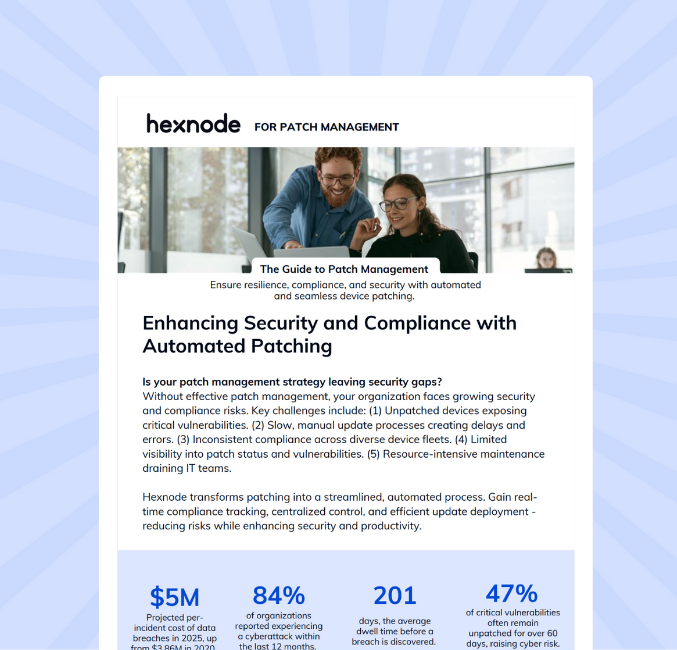
Hexnode UEM for Patch Management
See how Hexnode streamlines patch deployment, tracking, and reporting across Windows and macOS devices.
Remediation Is the Goal; Patch Management Is One Way to Get There
Vulnerability remediation focuses on reducing or controlling exposure, while patch management focuses on deploying and verifying updates. Patching is often the fastest and cleanest remediation path for known software flaws, but it is not the only one. Some vulnerabilities require configuration changes, access restrictions, software removal, compensating controls, or documented risk acceptance. For enterprise teams, the priority should be clear: build accurate visibility, focus on the vulnerabilities that create the most business risk, patch where possible, verify completion, and document exceptions. Hexnode can support teams that need stronger patch visibility, controlled rollout, and reporting across supported Windows and macOS devices.
FAQ
Is a vulnerability remediated once a patch has been deployed?
No, it is remediated only after the fix is verified and the exposure is confirmed as reduced or controlled.
What should teams do when a patch cannot be deployed right away?
They should track the exposure, apply temporary controls, assign ownership, and set a clear remediation deadline.
How should IT teams prioritize remediation when there are too many missing patches?
Prioritize by risk, using exploitability, known exploitation, asset criticality, exposure, and business impact.
Who owns vulnerability remediation in an enterprise environment?
Remediation is shared across security, IT, compliance, asset owners, and business stakeholders.
Is risk acceptance a valid alternative when remediation is not immediately possible?
Yes, but it should be documented, approved, time-bound, and tied to a clear business reason.
What evidence should teams keep after remediation?
Keep patch status, failed installs, deferred updates, approved exceptions, and verification records.
Stay Ahead of Endpoint Security
Get the latest insights on patch management, vulnerability remediation, and enterprise endpoint security delivered to your inbox.
Associate Product Marketer at Hexnode focused on SaaS content marketing. I craft blogs that translate complex device management concepts into content rooted in real IT workflows and product realities.