TL;DR:
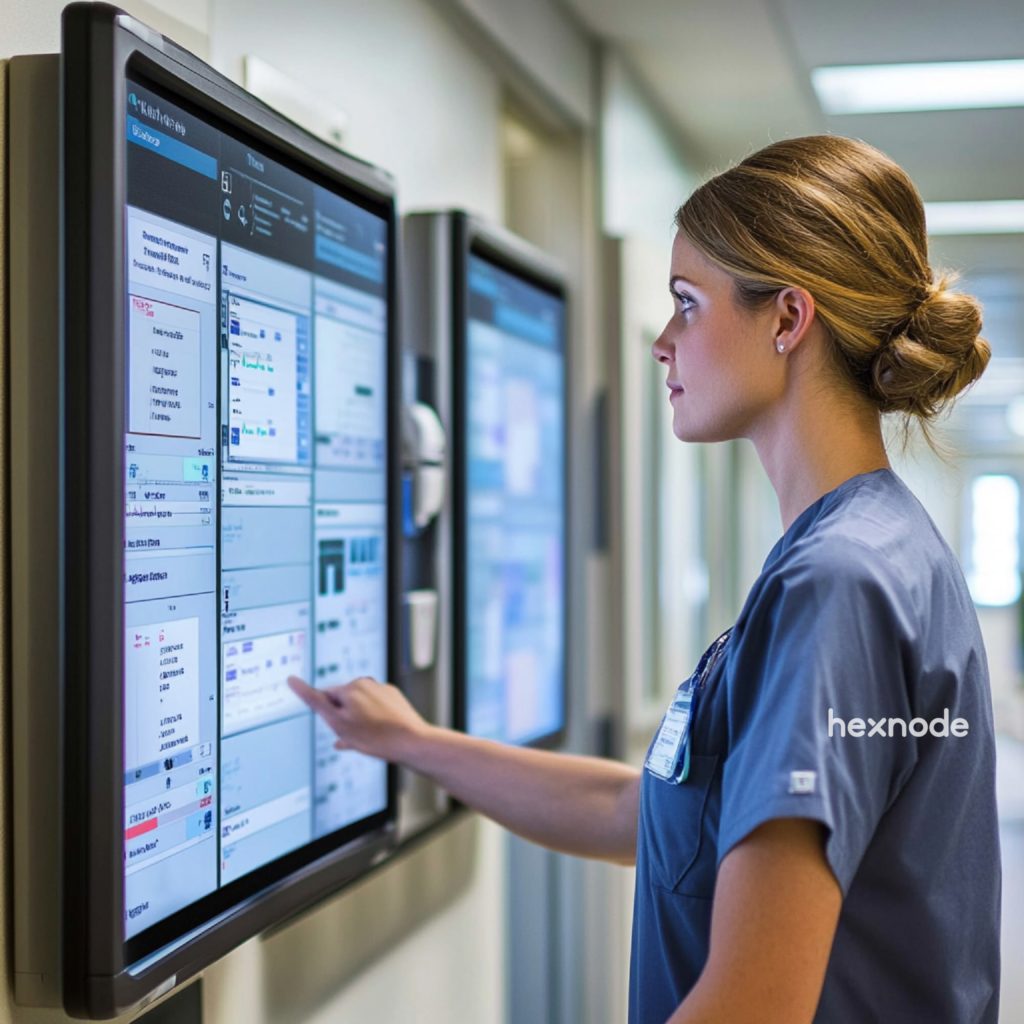
RMM and patch management work together to monitor devices and keep them secure through automated updates. RMM (Remote Monitoring and Management) focuses on visibility and control, while patch management reduces vulnerability risk by applying and verifying relevant patches, updates, and upgrades. A unified platform like Hexnode UEM combines both to simplify IT operations and improve security.
Modern IT environments are becoming increasingly complex and distributed. Organizations now manage devices across offices, remote teams, and multiple operating systems. This shift has made endpoint management more challenging than ever. IT teams must ensure devices remain secure, updated, and fully operational at all times. This is where RMM and patch management solutions play a critical role. These tools help IT teams monitor devices, automate updates, and reduce operational risks. However, many organizations still treat them as separate tools. This often leads to inefficiencies, security gaps, and fragmented workflows.
In this guide, we break down RMM software and patch management software, compare their features, and explore real-world use cases. We also show how Hexnode delivers a unified solution for modern endpoint management.
What Is RMM and Patch Management?
Before comparing features and use cases, it’s important to understand what each solution does on its own.
RMM Software Explained
RMM (Remote Monitoring and Management) allows IT teams to monitor, manage, and troubleshoot devices remotely in real time. It focuses on maintaining device health and operational visibility. It enables IT teams to continuously track endpoint performance and respond proactively.
With RMM software, administrators can detect issues early and resolve them before users experience disruptions. This proactive approach improves uptime and user experience.
Key capabilities include:
- Real-time monitoring: RMM tools continuously track system metrics such as CPU usage, memory consumption, disk activity, and network performance. This helps IT teams identify unusual behavior, receive alerts, and prevent potential failures before they impact users.
- Remote troubleshooting: Administrators can access devices remotely to diagnose and fix issues. This reduces the need for physical intervention.
- Automated alerts: Alerts notify IT teams about performance issues or failures. These alerts enable faster response and minimize downtime.
- Device inventory management: RMM solutions maintain a centralized inventory of devices. This improves visibility and simplifies asset tracking.
Patch Management Software Explained
Patch management software ensures systems remain updated and protected against known vulnerabilities. It focuses on deploying updates for operating systems and applications. These updates fix bugs, improve performance, and close security gaps. Without proper patching, systems become vulnerable to cyberattacks. Many security breaches occur due to outdated software.
Key capabilities include:
- Automated patch deployment: Updates are applied automatically across devices. This ensures consistency and reduces manual effort.
- Third-party application updates: Modern tools support patching for widely used applications such as browsers and productivity tools.
- Patch scheduling: Updates can be scheduled anytime. This minimizes disruption to users.
- Compliance reporting: Reports provide insights into patch status. These reports help organizations meet regulatory requirements.
Understanding Patch Management: Why it Matters?
RMM vs Patch Management: Feature Comparison
RMM focuses on monitoring and control, while patch management focuses on updates and security. Understanding the distinction between these tools helps organizations build a complete endpoint management strategy.
| Feature |
RMM Software |
Patch Management Software |
| Real-time monitoring |
Available |
Not available |
| Remote access |
Core capability |
Not a core feature (may be available in some platforms) |
| Patch deployment |
Limited capability |
Core capability |
| Automation |
Available |
Available |
| Vulnerability remediation |
Partial support |
Strong support for patchable vulnerabilities |
| Compliance reporting |
Basic reporting |
Advanced reporting |
Both solutions complement each other and are essential for modern IT operations.
Why Businesses Need RMM and Patch Management
Organizations that rely on disconnected tools or manual processes often face security gaps, compliance risks, and operational inefficiencies that compound over time. Here is why deploying both solutions is essential.
Ensuring Continuous Security
Unpatched systems expose organizations to serious cybersecurity risks and potential breaches. Cybercriminals often exploit vulnerabilities in outdated software. Patch management closes these gaps quickly and efficiently. At the same time, RMM tools help identify vulnerable devices through continuous monitoring. This combination strengthens the organization’s security posture.
Improving IT Efficiency
RMM and patch management improve efficiency by automating monitoring, updates, and routine IT tasks.
Managing devices manually takes time and increases errors. With these tools, updates, alerts, and basic fixes are handled automatically.
- Automated patch deployment: Ensures updates are applied consistently across all devices.
- Real-time alerts: Help IT teams respond quickly to issues.
- Automated workflows: Reduce manual intervention for routine tasks.
This reduces workload and allows IT teams to focus on more strategic work.
Managing Multi-OS Environments
RMM and patch management help organizations manage devices across multiple operating systems efficiently. Modern IT environments include Windows and macOS laptops, Android and iOS devices, and dedicated systems like kiosks or POS devices. Managing these separately is complex and error-prone. A unified solution simplifies control, improves consistency, and reduces operational effort.
What is remote monitoring and management and how does it improve enterprise security?
See how RMM and patch management work together to strengthen endpoint security and improve IT team efficiency.
How RMM and Patch Management Work Together
RMM identifies issues while patch management resolves them through automated updates. In a typical workflow, RMM acts as the detection layer, while patch management acts as the resolution layer.
Here’s how they work together:
- RMM detects outdated software or performance issues.
- Alerts notify IT administrators about potential risks.
- Patch management deploys updates automatically.
- RMM verifies system stability after updates.
This continuous loop ensures devices remain secure and optimized.
Benefits of Integration
Combining RMM and patch management improves visibility, security, and operational efficiency.
Key benefits include:
- Faster issue resolution, which reduces downtime and improves user experience.
- Improved security posture by addressing vulnerabilities proactively.
- Better compliance through automated reporting and tracking.
- Increased efficiency by reducing manual IT workload.
Key Features of the Best RMM and Patch Management Software
Not all RMM and patch management tools are built the same. When evaluating platforms, IT teams should look for these core capabilities that separate enterprise-grade solutions from basic alternatives.
Centralized Endpoint Management
A unified dashboard provides complete visibility and control over all devices. IT teams can monitor device status, apply policies, and manage configurations from a single interface.
Automated Patch Deployment
Automation ensures updates are applied consistently across all devices. This includes scheduled updates, prioritization of critical patches, and silent installations that do not disrupt users.
Real-Time Monitoring
Continuous monitoring helps detect issues before they impact users. Tracking system performance metrics allows IT teams to identify problems early and take corrective action.
Remote Troubleshooting
Remote access enables IT teams to resolve issues without physical presence. This is especially useful for distributed teams and remote work environments.
Automation and Scripting
Automation simplifies repetitive tasks and improves consistency across operations. IT teams can use scripts and workflows to automate maintenance tasks and enforce policies.
Compliance and Reporting
Detailed reporting ensures transparency and supports regulatory compliance. Reports provide insights into device health, patch status, and overall system security.
IT Admin’s Guide to Patch Management with Hexnode
Use-Case Breakdown of RMM and Patch Management
The value of RMM and patch management becomes clearest when applied to specific environments. Below are the most common scenarios where organizations rely on these solutions to maintain security and operational continuity.
Enterprise IT Infrastructure Management
In enterprise environments, managing scale is the biggest challenge. Devices are spread across departments, locations, and operating systems. RMM software helps IT teams monitor all endpoints from a central dashboard. Patch management ensures every device stays updated with the latest security fixes.
Key outcomes include:
- Consistent patch compliance across all systems.
- Reduced downtime through proactive monitoring.
- Centralized visibility for better decision-making.
Remote Workforce Management
Remote work introduces challenges like lack of physical access and inconsistent network environments. RMM tools allow IT teams to remotely troubleshoot devices and monitor performance. Patch management ensures updates are applied without user intervention.
Key outcomes include:
- Seamless remote troubleshooting without disrupting employees.
- Automated updates that maintain security across locations.
- Improved employee productivity with minimal downtime.
Retail and Kiosk Device Management
Retail environments require devices to remain operational at all times. Even minor downtime can impact revenue. RMM helps monitor device health and detect issues early. Patch management ensures systems are updated without interrupting business hours.
Key outcomes include:
- Continuous uptime for critical systems.
- Secure kiosks and POS devices.
- Centralized control across multiple store locations.
Healthcare and Compliance-Driven Environments
Healthcare covered entities and business associates must comply with HIPAA requirements for protecting electronic protected health information. Unpatched devices can increase the risk of a data breach. For HIPAA-regulated organizations, known software vulnerabilities should be considered in the required risk analysis, and appropriate safeguards should be implemented.
RMM provides real-time monitoring of device health. Patch management ensures vulnerabilities are addressed promptly.
Key outcomes include:
- Protection of sensitive patient data.
- Compliance with regulatory requirements.
- Reliable system performance in critical environments.
MSPs and IT Service Providers
MSPs need to handle multiple organizations with different requirements. Efficiency and scalability are essential. Managed Service Providers (MSPs) use RMM and patch management to manage multiple client environments efficiently. RMM allows centralized monitoring across clients. Patch management automates updates across different environments.
Key outcomes include:
- Scalable management of multiple clients.
- Reduced operational workload through automation.
- Improved service delivery and client satisfaction.
First-Hand Setup Experience with Hexnode
Hexnode Help provides a quickstart workflow covering portal setup, platform configuration, device enrollment, policy deployment, and remote management actions.
The setup process includes:
- Create a Hexnode portal.
- Enroll devices.
- Organize devices into groups.
- Configure applicable patch, compliance, and alert settings.
Real Setup Insights
Hexnode Help documents setup steps for account creation, platform configuration, device enrollment, policy creation, and remote management. Hexnode Help documents device enrollment and policy configuration workflows; setup time and the resulting management capabilities depend on the organization’s configuration.
How Hexnode Delivers Unified RMM and Patch Management
Where most organizations struggle with tool sprawl and siloed workflows, Hexnode addresses both RMM and patch management within a single, cohesive platform. Here is how it brings that together in practice.
Single Platform Advantage
Hexnode combines monitoring, patching, and endpoint management into a single unified platform. This can reduce the need to manage separate workflows for supported endpoint management, monitoring, remote troubleshooting, and patch/update tasks.
Comprehensive Device Management Capabilities
Hexnode UEM combines documented capabilities such as enrollment, policy configuration, app management, remote management, security enforcement, patch management, reporting, and compliance monitoring.
- Device enrollment and provisioning: Devices can be onboarded quickly using flexible enrollment methods. This simplifies large-scale deployments.
- Policy-based management: IT teams can enforce configurations and security policies consistently across all devices.
- Application management: Administrators can install, update, or remove applications remotely to maintain consistency.
Advanced Patch Management Features
Hexnode supports patch management for Windows and macOS devices, with app patch configuration documented for Windows devices.
- Automated scheduling: Updates can be deployed during non-working hours to avoid disruptions.
- Granular control: IT teams can choose which patches to deploy, ensuring better control over updates.
- Third-party patching: For Windows devices, Hexnode supports app updates for supported store and enterprise apps, including applications available through the Hexnode Store.
Real-Time Monitoring and Alerts
Hexnode incidents can alert admins to issues such as failed configurations, compliance rules, or device communication. Device reports also include hardware and battery information.
Remote Management and Troubleshooting
Hexnode enables efficient remote access and issue resolution. Hexnode supports remote troubleshooting through platform-specific Remote View and Remote Control capabilities, with attended or unattended access depending on the operating system and configuration.
Automation and Workflow Management
Hexnode automates routine IT operations to improve efficiency. Hexnode supports automation for selected device actions and patch/update deployment, while endpoint incidents help admins monitor documented device states.
Security and Compliance Enforcement
Hexnode strengthens endpoint security through policy enforcement and reporting. Hexnode can report device compliance against configured policies and provide audit reports of specified device and administrative activity.
Cross-Platform Unified Experience
Hexnode supports all major operating systems within a single dashboard. Hexnode provides a central console for managing supported device platforms, though available features vary by operating system.
Scalability for Enterprise Environments
Hexnode Help describes architecture and deployment guidance for large device fleets; performance depends on the deployment and environment.
Troubleshooting with Hexnode
Hexnode provides documented tools such as endpoint incidents, reports, remote actions, and remote troubleshooting capabilities to help admins identify and address endpoint issues.
- Patch failure: Check connectivity, verify policies, and retry deployment.
- Device not reporting: Confirm enrollment status and ensure the agent is active.
- Compliance issues: Review policies and reapply configurations where needed.
Best Practices for RMM and Patch Management
Having the right tools in place is only half the equation. How IT teams configure and operate those tools determines whether they deliver consistent security and efficiency at scale. The following practices help organizations get the most out of their RMM and patch management strategy.
Automate Wherever Possible
Automating patch deployment and monitoring workflows eliminates the need for repetitive manual work. It also ensures that updates are applied consistently across all devices. With automation in place, IT teams can focus on strategic initiatives instead of routine maintenance. This leads to better efficiency and reduced operational overhead.
Prioritize Critical Updates First
Not all patches carry the same level of importance. Critical updates often address security flaws that attackers actively exploit. By prioritizing these patches, organizations can significantly reduce their attack surface. This approach ensures that the most important risks are addressed first.
Test Patches Before Full Deployment
Deploying patches without testing can sometimes cause system crashes or application conflicts. This can disrupt business operations. A phased rollout strategy allows IT teams to test updates on a small group of devices first. Once validated, patches can be deployed across the entire environment safely.
Monitor Continuously
Continuous monitoring provides visibility into device performance and patch status. It allows IT teams to identify anomalies before they escalate into major problems. By combining monitoring with alert systems, teams can respond quickly and maintain system reliability.
Maintain a Regular Patch Schedule
Scheduling updates during off-peak hours minimizes the impact on end users. It also ensures that devices remain compliant with security policies. Regular patch cycles help organizations stay ahead of vulnerabilities instead of reacting to them.
Use a Unified Platform
Managing separate tools for RMM software and patch management software can create silos and inefficiencies. It also increases the risk of missed updates. A unified platform like Hexnode consolidates these capabilities into one interface. This simplifies management and improves overall operational control.
Maintain Visibility with Reporting and Audits
Reports provide insights into which devices are updated and which require attention. This visibility is critical for maintaining security standards. Audit logs also help organizations demonstrate compliance with regulatory requirements. They provide a clear record of actions taken across the device fleet.
FAQ
How does patch management differ from vulnerability management?
Patch management is a subset of vulnerability management focused specifically on applying software updates to fix known security flaws. Vulnerability management is broader, covering the full cycle of identifying, assessing, prioritizing, and remediating weaknesses — which may include configuration changes or compensating controls beyond patching alone. Organizations need both disciplines working together for comprehensive risk reduction.
Can patch management be enforced on devices that are offline or intermittently connected?
Offline devices generally cannot receive network-delivered patches until they reconnect. Retry and queueing behavior varies by platform, so IT teams should check their tool’s deployment policy and monitor devices that remain unpatched. IT teams should monitor patch compliance reports specifically for such devices to identify coverage gaps.
What is the risk of deploying patches without a testing phase?
Applying patches directly to production endpoints without prior validation can introduce application conflicts, system instability, or unexpected reboots that disrupt business operations. A phased rollout — where updates are tested on a representative subset of devices before broad deployment — helps catch compatibility issues early. This is especially critical in environments running legacy or specialized software.
How do RMM tools verify that a patch was successfully applied?
Depending on the product and configuration, RMM or patch-management tools may use inventory data, status checks, or alerts to report patch installation results. Verification can also be built into scripts; teams should confirm that their deployment process checks and records outcomes.
Is Hexnode suitable for managing patch compliance across a mixed Windows and macOS fleet?
Yes, Hexnode supports patch management for both Windows and macOS devices from a single unified dashboard. IT administrators can apply policies, schedule update windows, and review patch status across both platforms without switching between separate tools. This cross-platform capability is particularly useful for enterprises running hybrid device environments.
How does automated patch scheduling help meet regulatory compliance requirements?
Regulatory frameworks such as HIPAA require covered entities and business associates to implement appropriate safeguards to protect ePHI, and automated patch scheduling can support this by helping reduce software-related risks within defined maintenance timelines. Compliance reporting features log which devices received which patches and when, creating an auditable record that can be presented during assessments. Without this documentation, demonstrating compliance relies on manual tracking, which is error-prone and time-intensive.
Conclusion
RMM and patch management are essential for maintaining secure and efficient IT environments. RMM provides visibility and control, while patch management ensures systems remain updated and secure. Together, they form a complete endpoint management strategy.
Using separate tools often increases complexity and creates operational challenges. A unified solution simplifies workflows and improves efficiency. Hexnode UEM delivers this unified experience effectively. It combines monitoring, patching, and automation into one platform. This enables IT teams to reduce risks, improve productivity, and maintain compliance.
Simplify RMM and Patch Management
Monitor devices, automate patching, and manage endpoints from one platform with Hexnode UEM.
Sign Up Now