Misplaced rugged devices require a tiered incident response—escalating from Remote Lock to Lost Mode to Remote Wipe—to prevent data breaches without causing unnecessary downtime.
Premature factory wipes strip offline configurations and halt frontline shifts, while delayed containment leaves corporate apps, PII, and session tokens exposed.
Use Remote Lock for on-site recovery, escalate to Lost Mode for persistent lockdowns and GPS tracking, and execute Remote Wipe for confirmed theft or unrecovered SLAs.
Hexnode UEM automates this workflow using geofencing compliance triggers, inactivity lockdowns, and automated re-enrollment to eliminate manual IT fire drills.
Why Do Lost Rugged Devices Create a Unique Incident Response Dilemma for IT?
Misplaced rugged endpoints require a tiered lost rugged device response rather than a binary lock-or-wipe reaction because they are high-value shared assets operating in dynamic field environments. Treating every missing unit as stolen triggers unnecessary factory resets and downtime, whereas passive monitoring leaves corporate sessions vulnerable.
In frontline environments—warehouses, logistics fleets, retail floors, and field service—rugged handhelds and tablets rotate across multiple shifts. Workers frequently leave shared devices on loading docks, in delivery vehicles, or at customer sites. Shared ownership creates accountability gaps that delay incident reporting.
Factory-resetting a temporarily misplaced, high-value enterprise rugged device protects local storage, but wipes offline configurations and requires extensive manual re-provisioning once the unit is found. Conversely, under-reacting leaves corporate apps, cached inventory, and session tokens exposed.
What Are the Business Risks of Choosing the Wrong Recovery Action on a Lost Rugged Device?
Misjudging a lost rugged device response exposes organizations to two costly extremes: severe operational downtime from premature data destruction, or preventable data breaches from delayed containment.
A premature full wipe carries immediate operational penalties. Wiping a misplaced unit strips device configurations, offline workflows, and Wi-Fi/VPN profiles, sidelining the hardware. Re-staging wiped endpoints consumes IT hours, halts frontline productivity, and forces teams to maintain costly spare-pool hardware buffers.
Conversely, delayed containment creates severe security liabilities. Unsecured shared kiosks with persistent logins expose proprietary ERP/WMS data, customer PII, and cached credentials. Unauthorized access to this local data triggers mandatory breach disclosures, audit failures, and regulatory fines.
Operational Risk Warning:
In multi-shift warehouse and field operations, premature full wipes often cost more in lost shift productivity and manual re-staging than holding a device in Lost Mode during an illustrative 2-hour internal search window. Always verify telemetry before issuing destructive commands.
Featured Resource
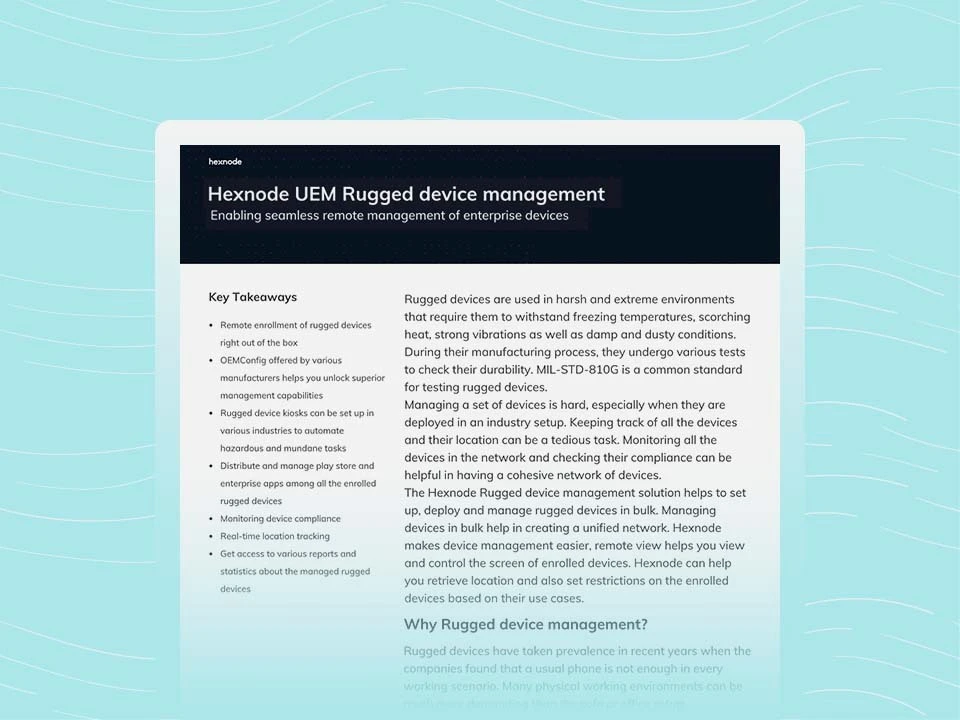
Hexnode UEM Rugged Device Management Datasheet
See how Hexnode UEM secures, tracks, and manages rugged fleets at scale to eliminate frontline device downtime.
What Is the Difference Between Remote Lock, Lost Mode, and Remote Wipe?
Remote Lock, Lost Mode, and Remote Wipe form a three-tier lost rugged device response separated by severity, reversibility, and data preservation. Remote Lock applies a reversible session lock without altering files. Lost Mode enforces a persistent, admin-controlled lockdown with recovery tracking while preserving data. Remote Wipe irreversibly purges corporate or full device storage.
Evaluation Criteria
Remote Lock
Lost Mode
Remote Wipe
Access Restriction Level
Standard OS authentication screen
Admin-enforced OS/kiosk freeze
Complete OS or workspace purge
User Bypassability
Relies on existing user passcode
Non-bypassable; persists on reboot
N/A (endpoint sanitized)
Location & Messaging
Baseline policy tracking only
Active GPS & custom lock message
Terminates once wipe executes
Data Impact
Zero data loss (reversible)
Zero data loss (reversible)
Destructive (irreversible)
When Should IT Use a Standard Remote Lock?
Use Remote Lock when a passcode-protected rugged device is misplaced inside an access-controlled perimeter, such as a warehouse, depot, or locked delivery vehicle. Remote Lock is a lightweight, reversible session lock that forces the endpoint to its standard OS lock screen—requiring the configured PIN, passcode, password, or biometric authentication to resume—without altering local data.
Because GPS accuracy degrades indoors and a silent screen lock is easy to miss in cluttered aisles or loading bays, admins can pair screen containment with a mute-overriding Remote Ring—triggered directly alongside Remote Lock on Android endpoints (Actions > Security > Remote ring) or initiated through Lost Mode on supervised iOS/iPadOS 10.3+ devices. Combining a screen lock with an audible alarm that bypasses silent and Do Not Disturb modes lets frontline staff locate misplaced hardware quickly while preserving active Wi-Fi/VPN sessions and cached offline workflows.
However, Remote Lock carries key limitations on rugged hardware:
Passcode dependency: Shared kiosks without a pre-configured passcode remain vulnerable if locked remotely.
No kiosk-level freeze: It does not suppress hardware buttons or system navigation menus.
Inconsistent recovery messaging: Custom lock-screen return instructions lack uniform support across all OS platforms.
How to Choose a Rugged Kiosk Device
Evaluate durability ratings, shared-device session controls, and kiosk lockdown specs for rugged fleets.
How Does Lost Mode Differ from a Standard Remote Lock?
Unlike a standard Remote Lock, Lost Mode enforces an elevated, admin-controlled lockdown state that freezes normal OS and kiosk navigation and persists across device reboots—locking out user passcodes on supervised iOS/iPadOS devices until lifted from the management console, and restricting Android endpoints until an admin triggers Disable Lost Mode or enters the configured Global Exit Password.
Designed for active recovery across distributed rugged fleets, Lost Mode turns a locked endpoint into a trackable, tamper-resistant asset:
Custom recovery overlays: Displays admin-defined lock screen messages, return phone numbers, and dynamic asset identifiers (such as serial numbers or asset tags) without exposing corporate data.
Active location telemetry: Enables real-time location retrieval on supervised iOS/iPadOS devices (even when user Location Services are disabled) and pairs with periodic Location Tracking policies or on-demand Scan Device Location actions on Android and Windows endpoints.
Because it blocks unauthorized access while preserving offline apps and Wi-Fi/VPN profiles, Lost Mode is the optimal lost rugged device response outside company perimeters where recovery remains plausible within 24 to 72 hours.
When Is a Corporate Wipe or Full Remote Wipe Necessary?
Execute a Corporate Wipe or Full Device Wipe when containment fails or data exposure risk outweighs hardware downtime. A selective Corporate Wipe strips only MDM-deployed enterprise apps, certificates, and work profiles, whereas a Full Device Wipe triggers an irreversible factory reset of the entire OS—making it the final escalation tier in a lost rugged device response.
Immediate sanitization is warranted under specific threat conditions:
Confirmed theft or unrecovered SLAs: Hardware remains missing past your recovery window or shows signs of physical tampering.
Compromised credentials or regulated offline data: Active session tokens are breached, or local storage caches sensitive PII or ERP records.
Before wiping rugged endpoints, Endpoint Admins must account for Factory Reset Protection (FRP) and Activation Lock states to avoid locking themselves out of reactivating recovered hardware, while ensuring automated re-enrollment profiles remain active so surfaced units re-stage seamlessly.
How Should IT Teams Build a Decision Framework for Lost Rugged Devices?
To standardize your lost rugged device response, build a time- and risk-based escalation workflow progressing from initial triage and Remote Lock (0–2 hours), to Lost Mode containment (2–24 hours), and finally to Remote Wipe sanitization (24+ hours or confirmed theft).
Reliable command execution depends on baseline Unified Endpoint Management (UEM) prerequisites enforced before hardware leaves the depot. Configure mandatory device passcodes, persistent background location permissions, and automated enrollment profiles so remote commands execute deterministically during field incidents.
Step 1: Triage Connectivity, Location, and Device Context (0–2 Hours)
When a frontline worker reports a missing unit, initiate your lost rugged device response by inspecting the UEM console for last check-in timestamps and battery levels. Trigger an on-demand location scan and cross-reference the resulting GPS or Wi-Fi telemetry against known facility boundaries or delivery route geofences before executing disruptive commands.
When UEM telemetry confirms active online connectivity within a controlled facility perimeter (such as a warehouse, retail backroom, or logistics depot) and verifies user identity attribution alongside an enforced local passcode policy, administrators must immediately dispatch a Remote Lock containment payload. To mitigate indoor geolocation precision limits, pair the lock action with a mute-overriding Remote Ring command—or enable Lost Mode on supervised iOS/iPadOS hardware to trigger an audible alert—enabling on-site personnel to acoustically locate physically obstructed endpoints (e.g., beneath warehouse pallets or inside fleet vehicle cabs). This secures active sessions and enables rapid on-site recovery without wiping offline configurations.
Step 2: Escalate to Lost Mode and Automated Perimeter Policies (2–24 Hours)
Missing rugged handhelds trigger containment escalation when they exit an authorized geofence or remain unlocated past the two-hour triage window. At that threshold, administrators immediately activate Lost Mode. Push a custom lock screen displaying clear return instructions, a dispatch phone number, and dynamic asset tags while continuous location reporting tracks movement.
To protect recovery telemetry and prevent local tampering during this window:
Enforce inactivity lockdowns: Automatically engage Lost Mode if an endpoint goes idle or misses scheduled check-ins.
Block hardware bypass vectors: Disable USB data transfers, safe-mode booting, and unauthorized power-off prompts to preserve battery life and block physical extraction.
Step 3: Execute Selective or Full Wipe Based on Risk Thresholds (24+ Hours or Confirmed Theft)
IT teams establish clear SLA thresholds—such as 24 to 72 hours without recovery—for missing rugged endpoints. Once an incident breaches that window, response protocols escalate from device containment to full data destruction. Define specific threat indicators, including repeated failed passcode attempts or confirmed theft, to automatically or manually trigger a Remote Wipe.
Following a successful wipe, Endpoint Admins must execute strict post-wipe compliance verification:
Revoke access: Immediately terminate associated device certificates and active VPN tokens.
Update asset registers: Log the compromised serial number or IMEI in your hardware inventory.
Validate re-provisioning: Verify zero-touch re-enrollment readiness so recovered hardware automatically re-stages upon next boot.
How Does Hexnode UEM Automate Lost Rugged Device Protection and Recovery?
From a single console, Hexnode UEM centralizes real-time location telemetry, tiered remote lockdowns, and automated compliance remediation. This unified governance spans rugged Android, supervised iOS/iPadOS, and Windows 10/11 fleets enrolled via the Hexnode Installer app.
Admins execute graduated containment using precision remote actions:
Tiered lockdowns & tracking: Trigger Lock Device (Actions > Security > Lock Device) for instant session locks, or Enable Lost Mode (Actions > Security > Enable Lost Mode) with custom recovery messages, contact numbers, and dynamic wildcards (%serialnumber%, %assettag%, %phonenumber%), reinforced by Auto Lock Down after set days of inactivity and system-app persistence on Android Kiosk/Custom ROM endpoints. Pair Scan Device Location with periodic Location Tracking (15-minute to 24-hour intervals) and Force GPS to fetch location on supported enterprise Android devices.
Automated perimeter defense & sanitization: Link Geofencing (Admin > Geofencing) with Compliance Policies (Device moves out of geofence) and Automate (On Location Non-Compliance) to trigger Lock Device or Enable Lost Mode automatically.Administrators contain high-risk incidents automatically by enforcing Failed attempts before wipe.For targeted remediation, they execute a selective Corporate Data Wipe by enabling Remove apps from the device on policy removal. For complete device sanitization, administrators execute a full factory reset via the Wipe Device action. Integrated recovery flags—Re-enroll device to MDM automatically, Clear Factory Reset Protection/Activation Lock, and Retain eSIM Configuration—streamline immediate field redeployment.
FAQs
What happens if a lost rugged device is offline or powered off when a remote action is triggered?
Pending commands like Enable Lost Mode or Wipe Device queue in Hexnode UEM and execute automatically once the device reconnects to a network. While offline, pre-configured policies like Auto Lock Down and Failed attempts before wipe protect local data without server communication.
Can IT admins unlock a recovered rugged device in Lost Mode if it has no internet connection?
Administrators unlock rugged Android endpoints offline by entering Hexnode UEM’s Global Exit Password directly on the device. Conversely, supervised iOS devices require cellular or wired network connectivity to sync with the server before executing Disable Lost Mode.
Does executing a full remote wipe erase the cellular eSIM profile needed for automatic re-enrollment?
Enabling Retain eSIM Configuration within Hexnode UEM’s Wipe Device action preserves active cellular profiles across a factory reset. The reset device immediately reconnects over mobile data upon reboot, completing automated MDM re-enrollment without manual Wi-Fi provisioning.
Ready to Safeguard Your Frontline Rugged Fleet Against Device Loss?
Replacing manual lost rugged device response fire drills with automated UEM policies eliminates field downtime and protects enterprise data. Equip IT Directors and Endpoint Admins with deterministic, tiered containment before the next shift incident occurs.
Validate Lost Mode, Geofencing automation, and remote wipe workflows across your rugged device fleet. Start a 14-day free trial of Hexnode UEM or schedule a personalized demo with an endpoint specialist.
Automate Lost Rugged Device Protection with Hexnode UEM
Start your 14-day free trial to test Lost Mode, geofencing triggers, and remote wipe workflows across your fleet.
Associate Product Marketer at Hexnode focused on SaaS content marketing. I craft blogs that translate complex device management concepts into content rooted in real IT workflows and product realities.