Linux kiosk is increasingly adopted by organizations that require appliance-level stability, deep system control, and long-term scalability. However, deploying Linux kiosk mode successfully goes beyond just selecting hardware or a kiosk distribution. It requires a centralized Linux kiosk software and a Unified Endpoint Management (UEM) strategy to oversee the entire device lifecycle, from zero-touch enrollment to secure decommissioning. With the right management framework like Hexnode in place, organizations can run Linux kiosk apps with predictable performance, consistent governance, and minimal operational risk across distributed deployments.
In 2026, the global digital landscape has shifted from isolated kiosk pilots for intermittent usage to permanent, scalable infrastructure initiatives. As self-service experiences continue to expand across retail, healthcare, and logistics, kiosk deployment has become a strategic investment.
While Windows and Apple platforms still dominate kiosk use cases, Linux has also emerged as a superior contender for organizations that require deep customization, security controls, predictable costs, and architectural flexibility. However, achieving successful Linux kiosk requires careful planning around configuration, deployment, and ongoing lifecycle management.
This Linux kiosk buyer’s guide explores the strategic advantages of the Linux ecosystem, the specialized hardware and software available, and the essential frameworks for managing the Linux kiosk lifecycle at scale.
Linux is an open-source operating system built on a modular, Unix-based architecture for various distributions (destros), such as Ubuntu, Debian, and Fedora. Unlike proprietary operating systems, the Linux kernel allows for deep customizations. This enables IT architects to strip away non-essential background daemons and desktop shells to create a lean, dedicated execution environment.
Why Enterprise Kiosks Are Pivoting to Linux for Kiosk
Recently, Linux usage has grown substantially, with global Linux market share reaching approximately 4.7% in 2025, up from 2.76% just three years earlier. This growth mirrors increased enterprise confidence in Linux as a stable, long-term platform. For kiosk use cases, where devices must sustain 24/7 uptime, Linux offers four distinct strategic advantages:
Architectural Hardening: Enables a minimalist system footprint by removing nonessential services and UI components, ensuring system resources are dedicated entirely to kiosk workloads.
Kernel-Level Security and Immutability: Supports OS-level hardening through restricted shell access, disabled TTYs, closed ports, and read-only file systems using OverlayFS.
Strategic TCO and Licensing Efficiency: Linux eliminates primary OS license fees, significantly lowering the total cost of ownership for large-scale kiosk deployments. While organizations should budget for enterprise support (like Ubuntu Pro) and management tooling, the absence of per-seat “Windows-style” licensing remains a major financial advantage.
Hardware Sustainability and Interoperability: Runs reliably across modern x86/ARM and legacy hardware, enabling asset reuse and long device lifecycles without forced refreshes.
Linux device management 101
This guide explores why Linux is becoming an enterprise standard and how to manage its fragmented ecosystem.
Choosing the Right Hardware and Software for Linux Kiosks
Once you’ve committed to Linux as the operating platform for your kiosk ecosystem, the next decisions revolve around hardware and software selection. These choices directly influence performance, reliability, peripheral support, and long-term manageability, especially for deployments spanning multiple locations or use cases.
Selecting the Optimal Execution Environment
One of Linux’s most practical advantages is hardware flexibility. In many cases, you can convert a standard Windows PC into a Linux kiosk simply by replacing the operating system, but for scale, selecting a dedicated form factor is essential.
If your kiosks must operate in outdoor, industrial, or high-traffic environments, industrial and fanless PCs from vendors such as Advantech and Neousys are ideal, offering ruggedized construction and long-term stability under harsh conditions.
If your deployment requires high performance in a compact form factor, mini-PCs and NUCs such as the System76 Meerkat are well-suited for interactive retail kiosks, high-resolution displays, and multimedia-driven experiences.
If cost efficiency, low power consumption, and scale are your primary concerns, ARM-based single-board computers like the Raspberry Pi are a practical choice for lightweight digital signage, basic web terminals, and simple self-service use cases.
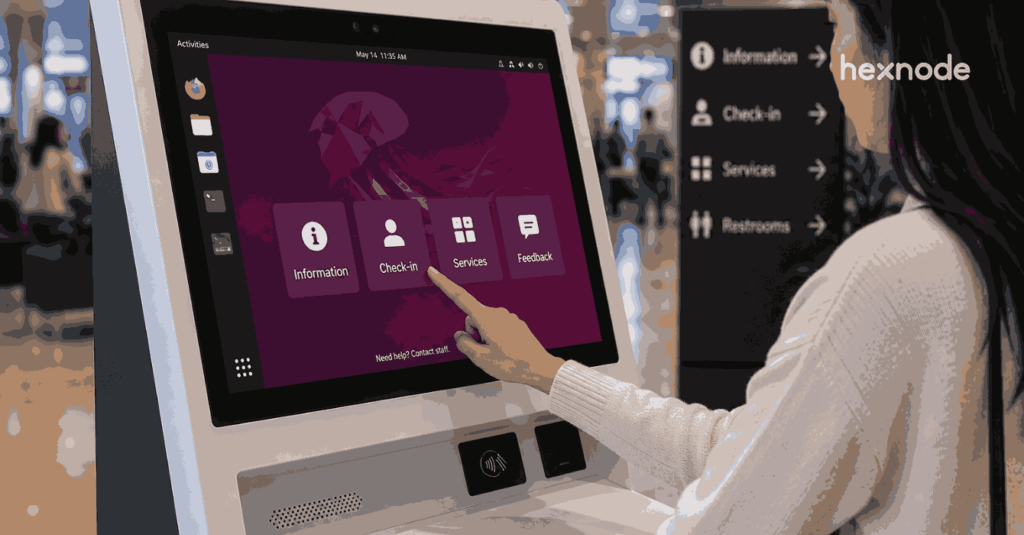
If you need a turnkey, integrated solution, all-in-one kiosk terminals with built-in touchscreens are available with a Linux-ready OS and are commonly used for point-of-sale systems, visitor check-in, and wayfinding deployments.
Matching Distros to Your Use Case
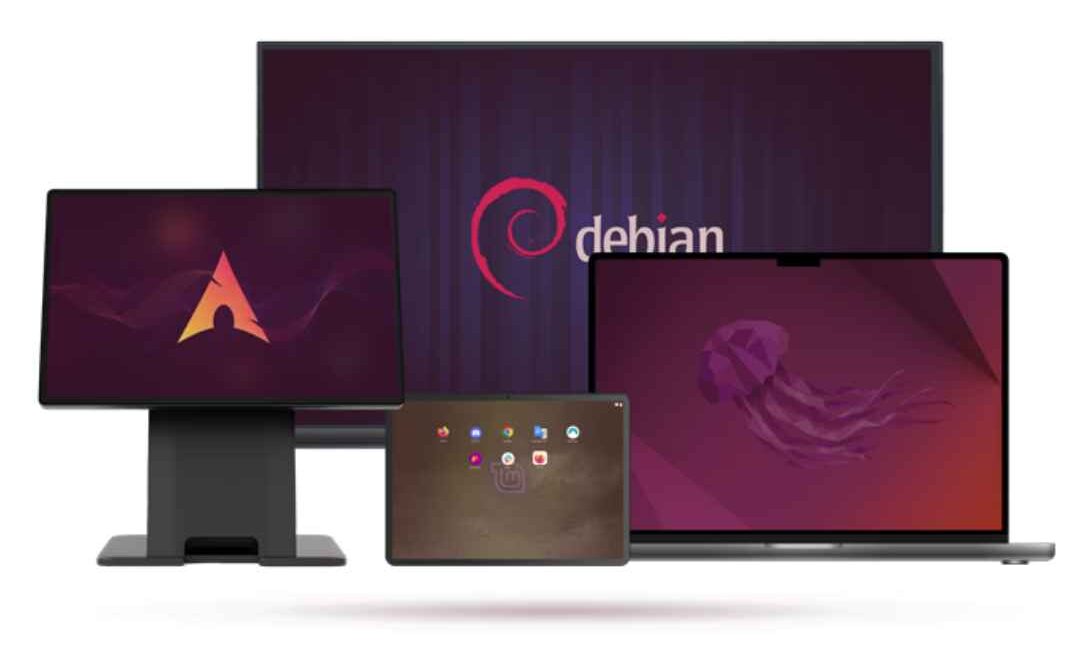
Distros, or Linux distributions, are designed for different use cases. For kiosk deployments, a few distributions are more commonly adopted due to their stability, compatibility, and long-term support.
Ubuntu: Widely adopted across enterprise kiosk deployments, Ubuntu offers multiple variants suited to different use cases. For instance, Ubuntu LTS supports customizable, desktop-style kiosks with long-term stability. Ubuntu Core, on the other hand, is more suited for large-scale, standardized deployments because of it transactional updates and strong application isolation.
Fedora: Fedora is often chosen for its access to the latest Linux features and advanced security. While the standard version is great for testing, its specialized version, Fedora Silverblue, is often preferred for production kiosks.
Debian: Known for its conservative release strategy, Debian is well-suited for high-security or long-lived kiosk deployments where change control is critical, and stability takes precedence over rapid feature updates.
Specialized Linux Kiosk Distributions: Purpose-built Linux kiosk distributions, such as Porteus Kiosk, are designed specifically for locked-down public terminals. These distributions are tamper-proof and require minimal configuration.
While highly secure, they often sacrifice flexibility and are best used in environments where the kiosk function is fixed and unlikely to change over time.
Linux Distribution
Best For
Key Strength
Ubuntu LTS
Enterprise kiosks
Long-term stability and broad hardware support
Fedora
Modern or dev-focused kiosks
Latest kernel features and security frameworks
Debian Minimal
High-security deployments
Minimal footprint and conservative updates
Ubuntu Core
IoT and large fleets
Atomic updates and strong isolation
Specialized Kiosk Distros
Public access terminals
Default lockdown and tamper-proof design
Why Device Selection Alone Isn’t Enough for Successful Linux Kiosk Mode
Turning Linux devices into production-ready kiosks involves a series of critical steps. These steps introduce operational challenges when managed manually or at scale:
Enrolling and configuring devices consistently
Applying Linux kiosk policies at scale
Deploying and updating Linux kiosk apps remotely
Monitoring device health and uptime
Troubleshooting issues without physical access
Maintaining security across geographically distributed deployments
Without a centralized management framework, these steps quickly become fragmented and error-prone, leading to configuration drift, increased downtime, and elevated security risk. This is why a dedicated Linux kiosk mode management solution is essential, not only to lock devices into kiosk mode, but to operate them reliably throughout their lifecycle.
Featured Resource
The Ultimate Guide to Kiosk Management: Everything your business needs to know
Download the whitepaper to learn how you can adopt the right kiosk management strategy for your business.
Management Capabilities Required for Enterprise-Grade Linux Kiosk Mode
An ideal Linux kiosk management solution must deliver the following core capabilities:.
Flexible Enrollment and Provisioning
The onboarding of Linux devices differs significantly from the automated enrollment workflows available on other operating systems. An ideal Linux kiosk management solution should support flexible enrollment methods that allow devices to be provisioned through:
Unauthenticated enrollment for rapid bulk provisioning,
Authenticated enrollment for secure and
Architecture-agnostic enrollment workflows that work consistently across both x86 and ARM-based hardware, such as Raspberry Pi.
These capabilities ensure scalable, repeatable onboarding across diverse Linux kiosk environments.
Dedicated Kiosk Lockdown and Session Stability
The cornerstone of any kiosk strategy is the ability to lock a device into a specific workflow. An ideal solution must support:
Multi-App Kiosk mode for tasks requiring a curated set of tools and applications.
Secure Browser environment for web-based deployments.
In these modes, the system must automatically relaunch the application upon boot and prevent users from accessing the underlying desktop, file systems, or terminal.
Security Enforcement and Access Control
An ideal Linux kiosk management solution must apply clear, layered security controls for devices operating in public or unattended environments. To ensure your kiosks operate securely at scale, the platform should enable:
System Lockdown: Block access to TTY terminals, system settings, file systems, and critical OS functions to prevent user escape.
Identity & Access: Enforce strong administrative password policies and deploy centralized certificates for secure, encrypted authentication.
Network Integrity: Secure your perimeter with trusted network access and remote Wi-Fi configuration.
Web Filtering: Restrict Linux browser kiosk mode to approved domains (allowlisting) to prevent access to malicious or non-compliant content.
Remote Management and Troubleshooting
Linux kiosks are often deployed in locations where physical access is limited or impractical. An ideal management solution must enable secure remote management, allowing administrators to view device screens in real time and diagnose issues such as frozen interfaces, application failures, or incorrect kiosk behavior without on-site intervention. without on-site intervention.
Beyond visibility, remote capabilities should include managing local user accounts and privileges, executing shell commands through live terminal access, and running diagnostic or corrective scripts directly on devices. These tools allow IT teams to resolve issues quickly, apply fixes safely, and maintain kiosk uptime without disrupting active operations.
How Hexnode Enables Linux Kiosk Management at Scale
A Linux kiosk deployment reaches operational maturity only when paired with a management platform designed to handle Linux’s flexibility without introducing fragmentation.
Hexnode UEM provides comprehensive Linux device management capabilities that address every stage of the kiosk lifecycle—from enrollment and kiosk mode enforcement to application management, security hardening, and remote troubleshooting.
With Hexnode, you can easily:
Onboard Devices: Use secure, fast, and multiple enrollment methods to get kiosks online quickly.
Lock Down Screens: Switch between Single-App or Multi-App modes to keep users focused.
Manage Apps & Settings: Deploy software and set strict system restrictions remotely.
Stay Connected: Monitor device health and configure Wi-Fi networks from your dashboard.
Fix Issues Remotely: Execute commands and troubleshoot in real-time without being on-site.
This unified approach minimizes manual overhead, reduces downtime, and transforms Linux kiosks into stable, secure, and fully governed enterprise endpoints.
Management Requirement
Why It Matters
Hexnode UEM Capability
CLI-Based Enrollment
Enables rapid, scalable provisioning
Script-based enrollment for x86 & ARM
Kiosk Mode Enforcement
Prevents user escape and misuse
Single-app, multi-app, and web kiosk modes
Application Lifecycle Control
Ensures functional continuity
Required apps, allowlisting, auto-recovery
Wi-Fi Configuration
Maintains consistent connectivity
Centralized Wi-Fi provisioning
Security Enforcement
Reduces attack surface
Passwords, restrictions, certificates, web filtering
Remote Visibility
Lowers MTTR
Live remote view
Live Troubleshooting
Resolves edge-case failures
Secure live terminal access
User & Privilege Control
Enforces least privilege
Centralized local account management
How to Set Up Linux Kiosk Mode with Hexnode
Configuring a professional kiosk environment involves more than just launching an app; it requires locking the system so users cannot escape to the desktop or terminal. For a detailed walkthrough, you can follow this comprehensive guide on how to set up Linux kiosk mode. In short, the workflow involves:
Enrolling the Device: Connecting the hardware to a management console via a simple CLI script.
Applying Lockdown Policies: Choosing between a single-app or multi-app environment through a unified dashboard.
Forging a Strategic Path Forward for Linux Infrastructure with Hexnode
As organizations demand greater architectural control and lower TCO, the synergy between hardened hardware and the modular Linux kernel has become the gold standard for self-service ecosystems. However, technical flexibility is only half the battle; the true differentiator lies in robust lifecycle management.
By integrating a centralized platform like Hexnode UEM, IT leaders can bridge the gap between initial deployment and long-term operational resilience. In an era of AI-driven edge computing, a managed Linux foundation is a strategic imperative for the future of digital engagement.
Frequently Asked Questions (FAQs)
1. Why choose Linux kiosk mode over Windows or ChromeOS in 2026?
While Windows and ChromeOS are popular, Linux is the preferred choice for organizations that require total architectural control. Unlike proprietary systems, Linux allows you to strip away all non-essential background processes, ensuring system resources are prioritized for the kiosk application.
2. Can I update my Linux kiosk app remotely without disrupting the user?
Yes. By using a management solution like Hexnode UEM, you can perform silent application updates. Because Linux supports native package formats like DEB and RPM, updates can be pushed in the background. This eliminates the need for manual intervention and ensures your kiosks stay up-to-date without ever showing a desktop or “Update in Progress” screen to the end-user.
3. What happens if a Linux kiosk loses its Wi-Fi connection or crashes?
If an application crashes, an ideal management platform will detect the failure and immediately trigger an auto-relaunch of the kiosk session. For connectivity issues, Hexnode allows you to push persistent Wi-Fi configurations that prevent users from tampering with network settings. If architected to support offline operation, the device can continue running locally cached content and automatically reconnect and report its status to the central dashboard as soon as the signal is restored.
Lock-in Your Linux Fleet with Centralized Command
Take control of system-level restrictions and deploy consistent security policies across your Linux kiosk fleet—all from a single, unified console.
Curious, constantly learning, and turning complex tech concepts into meaningful narratives through thoughtful storytelling. Here I write about endpoint security that are grounded in real IT use cases.