TL;DR:
An IdP and SSO are not interchangeable — one verifies identity, the other delivers the session experience that follows, and confusing the two creates exploitable gaps in your access architecture.
- Deploying SSO without a properly governed IdP leaves MFA enforcement inconsistent, offboarding incomplete, and compliance frameworks unsatisfied.
- Secure federated SSO requires a trusted IdP and appropriate authentication controls, while device-posture checks and session policies should be applied according to risk across both the IdP and connected applications.
- Hexnode UEM can send device-compliance information to supported identity providers such as Microsoft Entra ID and Okta, enabling those IdPs to incorporate endpoint posture into conditional access decisions.
Your organization probably has SSO deployed. You likely have an IdP configured behind it. But if someone asked your team to draw the exact boundary between what the IdP does and what SSO does, could they do it with confidence? Could they identify the precise step in the login flow for which each one is responsible?
For most IAM and IT teams, the honest answer is no. IdP and SSO are two of the most frequently conflated terms in enterprise identity architecture, yet they describe fundamentally different layers of the authentication stack. One is the system that verifies who a user is. The other is the experience that results from that verification being trusted across multiple applications.
Confusing them produces real architectural gaps: MFA enforcement that applies to some apps but not others, offboarding workflows that disable directory accounts while leaving SSO sessions active, and audit evidence that cannot demonstrate policy-driven identity verification at every access point. This post draws a precise, technical line between the two — what each one is, how each works, how they interact, and what a secure IdP-SSO architecture actually requires.
Your Users Are Logging In — But Who’s Actually Verifying Them?
Your employees authenticate into Salesforce, Slack, Microsoft 365, and a dozen other SaaS apps every day. Some use SSO portals, some use separate credentials, some hit MFA prompts; others don’t. And somewhere in that chain, a system is making the actual call: is this user who they claim to be? Most IT and IAM teams can’t pinpoint exactly which system that is at every step — and that gap is more consequential than it appears.
IT admins and CISOs routinely conflate Identity Provider (IdP) and Single Sign-On (SSO) because the two almost always appear together in the same login flow. But they are not the same thing. SSO is something your users experience. An IdP is the system that makes SSO possible.
Conflating the two leads to direct operational failures: misconfigured access policies, over-privileged accounts that survive offboarding, and audit findings that expose exactly where your identity architecture has no clear owner.
Why Mixing Up IdP and SSO Creates Real Security Gaps
When SSO is deployed as a convenience layer without a properly governed IdP behind it, the authentication stack develops silent blind spots. MFA enforcement becomes inconsistent — some apps require it, others bypass it entirely. Session tokens persist beyond their intended lifetime. Shadow app access accumulates because no single system has authoritative visibility into what each user can reach.
The compliance implications are direct. SOC 2 and ISO/IEC 27001 require organizations to implement and demonstrate appropriate, risk-based access controls, while zero-trust guidance emphasizes explicit authentication and authorization of users and devices. A poorly governed SSO implementation can create incomplete audit evidence and inconsistent authentication controls. This risk increases when teams do not coordinate identity and application policies. That gap translates into failed audits and regulatory exposure.
The operational cost is equally concrete. When IdP and SSO roles aren’t clearly separated, offboarding breaks down. Disabling a terminated employee’s directory account may not immediately terminate every existing application session; revocation timing depends on token lifetimes and each application’s session controls. That is not a theoretical risk. It is a live credential with active access.
What Is an Identity Provider (IdP)?
In a federation, an IdP authenticates the user and issues an assertion to a relying party; identity proofing, account storage, and authenticator management may be performed by the same organization or separate systems.
When a user attempts to log in, here is what the IdP does mechanically:
- Receives the authentication request from the application or service the user is trying to reach
- Validates the user’s credentials — password, MFA token, biometric, or certificate — against its identity directory
- Issues a SAML assertion or an OIDC ID token that communicates authenticated identity information to the requesting service; OAuth 2.0 separately governs delegated authorization.
Common enterprise IdPs include Microsoft Entra ID, Okta, and Google Workspace. What the IdP is not responsible for is equally important. After issuing an assertion or ID token, the IdP may continue managing the identity session, processing subsequent authentication requests, and participating in reauthentication, logout, or token-related workflows. It does not determine which files a user can open or what data they can export — that is enforced by the Service Provider (SP). This boundary between authentication and authorization is precisely where IdP and SSO are most commonly confused.
What is an Identity Provider (IdP)?
IdP-Initiated vs SP-Initiated SSO: What’s the Difference?
These two flows describe where the authentication sequence begins — and the difference has direct security implications.
IdP-initiated SSO: The user logs into the IdP portal first and selects an application. The IdP pushes the assertion directly to the SP without the SP having issued a prior request.
SP-initiated SSO: The user navigates directly to an application, the SP detects no active session, redirects the user to the IdP for authentication, and returns them with a valid token once verified.
SP-initiated SSO provides request context that can strengthen validation, while IdP-initiated SSO sends an unsolicited response. Both flows can be secure when the SP validates signatures, issuer, audience, destination, timing, and replay protections; organizations should choose the flow that fits their application requirements and threat model.
What Is Single Sign-On (SSO)?
Single Sign-On (SSO) is an authentication method that allows a user to log in once with a single set of credentials and gain access to multiple applications and systems without re-authenticating for each one. Federated SSO commonly relies on an IdP, while other SSO architectures, such as Kerberos-based domain SSO, use different components.
When the user accesses another connected application, the existing IdP session can allow the IdP to issue a new, application-specific SAML assertion or OIDC ID token without prompting for credentials again. The SP validates the token and grants access without prompting for credentials again. Two mechanisms keep this secure:
- The IdP’s session cookie can facilitate authentication across connected applications, while each application usually maintains its own local session.
- Token expiry limits a token’s usable lifetime, but an active IdP session or refresh token may allow silent renewal unless a policy explicitly requires reauthentication.
The protocol in use depends on your environment:
- SAML 2.0 — the dominant standard for legacy enterprise SaaS and on-premises applications
- OIDC / OAuth 2.0 — Modern web and mobile applications commonly use OIDC to authenticate users, while applications and APIs use OAuth 2.0 for delegated authorization.
Many enterprise environments use both SAML and OIDC, so organizations should confirm that their identity architecture supports the protocols required by their applications.
Single Sign On (SSO) and its relevance
IdP vs SSO: A Side-by-Side Breakdown
| Dimension |
Identity Provider (IdP) |
Single Sign-On (SSO) |
| Definition |
System that creates, stores, and authenticates digital identities |
Authentication method enabling one login across multiple apps |
| Role in Authentication |
Performs the actual identity verification |
Delivers the seamless login experience post-verification |
| Where It Lives |
Centralized identity directory and authentication engine |
Authentication capability delivered across connected applications through a shared trusted session or authentication context. |
| Protocols Used |
SAML 2.0, OIDC, OAuth 2.0, LDAP |
SAML 2.0, OIDC / OAuth 2.0 |
| What It Controls |
Identity lifecycle, credential validation, MFA, access policy enforcement |
Session continuity across authenticated applications |
| Example Products |
Microsoft Entra ID, Okta, and Google Workspace |
Not a standalone product — enabled via IdP configuration |
In federated identity deployments, the IdP commonly provides the authentication service that enables SSO. Other SSO architectures, including Kerberos-based domain SSO, use different components. Federated SSO relies on an IdP, although other SSO architectures—such as Kerberos-based domain SSO—may use different components and terminology.
In federated SSO, the IdP authenticates users and issues assertions; depending on the product, it may also support MFA, conditional access, device signals, and SCIM provisioning. SSO is one output of a functioning IdP. Treating them as equivalent leaves access control gaps that SSO alone was never designed to close.
How IdP and SSO Work Together in a Real Enterprise Login Flow
The clearest way to understand how IdP and SSO relate is to trace a single login event from start to finish:
- User navigates to a corporate SaaS app — the organization’s Salesforce instance — directly via URL.
- The app detects no active session and redirects the user to the organization’s configured IdP.
- The IdP presents a login screen and requests credentials — password, MFA token, or both, depending on policy.
- The IdP validates the user against its directory and evaluates conditional access policies — device compliance status, network location, login risk signals.
- Upon successful validation, the IdP issues a signed SAML assertion or OIDC token confirming the user’s identity and attributes.
- The IdP sends the token to Salesforce, which trusts the assertion and grants access without requesting separate credentials.
- For the remainder of the session, the user can open Slack, Microsoft 365, or any other linked application without entering credentials again. That is SSO in action.
Step 4 is the critical checkpoint. The configured conditional access policy can block access from unmanaged or non-compliant devices. It can also require additional authentication when users connect from an untrusted network. This is where identity architecture either holds its security posture or quietly fails it.
How to Evaluate Whether Your IdP-SSO Architecture Is Secure
Deploying an IdP and enabling SSO does not guarantee a secure identity architecture. Use this checklist to audit what you have in place:
- Confirm your IdP is the single authoritative directory. Shadow IT directories or app-specific credential stores are ungoverned identity surfaces. Consolidate everything into one authoritative source.
- Verify MFA is enforced at the IdP layer — not the application layer. Configuring MFA separately for each application can increase administrative complexity and the risk of inconsistent enforcement, while centralized IdP policies can improve consistency.
- Audit each connected application’s SAML configuration. When you enable IdP-initiated SSO, confirm that the SP rigorously validates assertion signatures, issuer, audience, destination, validity period, and replay protections.
- Confirm session timeout and re-authentication policies are defined at the IdP. Central IdP policies can govern authentication and token issuance. However, applications may maintain sessions that the IdP cannot directly revoke, so application-level session controls remain necessary.
- Validate that device posture is a conditional access signal. Device enrollment status and compliance state must feed into your IdP’s policy engine — not just who is logging in, but from what.
The most common misconfiguration to look for: federated applications that maintain a local login page as a fallback when SSO is unavailable. This can create an authentication bypass risk if the fallback path does not enforce equivalent MFA and monitoring controls.
The next maturity step is integrating real-time device compliance data directly into IdP access decisions. User identity tells you who is requesting access. Device posture tells you whether the endpoint should be trusted at all. Without both signals, your conditional access policy is operating on incomplete context.
How Hexnode UEM Supports Device Trust with External IdPs
Hexnode UEM can integrate with supported external IdPs and provide device-compliance information that the IdP can use when evaluating access requests.
Conditional Access tied to device posture.
Hexnode UEM can provide device-compliance status to supported IdPs such as Microsoft Entra ID and Okta. Depending on the conditional access policy configured in the IdP, non-compliant or unmanaged devices may be denied access or required to complete step-up authentication.
Contextual Authentication with step-up MFA.
Supported IdPs can use device-compliance information from Hexnode UEM to require step-up MFA or block access according to the conditional access policies configured in the IdP.
SCIM-based User Lifecycle Automation.
Hexnode UEM can synchronize identities and groups from supported cloud IdPs. During offboarding, directory changes can remove users from active synchronization scopes. They can also support automated endpoint actions, such as a corporate or complete device wipe.
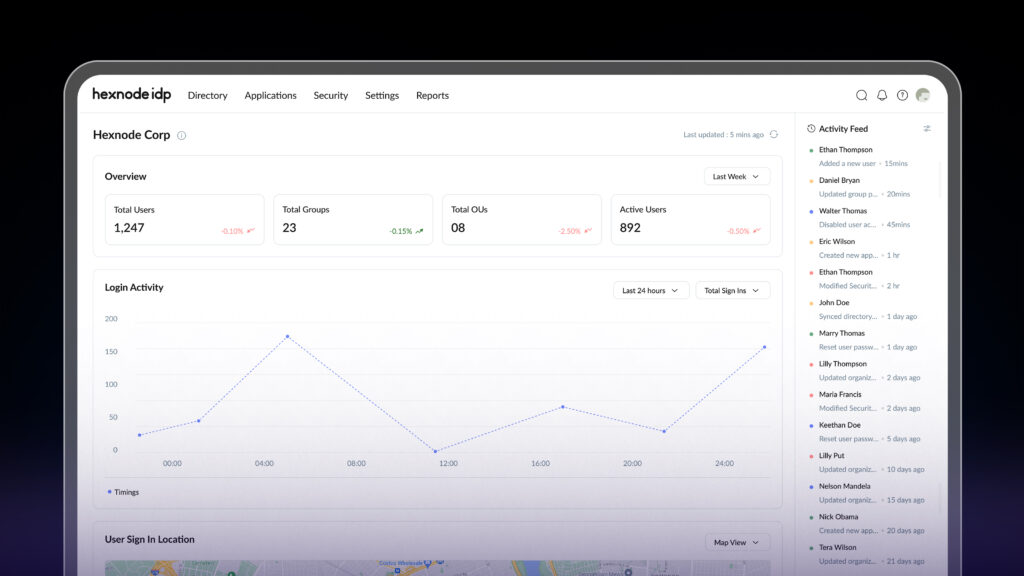
How Can Hexnode IdP Secure Workforce Access to Enterprise Applications?
Secure Hexnode IdP workforce access with device trust, MFA, application policies, and lifecycle controls.
Stop Configuring IdP and SSO in Silos — See Hexnode IdP in Action
You now have a precise understanding of where IdP ends and SSO begins — and where the gap between them becomes a security liability. Deploying SSO without a device-aware identity layer means your access control is only as strong as your weakest credential. That is not a zero-trust architecture. It is a convenience layer with an audit problem.
Hexnode UEM can share device-compliance information with supported IdPs, allowing their conditional access policies to consider endpoint posture alongside identity-related signals.
Frequently Asked Questions
Can an organization use multiple IdPs simultaneously?
Yes, but running multiple IdPs creates fragmented identity governance, inconsistent MFA enforcement, and complex audit trails. The security-mature approach is to consolidate to a single authoritative IdP and federate external directories into it rather than operating them in parallel.
What is the difference between an IdP and Active Directory?
Active Directory stores user identities and manages authentication within on-premises Windows environments. An IdP authenticates users across cloud applications using modern protocols like SAML and OIDC. Active Directory was not designed to support these capabilities natively. In most enterprises, AD serves as the underlying identity store while a cloud IdP federates it to external applications.
Does enabling SSO reduce or increase security risk?
SSO reduces credential sprawl but concentrates authentication risk into a single session. An attacker who compromises an SSO session may use it to access applications the user is authorized to use. Application-specific sessions, token restrictions, and conditional access controls can limit that access. Organizations should pair SSO with IdP-enforced MFA, session timeout policies, and device posture checks instead of deploying it as a standalone convenience measure.
What happens to SSO sessions when a user is deprovisioned?
Without SCIM-based lifecycle automation, disabling a directory account may not end active application sessions. Those sessions can remain active until their tokens expire. SCIM can automate account deactivation across supported applications, but existing sessions may require separate revocation and may remain active until the application processes the change or the session expires.
Is SAML or OIDC better for enterprise SSO?
Neither is universally superior. SAML 2.0 is the established standard for legacy enterprise SaaS and on-premises applications. OIDC and OAuth 2.0 are better suited for cloud-native apps, mobile, and API-driven services. Most enterprise environments require IdP support for both protocols to cover their full application stack.
What is the role of MFA in an IdP-SSO architecture?
Centralized IdP-level MFA can improve consistency across federated applications. Applications may also require step-up MFA or validate authentication strength for sensitive actions. IdP-level MFA can apply a consistent authentication policy across properly integrated SSO applications, although each application still requires federation configuration and validation. For higher-risk scenarios, step-up MFA can require re-authentication with a stronger factor even within an active SSO session.
Strengthen Identity Access with Device Trust with Hexnode
See how Hexnode UEM shares device-compliance context with supported IdPs to support conditional access decisions.
Sign Up Now