Setting up an identity provider (IdP) is more than a technical integration—it requires careful planning, the right authentication protocols, thorough testing, and ongoing identity governance. By following deployment best practices and combining identity management with endpoint visibility through solutions like Hexnode, IT teams can strengthen security, simplify access management, and deliver a seamless user experience.
An identity provider (IdP) is a system that verifies a user’s identity and authenticates them before granting access to applications, services, or resources. Instead of requiring separate credentials for every application, an IdP centralizes authentication, allowing users to sign in through a single trusted source.
This approach strengthens security, simplifies access management, and improves the user experience. As organizations adopt more cloud services and support distributed workforces, centralized authentication helps IT teams enforce consistent access policies across multiple applications and environments.
An identity provider authenticates users, while a service provider delivers the application or service the user wants to access. For example, when an employee signs in to a project management platform using their corporate credentials, the identity provider verifies their identity and the service provider grants access based on that verification.
Pre-Deployment Checklist: What IT Teams Should Prepare
A successful identity provider setup begins long before the first configuration step. Taking time to assess your environment, define requirements, and align security policies can help prevent integration issues, access disruptions, and administrative overhead later.
Evaluate Existing Identity Sources
Start by identifying where user identities currently reside. This may include on-premises directories such as Active Directory, cloud-based directory services, or HR systems that serve as the source of employee information. Understanding how user data is created, updated, and removed is essential for establishing a reliable identity framework and avoiding duplicate or inconsistent records.
Next, create an inventory of the applications users access regularly. Review whether these applications support common authentication standards such as SAML or OpenID Connect and identify any legacy systems that may require additional configuration.
Define Authentication Policies Early
Before deployment, establish clear authentication and access requirements. Determine whether multi-factor authentication (MFA) will be required for all users or only for specific roles and applications. Define password policies, account recovery procedures, and any conditional access rules based on factors such as location, device status, or user risk.
It’s also important to align identity initiatives with broader security and compliance objectives. A clear understanding of users, devices, and access requirements can simplify planning and reduce deployment friction. Solutions such as Hexnode can help IT teams maintain visibility into their device environment, making it easier to understand access requirements and support a more streamlined identity deployment process.
Understanding Authentication Protocols Before Setup
Authentication protocols define how identity information is exchanged between systems during the login process. Choosing the right protocol is an important part of identity provider deployment because it affects application compatibility, security, and user experience. Before implementation, IT teams should review the authentication standards supported by both their identity provider and the applications they plan to integrate.
SAML
Security Assertion Markup Language (SAML) is one of the most widely used protocols for enterprise single sign-on. It enables users to access multiple applications after authenticating through a trusted identity provider. SAML is commonly used with web-based enterprise applications and offers broad support across many established business platforms. However, its XML-based architecture can make configuration and troubleshooting more complex than newer protocols.
OpenID Connect (OIDC)
OpenID Connect (OIDC) builds a modern identity layer on top of OAuth 2.0. Cloud applications, mobile apps, and modern web services widely adopt it because it provides a simpler and more flexible authentication framework. OIDC also supports streamlined user experiences and is often easier to implement than SAML in modern application environments.
OAuth 2.0
OAuth 2.0 is primarily an authorization framework rather than an authentication protocol. It enables applications to obtain limited access to resources on behalf of a user without exposing credentials. Organizations commonly use OAuth 2.0 for API access, third-party integrations, and delegated application permissions. Understanding the distinction between authentication and authorization is essential when selecting and configuring identity technologies.
Step-by-Step Identity Provider Setup Process
A structured identity provider setup helps IT teams avoid configuration gaps and reduce rollout issues. While the exact steps vary by platform, most deployments follow this general process:
Step 1: Choose the Right Identity Provider
Select an identity provider that fits your organization’s security needs, application ecosystem, user base, and scalability requirements. IT teams should also check whether the provider supports the authentication protocols required by their business applications.
Step 2: Connect the User Directory
Configure the directory that will act as the main source of user identity information. This may include connecting an existing directory, synchronizing user records, or importing identity data from trusted systems.
Step 3: Establish Trust Between Systems
Set up the connection between the identity provider and each application. This usually involves exchanging configuration details, certificates, metadata, or redirect information so both systems can securely validate authentication requests.
Step 4: Map Users, Groups, and Roles
Define which users or groups should have access to specific applications. Role-based access assignments help ensure users receive access based on job responsibilities rather than manual, one-off permissions.
Step 5: Test Authentication Flows
Run a pilot with a small group of users before full deployment. Test successful logins, failed login attempts, group-based access, account recovery, and application permissions.
Step 6: Validate the End-to-End Access Experience
Review whether users can access the right applications under the right conditions. Where endpoint access policies are part of the organization’s security strategy, validate them alongside user authentication to support a consistent and secure access experience.
Common Identity Provider Setup Challenges and How to Avoid Them
Even well-planned identity provider deployments can encounter challenges that delay implementation or create access issues. Many of these problems stem from configuration errors, inconsistent user data, or insufficient testing.
Configuration Mistakes That Cause Login Failures
One of the most common issues is incorrect configuration between the identity provider and the application. Metadata mismatches, expired or incorrectly configured certificates, and redirect URI errors can all prevent users from authenticating successfully. Misconfigured user attributes or claims may also result in users being authenticated but denied access to applications.
To minimize these risks, validate configurations in a test environment before deployment and document any application-specific requirements during implementation.
User Lifecycle Management Gaps
Managing user access throughout the employee lifecycle is another common challenge. If organizations do not handle joiners, movers, and leavers consistently, they may face delayed access provisioning, outdated permissions, or orphaned accounts. Over time, this can lead to permission sprawl, where users accumulate unnecessary access rights that increase security risks.
Regular access reviews and automated provisioning workflows can help maintain accurate permissions as roles change. It’s also important to ensure that identity changes remain aligned with endpoint access controls and related security policies so that user access reflects both identity and device requirements.
When to Use an Identity Provider: A Practical Guide for IT Teams
Know when an Identity Provider becomes essential for secure, device-aware access and Zero Trust security.
Security Best Practices for Identity Provider Deployments
A secure identity provider deployment requires more than a successful setup. IT teams should implement ongoing security controls to protect user identities and reduce the risk of unauthorized access.
Reducing Identity-Based Attack Risks
Enforce multi-factor authentication (MFA) to add an extra layer of protection beyond passwords.
Implement role-based access control (RBAC) to ensure users receive only the access required for their responsibilities.
Maintain audit logs and monitor authentication activity to identify suspicious behavior and support investigations.
Regularly review and manage certificates, credentials, and authentication settings to prevent disruptions and security gaps.
Adopt phishing-resistant authentication methods where supported to reduce credential theft risks.
Apply the principle of least privilege and remove unnecessary permissions.
Conduct periodic access reviews to ensure permissions remain aligned with current roles.
Strong authentication measures are most effective when combined with visibility into user and device access conditions, helping organizations make more informed access decisions.
Managing Identity Operations Beyond Initial Setup
Deploying an identity provider is only the first step. To maintain security, compliance, and operational efficiency, IT teams need to continuously manage identities, access policies, and user lifecycle processes.
Metrics IT Teams Should Monitor
Conduct regular audits to identify outdated accounts, excessive permissions, and policy violations.
Automate user lifecycle processes to ensure timely provisioning, role changes, and account deactivation.
Review authentication and access policies periodically to keep pace with organizational and security requirements.
Generate compliance reports to demonstrate adherence to internal policies and regulatory obligations.
Monitor failed authentication attempts to detect potential security threats or configuration issues.
Track dormant accounts and remove unnecessary access where appropriate.
Analyze access request trends to identify recurring access needs and policy gaps.
Aligning identity and endpoint workflows can help reduce administrative effort, improve access consistency, and support more efficient IT operations.
Featured Resource
Hexnode IdP use cases
Check out this document for a quick glance into Hexnode IdP's capabilities.
Strengthening Identity Governance Across Users and Devices with Hexnode
Implementing an identity provider is only part of the equation. Organizations also need visibility into the devices accessing corporate resources and the ability to enforce security policies consistently. This is where Hexnode can complement broader identity governance efforts.
With Hexnode, IT teams can gain centralized visibility into managed devices across the organization, helping them better understand the context in which users access applications and resources. This visibility can support more informed access decisions and improve operational oversight.
Organizations can also automate policy enforcement based on business and security requirements, reducing the need for manual intervention and helping maintain consistency across their environment. Centralized monitoring and reporting capabilities further support compliance initiatives by giving administrators a clearer view of device status, policy adherence, and operational trends.
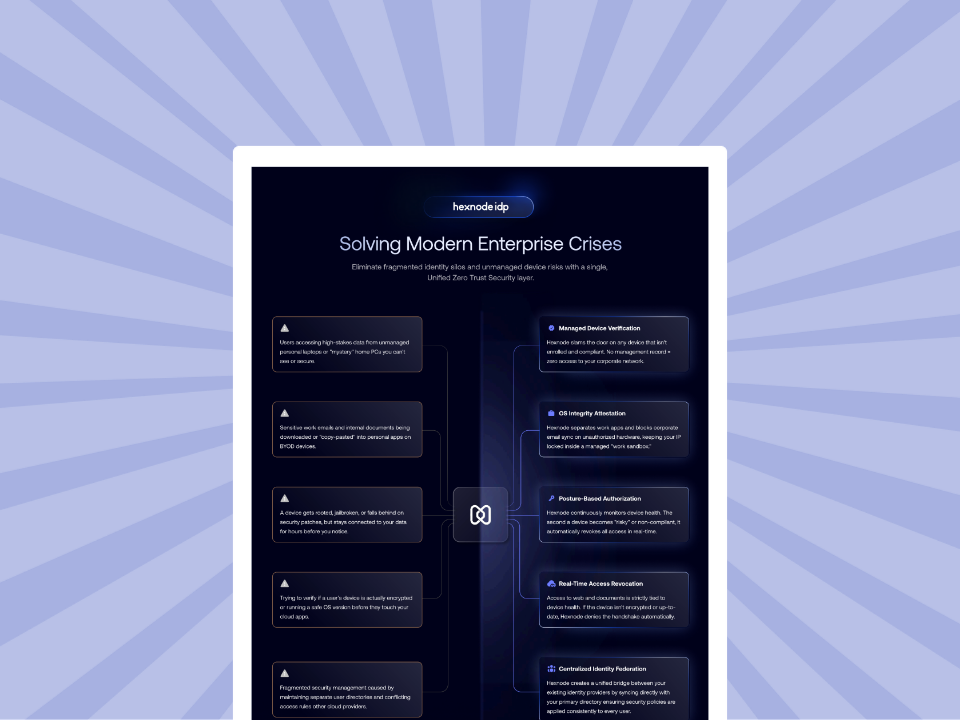
For organizations evaluating identity-centric security strategies, Hexnode IdP introduces a native identity layer designed to unify authentication and access management within the Hexnode ecosystem. Hexnode IdP supports capabilities such as single sign-on (SSO), multi-factor authentication (MFA), and role-based access control (RBAC), while incorporating device context into access decisions.
By aligning identity and device management processes, organizations can streamline onboarding and offboarding workflows, strengthen their security posture, reduce administrative overhead, improve compliance readiness, and deliver a more consistent user experience across managed environments.
Conclusion
A successful identity provider setup requires more than technical configuration—it depends on careful planning, strong security practices, and ongoing governance. By evaluating identity sources, selecting the right authentication protocols, thoroughly testing integrations, and maintaining effective user lifecycle management, IT teams can build a more secure and scalable access framework.
Most importantly, organizations should view identity management as a continuous process rather than a one-time deployment. As work environments evolve, identity-driven security strategies will play an increasingly important role in balancing security, user experience, and operational efficiency.
FAQs
Can an organization use an identity provider with both cloud and on-premises applications?
Yes, many organizations use identity providers to manage access across a mix of cloud-based and on-premises applications. The key consideration is whether the applications support compatible authentication standards and integration methods.
How long should identity provider testing last before a full rollout?
There is no fixed timeline, but testing should continue until authentication, user provisioning, group assignments, and access permissions have been validated for representative user groups. Pilot deployments can help identify issues before organization-wide implementation.
What happens if user accounts are not updated when employees change roles?
Outdated permissions can accumulate over time, leading to excessive access rights and increased security risk. Regular access reviews and user lifecycle management processes help ensure permissions remain aligned with current responsibilities.
Is multi-factor authentication required for every identity provider deployment?
Not necessarily, but it is widely considered a security best practice. Organizations should evaluate their risk profile, compliance requirements, and access policies when determining where and how MFA should be enforced.
What’s the difference between authentication and authorization?
Authentication verifies who a user is, while authorization determines what that user is allowed to access. An identity provider typically handles authentication, while applications and access policies help enforce authorization decisions.
Why should identity management continue after deployment?
Identity environments constantly change as users join, leave, switch roles, and adopt new applications. Ongoing auditing, policy reviews, access monitoring, and lifecycle management help maintain security, compliance, and operational efficiency over time.
Try Hexnode Free for 14 Days
Secure every sign-in with unified identity and device management. See how Hexnode helps.
I’m a technical content writer at Hexnode who loves simplifying tech. I break down complex ideas, remove the fluff, and help readers clearly understand our product for what it actually is: simple, reliable, and built to solve real problems.