Hexnode and Microsoft Defender serve different but connected roles. Hexnode helps IT teams keep endpoints enrolled, configured, compliant, and manageable, while Microsoft Defender for Endpoint provides endpoint protection, detection, investigation, and response. For Windows environments, Hexnode can help standardize supported Defender-related Windows settings, while Microsoft Defender for Endpoint device control governs access to removable storage and peripheral devices. The best coexistence model is clear ownership: Hexnode manages supported endpoint baselines; Defender protects, monitors, and responds to threats.
Endpoint security rarely comes down to a single tool. Modern IT teams need device management, policy enforcement, threat protection, and compliance visibility to work together without creating conflicts for admins or users. This can sometimes become a challenge for organizations that support hybrid work, distributed users, and mixed fleets of mobile devices, desktops, and Windows endpoints.
Here, Hexnode keeps endpoints consistently managed, while Microsoft Defender continuously protects them. In this blog, we explore how Hexnode co-exists with Microsoft Defender, where each solution fits, how IT teams can manage Defender settings on Windows endpoints, and which best practices help build a clean, layered endpoint security strategy.
Microsoft Defender is Microsoft’s broader security family, while Microsoft Defender for Endpoint is the endpoint security platform designed to help organizations prevent, detect, investigate, and respond to advanced threats on endpoints. Defender for Endpoint includes capabilities such as endpoint detection and response, next-generation protection, attack surface reduction, vulnerability management, and integrations with Microsoft’s security ecosystem.
Why Combine UEM with Endpoint Security?
Hybrid work, BYOD, and distributed fleets have pushed endpoint strategy beyond enrollment and periodic compliance checks. A Windows endpoint can be properly managed and still create risk if threat protection, device access, and remediation workflows operate in silos.
This is why modern IT teams need both unified endpoint management and endpoint security working together. UEM keeps devices enrolled, configured, compliant, and manageable. Endpoint security protects those same devices from malware, risky behavior, unauthorized access, and active threats.
The combination becomes useful in a few key areas:
Agent deployment: UEM can help distribute and manage required apps across Windows endpoints, reducing dependence on manual installation. It also supports Windows app distribution, silent installation, and compliance monitoring.
Configuration consistency: UEM policies help reduce configuration drift across users, roles, and locations.
Access governance: Where supported, UEM compliance integrations can help with Microsoft Entra Conditional Access decisions. However, platform support should be validated before using this model for a specific fleet.
Mixed-fleet management: UEMs can manage heterogeneous endpoints, while Defender extends protection across supported platforms, with capabilities varying by OS, license, and enrollment model.
The coexistence model is straightforward: UEM keeps the endpoint managed and policy-aligned, whereas Microsoft Defender keeps it protected and monitored.
Defining the Roles: Hexnode UEM vs. Microsoft Defender
Once UEM and endpoint security are working together, the next step is to define operational boundaries. Hexnode and Microsoft Defender are not interchangeable tools. They sit on different sides of the endpoint strategy.
Hexnode is the management layer. It helps IT teams enroll devices, push configurations, deploy apps, enforce restrictions, monitor compliance, and take remote actions across desktops, laptops, mobiles, and IoT devices from a unified console. Microsoft Defender is the security layer.
Area
Hexnode UEM
Microsoft Defender
Primary role
Endpoint management and policy enforcement
Endpoint protection, detection, investigation, and response
Operational focus
Enrollment, configuration, app management, restrictions, compliance, kiosk, and remote actions
Antivirus, EDR, web protection, vulnerability management, threat investigation, and remediation
What it governs
How the endpoint is configured, maintained, and used
How threats are detected, analyzed, contained, and remediated
Windows endpoint use case
Enforce OS restrictions, deploy apps, manage compliance, and configure supported Defender-related settings
Monitor activity, detect malware or suspicious behavior, and support incident response
Device access governance
Applies UEM-side restrictions and configuration policies
Microsoft Defender for Endpoint device control manages whether users can install or use peripheral devices such as removable storage, printers, Bluetooth devices, and other connected hardware
Primary teams
IT admins, endpoint teams, device operations teams, MSPs
Reduces configuration drift and keeps endpoints manageable
Reduces exposure and improves detection and response
Deployment Blueprint: Align, Onboard, and Validate
Devices running Microsoft Defender application
A Microsoft Defender for Endpoint rollout should be treated as a staged security deployment, not a basic app push. The goal is to make sure every endpoint is not only installed with the right component, but also onboarded, configured, visible, and validated. Microsoft recommends using a ring-based onboarding approach, where smaller endpoint groups are tested before expanding deployment to the broader fleet.
The rollout should start with a few decisions:
Which platforms are in scope: Windows, macOS, iOS, Android, or mixed fleets
Which enrollment models are being used
Which Microsoft Defender licenses and tenant settings are required
Which Microsoft-supported onboarding method applies to each platform
Which parts of the workflow Hexnode should manage from the UEM side
For Mobile Devices
Microsoft Defender for Endpoint is usually handled as an app deployment and configuration workflow. Android deployments can involve Google Play or Managed Google Play, app configuration policies, permissions, and onboarding steps, depending on the enrollment and management model. Here, Hexnode can support this layer through app distribution, required app policies, app updates, app removal, and managed app configurations where supported.
Desktop Deployment
Desktop deployment needs more planning. Windows and macOS devices must be onboarded to Microsoft Defender for Endpoint using a method that fits the OS and environment. Microsoft provides Windows onboarding options through the Defender portal and deployment tools; local script onboarding is available, but Microsoft recommends it only for limited use, specifically 10 devices or fewer. For macOS, Microsoft supports deployment paths such as Intune, Jamf, other MDM products, and manual command-line deployment, with configuration profiles often used for preferences and permissions.
Hexnode’s role is to support the surrounding endpoint workflow: distributing apps, running supported scripts, applying relevant configurations, and maintaining compliance visibility. After deployment, teams should validate onboarding status, protection state, policy enforcement, and any relevant Microsoft Defender for Endpoint device control policies. Microsoft remains the source of truth for Defender onboarding, platform requirements, and security behavior; Hexnode helps keep the managed endpoint environment consistent around it.
Featured Resource
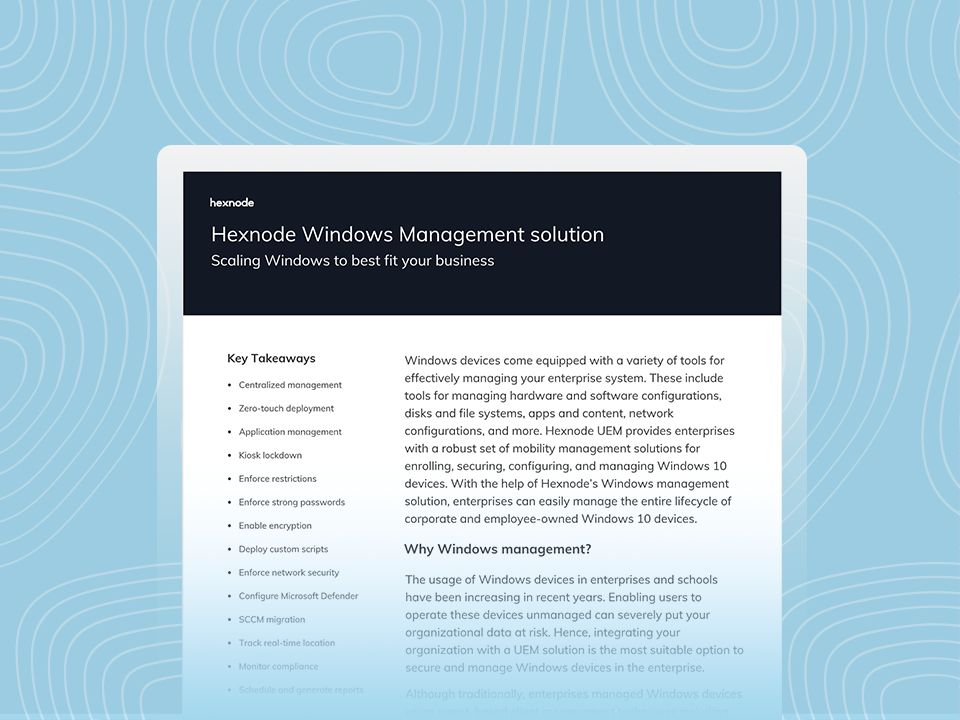
Hexnode Windows Management Solution
Download the datasheet to learn more about Hexnode's Windows management features.
Managing Microsoft Defender Settings on Windows Endpoints with Hexnode
Hexnode helps IT teams configure supported Defender-related Windows settings from an endpoint management perspective. It does not replace Defender’s protection engine; it helps admins configure supported Defender settings on enrolled Windows devices and reduce local configuration drift.
In Hexnode, these settings are available under Windows > Threat Management > Microsoft Defender and cover two main areas:
Area
What IT can control
Windows Defender Security Center / Windows Security
Visibility and access to areas such as account protection, app and browser protection, device security, firewall and network protection, virus and threat protection, notifications, and security contact details.
Microsoft Defender Application Guard
Legacy browser-isolation settings for applicable Windows versions and environments, including clipboard behavior, printing, data persistence, file saving, certificate sharing, virtual GPU use, and camera/microphone access. Microsoft has deprecated Application Guard for Microsoft Edge for Business, so teams should validate current OS and browser support before using it in new plans.
For Windows 10 version 1809 and later, Windows Defender Security Center was renamed Windows Security, so naming may vary by OS version. Hexnode supports Defender-related configuration for enrolled Windows devices through its Windows threat management workflow.
This is where Hexnode complements, rather than replaces, broader Defender capabilities such as Microsoft Defender for Endpoint device control. Defender remains responsible for threat protection, EDR, and Defender device-control enforcement, while Hexnode helps keep supported Windows configuration settings consistent across enrolled devices.
Best Practices for Maintaining a Secure UEM–EDR Environment
Deploying Hexnode and Microsoft Defender together is only the baseline. To keep the environment reliable, IT and security teams need an operating model that prevents policy drift, avoids duplicate controls, and validates Defender behavior after major changes.
For enterprise rollouts:
Document which console owns Defender, Windows Security, Application Guard, compliance, app controls, and device access governance.
Avoid configuring the same Defender setting from multiple places.
Test policies on pilot groups before broad deployment.
Monitor device health and policy status after rollout.
Track policy changes so teams know what changed, when, why, and who approved it.
Final Thoughts: Better Together, When Responsibilities are Clear
Hexnode and Microsoft Defender work best when their responsibilities are clearly separated. Hexnode centralizes endpoint management, helping IT enforce baselines, app controls, restrictions, compliance rules, and device policies. Microsoft Defender provides the security layer for prevention, detection, investigation, and response across endpoints.
The operating principle is simple: define policy ownership before rollout, validate Defender behavior after deployment, and use Hexnode to standardize supported Windows configurations where applicable. Co-existence is not about choosing one platform over another. It is about aligning management, security, and access control so every endpoint stays consistently governed and better protected.
Frequently Asked Questions (FAQs)
1. Can Microsoft Defender for Endpoint device control block USB drives completely?
Yes. Microsoft Defender for Endpoint device control can be configured to allow, block, or audit access to removable storage and other device types. Microsoft says device control supports granular access by device, device type, operation, user group, network location, and file type.
2. Is Microsoft Defender Application Guard still recommended for browser isolation?
Use it only for legacy / validated environments. Microsoft Defender Application Guard for Microsoft Edge for Business is deprecated, will no longer be updated, and is no longer available starting with Windows 11 version 24H2. Teams planning new browser isolation strategies should validate current Microsoft Edge for Business security guidance instead.
Manage Windows endpoints with Hexnode UEM
Standardize configurations, deploy apps, and enforce compliance from a centralized endpoint management console.
Curious, constantly learning, and turning complex tech concepts into meaningful narratives through thoughtful storytelling. Here I write about endpoint security that are grounded in real IT use cases.