Government agencies need a UEM solution built for regulated, distributed, and mission-critical environments—not just standard device management. The right platform should secure diverse endpoints, enforce consistent policies, provide audit-ready visibility, and align with cloud, compliance, data residency, procurement, and support requirements. Vendor claims like “Gov Cloud,” “FedRAMP authorized,” “DoD IL5,” and “CJIS-aligned” should be validated with clear documentation before selection.
Why do government agencies need a different UEM evaluation lens?
Government agencies need a different UEM evaluation lens because their endpoints often support sensitive, regulated, and mission-critical public-sector workflows. For IT admins and IT directors, the device fleet is rarely limited to office laptops and smartphones. It can include rugged devices, shared tablets, public kiosks, field devices, contractor devices, and endpoints used by frontline teams outside traditional office networks.
That diversity changes how UEM should be assessed. Standard requirements such as device enrollment, policy enforcement, app control, remote wipe, OS update management, and reporting still matter, but they become harder to execute when every decision also has to satisfy public-sector constraints.
Agencies also need to verify whether the platform can support:
Procurement and security-review workflows
Compliance evidence and audit trails
Data residency and hosting expectations
Role-based access across departments
Consistent visibility across distributed and public-facing endpoints
A UEM tool that works for a standard commercial office fleet may not be enough for government environments where endpoint control directly affects service delivery, security posture, and operational continuity.
What is at stake if agencies choose the wrong UEM solution?
Choosing the wrong UEM solution creates more than administrative friction. It can leave agencies with unmanaged devices, inconsistent policy enforcement, limited asset visibility, delayed incident response, and poor control over lost or stolen endpoints.
The downstream impact is operational. A compromised or non-compliant device can disrupt public safety workflows, citizen services, field inspections, healthcare delivery, education programs, emergency response, or law enforcement operations. For agencies with distributed teams, shared devices, and public-facing endpoints, endpoint failure can quickly become mission failure.
A poor fit can also create avoidable governance and cost issues, including:
Shadow IT created by teams working around platform limitations
Failed audits due to incomplete logs or weak compliance reporting
Procurement delays when security or legal reviewers lack required documentation
Wasted IT hours spent manually remediating devices or reconciling reports
Agencies handling Criminal Justice Information (CJI) may also need to align endpoint controls with CJIS Security Policy requirements for systems that process, store, or transmit CJI.
What is a government-ready UEM solution?
A government-ready UEM solution is an endpoint management platform that can support public-sector security, compliance, operational, and procurement requirements.
That definition matters because “government-ready” should not be treated as a vague marketing phrase. Agencies need clear, verifiable answers before they standardize on a platform, especially when the UEM will manage devices used across regulated or mission-critical workflows.
At minimum, IT and security teams should be able to validate:
Hosting model and available cloud regions
Data residency commitments
Role-based access controls
Audit logs for admin activity and remote actions
Compliance reporting and export options
Support model for government customers
Feature availability across government and commercial environments
A government-ready UEM should also support the full endpoint lifecycle. That includes device enrollment, configuration, security policy enforcement, app deployment, inventory tracking, remote lock or wipe, compliance monitoring, and audit-ready reporting.
The goal is not just to manage devices. It is to give agencies consistent endpoint control while satisfying the operational, security, and review requirements that public-sector environments demand.
Which compliance and cloud requirements should agencies verify first?
Compliance readiness starts with identifying which requirements actually apply to the agency’s operating environment. A federal agency, state department, local municipality, law enforcement unit, school district, healthcare program, defense-adjacent contractor, and public-sector vendor ecosystem may all face different review paths.
For cloud-based UEM, agencies should verify whether the platform aligns with the relevant security authorization model. FedRAMP is a U.S. government-wide program that provides a standardized approach to cloud security assessment, authorization, and continuous monitoring.
DoD cloud security requirements are primarily addressed through the DoD Cloud Computing Security Requirements Guide, alongside applicable DoD authorization, FedRAMP/FedRAMP+, PA, and ATO requirements.
IT and procurement teams should avoid treating cloud and compliance labels as interchangeable. Ask vendors to clearly distinguish between:
hosted in a government cloud environment
government-ready
FedRAMP Authorized or Certified at the applicable baseline/class
DoD Impact Level 5, and CJIS Security Policy alignment.
Each claim has different implications and proof requirements. Agencies should request documentation that maps the UEM environment, controls, hosting model, and available features to the requirements they are expected to meet.
Government Kiosks: FISMA, FedRAMP & UEM Compliance
Learn how UEM supports secure government kiosks with access controls, compliance visibility, and audit trails.
What endpoint security capabilities should a government-ready UEM include?
A government-ready UEM should provide centralized controls for device enrollment, configuration, security baselines, app management, remote actions, compliance monitoring, and audit-ready reporting.
For public-sector IT teams, the priority is not just broad device support. The platform must make it practical to apply consistent controls across mixed environments without relying on manual follow-up, disconnected tools, or department-level workarounds.
Core capabilities should include:
Passcode and authentication policy enforcement to reduce unauthorized access risk
Encryption visibility to confirm whether protected data is stored on secured devices
OS update and patch management to reduce exposure from outdated systems
Device restrictions for cameras, USB access, network settings, sharing options, and other risk-prone functions
App allowlisting and blocklisting to control which applications can run on agency-managed endpoints
Remote lock and wipe for lost, stolen, retired, or compromised devices
Lost-device response workflows with location visibility, status checks, and action history where permitted
Kiosk lockdown for public-facing or single-purpose endpoints
Shared-device controls for shift-based teams, classrooms, healthcare stations, and frontline workflows
These controls matter because government endpoints often operate outside traditional office networks. Agencies need to reduce endpoint risk while maintaining visibility across distributed users, field workers, frontline staff, contractors, public kiosks, and mission-specific devices. A strong UEM gives IT teams the control plane needed to enforce policy, verify compliance, and respond quickly when device risk changes.
What questions should agencies ask before buying UEM for government endpoints?
Before buying UEM for government endpoints, agencies should pressure-test the platform against hosting, security, operations, procurement, and support requirements—not just device management features.
Start with cloud and platform fit:
Where is the tenant hosted?
Which regions are available?
Is Gov Cloud available?
Are all required platforms supported, including laptops, mobile devices, rugged devices, kiosks, and shared endpoints?
Are all commercial-cloud features available in the government environment, or are there functional gaps?
Then validate security and operational control:
Are remote actions logged with admin identity, timestamp, device, and action details?
Can reports be exported for audits, security reviews, and leadership reporting?
Can compliance policies be customized by device type, user group, risk level, or department?
Can admins automate remediation when devices fall out of compliance?
Can IT separate device groups by agency, department, role, location, ownership model, or operational risk?
Procurement and support questions matter just as much. Agencies should ask whether support plans differ for government customers, whether pricing is public or quote-based, what onboarding assistance is available, and which documents can be shared with procurement, legal, security, and compliance reviewers.
How can agencies choose the right UEM solution?
Agencies should choose a UEM solution that can secure endpoints, support public-sector workflows, provide audit-ready visibility, and align with their cloud, compliance, and procurement requirements.
The right fit should help IT teams manage diverse device fleets without weakening security controls or creating manual reporting gaps. Before selecting a vendor, agencies should assess:
Endpoint risk across departments and field teams
Applicable compliance and audit requirements
Cloud hosting and data residency expectations
Procurement, legal, and security-review needs
Support for distributed, shared, rugged, and public-facing devices
Featured Resource
Hexnode UEM capability statement
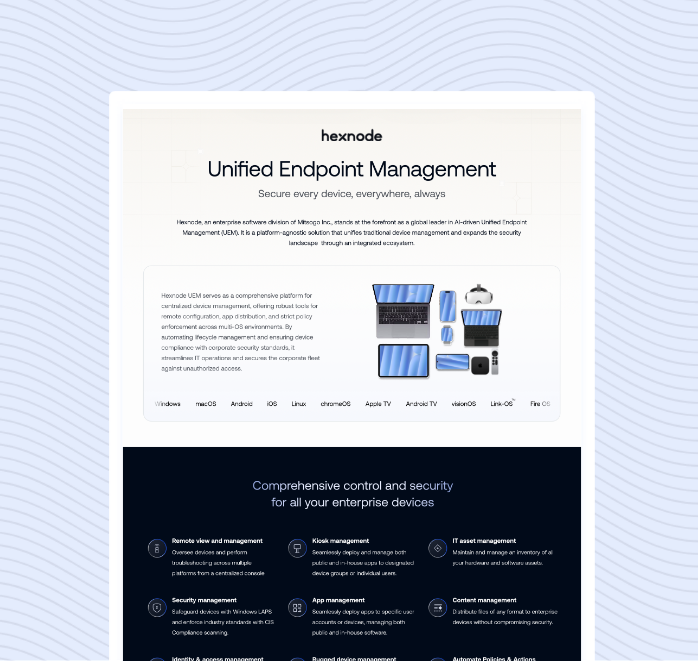
Review Hexnode UEM capabilities for endpoint security, compliance visibility, and public-sector device management. Centralize device visibility, enforce compliance, and manage distributed public-sector endpoints with Hexnode UEM.
Government agencies cannot evaluate UEM through the same lens as a standard enterprise deployment. Their endpoints often support regulated, distributed, and mission-critical workflows where weak controls can affect public services, compliance posture, and operational continuity.
A government-ready UEM solution should help IT teams enforce endpoint security, maintain audit-ready visibility, support public-sector device workflows, and align with the agency’s cloud, compliance, procurement, and support requirements. The strongest fit is not just the platform with the broadest feature list, but the one that can prove where data is hosted, how controls are enforced, what actions are logged, and how compliance evidence can be produced when needed.
Before choosing a vendor, agencies should map their endpoint risks, regulatory obligations, and cloud expectations against the platform’s actual capabilities.
FAQ
How can agencies verify whether a UEM vendor is truly government-ready?
Ask for clear documentation on hosting, data residency, access controls, audit logs, reporting, support, and feature availability.
Is being hosted in Gov Cloud the same as being FedRAMP authorized?
No, Gov Cloud hosting and FedRAMP authorization are different claims with different proof requirements.
Why should agencies check whether commercial-cloud features are available in the government environment?
Agencies need to confirm that required UEM features are not limited or missing in the government-hosted environment.
What audit evidence should a government-ready UEM help provide?
It should provide device inventory, compliance status, policy records, admin logs, remote action history, and exportable reports.
Should agencies evaluate UEM differently for kiosks, shared devices, and rugged devices?
Yes, these devices need controls like kiosk lockdown, shared-device management, rugged support, app restrictions, and targeted policies.
Who should be involved in the UEM evaluation process?
IT, security, procurement, legal, compliance, and operational stakeholders should all be involved.
Evaluate Hexnode UEM for government-ready endpoint management
Centralize device visibility, enforce compliance, and manage distributed public-sector endpoints with Hexnode UEM.
Associate Product Marketer at Hexnode focused on SaaS content marketing. I craft blogs that translate complex device management concepts into content rooted in real IT workflows and product realities.