Certificate management in Hexnode UEM helps IT teams standardize endpoint certificate deployment and SCEP enrollment while coordinating issuance, renewal, and trust across enterprise PKI environments.
Poor certificate lifecycle management can disrupt Wi-Fi and VPN authentication, increase support workload, and expose organizations to risks from compromised credentials.
Reliable workflows require trusted CA chains, correct certificate placement, validated authentication, renewal testing, and coordinated revocation.
Hexnode UEM supports platform-specific Certificates and SCEP policies, configurable enrollment settings, and OS-driven renewal, while certificate authorities retain issuance and revocation responsibilities.
Why does endpoint certificate management become difficult at scale?
Endpoint certificate management becomes difficult when issuance, deployment, expiration tracking, and ownership span multiple systems and device platforms. Administrators must coordinate endpoint policies, certificate authorities, and authentication requirements while tracking which certificates each device needs.
When Wi-Fi or VPN authentication fails, the investigation often starts with incomplete information. Which certificate did the device present? Which authority issued it? Does the endpoint, PKI, or network team own the failure? Different certificate stores and user or device identities add further troubleshooting work.
The workflow here covers endpoint identity certificates and their trust chains, from initial issuance through renewal and retirement. Public website TLS certificates and MDM push certificates serve separate purposes and remain outside this workflow, with their own operational requirements and dependencies.
What happens when certificate lifecycle management fails?
Expired or incorrectly configured certificates can interrupt certificate-based access to corporate services. Employees may lose Wi-Fi or VPN connectivity, generating support tickets and forcing administrators into emergency recovery work.
The security impact differs from an expiration failure. A compromised certificate and private key may remain usable if administrators fail to revoke the certificate or authentication services fail to enforce revocation.
Track three outcomes to assess lifecycle reliability:
Certificate-related incidents: Authentication disruptions attributable to certificate issues.
Renewal completion before expiry: Certificates successfully renewed before their validity ends.
Recovery time: Time required to restore affected access after a certificate-related failure is identified.
How do PKI and SCEP support endpoint certificate management?
Public key infrastructure (PKI) comprises the systems, policies, and roles that support certificate issuance, trust, and lifecycle management. Simple Certificate Enrollment Protocol (SCEP) lets clients request and renew certificates from a certificate authority. SCEP operates within PKI, providing an enrollment mechanism while the surrounding infrastructure governs certificate approval, issuance, trust, and lifecycle responsibilities across participating endpoints and their issuing authorities.
Certificate authorities, trust chains, and identity certificates serve different roles
A root certificate authority (CA) anchors trust. Intermediate CAs operate beneath that root and can issue endpoint certificates, creating a chain that authentication services validate against their trusted authorities.
What Are Root Certificates? A Complete Guide to Chain of Trust & Security
Learn how root certificates establish trust and secure digital communications through certificate chains.
An endpoint identity certificate binds an identity to a public key. Its associated private key lets the endpoint prove possession during authentication. Administrators must protect that private key against unauthorized access.
Certificate type
Purpose
Deployment destination
Lifecycle responsibility
Trust certificates
Establish trusted authorities and certificate chains
Endpoint and service trust stores
PKI teams govern CA lifecycle; administrators distribute trust updates
Identity certificates
Identify a user or device
Endpoint identity certificate store
CAs issue and revoke; endpoint teams manage deployment and renewal
Identity scope must match the authenticating service. An individually assigned laptop may use a user certificate for employee authentication. A shared device may need a device certificate for network access before anyone signs in. Neither scope automatically satisfies both requirements.
SCEP automates enrollment within the existing PKI
SCEP enrollment starts when administrators provision the CA endpoint, identity attributes, and authorization settings. The client then:
Generates a public/private key pair.
Submits a certificate signing request (CSR) containing its public key and requested identity.
Provides authorization evidence for the CA to validate.
Receives the issued certificate and installs it alongside the corresponding private key.
An enrollment challenge can authorize the request. Knowing the SCEP server URL alone does not authorize issuance. The client must also verify the CA’s identity using trusted information, such as a securely provisioned certificate fingerprint.
Certificate issuance supplies a credential; administrators must separately configure Wi-Fi or VPN authentication. Endpoints need appropriate connection settings, while authentication services need trusted CA chains, identity mappings, and access rules. Successful enrollment therefore requires a separate authentication test before administrators expand deployment.
How do you implement a reliable certificate lifecycle workflow?
Establish certificate ownership, prepare PKI dependencies, deploy trust and identity profiles, test renewal, and define recovery procedures. Follow this sequence with a representative device group first, validating both certificate operations and service authentication before extending the workflow across your fleet.
Map certificate requirements and validate PKI readiness
Start with an inventory of operating systems, enrollment modes, and services that require certificate authentication. Record whether each service authenticates a user or device, particularly for shared endpoints and connections established before sign-in.
Create a configuration checklist covering:
Issuing infrastructure: CA, SCEP endpoint, and certificate templates or issuance policies.
Identity requirements: Subject, Subject Alternative Name (SAN), and the attributes that populate them.
Certificate purpose: Key usage and extended key usage required by the authenticating service.
Cryptographic settings: Approved algorithms, key sizes, and private-key storage requirements.
Validate endpoint reachability to enrollment services, accurate system time, and availability of the required trust chain. Assign endpoint teams responsibility for profiles, PKI teams for issuance, and network teams for authentication configuration.
Document an approved recovery connection, such as a restricted provisioning network, for devices that lose certificate-based access and cannot reach enrollment services independently.
Deploy trust certificates and enroll endpoint identities
Establish the required root trust and intermediate-chain availability on endpoints and authentication services. Verify certificate fingerprints through a trusted channel before distribution, then configure enrollment parameters for a representative pilot group.
Include different operating systems, enrollment modes, and identity contexts in the pilot. Match subject and SAN values, certificate-store placement, and private-key protection to the intended user or device. Configure Wi-Fi or VPN profiles to select the appropriate identity certificate and validate the authentication server against the expected identity and trusted CA.
Use these acceptance checks before expanding deployment:
Confirm that the CA issued the certificate successfully.
Inspect the subject, SAN, intended usage, and validity dates.
Verify installation in the correct user or device store.
Confirm that the authentication profile validates the expected server identity.
Complete a Wi-Fi or VPN authentication attempt.
Record results for each pilot configuration; successful profile delivery alone does not demonstrate that authentication works for users.
Validate renewal before certificates expire
Certificate renewal obtains a replacement certificate before the current certificate expires. Renewal does not necessarily rotate the private key; key rotation generates a new key pair. Fresh enrollment establishes a certificate through an initial enrollment workflow, which may require different authorization.
Verify how each operating system, enrollment client, and issuing CA handles renewal. Document the trigger, authorization requirements, key-reuse behavior, and certificate-selection behavior after replacement. Set renewal windows around those capabilities and operational needs, allowing time for offline devices and remediation. Define retry handling, a responsible team, and an escalation deadline before expiry.
Run a controlled renewal test:
Observe the renewal request and the CA’s response.
Confirm installation of the replacement certificate and inspect its validity dates.
Verify that Wi-Fi or VPN authentication uses the replacement successfully.
Temporarily interrupt connectivity, restore it, and check whether renewal resumes.
For devices that reconnect after expiry, test the approved recovery connection and determine whether the client can renew or needs fresh enrollment. Document the required authorization and administrator actions so support teams can restore access without disabling certificate validation or weakening network controls during recovery.
Troubleshoot failures and govern certificate retirement
CA approval status, endpoint reachability, retry settings
Identity mismatch
Subject/SAN values and service identity mapping
Trust errors
Trusted root, intermediate chain, validity, system time
Authentication fails after installation
Certificate selection, intended usage, server validation, access rules
Certificate removal and CA revocation are separate actions. Removing a certificate from an endpoint does not revoke it. During retirement or compromise response, coordinate endpoint cleanup, CA-side revocation, and revocation enforcement by relying services.
Retain deployment results, CA issuance records, renewal outcomes, authentication tests, and exception owners. Assign responsibility for root and intermediate CA rollover, including trust distribution and service validation before replacing dependencies. Track unresolved exceptions through an accountable owner and a documented remediation deadline.
How does Hexnode UEM support certificate deployment and renewal?
Hexnode UEM distributes Certificates and SCEP policies to establish trust and configure managed endpoints to obtain identities from an organization’s CA. Administrators define deployment settings centrally, while the issuing CA controls certificate issuance and the endpoint operating system handles enrollment and renewal behavior within the configured policy and platform constraints.
Featured Resource
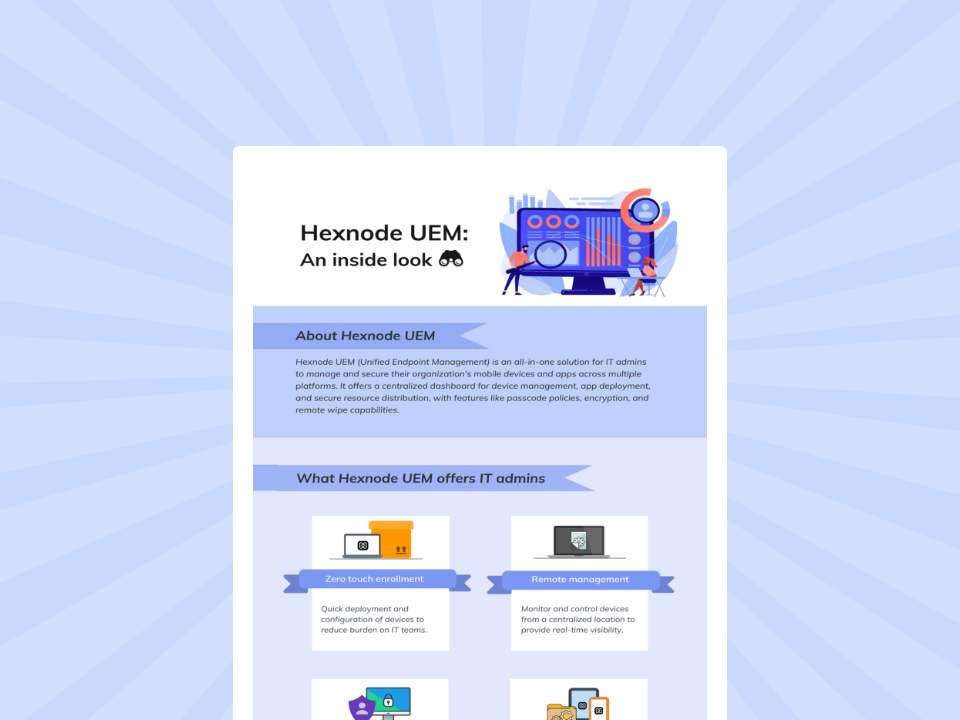
Hexnode UEM: An inside look
Explore how Hexnode UEM simplifies device management, security, app deployment, and cross-platform administration.
Platform-specific SCEP policies connect managed endpoints to PKI
Configure SCEP through iOS > Security > SCEP, macOS > Security > SCEP, or Android > Security > SCEP. These policies provide Microsoft (AD CS) and Generic CA options for the relevant infrastructure.
Define the certificate’s subject and Subject Alternative Name (SAN) to match the intended identity. Configure the applicable challenge settings, including password-based or Microsoft SCEP challenge-URL options where supported. Android SCEP requires Device Owner mode; account for this requirement when selecting deployment targets.
Under Windows > Security > SCEP, Scope of configuration determines certificate placement:
Device-wide: Installs the certificate in the Local Machine store, supporting device-level authentication scenarios such as shared endpoints.
Currently logged in managed user: Installs it in the Current User store for that user’s authentication context.
Windows Key storage provider options include TPM only and TPM if present, else in Software KSP. TPM-only enrollment requires an available TPM and fails without one; the fallback option permits software storage when hardware protection is unavailable.
Use Windows > Security > Certificates to deploy root and intermediate certificates in .cer or .crt format. Select the destination according to the required trust scope:
Certificate store
Scope
System Store – Root
Establishes root trust at the device level for all users
System Store – Intermediate
Installs intermediate certificates at the device level
User Store – Intermediate
Installs intermediate certificates for the user account that enrolled the device
The policy displays certificate details, including issuer, expiry date, and destination store. Check these values before assigning the configuration, particularly when shared devices require system-level trust.
For iOS, select the deployed SCEP certificate as the Identity Certificate in supported Wi-Fi or VPN policies. This association connects the enrolled identity to its authentication use case.
Use Policy Targets to assign configurations to relevant devices or groups. Before expanding deployment, confirm profile installation, inspect certificate placement, and complete a service authentication test. Treat successful policy delivery and working network access as separate acceptance checks for each targeted device configuration.
SCEP profiles support OS-driven renewal and configurable request retries
Hexnode’s documented renewal workflow relies on the endpoint operating system to initiate another SCEP request as certificate expiry approaches. The device uses the deployed SCEP configuration to obtain a replacement from the issuing infrastructure. Validate renewal behavior against each platform and CA configuration; the documentation does not establish one universal renewal threshold.
Number of retries and Retry delay control certificate-request attempts when the server returns a pending response. They do not constitute expiry monitoring or guarantee recovery from expired credentials, unavailable infrastructure, or authorization failures.
For the documented Wi-Fi workflow, administrators select the SCEP configuration as the Identity Certificate. After OS-driven renewal, the associated Wi-Fi profile uses the updated credential without manual reconfiguration. Confirm this behavior through a platform-specific pilot, including a temporary connectivity interruption.
Keep profile removal separate from CA-side revocation. Removing a managed profile does not itself revoke the issued certificate. Coordinate certificate retirement with the PKI team and verify that relying services enforce revocation according to the organization’s access policies.
FAQs
What is the difference between SCEP and PKI in certificate management?
PKI is the broader infrastructure that manages certificate issuance, trust, and lifecycle operations. SCEP is an enrollment protocol within PKI that allows endpoints to request and renew certificates from a certificate authority.
Can Hexnode UEM automatically renew certificates before they expire?
Hexnode UEM supports certificate renewal through SCEP policies, but the endpoint operating system initiates renewal requests. The issuing CA processes those requests, and renewal behavior depends on the platform, enrollment configuration, and CA settings.
What happens if a device certificate expires before renewal?
An expired certificate can prevent a device from authenticating to corporate Wi-Fi, VPN, or other certificate-protected services. Administrators may need an approved recovery connection to restore enrollment-service access and either renew the certificate or complete fresh enrollment.
Evaluate Hexnode UEM with a certificate lifecycle pilot
Evaluate issuance, authentication, and renewal on a representative group of managed devices. Define success through correct identity issuance, working network access, verified renewal, and a documented recovery path for expired or disconnected endpoints.
Use your CA configuration, operating systems, enrollment modes, and authentication requirements to guide a product demonstration. Confirm the complete lifecycle before expanding deployment across your organization.
Simplify Enterprise Certificate Management
Streamline certificate deployment, configure SCEP policies, and strengthen device authentication with Hexnode UEM.
Content writer at Hexnode. Fueled by good coffee and the occasional cat cuddle, I enjoy crafting content that informs, connects, and resonates. Nothing excites me more than knowing my words have been read, appreciated, and maybe even bookmarked.