Managing company-owned Android devices requires a structured approach that combines Android Enterprise with a capable UEM solution. By standardizing enrollment, enforcing security policies, controlling app access, monitoring compliance, and maintaining devices throughout their lifecycle, organizations can improve security, simplify administration, and deliver a consistent experience for employees.
Remember that exciting feeling when you first got your company-issued phone? A shiny new gadget to make your work life easier. But for the person in charge of managing those devices, that excitement can quickly turn to anxiety. How do you keep company data safe? How do you make sure everyone has the right tools without getting bogged down in endless requests? The challenge of managing a fleet of company-owned devices is a modern-day puzzle that requires both technical strategy and a human-centred approach.
That’s where Mobile Device Management (MDM) comes in. It’s a powerful framework designed to deploy, secure, and manage corporate devices with efficiency. It’s the central nervous system for your mobile fleet. The days of simple device control are gone. Today’s MDM solutions, built on platforms like Android Enterprise, are unified, security-focused ecosystems that helps IT admins to be proactive, not just reactive.
COPE (Corporate‑Owned, Personally Enabled) devices, on the other hand, allow personal use but keep work data in a secure, separate container using Android’s Work Profile.
Android Enterprise brings a toolkit that makes both models easier to manage: Zero‑Touch Enrollment for quick setup, Managed Google Play for secure app distribution, and granular policy controls through the Device Policy Controller. And if your business operates under strict regulations like GDPR or HIPAA, these features can help you enforce encryption, access controls, and audit trails from day one.
Best Practices for Effective Android Corporate Device Management
A strong management strategy starts with consistent controls across every corporate Android device. IT teams need standardized processes for deployment, security, applications, compliance, and maintenance. These practices reduce configuration gaps while simplifying administration across growing device fleets. The following best practices help organizations build a secure and scalable management framework.
Standardize Device Provisioning
The first step is streamlining provisioning. With Zero‑Touch or QR code enrollment, devices can be shipped straight to employees and set themselves up with the right apps, settings, and security policies, no IT desk visit required.
This kind of automation doesn’t just save time; it makes sure every device starts with the same baseline of security and functionality. And when paired with a UEM, you can tailor configurations to different roles or departments, all from a central console.
Enforce Strong Security Policies
Security should be baked in from the start. That means enabling encryption, requiring strong passcodes or biometrics, and making sure you can remotely lock or wipe a device if it’s lost. App management is just as important: stick to approved apps via Managed Google Play, block sideloading, and use per‑app VPNs so sensitive data always travels securely.
These controls aren’t just protective, they’re proactive, helping you stay compliant with industry standards like GDPR and HIPAA.
Control App Access and Distribution
Apps are the gateway to productivity—and sometimes, risk. Using Managed Google Play, you can curate a list of approved apps and push them silently to devices. No more sideloading, no more rogue installs.
Want to go further? Block unverified apps entirely and apply per-app VPNs so sensitive data only flows through secure channels. You can get granular control over what’s installed, how it’s used, and where it connects—all without slowing your users down.
Separate Work and Personal Data (COPE)
In COPE deployments, users get the flexibility of personal use, but corporate data stays protected. Android’s Work Profile creates a secure container for business apps and files, completely isolated from personal content.
This means no copy-paste between work and personal apps, no accidental file sharing, and no privacy concerns for users. Hexnode makes it easy to enforce data separation policies, giving IT peace of mind while keeping employees happy.
What is Android work profile?
Learn how Android Work Profile separates business and personal data for secure, flexible device management.
Monitor and Maintain Compliance
Compliance isn’t a one-time checkbox; it’s an ongoing process. Real-time monitoring helps detect issues like rooted devices, outdated operating systems, or policy violations. Automated alerts can notify IT teams the moment something goes off track.
Set up automated alerts so your team knows the moment something goes off track and integrate with SIEM tools for deeper threat detection and incident response. It’s not just about catching issues; it’s about resolving them before they become problems.
Optimize Device Performance and Lifecycle
Keeping devices healthy is just as important as keeping them secure. Pushing OS and security updates remotely ensures endpoints stay patched and protected. Monitoring battery health, storage usage, and performance metrics helps identify issues before they impact productivity.
When it’s time to retire a device, secure decommissioning, including verified data wipes and asset tracking, makes sure that no sensitive information is left behind and the transition is smooth.
And device management doesn’t stop after rollout. Keep an eye on compliance with real‑time monitoring, set up alerts for policy violations, and integrate with your SIEM for deeper threat detection. Regular OS and security updates are essential, as is monitoring device health so you can replace or retire hardware before it becomes a problem.
Common Pitfalls in Android Corporate Device Management
Even with the best tools and intentions, managing company-owned Android devices can go sideways if a few key areas are overlooked. These aren’t just technical missteps, they’re the kind of things that quietly erode trust, productivity, and security over time.
Skipping User Training
This is one of the fastest ways to derail a deployment. If employees don’t understand how their devices are configured, what’s being monitored, or why certain restrictions exist, they’ll either ignore policies or find creative ways around them. A quick onboarding session, even a short video or FAQ, can go a long way in building buy-in and reducing support tickets.
Rolling Out Untested Policies
It’s tempting to push configurations across the fleet and call it done, but without piloting those policies on a small group first, you risk breaking workflows or locking users out of critical tools. Something as simple as a blocked app or an overly aggressive VPN setting can grind productivity to a halt.
BYOD vs. COPE Confusion.
If users aren’t clear on whether their device is company-owned or personally owned, and what that means for privacy and control, it can lead to resistance, mistrust, or even non-compliance. COPE setups require clear communication: users need to know that while the device belongs to the company, their personal data stays private and untouched.
Delaying OS Patches
Every missed update is a potential vulnerability waiting to be exploited. Whether it’s a zero-day flaw or a known bug, staying current with Android security patches is one of the simplest ways to keep your fleet protected. Automating updates or scheduling them during off-hours can help avoid disruption while keeping devices secure.
Avoiding these pitfalls isn’t just about being cautious — it’s about being intentional. A little planning, a bit of testing, and clear communication can make the difference between a smooth rollout and a support nightmare.
A Comparison Table
Common pitfall
Potential impact
Recommended approach
Skipping user training
Policy confusion, resistance, and more support requests
Explain device controls, monitoring, restrictions, and privacy boundaries during onboarding.
Rolling out untested policies
Broken workflows, blocked apps, and productivity disruptions
Test new policies with a small device group before wider deployment.
BYOD vs. COPE confusion
Privacy concerns, mistrust, and non-compliance
Clearly explain device ownership, IT controls, and work-personal data separation.
Delaying OS patches
Greater exposure to known vulnerabilities and security threats
Schedule Android security updates promptly while minimizing disruption to users.
Avoiding these pitfalls requires careful planning, testing, and clear communication. Addressing them early supports secure deployments and smoother Android device management.
How Hexnode Simplifies Android Corporate Device Management
Hexnode’s UEM platform is built to take the complexity out of Android MDM. It integrates seamlessly with Android Enterprise, so whether you’re running COBO, COPE, or dedicated devices, you get granular control without the grunt work.
Featured Resource
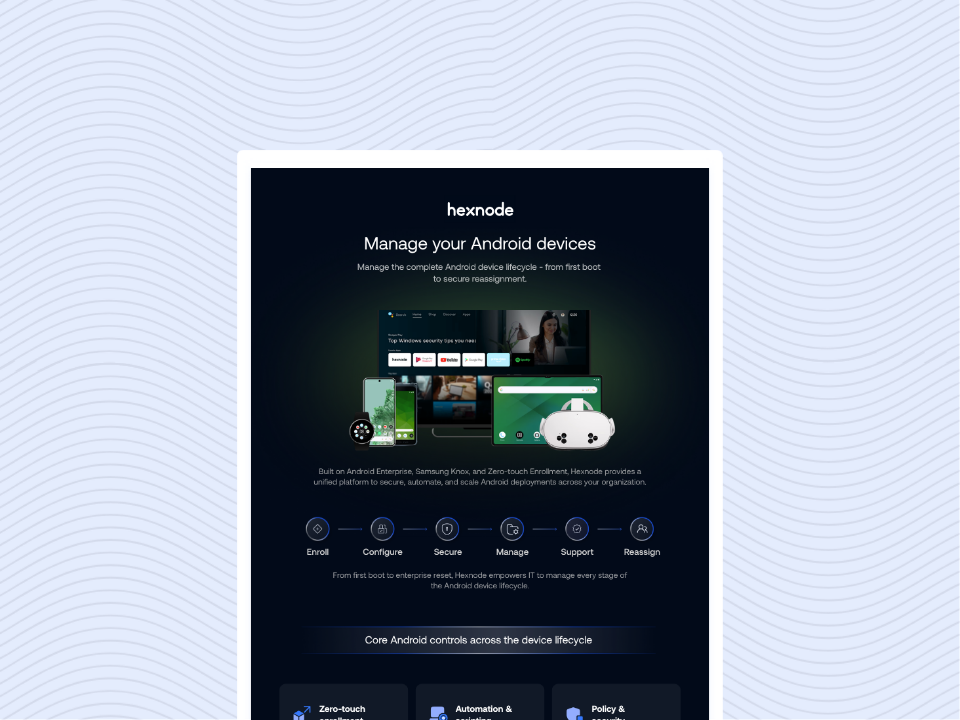
Android Platform Capability Statement
Discover how Hexnode simplifies Android device management, security, deployment, and control across enterprise environments.
Onboarding is often the first and most critical hurdle. Hexnode turns device deployment from tedious manual work into a simple automated workflow. For corporate-owned devices, Hexnode supports automated enrollment methods such as Android Zero-Touch Enrollment and Samsung Knox Mobile Enrollment, so devices ship straight to the user, configure themselves on first power-on and network connection, and enroll automatically into management. This cuts setup time dramatically and delivers consistent, repeatable configurations across large rollouts. When hands-on setup is necessary, Hexnode provides streamlined QR code provisioning so frontline staff can provision devices quickly with minimal technical skill.
Data Protection
Hexnode can enforce supported Android password and screen-lock requirements through device policies. Available controls depend on the Android version, device manufacturer and enrollment mode. If a device is lost or stolen, administrators can initiate a remote lock or complete wipe from the Hexnode console.
Administrators can initiate remote lock or device-wipe actions from the Hexnode console, subject to the device being online and able to communicate with the Hexnode server.
App Control
Hexnode uses Managed Google Play to let administrators curate an approved app catalog and push required apps silently. Administrators can manage approved apps, apply supported installation restrictions and associate selected managed apps with a Per-App VPN configuration. Actual routing depends on the operating system, enrollment mode and supported VPN client.
These controls help organizations restrict unauthorized applications and manage how selected corporate apps access network resources. They can contribute to an organization’s broader security and compliance program but do not independently guarantee GDPR or HIPAA compliance.
Seamless Separation COPE and Work Profiles
Hexnode also handles the different Android Enterprise ownership models and applies the right controls for each business need. Corporate-owned, fully managed Android devices are generally enrolled in Device Owner mode, which provides extensive device-management capabilities. Administrators can additionally configure supported devices for kiosk or dedicated-device use. For Company-Owned Personally-Enabled devices, separating work and personal data is essential and non-negotiable. Hexnode uses the Android Work Profile to create a secure, isolated container for all business apps and files. Android Work Profile separates managed work apps and data from personal content. Administrators can apply supported restrictions to limit actions such as copying or sharing data between the work and personal profiles. This separation protects corporate assets while preserving employee privacy, increasing user trust and simplifying device acceptance and management.
Real-Time Security and Compliance
Hexnode treats compliance as continuous maintenance rather than a one-time checklist. The platform gives teams tools to monitor device posture, automate remediation, and optimize device health across the fleet.
Real-Time Compliance: Hexnode can evaluate managed devices against configured compliance criteria, such as root status, activity and supported OS requirements. Administrators can review non-compliant devices and configure available notifications or enforcement actions.
Automated Maintenance: Hexnode can configure and schedule supported Android OS-update policies, subject to Android version, device manufacturer, enrollment mode and system-update availability. Hexnode can provide supported device information, such as storage and available battery-related data, which administrators can use when assessing device health and planning maintenance. When retiring a managed device, administrators can initiate a supported remote wipe from Hexnode and use reports, device records or integrated asset-management processes to document its retirement.
FAQs
What is the difference between COBO and COPE in Android device management?
COBO (Corporate-Owned, Business-Only) devices are dedicated entirely to work and are fully managed by IT. COPE (Corporate-Owned, Personally Enabled) devices allow limited personal use while keeping work data isolated through Android Work Profile, balancing security with employee privacy.
Why should organizations use Android Enterprise for company-owned devices?
Android Enterprise provides enterprise-grade management capabilities such as Zero-touch Enrollment, Managed Google Play, Work Profiles, and advanced policy controls. When combined with a UEM solution, it helps IT teams deploy, secure, manage, and monitor Android devices at scale while reducing manual administration.
Conclusion
Managing company‑owned Android devices doesn’t have to be a juggling act. With the right framework, a focus on security, and tools that make provisioning and compliance effortless, you can keep your fleet secure, compliant, and user‑friendly.
Simplify Corporate Android Management
Secure, configure, and manage company-owned Android devices efficiently at scale with Hexnode UEM.
Content writer at Hexnode. Fueled by good coffee and the occasional cat cuddle, I enjoy crafting content that informs, connects, and resonates. Nothing excites me more than knowing my words have been read, appreciated, and maybe even bookmarked.