Matching enrollment and storage permissions to the support workflow helps address access restrictions; privacy and compliance require additional safeguards.
Mismatched enrollment modes, Scoped Storage restrictions, and consent prompts stall diagnostics, can increase MTTR, and create data-leakage or privacy risks.
Use Device Owner for unattended corporate devices, Profile Owner for isolated BYOD work files, and pre-configure permissions and audit controls.
Hexnode UEM combines File Explorer, Unattended Remote Access policies, and File Management audit reports for governed remote file operations.
Why Do Remote File Transfers Fail on Managed Android Devices?
Android remote file access depends on enrollment mode, storage restrictions, and the required permissions. Without the proper administrative privilege level or pre-configured android remote file access consent, the operating system blocks background directory traversal to protect local storage.
For IT and Endpoint Admins managing distributed fleets of rugged handhelds, unattended kiosks, and field tablets, this restriction creates immediate troubleshooting bottlenecks. Critical maintenance workflows stall when admins are blocked from:
Pulling diagnostic crash logs from locked-down point-of-sale terminals.
Pushing updated JSON or XML configuration files to custom line-of-business applications.
Clearing bloated local caches or full storage partitions that prevent critical OS and app updates.
The most frustrating aspect is the visibility gap between the console and the endpoint. An applied Remote Access Management policy does not confirm that every required device-side permission has been granted, which can stall silent file operations when on-device interaction is unavailable.
What Are the Operational Risks of Unclear File Access Policies?
Unresolved file-access restrictions can delay diagnostics and require additional support work. File-access practices should also limit unnecessary access to sensitive information and meet the requirements applicable to the organization. When android remote file access consent workflows break down across distributed fleets, routine remote diagnostics quickly escalate into costly operational disruptions.
In field service, logistics, and retail environments, failing to silently retrieve crash logs or push critical offline assets stalls frontline productivity. Rather than resolving an application fault in minutes, IT teams must guide non-technical staff through complex on-device permission menus—or initiate expensive hardware RMAs to ship endpoints back to headquarters for manual debugging.
Beyond field downtime, inconsistent file-system governance creates acute security and privacy liabilities:
Data Leakage on Shared or Lost Endpoints: When remote file deletion fails, cached customer records, diagnostic dumps, and proprietary configuration files remain exposed on misplaced or multi-shift devices.
BYOD Privacy Violations: Unnecessary access to employee data creates privacy risks; GDPR data-minimization requirements and HIPAA’s minimum-necessary standard apply only within their respective legal scopes.
How Do Android Enrollment Modes and Scoped Storage Govern Remote File Access?
Android remote file explorer requirements refer to the specific combination of Unified Endpoint Management (UEM) privilege levels—such as Device Owner, Profile Owner, or legacy Device Admin—and OS-level storage permissions required to browse, transfer, or delete device files remotely without violating android remote file access consent boundaries.
To prevent unauthorized data exposure, Google’s Android Enterprise architecture ties file-system visibility directly to device ownership models. Android limits file access through profile isolation, app permissions, and storage restrictions; corporate ownership does not grant unrestricted filesystem access. On fully managed enterprise hardware, administrators gain broad storage visibility for unattended diagnostics; on personal devices, OS-level sandboxing strictly isolates corporate directories from private user media.
Featured Resource
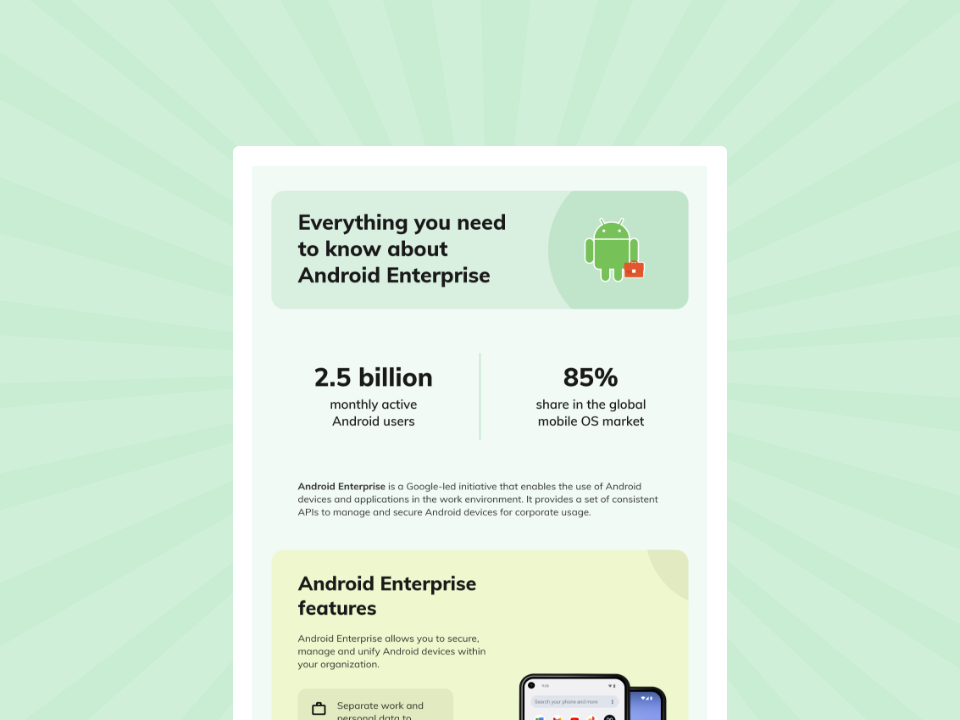
Everything you need to know about Android Enterprise program
Get a quick visual breakdown of Android Enterprise deployment modes, management controls, and device ownership models.
Android Enterprise Device Owner vs. Profile Owner vs. Device Admin
The enrollment method used during provisioning defines how deeply an administrator can traverse local storage and whether android remote file access consent requires end-user approval:
Android Enterprise Device Owner (DO): Designed for corporate-owned, dedicated hardware, DO grants full-device administrative authority. Hexnode supports silent File Explorer access and downloads on Android Enterprise Device Owner devices, subject to storage permissions and Android’s access restrictions.
Android Enterprise Profile Owner (PO / BYOD): Built for employee-owned endpoints, PO enforces strict containerization between personal and work profiles. Admins are completely blocked from browsing personal storage and can only transfer files within designated work directories.
Legacy Device Admin (DA): Deprecated by Google for modern enterprise management, DA lacks native storage privileges on current Android releases. Storage access and remote screen-control permissions operate as separate requirements; on supported Device Admin devices, Hexnode’s silent file-access and download settings can remove the corresponding file-approval prompts.
How Android 11+ Scoped Storage and User Consent Prompts Affect File Visibility
Starting with Android 11 (API level 30), Google enforced Scoped Storage to prevent unrestricted file-system traversal. Under this architecture, apps targeting Android 11+ can freely access only their own app-specific directories and the media files they create, while reading shared media collections created by other apps requires runtime media permissions.
Hexnode documents All Files Access (MANAGE_EXTERNAL_STORAGE) as required for its Android 11+ File Explorer storage access, while Android also supports user-selected document access through the Storage Access Framework.
Device Owners and Profile Owners can manage supported runtime permissions within their management scope, whereas special access such as MANAGE_EXTERNAL_STORAGE requires a separate grant mechanism:
OS and Agent Upgrades: Hexnode notes that All Files Access may need to be granted after an agent update, while Accessibility-service interruptions depend on the device and software behavior.
Permission Auto-Reset: Android automatically resets standard runtime permissions on unused apps after several months of inactivity, though special app access grants (like MANAGE_EXTERNAL_STORAGE) and active Device Policy Controllers are exempt from this mechanism.
How to Configure Android Devices for Compliant Remote File Management
To establish compliant remote file management without manual technician intervention, IT Directors must align device provisioning modes, pre-authorize Scoped Storage permissions, and enforce strict audit logging prior to deployment. Following a standardized, vendor-neutral blueprint ensures seamless background diagnostics on corporate hardware while preserving strict data-privacy boundaries on employee-owned endpoints:
Segment Fleet Ownership: Match Android Enterprise enrollment modes (Device Owner vs. Profile Owner) to hardware ownership models.
Pre-Authorize Storage Grants: Configure All Files Access and Accessibility privileges during initial staging to prevent blocking android remote file access consent prompts.
Enforce Governance Controls: Restrict administrative visibility using role-based access controls (RBAC) and immutable file-transfer audit trails.
Choosing the Right Provisioning Method for Dedicated vs. BYOD Fleets
To ensure seamless troubleshooting, IT Admins must match their provisioning strategy directly to the hardware’s primary use case:
Corporate-Owned Devices: Mandate zero-touch or QR-code Device Owner provisioning for kiosks, rugged scanners, and dedicated field hardware. Because unattended log retrieval is mission-critical, Device Owner mode supports silent File Explorer access and downloads when required storage permissions are configured.
BYOD Fleets: Deploy Profile Owner enrollment to establish strict OS-level containerization. Profile Owner enrollment separates managed work apps and data from the personal profile and limits management to the work profile, subject to documented device-policy exceptions.
Android Enterprise Zero Touch Enrollment Guide
Automate corporate Android provisioning at first boot to enforce policies and reduce manual setup bottlenecks.
Pre-Authorizing Storage and Accessibility Permissions Without Privacy Overreach
To prevent mid-shift android remote file access consent interruptions, administrators must pre-configure storage and interaction privileges during initial device staging before endpoints reach the field. Use UEM runtime permission policies (DevicePolicyManager.setPermissionGrantState()) to pre-grant supported runtime permissions, apply setPermittedAccessibilityServices() to allowlist approved Accessibility services, and complete any required special app access grants (such as MANAGE_EXTERNAL_STORAGE) during technician staging before devices reach the field.
Unattended file-system visibility must be paired with strict internal governance to prevent privilege abuse and privacy overreach:
Enforce Role-Based Access Controls (RBAC): Restrict remote directory browsing and file deletion capabilities exclusively to verified Tier-2 and Tier-3 support technicians.
Enable Automated Audit Trails: Log every administrative file download, upload, or deletion with operator IDs and timestamps for compliance verification.
How Hexnode Streamlines Android Remote File Explorer Access and Governance
Hexnode UEM unifies remote file-system navigation, unattended permission enforcement, and compliance auditing across Android fleets—eliminating manual android remote file access consent bottlenecks during critical troubleshooting.
Centralized File Explorer (Manage > Devices > [Select Device] > File Explorer > Open File Explorer): Administrators can check available device storage space, create target directories via Add New Folder when moving or copying items, and remotely move, copy, delete, or download individual files directly from the console.
Unattended Remote Access Management (Policies > Android > Troubleshooting > Remote Access Management): Admins can access files and folders silently by default on Android Enterprise Device Owner endpoints (Android 9.0+), while enabling Silently access files on the device and Silently download files from the device extends silent file retrieval and downloads to devices enrolled via the Hexnode MDM (Device Admin) app. For legacy Device Admin enrollments, administrators can configure unattended remote screen control by having users enable Accessibility permissions for the Hexnode Assist app (up to Android 13), while on Android 11+, granting All Files Access to the Hexnode UEM app enables broader shared-storage access in File Explorer (though it does not provide unrestricted visibility into other apps’ protected directories).
Can IT admins browse personal files on an Android Profile Owner device?
No, Android Enterprise Profile Owner enrollment isolates the work profile from personal storage, preventing IT administrators from accessing personal files on employee-owned devices.
Why does MANAGE_EXTERNAL_STORAGE still require manual setup on Android 11+ devices?
Android treats MANAGE_EXTERNAL_STORAGE as a special app access permission rather than a standard runtime permission, so it cannot be silently granted through standard runtime permission APIs and requires explicit user or staging configuration on the device.
How can IT teams transition legacy Android Device Admin fleets without wiping devices?
Moving an existing device to Device Owner requires a factory reset and re-enrollment, whereas Profile Owner enrollment can create a work profile on a device already in use without wiping personal data.
Standardize Remote File Operations Across Your Android Fleet
Governed, unattended file management can reduce user-dependent troubleshooting steps and consent bottlenecks on supported devices. By aligning Android Enterprise provisioning with granular role-based auditing, IT teams gain predictable control over distributed endpoints.
Ready to streamline remote diagnostics? Explore the Hexnode Help Center for step-by-step configuration guides on Android File Explorer permissions, Unattended Remote Access policies, and enrollment migration.
Test Remote Android File Management in Hexnode UEM
Start a 14-day free trial or schedule a demo to manage Android files, policies, and audit logs from one console.
Associate Product Marketer at Hexnode focused on SaaS content marketing. I craft blogs that translate complex device management concepts into content rooted in real IT workflows and product realities.