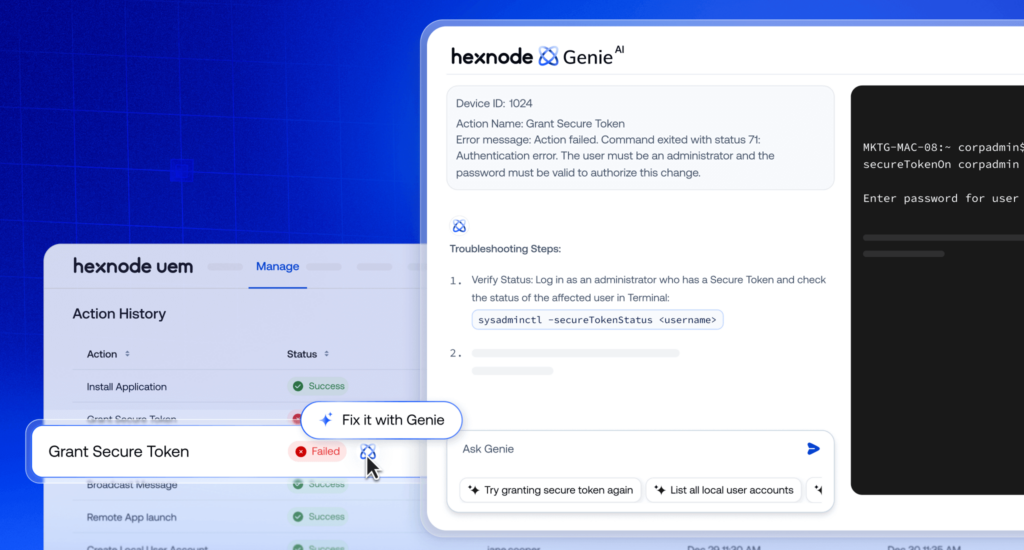
Hexnode Genie’s Policy & Configuration Agent supports AI device policy comparison, helping administrators identify differences between policy versions.
Before comparing policies, administrators should identify relevant configurations, settings, and expected baselines to establish a clear review scope.
Genie supports policy inspection, gap identification, configuration validation, and drafting to help administrators evaluate potential configuration changes.
AI-assisted findings require administrator verification against security requirements, device compatibility, and expected behavior before approving changes for implementation.
Why do IT teams need Hexnode Genie for device policy comparison?
AI device policy comparison with Hexnode Genie helps IT teams simplify policy reviews by inspecting configurations and identifying differences between policy versions. Managing multiple policies, configuration settings, and revisions makes manual reviews time-consuming and prone to oversight.
Administrators must inspect individual settings, restrictions, and configuration values to identify differences between policy versions and assess their impact.
Hexnode Genie’s Policy & Configuration Agent supports AI-assisted policy inspection and comparison, helping administrators identify configuration differences while reducing manual effort. This enables more informed policy reviews before configuration changes are approved.
Automox’s 2026 State of Endpoint Management Report found that 43% of respondents spend at least 10 hours weekly on manual endpoint tasks, highlighting the administrative burden of managing devices at scale.
How can overlooked policy differences affect managed devices?
A configuration change that appears minor can introduce unexpected behavior across managed devices. For instance, modifying an application restriction or security setting without checking existing values may disrupt access or weaken intended controls.
These inconsistencies can create several operational challenges:
Device disruptions: Conflicting or unintended restrictions may interfere with daily workflows.
Troubleshooting overhead: IT teams may spend additional time tracing issues to recent policy changes.
Administrators can use Genie to compare two versions of an iOS geofence policy and identify configuration differences.
AI Governance for UEM: How to Use AI Without Losing Control
Explore AI governance for UEM through controlled access, automation, and administrator-approved changes.
What is Hexnode Genie’s Policy & Configuration Agent?
Hexnode Genie‘s Policy & Configuration Agent is an AI-powered capability that supports policy inspection, comparison, drafting, and configuration review. Through AI device policy comparison, administrators can examine differences between policy versions and identify settings requiring attention.
The agent supports three key activities:
Policy comparison: Identifies differences between policy configurations or versions.
Configuration validation: Helps identify potential gaps in policy settings.
Policy drafting: Assists in preparing proposed changes for administrator review.
Identifying differences does not automatically establish whether a configuration is correct. Administrators must validate findings before implementing changes.
What can administrators examine during an AI-assisted policy comparison?
Administrators can use Genie to compare policy versions and identify differences in their configurations.
Comparison element
What to inspect
Why it matters
Policy settings
Enabled or disabled settings
Identifies behavioral changes
Configuration values
Modified values
Highlights differences
Device restrictions
Access and functionality restrictions
Assesses device impact
Policy versions
Added, removed, or modified settings
Tracks revisions
Not every difference requires correction. Administrators should validate findings against intended configuration requirements.
How can administrators compare device policies using Hexnode Genie?
Administrators can use Policy & Configuration Agent to inspect policies, compare settings, and review proposed changes. The following four-step approach combines AI-assisted analysis with administrator validation. It is a recommended review workflow, not a prescribed sequence of console actions.
Step 1: Identify the policies that need comparison
Start by defining the comparison objective, such as reviewing policy revisions or checking differences between intended configurations.
Before using Genie, identify:
Policies: The configurations or versions being compared.
Settings: Restrictions, values, or controls requiring inspection.
Baseline: The expected configuration against which differences should be evaluated.
The agent can compare versions of an iOS geofence policy to identify differences in their configurations.
Step 2: Use Genie to inspect and compare policy configurations
Genie’s agent helps administrators inspect policy configurations and identify differences between versions. For example, administrators can compare two versions of an iOS geofence policy to identify modified settings and understand how the configurations differ.
When reviewing comparison findings, administrators should focus on:
Modified settings: Configuration values that differ between versions.
Added or removed settings: Changes that may affect intended policy behavior.
Potential impact: Differences requiring further investigation before implementation.
Step 3: Review policy gaps and validate configuration differences
Genie helps identify potential policy gaps and validate configuration settings, allowing administrators to assess findings against organizational requirements.
Configuration errors can have security consequences beyond operational disruptions. A 2026 Reach Security study reported that 97% of surveyed organizations experienced security incidents or near misses associated with security-tool misconfigurations in the preceding year.
Before accepting the findings, verify:
Security baselines: Whether identified differences conflict with organizational security requirements.
Device compatibility: Whether the intended settings are appropriate for the targeted devices.
Expected behavior: Whether proposed configurations could affect access, restrictions, or normal operations.
AI-assisted validation supports the review process but does not guarantee compliance or confirm that a configuration is safe to deploy.
Step 4: Review proposed policy changes before implementation
Genie’s policy drafting and configuration review capabilities help prepare potential adjustments for administrator evaluation.
Before proceeding, IT teams should:
Review proposed settings: Confirm that suggested values address the identified differences.
Assess device impact: Identify which devices and workflows could be affected.
Approve intended changes: Follow the organization’s established change-management process.
The agent helps prepare proposed configuration changes for administrator review, while approval and implementation remain subject to the organization’s change-management process.
What makes Hexnode Genie useful for device policy reviews?
Hexnode Genie’s Policy & Configuration Agent brings policy inspection, comparison, validation, and drafting into an AI-assisted review process. These capabilities help endpoint administrators evaluate configuration differences, investigate potential gaps, and prepare policy adjustments while retaining control over implementation decisions.
Inspecting and understanding policy differences
The agent’s policy inspection and comparison capabilities help administrators examine configuration differences without relying entirely on manual checks.
This is particularly useful for:
Policy revisions: Understanding changes between configuration versions.
Unexpected settings: Identifying values that require further investigation.
Configuration updates: Reviewing existing settings before preparing adjustments.
Genie’s analysis provides context for policy reviews, while administrators remain responsible for verifying configuration accuracy and expected device behavior.
Identifying policy gaps and reviewing configuration changes
Genie supports policy gap identification, configuration validation, and policy drafting to help administrators evaluate potential inconsistencies and prepare adjustments.
These capabilities support:
Gap identification: Highlighting settings that may require attention.
Configuration validation: Reviewing settings against intended requirements.
Policy drafting: Preparing proposed changes for administrator evaluation.
Proposed changes remain subject to administrator review and the organization’s approval process before implementation.
Featured resource
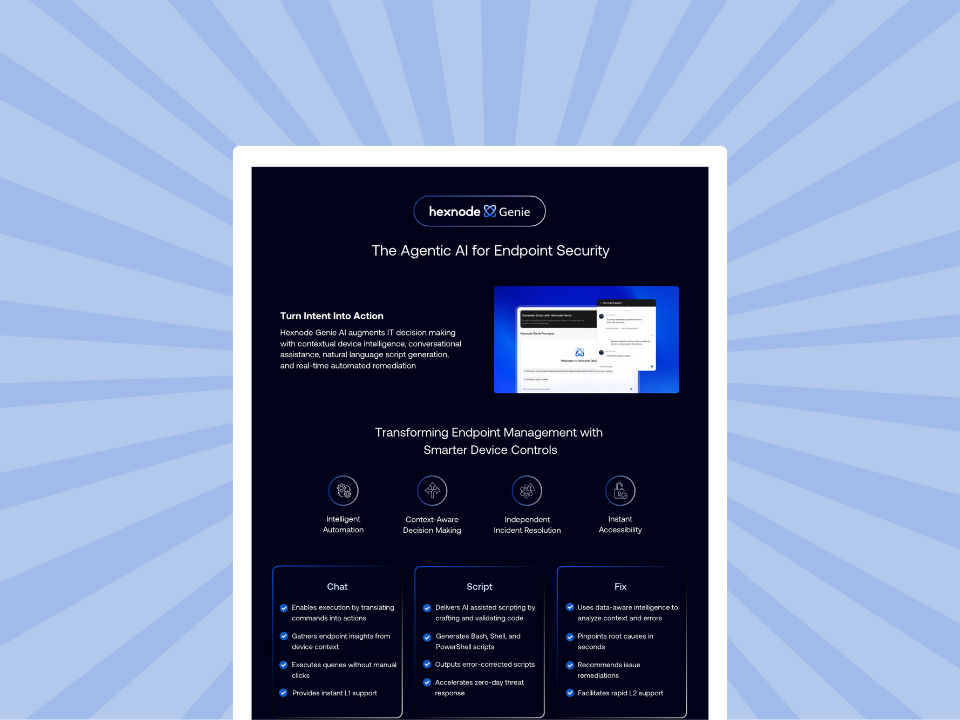
Hexnode Genie Info sheet
Simplify endpoint management with Hexnode Genie's AI-powered assistance, device insights, script generation, and automated remediation.
Can Hexnode Genie compare different versions of the same device policy?
Yes, it supports comparing policy configurations and versions. Administrators can use the findings to identify modified settings and assess whether the differences require further review.
Can Hexnode Genie automatically fix conflicting device policies?
Hexnode Genie’s documented capabilities include policy inspection, comparison, validation, and drafting. Genie can assist administrators in reviewing policy conflicts and preparing potential adjustments, while implementation remains subject to administrator approval.
How can IT teams verify the accuracy of AI-generated policy comparisons?
IT teams should compare Genie’s findings against the original policy settings and intended configuration baseline. They should also verify device compatibility, security requirements, and expected behavior before accepting proposed changes.
How can IT teams get started with AI device policy comparison using Hexnode Genie?
Start by evaluating the policy and configuration agent with two policy versions containing known differences, such as the iOS geofence policy comparison illustrated by Hexnode.
Assess whether Genie’s findings accurately identify configuration changes and provide useful context for administrator review. Validate the results before modifying production policies.
Compare device policies smarter with Hexnode Genie
Identify configuration differences, review policy gaps, and make informed changes with AI-assisted insights.
A storyteller for practical people. Breaks down complicated topics into steps, trade-offs, and clear next actions—without the buzzword fog. Known to replace fluff with facts, sharpen the message, and keep things readable—politely.