Endpoint file distribution and collaborative file sharing serve different enterprise needs, with Hexnode UEM supporting centralized file deployment and remote file management rather than document collaboration.
Endpoint file distribution delivers standardized files to managed devices, while collaborative platforms support shared access, editing, and version management.
IT teams should evaluate file purpose, destination, permissions, compatibility, and update requirements before selecting an approach.
Hexnode UEM supports file distribution through File Repository, Android File Management policies, Deploy File and Remove File actions, and Android File Explorer for supported remote file operations.
Why Enterprise File Management Requires More Than File Sharing
Managing enterprise files involves more than giving employees access to documents. IT teams must deliver configuration files, reference materials, and operational content to managed endpoints while supporting employees who need to access and collaborate on shared documents.
However, endpoint file distribution vs collaboration involves three distinct requirements: administrator-controlled file deployment, remote access to files stored on endpoints, and employee-driven document collaboration.
Each serves a different operational purpose. IT teams must determine when files should be deployed directly to managed devices and when collaborative file-sharing platforms are better suited to support shared access, editing, and document management.
What Happens When Organizations Use the Wrong File Management Approach?
Using the wrong file management method creates operational inefficiencies. Manual downloads and employee-driven sharing can leave endpoints with outdated configuration files, inconsistent deployments, and additional troubleshooting requirements.
Similarly, using endpoint file distribution for collaborative workflows can result in fragmented document versions, unclear ownership, and difficulties coordinating edits across teams.
These gaps can delay device provisioning, disrupt access to operational documentation, and increase administrative overhead. Without clearly separating file distribution, remote access, and collaboration requirements, IT teams may struggle to maintain consistent endpoint configurations while supporting employees’ document-sharing needs.
File management from Hexnode for efficient content distribution
Learn how Hexnode simplifies enterprise file distribution with centralized management and policy-based deployment.
Endpoint File Distribution vs Collaboration: What’s the Difference?
Endpoint file distribution delivers files to designated managed devices, remote file access allows administrators to retrieve or manage files stored on endpoints, and collaborative file sharing enables authorized users to access and work with shared content.
Although all three involve file access or management, they serve different operational requirements.
Capability
Endpoint File Distribution
Remote File Access
Collaborative File Sharing
Primary purpose
Deploy files to endpoints
Access and manage endpoint files remotely
Enable shared document access
Intended users
IT administrators
IT administrators and support teams
Employees and teams
File destination
Managed device storage
Existing endpoint storage
Shared repositories or workspaces
Administrative control
Centralized deployment and targeting
Remote file operations
Workspace and sharing permissions
File updates
Redeployment or replacement
Direct file operations, where supported
Updates to shared documents
Access permissions
Device and file-system permissions
Remote access authorization and file permissions
User or group-based access
Version management
Requires separate controls
Not inherently supported
Often includes version history
Collaboration
Not inherently supported
Not inherently supported
May support co-editing and comments
Both approaches can coexist. IT teams can distribute operational files to endpoints while employees use collaboration platforms for shared documents.
How Does Remote File Access Differ From File Distribution and Collaboration?
Remote file access allows administrators to inspect, retrieve, or manage files stored on endpoints without physically accessing the devices.
Unlike file distribution, which pushes files to managed devices, remote access supports troubleshooting, file retrieval, and local file operations. Collaboration platforms instead focus on shared document workflows.
For example, an administrator might remotely retrieve a diagnostic log from a device to investigate an issue. Deploying a configuration file to that device requires file distribution, while multiple technicians editing a shared troubleshooting document requires collaborative file-sharing capabilities.
When Should IT Teams Use Endpoint File Distribution?
Endpoint file distribution is best suited for delivering standardized files directly to managed devices without relying on manual downloads or employee intervention.
Common use cases include distributing device configuration files, operational reference materials, kiosk content, and application-specific resources required for endpoint operations.
For large device fleets, IT teams should prioritize:
Centralized targeting: Deliver files to designated devices or groups.
Destination-path control: Place files in the required storage locations.
Deployment consistency: Maintain uniform file delivery across endpoints.
Endpoint verification: Confirm successful delivery and file accessibility.
However, file distribution does not inherently support collaborative editing, shared document ownership, continuous synchronization, or enterprise file sync and share (EFSS) capabilities.
When Is Collaborative File Sharing the Better Choice?
Collaborative file sharing is better suited for workflows requiring multiple users to access, edit, and manage shared documents.
These platforms commonly provide shared workspaces, access permissions, version histories, and features such as concurrent editing and commenting, depending on the solution.
Unlike endpoint file distribution, cloud-based collaboration maintains shared content in a common workspace rather than simply transferring files to local device storage. This helps teams coordinate updates and work from current document versions.
Organizations may therefore require both approaches. Endpoint management supports administrator-controlled file delivery, while collaborative file-sharing platforms address employee-driven document access, editing, and teamwork.
How Can IT Teams Choose the Right File Management Approach?
IT teams should select a file management approach based on file purpose, access requirements, and endpoint management needs.
Start by evaluating four questions:
Who needs the file? Determine whether IT administrators or employees require access.
Where should it reside? Identify whether the destination is a managed endpoint or shared workspace.
Does it require editing? Assess whether users need collaborative editing, version history, or read-only access.
Is remote management necessary? Determine whether administrators must retrieve, inspect, or modify files on endpoints.
Next, evaluate operating system compatibility, enrollment methods, storage permissions, destination paths, and file sensitivity. Define access controls and procedures for updating or removing files.
Before deployment, pilot the selected approach across representative devices and workflows. Validate file delivery, remote retrieval, permissions, version handling, and cleanup procedures.
Expand deployment only after confirming that the approach meets operational and access requirements.
What Should IT Verify Before Distributing Files to Managed Endpoints?
Before distributing files, administrators should verify:
Compatibility: Confirm supported file formats and endpoint operating systems.
Targeting: Validate device selection and destination storage paths.
Permissions: Check storage access, network connectivity, and intended user permissions.
Delivery: Confirm successful transfers and file accessibility within the intended application or workflow.
Post-delivery handling: Identify which applications may open the file and whether users may copy, export, or share it. Test the required restrictions for each platform and file type.
IT teams should also establish file lifecycle procedures for replacing outdated versions, removing obsolete content, and documenting deployment decisions.
Maintain recovery procedures for failed transfers to prevent incomplete deployments from disrupting endpoint operations.
Featured Resource
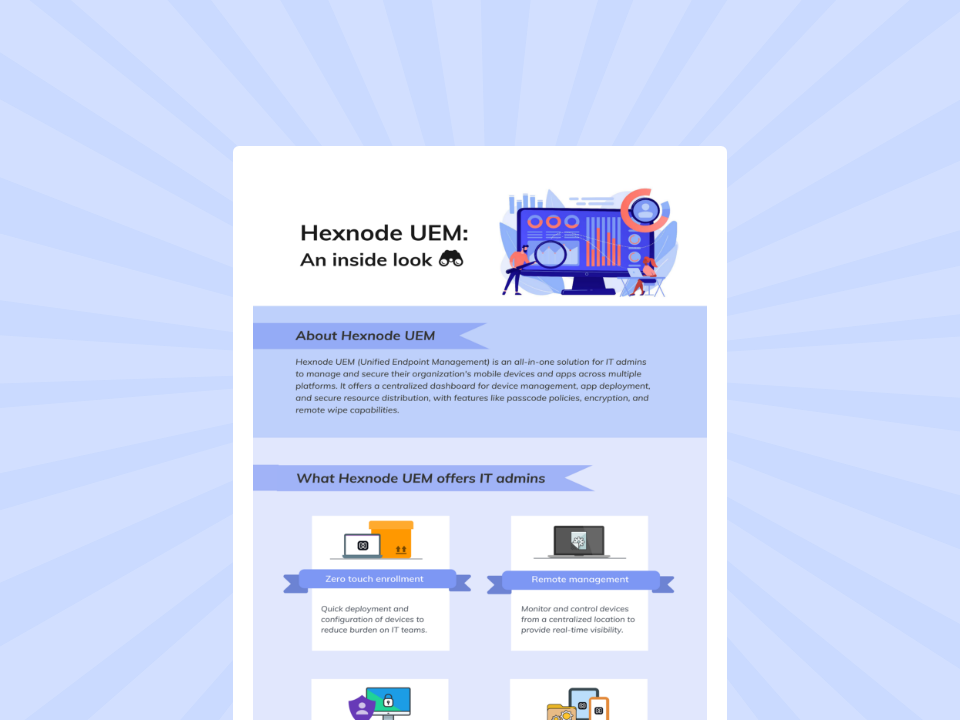
Hexnode UEM: An inside look
Explore Hexnode UEM capabilities for simplifying device management, security, app deployment, and enterprise administration.
Where Does Hexnode UEM Fit Into Enterprise File Management?
Hexnode UEM supports administrator-controlled file distribution and remote file management across supported endpoints through several capabilities:
File Repository and Android File Management policy: Administrators can upload files to Hexnode’s File Repository and distribute them to specified device locations through Policies > Android > File Management. The Policy Targets tab determines which devices receive the policy. Required Android storage permissions must be configured for successful delivery.
Deploy File and Remove File actions: These remote actions allow administrators to deploy files to designated paths or remove specified files on supported Android, macOS, and Windows devices. Unlike the Android File Management policy, these are individual management actions, with platform-specific requirements.
Android File Explorer: Android File Explorer lets administrators browse device storage and move, copy, or delete files and folders. To download content, open the folder and select the individual files. Availability depends on enrollment mode and permissions, including Android 11+ storage-access requirements.
These capabilities support endpoint file operations, not EFSS, real-time collaborative editing, or continuous file synchronization.
FAQs
Can Hexnode UEM replace enterprise file-sharing platforms like SharePoint or Google Drive?
No. Hexnode UEM supports administrator-controlled file distribution and remote file management on supported endpoints. Hexnode’s File Repository provides centralized content organization for management workflows; the documentation reviewed does not establish an employee collaboration workspace equivalent to SharePoint or Google Drive.
What is the difference between Hexnode’s File Management policy and Deploy File action?
The Android File Management policy distributes files through centrally assigned policies using Hexnode’s File Repository. Deploy File is a remote action that lets administrators send files to designated paths on supported Android, macOS, and Windows devices, subject to platform-specific requirements.
Can Hexnode UEM remotely access files stored on managed Android devices?
Yes. Hexnode UEM’s Android File Explorer allows administrators to browse device storage and perform supported operations such as copying, moving, downloading, and deleting files. Availability depends on the device’s enrollment mode and required storage permissions.
Manage Endpoint File Delivery With Hexnode UEM
Endpoint file distribution and collaborative file sharing serve different enterprise requirements. While collaboration platforms support shared document workflows, Hexnode UEM helps IT teams deliver files to managed endpoints and perform remote file operations.
With centralized file deployment, retrieval, and cleanup capabilities, administrators can manage endpoint content without relying on manual file transfers.
Simplify Enterprise File Distribution
Deploy, manage, and remotely access files across enterprise endpoints with Hexnode UEM.
Content writer at Hexnode. Fueled by good coffee and the occasional cat cuddle, I enjoy crafting content that informs, connects, and resonates. Nothing excites me more than knowing my words have been read, appreciated, and maybe even bookmarked.