Allowing employees to manually install iOS business applications destroys managed data boundaries, rendering enterprise security protocols ineffective.
When iOS treats manually installed business apps as personal apps, it allows undetected data sharing via personal messaging, iCloud backups, and unmanaged AirDrop.
IT administrators must push applications centrally through a management console to maintain intended logical containers.
Failing to enforce this foundational separation compromises the entire endpoint, risking severe compliance fines under frameworks like GDPR or HIPAA.
The hidden risk in iOS app deployments occurs when employees manually install business apps, causing the OS to treat them as personal apps and bypassing corporate data restrictions. When users dictate the installation source, they unintentionally dissolve the crucial iOS managed app boundaries required to govern enterprise data flow.
Consider a routine scenario on a supposedly locked-down device: an employee receives a confidential financial report in their managed corporate email. Without proper app-level restrictions, they can easily copy that sensitive text and paste it directly into an unmanaged personal messaging app, entirely undetected.
This creates a critical frustration for IT and Endpoint Admins. You might configure rigorous security policies and assume the endpoint is fully secured. However, if a business application is manually downloaded from the App Store rather than pushed through your management console, it bypasses your intended logical containers. This simple misstep in deployment leaves your corporate data exposed and your security protocols ineffective.
The Cost of Blurred Data Boundaries
Ignoring how IT administrators classify applications on iOS devices carries severe business consequences. When admins do not properly establish iOS managed app boundaries, organizations face the immediate threat of regulatory non-compliance. Data leaks resulting from unmanaged app usage can trigger substantial fines under strict frameworks like GDPR or HIPAA, while simultaneously burning hundreds of IT hours to investigate the root cause of the breach.
This lack of classification accelerates the risk of Shadow IT data sharing across the enterprise. If corporate documents fall outside the managed boundary, devices can automatically back them up to personal iCloud accounts without IT oversight. Furthermore, employees can easily distribute sensitive files via unmanaged AirDrop, completely bypassing organizational visibility and control.
Ultimately, failing to enforce a strict app-level data boundary compromises the entire endpoint. Without this foundational separation of managed and unmanaged data states, your broader security posture collapses. It renders other sophisticated security protocols ineffective, as the fundamental layer governing data flow remains entirely porous.
What is iOS Containerization?
iOS containerization is an OS-level approach to data loss prevention (DLP). It logically separates corporate and personal data without dual-persona wrapper apps. Apple implements this natively through its Managed Open In framework and managed app tagging. Strict iOS managed app boundaries isolate corporate data across all enrollment types. This includes User Enrollment (BYOD), Device Enrollment, and Automated Device Enrollment. However, exact enforceable restrictions vary by enrollment and supervision status.
The framework leverages core operating system capabilities instead of fragmented, third-party sandbox apps. The OS itself acts as the fundamental gatekeeper for all data flow. When IT enforces these configurations, the system seamlessly intercepts application interactions. It actively governs actions like copy-paste, AirDrop, and cross-application document sharing.
Because of this built-in architecture explains why native application classification is highly effective. It allows administrators to enforce robust security protocols invisibly at the system level. This setup maintains seamless user productivity while preventing corporate data leakage. Ultimately, it establishes a reliable security baseline for your mobile fleets.
Managed vs. User-Installed iOS Apps
First, to effectively secure an endpoint, administrators must understand the fundamental difference between a Managed App and an Unmanaged App. Specifically, IT administrators use a Unified Endpoint Management (UEM) or Mobile Device Management (MDM) platform to explicitly deploy, configure, and control a managed app. Conversely, the end-user manually downloads an unmanaged app directly from the public App Store, operating it entirely outside of IT oversight.
Furthermore, a common misconception is that enterprise applications inherently possess built-in security privileges based on their utility. However, the iOS ecosystem does not judge an application by its intended business function. For example, to the operating system, an enterprise productivity tool like Microsoft Word is technically indistinguishable from a casual mobile game. For third-party and App Store applications, security classification depends on whether the app is deployed or converted to managed status via MDM, alongside managed corporate accounts configured by IT. If a UEM platform pushes the application to the device, the OS tags it as managed. On the other hand, if the user downloads that exact same application manually, the OS treats it as a personal app.
Consequently, this strict, binary classification forms the foundational layer of enterprise endpoint security on Apple devices. In fact, all subsequent iOS managed app boundaries rely entirely on these installation tags. Ultimately, because the operating system utilizes this managed status to enforce data loss prevention (DLP) policies, failing to deploy apps centrally strips the OS of the context required to secure corporate data.
How App Installation Dictates Data Flow Controls
Apple’s native security framework relies heavily on a feature called Managed Open In. This mechanism uses the installation status of an application, whether pushed centrally via MDM or downloaded by the user, to draw strict iOS managed app boundaries. Once these boundaries are established, the operating system actively intercepts any attempt to share, copy, or transfer data between the managed and unmanaged sides of the device.
Through this framework, administrators gain granular authority over documented data-flow controls. Specifically, the OS can be configured to enforce two critical restrictions:
Block managed to unmanaged: Prevents corporate documents from being opened in or shared with personal, unmanaged apps (and, when paired with Managed Pasteboard restrictions, blocks copying and pasting text across the boundary).
Block unmanaged to managed: Stops personal files from entering the corporate workspace, protecting against malware or unauthorized data contamination.
However, the effectiveness of these controls hinges entirely on proper deployment. If an IT admin fails to push a required business app via the management console and a user installs it manually, that application inherently falls outside the managed perimeter. Consequently, no data-flow restrictions can be applied to that app, leaving corporate data entirely vulnerable to unauthorized extraction.
Feature Resource
Containerization: Smarter BYOD Management for Enterprises
Discover how containerization transforms BYOD management.
Beyond App Push: How Managed Accounts, Managed Domains, and Extensions Extend the Boundary
While managed apps form the foundation of iOS containerization, Apple’s Managed Open In perimeter also governs native system functions. This boundary extends to managed corporate email and contact accounts configured by IT. It also covers Safari downloads originating from designated managed web domains. Additionally, the operating system applies these data flow restrictions to app extensions. This tightly controls how enterprise data interacts with third-party share sheets and document providers.
Administrators often experience corporate data leaks when they treat app deployment in isolation. A frequent deployment gap is failing to push companion document viewers. IT must deploy tools like PDF readers or office suites alongside core communication apps.
Consider an employee receiving a secure attachment in their managed email. If they only have an unmanaged personal PDF viewer, strict boundaries will block the file. This blocks productivity and pushes users toward insecure workarounds. Comprehensive data protection requires managing the entire ecosystem of accounts, domains, and companion apps.
Designing an iOS Containerization Strategy
To implement iOS containerization, IT admins must deploy business applications exclusively as managed apps. They must also configure native ‘Managed Open In’ restrictions to block cross-boundary data sharing. This methodology strictly adheres to Apple’s MDM protocol. It utilizes native OS architecture rather than relying on external sandbox applications. These configurations help administrators establish strict iOS managed app boundaries. This ultimately governs how sensitive information moves across the endpoint.
The critical first step is auditing current app deployment methods across your entire mobile fleet. Admins must determine if apps were pushed centrally via management profiles or downloaded independently. Manually installed corporate apps currently reside in the personal space. They operate completely outside your managed perimeter.
Following the audit, you must systematically migrate all corporate software to centralized deployment. Pushing applications directly through your management console tags them as managed entities. This administrative takeover gives the operating system the required context. The system can then successfully enforce subsequent data loss prevention (DLP) restrictions.
Step-by-Step Data Flow Restriction Setup
Implementing strict iOS managed app boundaries requires a systematic approach to configuring native data loss prevention frameworks. To securely establish this separation across your fleet, IT administrators must execute the following sequential configurations.
Step 1: Deploy applications centrally. Push all required corporate apps directly through the management console so they are tagged as “managed” by the OS. Banning manual App Store downloads for business tools is mandatory, as this centralized deployment provides the operating system with the context required to govern the data boundary.
Step 2: Isolate organizational data. Configure device restrictions to prevent unmanaged apps from reading managed contacts or accessing managed accounts. This critical configuration prevents personal applications, such as third-party social media or messaging platforms, from scraping, syncing, and exposing sensitive internal directory information.
Step 3: Restrict document interactions. Enforce “Managed Open In” settings to ensure users can only open, edit, and share corporate attachments and documents within the managed app ecosystem. Activating this control prevents users from exporting a confidential report from a managed email client into an unmanaged personal storage drive or sharing it externally.
By systematically applying these specific controls, administrators effectively seal the logical container, eliminating the persistent data leakage vulnerabilities associated with unmanaged application usage.
Establishing an iOS Business Container with Hexnode
To streamline this deployment, administrators can utilize Hexnode’s “Business Container for iOS.” This specific capability directly leverages Apple’s Managed Open In framework. This configuration enforces strict iOS managed app boundaries at the operating system level. Ultimately, it eliminates the need for fragmented, third-party sandbox tools. Hexnode centralizes these native controls to translate Apple’s underlying architecture. This creates an easily deployable security policy for your entire mobile fleet.
Enforcing these crucial data flow controls requires minimal administrative overhead. Within the Hexnode console, navigate to Policies > iOS > Hexnode Business Container > Business Container. From this interface, configure the core data-flow controls:
Uncheck ‘Open documents from managed apps in unmanaged apps‘ to prevent corporate data from leaking into personal apps.
Uncheck ‘Open documents from unmanaged apps in managed apps‘ to block unverified personal files from entering the corporate workspace.
Enable ‘Manage Copy/Paste between managed/unmanaged apps‘ to restrict cross-boundary clipboard transfers.
Applying this targeted policy guarantees that your enterprise data remains securely locked within its designated perimeter.
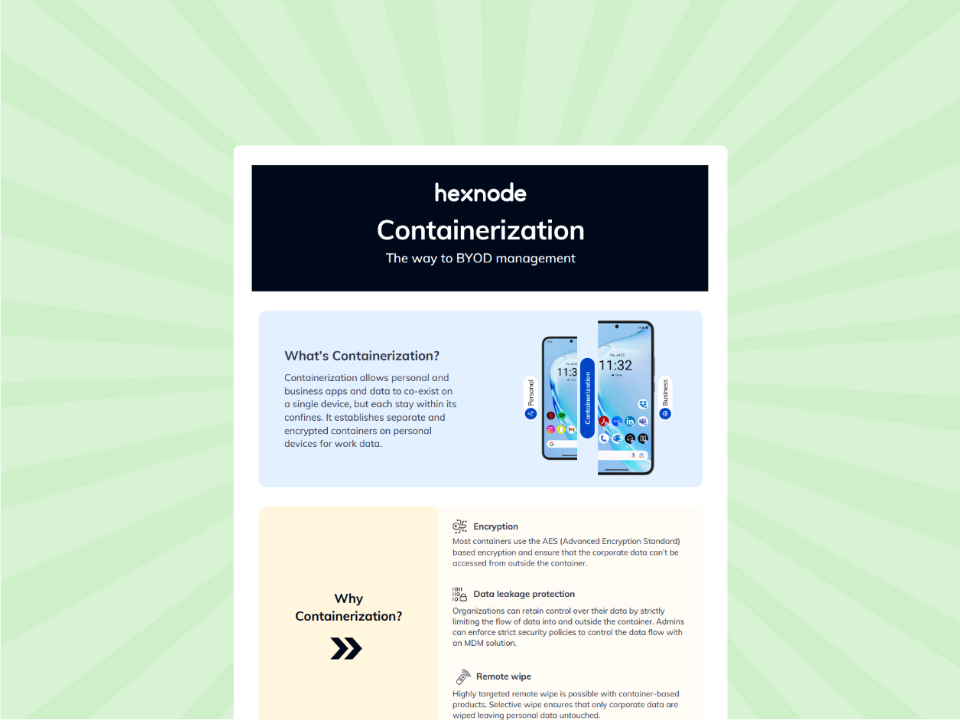
What is containerization and why is it important for your business?
Containerization protects corporate data on personal devices by separating work resources from personal apps.
FAQs
Can an MDM take over an app that an employee already downloaded from the App Store?
Yes, depending on device supervision status. On supervised iOS 9.0+ devices, Hexnode UEM can convert an existing unmanaged app into a managed app silently from the device’s Applications tab without reinstalling it; on unsupervised BYOD devices, Hexnode requires the user to remove the personal copy and install the managed version pushed through UEM .
Does iOS use a separate work profile for containerization like Android Enterprise?
No, iOS relies on a logical data boundary enforced at the application level rather than a separate, visually distinct work profile. Apple’s native framework uses managed app tags to silently restrict data flow in the background, allowing personal and corporate apps to coexist securely on the same home screen.
How do I stop managed app data from backing up to personal iCloud accounts?
Administrators can prevent this by deploying the application through their management console and applying targeted iOS device restrictions. Once applications are classified as managed, IT can disable ‘Sync managed app data with iCloud’ under Hexnode’s iOS Basic Restrictions (Allow iCloud Settings) to prevent all managed apps on the device from syncing corporate data to personal iCloud accounts.
Can I block users from sharing corporate files via AirDrop?
Yes, you can block corporate file sharing via AirDrop by configuring Managed Open In restrictions through your MDM platform. By enforcing a strict boundary between managed and unmanaged domains, the operating system automatically intercepts and prevents sensitive documents from being exported via unmanaged AirDrop connections.
Does copy and paste count as a data flow restriction on managed iOS devices?
Yes, the native clipboard can be restricted between managed and unmanaged spaces to prevent data leakage. Administrators can configure iOS security policies to explicitly block users from copying text from a managed corporate email and pasting it into an unmanaged personal messaging app.
Secure Your Corporate iOS Data Today
Stop leaving your enterprise data vulnerable to leaks caused by manual app installations. IT Directors and Admins must take definitive control of their iOS managed app boundaries. Start a 14-day free trial of Hexnode today to instantly deploy managed apps and enforce strict iOS containerization across your entire fleet.
Enforce Strict iOS Data Boundaries
Secure corporate data by centrally deploying apps and enforcing data boundaries with Hexnode UEM.
I’m a technical content writer at Hexnode who loves simplifying tech. I break down complex ideas, remove the fluff, and help readers clearly understand our product for what it actually is: simple, reliable, and built to solve real problems.