Why iOS fleets still eat admin hours after enrollment
Enrollment may be automated, but post-enrollment management can still require significant manual intervention. Hexnode iOS automation targets this repeatable work across managed iPhones and iPads.
A required app disappears, but IT discovers the gap during the next audit. Meanwhile, an iOS security update remains below the organization’s adoption target weeks after release. A non-compliant device may also remain unmanaged until an administrator notices its status change.
The root cause is workflow drift. Policies define a desired state, but administrators still need mechanisms that detect changes and trigger appropriate actions.
As a result, iOS device workflow automation moves management from periodic checks toward policy enforcement and event-driven remediation.
What manual iOS administration costs the business
Manual iOS administration creates security, productivity, and scalability costs that increase as the managed fleet grows.
Security exposure: Delayed updates extend exposure to vulnerabilities that newer iOS and iPadOS releases address. Apple publishes security-release information and identifies associated CVEs when available. CISA’s KEV Catalog also includes iOS and iPadOS vulnerabilities with evidence of exploitation in the wild.
Productivity loss: Missing mandatory applications can interrupt workflows and force users to wait for IT intervention. Consequently, routine remediation becomes another service-desk task.
Administrative scale: Manual checks add work as the fleet expands. Therefore, growth can increase administrative workload unless IT automates repeatable tasks.
Instead, IT can define the required state and use management workflows to enforce supported configurations over time.
What does automating iOS device workflows mean in a UEM?
Automating iOS device workflows means using a UEM to enroll, configure, update, and remediate iPhones and iPads without per-device admin action. It combines Apple management mechanisms with policy-based and event-driven workflows.
Three Apple management mechanisms are particularly relevant:
Automated Device Enrollment (ADE):Apple Business Manager assigns organization-owned devices to a device management service. Those devices can then enroll automatically during Setup Assistant. For supervised ADE devices, organizations can configure device management as non-removable.
Supervision: This management state gives organizations additional control over organization-owned Apple devices. ADE automatically supervises iPhones running iOS 13 or later and iPads running iPadOS 13.1 or later.
Declarative Device Management (DDM): DDM lets devices independently apply declared configurations and proactively report relevant status changes to the management service.
However, devices manually added to Apple Business Manager or Apple School Manager through Apple Configurator have a 30-day provisional period. During that period, users can remove management.
Apple describes DDM as an update to the existing device management protocol. Declarative management can also coexist with traditional commands and configuration profiles.
Therefore, understanding Declarative Device Management matters when planning modern iOS automation.
UEM platforms can maintain configured device states or run workflows based on defined conditions. However, implementation varies by platform.
Apple also supports declarative management for software-update enforcement. Availability of those controls depends on the device management service and its implementation.
Which iOS device management tasks can be automated?
Five common iOS workflows support automation: enrollment, configuration, app deployment, OS updates, and compliance-driven remediation. However, their technical requirements differ.
Apple defines requirements for the underlying management capabilities. Meanwhile, compliance logic and automation behavior can depend on the device management service.
Workflow
Apple mechanism
Automation behavior
Enrollment
Automated Device Enrollment and Setup Assistant
Enrollment occurs during Setup Assistant after the device retrieves its assigned management configuration
Configuration
Device-management configuration profiles
Deployment timing and assignment depend on the management service
App deployment
Managed app distribution and Apps and Books; declarative app configuration on iOS/iPadOS 17.2+
Declarative app configuration supports User Enrollment, Device Enrollment, or ADE; other assignment behavior depends on the management service
OS updates
DDM Software Update enforcement on iOS/iPadOS 17+; broader Software Update settings on iOS/iPadOS 18+
Enforcement can use a configured date and time; other behavior depends on the management configuration
Remediation
Device-management commands and status information
Compliance evaluation and triggers depend on the management service
Therefore, iOS automation does not universally require supervision. Many payloads and management capabilities work on unsupervised enrolled devices.
However, other capabilities depend on the enrollment method, OS version, or supervision state. For example, Hexnode supports silent Required Apps installation on supervised devices. Lost Mode also requires supervision.
ADE automatically supervises supported iPhones and iPads during enrollment. Supervised ADE devices can also use non-removable device management. However, Apple’s 30-day provisional period applies to devices manually added through Apple Configurator.
For mixed deployment models, administrators should check supervision, enrollment method, OS version, and configuration requirements before selecting a workflow.
Featured resource
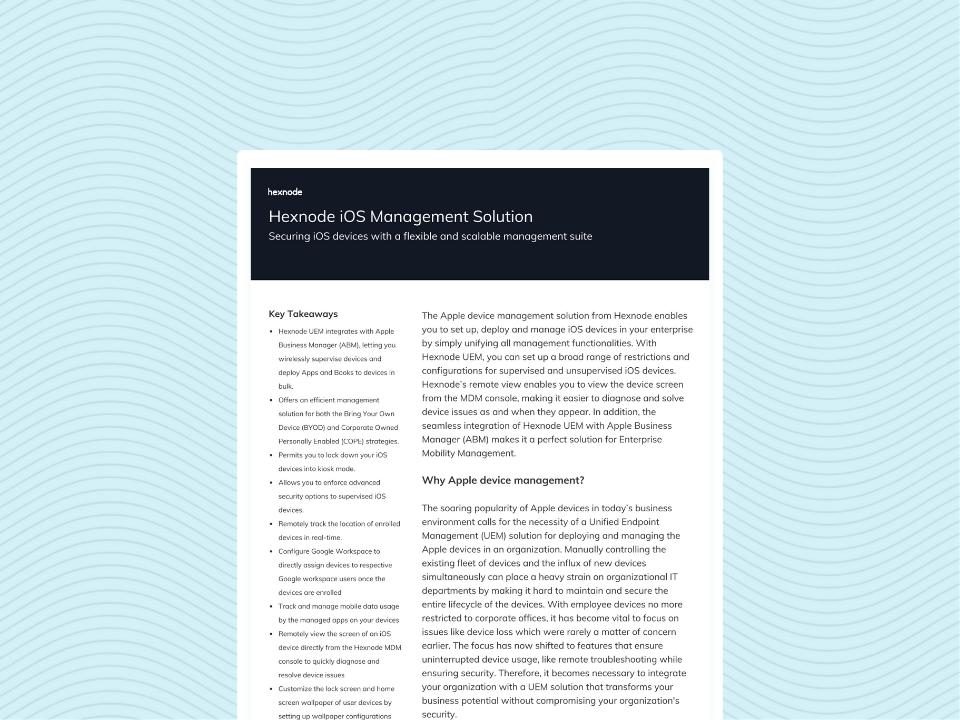
Hexnode’s iOS Management Solution
See how Hexnode UEM supports iOS deployment, configuration, app management, supervision, and other management workflows.
How to automate the four highest-impact iOS workflows
Hexnode iOS automation supports workflows for ADE enrollment, Required Apps enforcement, DDM software updates, and trigger-based automation. Each workflow uses its own configuration and targeting process.
Workflow 1: Zero-touch enrollment with an ADE enrollment profile
An ADE enrollment profile defines how organization-owned Apple devices enroll and configure during initial setup. This provides the foundation for zero-touch iPhone deployment.
Connect Apple Business Manager. Create the ADE account in Hexnode and upload the Apple MDM server token.
Create the ADE enrollment profile. Configure the profile that devices receive during Setup Assistant.
Configure supervision and profile removal. Set the MDM profile as non-removable where applicable.
Configure Setup Assistant. Skip unnecessary panes to streamline initial setup.
Assign devices. Assign devices through Apple Business Manager and associate the appropriate enrollment profile in Hexnode.
Apply the required configurations. Associated policies can reach devices during the provisioning workflow.
What this replaces: IT no longer needs to enroll and configure every new iPhone or iPad manually.
Additionally, pre-approved enrollment supports importing device and user details through CSV before enrollment.
Workflow 2: Self-healing app deployment with a Required Apps policy
A Required Apps policy defines applications that managed iPhones and iPads must retain. Hexnode can automatically reinstall a required application after a user removes it.
Go to Policies > New Policy.
Navigate to iOS > App Management > Required Apps.
Add the required App Store, VPP, or Enterprise apps.
Configure the applicable installation settings.
Associate the policy with the relevant device group.
Hexnode supports silent Required Apps installation on supervised iOS devices. Additionally, assigning a VPP license to the device instead of the user removes the Apple ID sign-in requirement.
Dynamic device groups can evaluate attributes such as OS version or department. During synchronization, Hexnode adds or removes devices as their attributes change.
Associated policies then follow those membership changes. Administrators can also trigger synchronization manually.
What this replaces: IT no longer needs to discover and manually reinstall missing mandatory applications.
Workflow 3: Enforced OS updates with DDM and a patch deadline
Hexnode combines DDM update settings with iOS patch deadline enforcement for supported iPhones and iPads.
Go to Policies > iOS > Patches and Updates.
Configure the Software Update Preferences under Patch Preferences.
Associate the policy with the appropriate devices or groups.
Open Automate when you need deadline enforcement.
Select Patches and Updates > Enforce Patch Deadline.
Choose the Target OS version, Target build version, and Time for enforcing the update.
However, User Enrollment does not support this enforcement configuration. Other declarative Software Update settings have separate OS and supervision requirements.
Users can install the declared update before its enforcement date. After that date, the device continues enforcement when it meets the update requirements. In some cases, the user must enter a passcode.
What this replaces: IT no longer needs to chase individual devices as an update deadline approaches.
Workflow 4: Event-driven remediation with Hexnode Automate
Hexnode Automate connects time-based or activity-based triggers with configured actions. Administrators can also narrow automation scope through Target Filtering.
Go to Automate > New Automation and select iOS as the target platform.
Configure the required trigger or schedule and an iOS-supported action.
Define the applicable targets using the available group or filter controls.
Review the configuration and click Save.
Trigger availability varies by workflow and platform:
Time-based options can include immediate or scheduled execution.
Event-based options can include device enrollment and compliance-related events.
SIM activity and device inactivity triggers apply only to Android devices.
Compliance triggers use criteria defined in a compliance policy. For example, they can initiate configured actions for supported device or location non-compliance conditions.
What this replaces: IT no longer needs to watch for every qualifying event and initiate the corresponding action manually.
How Hexnode iOS automation closes the management loop
Hexnode UEM provides enrollment, policy configuration, device targeting, software-update controls, and Automate workflows for managed devices.
These capabilities support four complementary administrative functions:
Define the required state. ADE profiles, Required Apps, and DDM update settings establish the required device configuration.
Target the appropriate devices. Dynamic device groups use device attributes to maintain relevant group membership.
Respond to qualifying events. Hexnode Automate connects supported triggers with configured management actions.
Refine automation scope. Target Filtering uses Include/Exclude Groups or Custom Filters to narrow eligible devices or users.
For workflows that support templates, administrators can select Choose from templates during Automate initiation.
Policies and Automate serve different roles. Policies define configurations, restrictions, and apps. Meanwhile, Automate executes configured actions through supported triggers and can use Target Filters to refine scope.
For example, Required Apps can reinstall an application when a managed device loses it. Separately, DDM software-update controls and Enforce Patch Deadline manage update behavior and deadline enforcement.
Together, these mechanisms let administrators use configured policies and Automate workflows for supported management tasks.
Can Hexnode automate iOS management without Apple Business Manager?
Yes. Some policy and automation workflows can operate on enrolled iOS devices without Automated Device Enrollment. However, integrating Apple Business Manager with Hexnode ADE adds automated enrollment, supervision, Setup Assistant options, and MDM profile removal controls. Devices manually added through Apple Configurator remain subject to Apple’s 30-day provisional period.
Do all iPhones and iPads need supervision for Hexnode iOS automation?
No. Supervision is not required for every iOS automation workflow. However, supervision enables additional controls. These include Lost Mode and silent Required Apps installation on supported devices.
Can Hexnode automatically reinstall an iOS app after a user deletes it?
Yes. Hexnode’s Required Apps policy can automatically reinstall a required application after its removal. On supervised iOS devices, Hexnode also supports silent installation of Required Apps.
Can Hexnode enforce an iOS update by a specific deadline?
Yes. Hexnode Automate includes Enforce Patch Deadline for supported iPhones and iPads with DDM active. Administrators can specify the target OS version, target build version, and enforcement time. However, User Enrollment is not supported.
Can Hexnode automatically target new iOS devices as the fleet changes?
Yes. Dynamic device groups can evaluate attributes such as OS version or department. During synchronization, devices join or leave the group as they begin or cease meeting its criteria. Associated policies follow those membership changes.
Which Hexnode Automate triggers are available for iOS devices?
Hexnode Automate supports time-based and event-based execution for iOS. However, available triggers depend on the selected workflow and action. SIM activity and device inactivity triggers apply only to Android devices.
Turn repetitive tasks into Hexnode iOS automation workflows
Managing an iOS fleet should not require administrators to repeatedly chase missing apps, delayed updates, or compliance changes. Hexnode iOS automation turns supported recurring tasks into defined management workflows.
Apple provides key mechanisms through ADE, supervision, DDM, and its broader device-management framework. Hexnode UEM adds policy configuration, dynamic targeting, and trigger-based automation around those mechanisms.
As a result, administrators can spend less time executing routine actions. Instead, they can focus on exceptions that require human judgment.
Automate More of Your iOS Fleet
Put enrollment, app deployment, device targeting, and supported automation workflows to work across your managed iPhones and iPads.
I write at the intersection of technology, process, and people, focusing on explaining complex products with clarity. I break down tools, systems, and workflows without any noise, jargon, or the hype.