DaaS management platforms hold broad control over device fleets, making administrative access, enrollment integrity, compliance, data protection, integrations, and auditability critical security considerations.
Weak privileges, untrusted enrollment, configuration drift, insecure integrations, or incomplete lifecycle controls can create fleet-wide exposure across customer environments.
Providers should test security controls through realistic enrollment, compliance, incident-response, reassignment, retirement, and audit scenarios rather than relying on feature checklists.
Hexnode UEM provides technician access controls, compliance policies, automated enrollment options, remote security actions, and audit reporting to support DaaS lifecycle security.
Why DaaS Security Depends on the Management Platform?
A DaaS management platform coordinates every stage of the device lifecycle. It connects procurement records with provisioning workflows, applies configurations before delivery, supports devices during active use, and manages reassignment or retirement. This centralized control helps providers maintain consistent operations across customers, locations, ownership models and operating systems.
However, the same control makes the platform a high-value target. Administrators can use it to deploy applications, change security policies, access device information and issue remote commands. A compromised account, excessive permission or insecure integration could therefore affect many endpoints at once. Attackers may exploit this access to weaken configurations, expose customer data or disrupt device availability.
DaaS providers must consequently protect two interconnected environments: the physical endpoints supplied to customers and the administrative platform controlling them. Evaluating DaaS management platform security risks requires more than checking whether individual devices support encryption or strong passwords. Providers must also examine administrative access, enrollment integrity, customer separation, integration security, auditability and lifecycle controls.
What Happens When DaaS Platform Risks Go Unchecked?
When a DaaS management platform operates across hundreds or thousands of endpoints, one compromised administrator account can create fleet-wide exposure. An attacker could change policies, deploy unauthorized configurations, disable safeguards or issue disruptive commands across multiple device groups. Incorrect policies can cause similar damage, while weak enrollment controls may allow untrusted devices to enter customer environments.
The consequences extend beyond individual endpoints. Configuration tampering can weaken encryption, password rules or application restrictions, while unauthorized access may expose customer records and operational data. Poorly tested commands can interrupt services, remove required applications or make devices unavailable. Incomplete logs and unclear alerting can also delay investigation, containment and recovery.
The risk multiplies when a provider uses shared workflows, privileged integrations or common policy templates across several customers. A single control failure may then spread configuration errors, unauthorized access or compliance violations between otherwise separate environments. Providers may face missed service commitments, failed audits, emergency rebuilds, customer notifications and higher support costs. This outcome can directly weaken contractual trust and threaten future renewals.
Everything about Device-as-a-Service (DaaS) in a nutshell
Learn how Device as a Service simplifies device procurement, management, support, and lifecycle operations.
What Security Risks Should DaaS Providers Evaluate?
DaaS management platform security risks are weaknesses that could compromise administrative access, device integrity, customer data or the controls governing a device’s lifecycle. These weaknesses may exist within the platform’s architecture and features, or emerge from insecure deployment, excessive permissions and inconsistent operating practices.
A complete evaluation should cover six connected areas: privileged access, enrollment trust, configuration compliance, data protection, integrations and auditability. Together, they determine who can control devices, which endpoints the platform accepts, how consistently it enforces security requirements and whether teams can trace sensitive actions.
Providers must go beyond checklists. They should validate native safeguards and examine how securely administrators configure, monitor and maintain them in production.
Excessive Administrative Privileges and Account Compromise
Shared accounts, broad permissions and weak authentication make administrative activity difficult to control or attribute. One compromised privileged account could let an attacker change policies, deploy applications or issue commands across entire device fleets.
Providers should assess whether the platform supports:
Least-privilege roles for different operational responsibilities
Administrator scopes limited by customer, device group or function
Automatic session termination and inactivity timeouts
Immediate access revocation when technicians leave or change roles
The platform should also separate routine support duties from high-impact operations. A technician diagnosing connectivity issues should not automatically receive permission to wipe devices, modify enrollment settings or alter organization-wide security policies.
Untrusted Enrollment and Device Identity Gaps
Weak enrollment validation can introduce unauthorized, incorrectly assigned or unmanaged devices into customer environments. These gaps undermine later security policies because the platform cannot reliably establish device identity or ownership.
Providers should validate:
Authenticated enrollment for approved users
Ownership checks for corporate and personal devices
Serial-number validation against approved inventory
Integration with platform-native provisioning programs
Correct customer and user assignment during enrollment
The platform should prevent users from skipping management, removing required profiles or redirecting devices to another environment. These safeguards must remain effective during initial setup, reassignment and re-enrollment. Otherwise, residual ownership records or reusable credentials could provide unauthorized access.
Inconsistent Security Baselines and Compliance Drift
Configuration drift occurs when a device moves away from its approved security baseline. Users, software changes or failed policy deployments can leave endpoints outside required password, encryption, application or operating-system standards.
The platform should continuously detect:
Missing or removed management profiles
Outdated operating systems and applications
Disabled encryption or password controls
Missing required applications
Installed prohibited applications
Inactive devices that no longer report their status
Providers must determine how quickly the platform identifies each condition and reports affected endpoints. They should also verify whether administrators can initiate corrective action. Secure deployment alone cannot guarantee continued protection throughout a multi-year subscription. Continuous compliance monitoring helps teams identify drift before temporary exceptions become persistent security gaps.
Weak Data Protection Across the Device Lifecycle
Customer data faces different risks during staging, shipment, active use, repair, reassignment, return and retirement. Devices may leave direct customer control while retaining files, account tokens, certificates or cached application data.
Providers should evaluate whether the platform can:
Enforce device and disk encryption
Lock missing or stolen endpoints
Activate supported lost-device controls
Remove organizational data when appropriate
Completely wipe devices before reuse or disposal
Report whether remote commands succeeded or failed
Before reassignment, administrators should verify that devices no longer contain customer accounts, managed applications, certificates, business files or recovery credentials. Issuing a wipe command does not prove sanitization. The workflow should confirm execution, record exceptions and prevent devices from reaching another customer until the required controls succeed.
Insecure APIs and Third-Party Integrations
API tokens, directory services, identity providers, application repositories and procurement systems extend management beyond the platform’s native boundary. Each connection introduces credentials, permissions and data flows that attackers could exploit.
Providers should examine:
How the platform stores and protects integration credentials
Whether API tokens support limited scopes
How teams rotate and revoke tokens
Whether integrations encrypt data in transit
Which administrator owns each connected service
What information each integration can access or modify
Permissions should remain limited to the required workflow, while teams should disable unused connections promptly. Providers must conduct a documented security review before deploying an integration and repeat it whenever vendors, permissions, authentication methods or connected workflows change.
Incomplete Monitoring, Audit Trails and Incident Response
DaaS providers need traceable records of administrator logins, policy changes, enrollment events and remote commands. Without this evidence, teams cannot determine whether an action was legitimate, accidental or malicious.
Audit logs should answer four questions:
Who performed the action?
What configuration, object or setting changed?
When did the event occur?
Which devices or customers were affected?
Providers should also evaluate log retention, search filters, exports, alerting and integration with existing monitoring tools. They must confirm that alerts reach the correct responders and that exported records preserve enough context for customer investigations, compliance audits and incident containment.
How Should Providers Evaluate a DaaS Management Platform?
Providers should conduct a risk-based evaluation that follows devices and administrators through realistic lifecycle scenarios. A feature checklist cannot show how the platform behaves when enrollment fails, permissions change or a device stops reporting.
The assessment should involve:
Security teams
Endpoint operations
Compliance stakeholders
Procurement teams
Service-delivery managers
Together, these teams should build a repeatable assessment covering the platform’s architecture, administrative access controls, device-level enforcement, integrations, monitoring and recovery capabilities. Each test should have a defined expected result, evidence requirement and accountable reviewer. Providers can then compare platforms against actual operational risks instead of relying on demonstrations built around ideal conditions.
Step 1: Map Devices, Data and Trust Boundaries
Begin by documenting everything the management platform must support:
Operating systems and device types
Corporate, shared and personal ownership models
Customer environments and administrative boundaries
Device, user and operational data
Manual and automated provisioning channels
Next, map where device records, identities, credentials, policies and customer data enter, move through or leave the workflow. Mark every point where another organization or system gains access.
Assign responsibility for each control to the DaaS provider, customer, hardware supplier, platform vendor or logistics partner. This responsibility map exposes security gaps that technical testing alone may miss.
Step 2: Test Administrative Access and Customer Separation
Create representative test roles for service-desk technicians, deployment engineers, auditors and platform administrators. Assign only the permissions each role requires, then verify access from the user’s perspective.
Confirm that every role can access only its authorized:
Customer environments
Devices and device groups
Reports and inventory data
Policies and applications
Remote management actions
Test multifactor authentication, single sign-on, inactivity timeouts and manual session termination. Simulate technician offboarding to confirm that access ends immediately. Finally, attempt to cross customer, device and functional boundaries. The platform should deny each unauthorized request and record the attempt for investigation.
Step 3: Validate Controls From Enrollment to Retirement
Run complete lifecycle tests instead of evaluating isolated features. Begin with automated enrollment, then verify policy assignment, compliance detection, operating-system updates, device reassignment and secure retirement.
Introduce realistic failure conditions:
Remove a management profile
Delete a required application
Disable encryption
Stop a device from checking in
Report an endpoint as lost
Interrupt a remote command
For each scenario, confirm that administrators can detect the failure, identify the affected customer and initiate the correct response. The platform should also show whether each command remains pending, succeeds or fails. Before reassignment or retirement, verify that the workflow removes customer data and prevents incomplete devices from returning to circulation.
Step 4: Review Architecture, Assurance and Integrations
Review how APIs, identity services, application ecosystems and procurement integrations authenticate to the platform. Examine token scopes, credential rotation, data access and revocation procedures.
Compare every documented safeguard with contractual commitments, customer requirements and applicable compliance frameworks. Where documentation remains unclear, require written clarification and supporting evidence before approving the platform.
Step 5: Run Incident and Audit Scenarios
Simulate incidents that reflect the provider’s actual threat model:
A compromised technician account
An unauthorized policy change
A missing managed device
A failed wipe command
Measure how quickly teams detect each event, what containment options remain available and whether logs provide useful evidence. Confirm that responders can identify the affected devices, customers, administrators and integrations without manually combining incomplete records.
Document who owns remediation, escalation and customer communication at every stage. The final review should also include credential rotation, permission changes and post-incident access validation. These exercises reveal whether documented procedures remain effective during a real operational failure.
Featured Resource
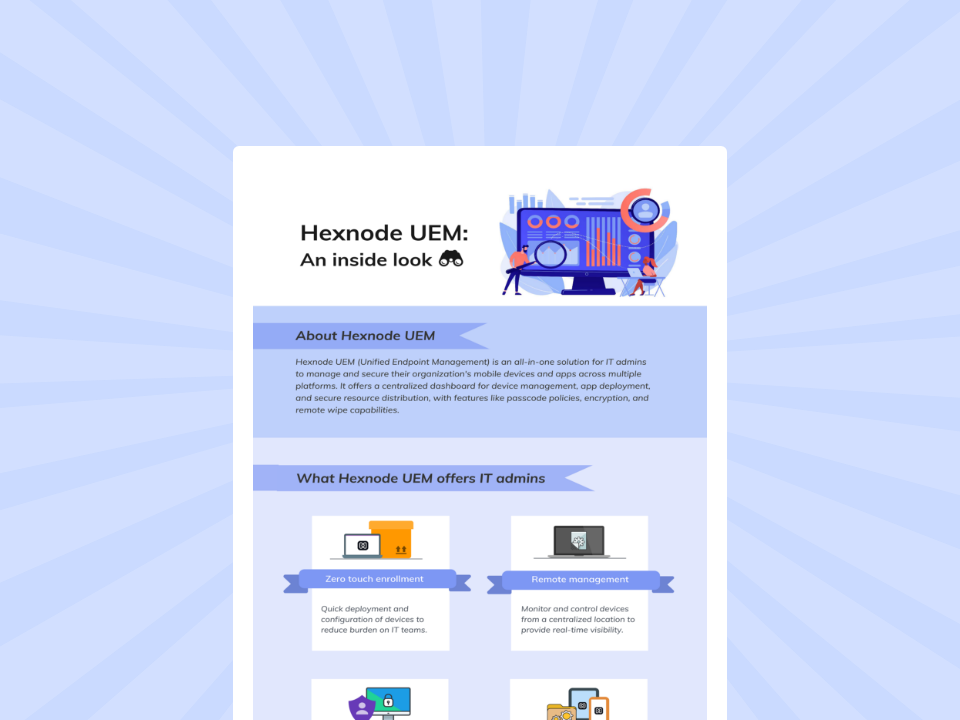
Hexnode UEM: An inside look
Explore Hexnode’s key capabilities for simplifying endpoint management, security, and enterprise device administration.
Hexnode UEM gives DaaS providers controls for limiting administrative access, maintaining device compliance and tracing sensitive actions across the lifecycle. Providers should evaluate these capabilities against their own workflows, supported platforms and subscription plan.
Key controls include:
Custom Technician Roles and Scope to restrict console permissions by function and managed resources. Technician Two-Factor Authentication, single sign-on and automatic logout settings add account and session safeguards.
Compliance Policies to identify removed management profiles, inactive devices, missing encryption, password non-compliance and prohibited or missing applications.
Automated Device Enrollment, Android Zero-Touch Enrollment, Samsung Knox Mobile Enrollment and Windows Autopilot to establish managed configurations during provisioning.
Platform-supported Lock Device, Lost Mode and Wipe Device actions for responding to lost, compromised or retiring endpoints.
Audit Reports provide traceable records of portal activity, including technician actions, policy associations, device synchronizations, UEM profile password changes, Live Terminal events and Remote View/Control sessions. Separate Action Reports record remote-action history. Administrators can schedule reports and export them as PDF or CSV files.
DaaS providers should test these controls across their Apple, Android and Windows provisioning paths. They should confirm operating-system support, command behavior and plan availability before standardizing the platform.
FAQs
What security controls should DaaS providers look for in a device management platform?
DaaS providers should evaluate privileged access, enrollment trust, configuration compliance, data protection, integration security and auditability. These controls should protect both managed endpoints and the administrative platform used to manage the device lifecycle.
How can DaaS providers prevent one administrator account from affecting an entire fleet?
Providers should enforce least-privilege roles, scoped administrative permissions, multifactor authentication and appropriate session controls. Routine support technicians should not automatically receive high-impact permissions such as wiping devices or changing organization-wide security policies.
How should DaaS providers test customer separation in a management platform?
Providers should create representative administrator roles and attempt to access devices, policies, reports and remote actions outside each role’s authorized scope. The platform should deny unauthorized requests and provide sufficient records for investigating the attempted activity.
Evaluate Hexnode UEM Against Your DaaS Workflow
Before selecting a management platform, test Hexnode UEM against the enrollment, access-control, compliance, incident-response and retirement scenarios your DaaS team handles. Start a 14-day free trial to evaluate these workflows directly, or request a demo tailored to your device environment.
Secure Your DaaS Management Platform
Strengthen access, compliance, provisioning, and lifecycle security across DaaS fleets with Hexnode UEM.
Content writer at Hexnode. Fueled by good coffee and the occasional cat cuddle, I enjoy crafting content that informs, connects, and resonates. Nothing excites me more than knowing my words have been read, appreciated, and maybe even bookmarked.