Device lifecycle management connects every stage from procurement to retirement, helping IT maintain consistent oversight as devices move through the organization.
Disconnected lifecycle stages can create deployment delays, configuration gaps, unclear ownership, unmanaged devices, and incomplete retirement.
A structured lifecycle covers planning, enrollment, deployment, active management, maintenance, refresh or reassignment, and secure retirement.
Hexnode UEM supports applicable lifecycle stages through device reporting, automations, wipe actions, corporate data wipe, and device disenrollment.
The device lifecycle stages describe the sequence an organizational device moves through from initial planning and procurement to deployment, active use, refresh or reassignment, and eventual retirement. Each stage introduces different requirements for managing the device, its data, and its relationship with the organization.
Device lifecycle management connects these stages instead of treating management as something that begins only after deployment. It brings together asset ownership, configuration, security, application and update management, user support, and end-of-life decisions.
A typical lifecycle includes planning and procurement, enrollment and provisioning, deployment, active management, maintenance and support, refresh or reassignment, and retirement. Device as a Service (DaaS) providers may deliver some of these lifecycle activities, depending on the provider and service agreement.
Why does device lifecycle management become difficult at scale?
Device lifecycle management becomes harder as fleets grow across operating systems, remote users, ownership models, and procurement channels. IT teams can lose visibility into device ownership, configuration, and lifecycle status.
Disconnected procurement, inventory, endpoint management, support, and retirement processes create further gaps as devices move between users and stages. Maintaining continuity from acquisition through retirement helps IT keep device information consistent throughout the lifecycle.
What Happens When Device Lifecycle Stages Are Disconnected?
Disconnected lifecycle stages create operational gaps that become harder to control as the device fleet grows. Common consequences include:
Delayed deployments: Poor handoffs between procurement and IT can slow device preparation and assignment.
Configuration inconsistencies: Devices may reach users without the expected applications, settings, or security configurations.
Outdated or unsupported software: Gaps during active management can leave devices running older OS or application versions.
Unclear device ownership: Incomplete records make it difficult to determine who has a device or where it is located.
Unmanaged endpoints: Devices can fall outside established management processes during transfers, reassignment, or other lifecycle changes.
Incomplete retirement: Devices may remain active or retain organizational data when offboarding and disposition processes are not completed.
Repeatable processes across each stage help IT maintain consistent oversight instead of managing these issues as isolated tasks.
How Device as a Service (DaaS) helps mitigate the risks of BYOD
Manage multi-OS DaaS fleets through centralized, scalable device lifecycle workflows.
What are the main stages of the device lifecycle?
A practical device lifecycle can be organized into planning and procurement, enrollment and provisioning, deployment, active management, maintenance and support, refresh or reassignment, and retirement. Together, these stages represent how a device moves through an organization from acquisition to final disposition.
Organizations may name, divide, or combine these stages differently depending on device ownership, operating system, procurement model, and internal processes. Rather than a rigid framework, the lifecycle is a continuous operational flow in which decisions made at one stage can affect how efficiently the device is managed later.
Stage 1 – Planning and procurement
The lifecycle begins before a device is purchased. IT teams first determine what devices are appropriate based on user roles, workloads, operating systems, security requirements, supportability, organizational standards, and expected lifespan.
Key considerations at this stage include:
Hardware requirements: Select device models and specifications appropriate for intended workloads and users.
Management compatibility: Confirm that devices support the organization’s intended enrollment and management approach.
Asset information: Capture serial numbers or other identifiers, ownership details, purchase information, and warranty coverage.
Lifecycle expectations: Establish expected service life, support requirements, and potential refresh criteria.
These early decisions influence how easily devices can later be enrolled, configured, supported, reassigned, and retired.
Stage 2 – Enrollment and provisioning
Once acquired, devices need to be brought under the organization’s management process and prepared for their intended users or purposes. Enrollment establishes the device’s management relationship, while provisioning applies the configurations and resources it needs for use.
This can involve:
Establishing management: Enroll the device using an appropriate platform and ownership-specific method.
Applying configurations: Configure security settings, restrictions, connectivity, certificates, and other required settings.
Providing applications and resources: Install or make required business applications and resources available.
Preparing for the user: Associate the appropriate configurations and access requirements with the device’s intended role.
Automated or zero-touch enrollment can reduce manual setup, while other scenarios require user- or administrator-assisted enrollment. Available methods and management capabilities vary by platform, ownership model, and enrollment type.
Stage 3 – Deployment and assignment
After provisioning, the device is assigned to a user, department, location, role, or shared-use environment and enters production use. Before handover, IT should verify that the endpoint is ready for its intended workload.
Typical checks include:
Required applications and configurations are present.
Security policies and restrictions have been applied.
Necessary network and organizational resources are accessible.
The device is enrolled and reporting through the intended management system.
User, ownership, and asset records accurately reflect the assignment.
Maintaining these records creates continuity between deployment and later support, reassignment, recovery, or retirement.
Stage 4 – Active management and compliance
Active management is typically the longest stage of the device lifecycle. Devices must remain aligned with changing organizational requirements throughout their useful life rather than retaining only their original deployment configuration.
Ongoing responsibilities can include:
Policy management: Update configurations and security requirements as organizational needs change.
Application management: Deploy, update, configure, or remove applications as required.
OS and software maintenance: Manage supported updates to reduce exposure to outdated software.
Inventory visibility: Track relevant hardware, software, ownership, and device information.
Compliance monitoring: Identify devices that no longer satisfy defined organizational requirements and take appropriate action.
The controls available for these tasks can vary considerably across operating systems, ownership models, enrollment types, and management states.
Featured resource
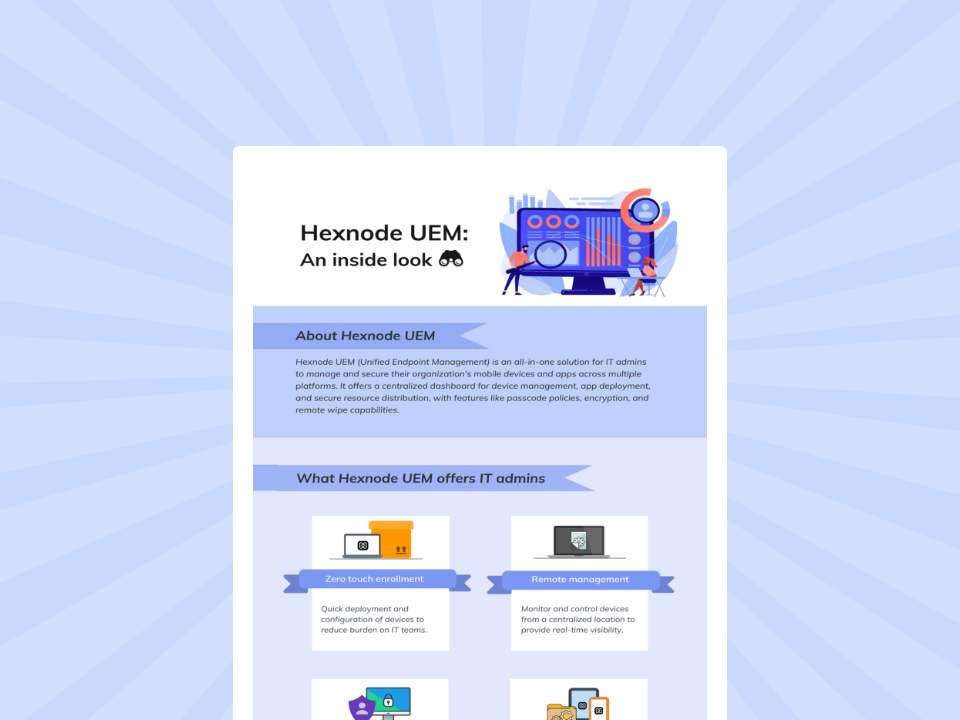
Hexnode UEM: An inside look
Learn how Hexnode UEM centralizes cross-platform device management, app deployment, security, and remote administration efficiently.
Devices inevitably encounter software problems, hardware failures, performance issues, and changing support requirements. IT therefore needs processes for keeping endpoints operational without losing track of their lifecycle status.
This stage can involve:
Troubleshooting device, application, configuration, and connectivity problems.
Performing software maintenance and resolving configuration issues.
Coordinating warranty claims, servicing, or hardware repairs.
Providing replacement devices when users cannot wait for repairs.
Using inventory and device-status information to give support teams additional diagnostic context.
For aging hardware, teams also need to decide whether continued repair is economical and operationally practical or whether the device should move into the refresh stage.
Stage 6 – Refresh, reassignment, and reuse
A device does not necessarily move directly from active use to retirement. It may still be suitable for another employee, workload, or organizational purpose.
IT teams should evaluate whether to:
Extend its current use when the device remains supported and suitable.
Refresh or replace it when age, supportability, performance, or organizational requirements justify a newer device.
Reassign it when the hardware can serve another user or role.
Prepare it for reuse by removing the previous user’s organizational data and access as appropriate, resetting it where required, updating assignment records, and reprovisioning it for its next purpose.
Refresh and reassignment keep an asset in service. Retirement, by contrast, removes the device from active organizational use.
Stage 7 – Retirement and secure disposition
Retirement closes the device lifecycle. Simply collecting or switching off an endpoint is not enough; IT needs to close out its data, access, management, and asset records appropriately.
Depending on the device, ownership model, and disposition plan, this can include:
Addressing organizational data: Remove organizational data or appropriately sanitize the device or storage media according to the sensitivity of the information and the planned reuse or disposal method.
Closing management and access: Remove management relationships and associated organizational access when required.
Updating asset records: Record that the device is no longer active and document its final status.
Completing physical disposition: Return, resell, recycle, or dispose of the hardware according to organizational policy and applicable requirements.
A defined retirement process helps prevent devices from remaining active, retaining organizational data, or becoming unaccounted-for assets after their useful life ends.
Device lifecycle stages at a glance
Stage
Primary objective
Typical activities
Planning & procurement
Choose suitable devices
Select hardware, record assets
Enrollment & provisioning
Prepare devices
Enroll, configure, deploy apps
Deployment
Put devices into use
Assign users, verify setup
Active management
Maintain devices
Manage policies, apps, updates
Maintenance & support
Keep devices operational
Troubleshoot, repair, replace
Refresh & reassignment
Extend device use
Reset, reassign, reprovision
Retirement
End device use securely
Remove data, update records, dispose
How Hexnode UEM supports device lifecycle management
Hexnode UEM can support IT teams across different stages of the device lifecycle with centralized reporting, automation, and remote management actions.
Device Reports and Custom Reports: Administrators can track enrolled, active, inactive, recently enrolled, and disenrolled devices. Reports can also be scheduled, helping teams maintain visibility as device status changes.
Hexnode UEM Automations: IT teams can configure time- or activity-triggered workflows, apply target filters, and execute supported management actions. This can reduce repetitive administration at applicable lifecycle stages.
Wipe Device: Administrators can factory-reset supported managed devices when appropriate for reassignment or retirement. Supported actions such as device disenrollment or policy removal can remove corporate configurations and managed data, with the exact behavior varying by platform, app configuration, policy settings, and management scenario.
Disenroll Device: Administrators can terminate Hexnode UEM management for a device that no longer needs to be managed; the resulting removal of configurations and managed apps varies by platform and management mode.
Wipe and re-enrollment behavior varies by platform and enrollment method. Re-enrollment after a wipe depends on the original enrollment method. Devices enrolled through supported methods such as Apple ADE and certain Android enterprise or OEM enrollment programs can automatically regain or retain management, while devices enrolled through other methods may require manual re-enrollment.
FAQs
How does UEM support device lifecycle management?
UEM supports device lifecycle management by providing centralized visibility and management for enrolled devices. It can help IT teams manage configurations, applications, updates, compliance, reporting, and supported device actions throughout applicable lifecycle stages.
When should an organization refresh or retire a device?
Organizations can refresh a device when age, performance, supportability, or changing requirements justify replacement. They retire a device when they remove it from active use and appropriately address its data, access, management status, and asset records.
What should IT teams consider before reassigning a device?
IT teams should address the previous user’s organizational data and access, update ownership or assignment records, and reset the device where appropriate.IT teams can then reprovision the device with the configurations and resources required for its next user or purpose..
Build a more consistent device lifecycle
Effective device lifecycle management depends on connecting procurement, deployment, active management, refresh, and retirement rather than handling each stage separately. This continuity remains important whether organizations manage devices in-house or use a Device as a Service (DaaS) provider, with responsibilities varying by provider and service agreement.
Centralized UEM can support this process with consistent management, visibility, and repeatable administrative workflows across supported devices. Explore how Hexnode UEM can help simplify device management throughout the lifecycle.
A storyteller for practical people. Breaks down complicated topics into steps, trade-offs, and clear next actions—without the buzzword fog. Known to replace fluff with facts, sharpen the message, and keep things readable—politely.