Why Does a Generic UEM Platform Fall Short for a DaaS Offering?
A UEM platform for DaaS providers must support the complete device lifecycle across multiple client environments. Standard UEM deployments often focus on managing an organization’s own endpoints, while DaaS providers require additional capabilities for multi-client operations.
Traditional MDM and UEM deployments commonly centralize endpoint configuration, policy enforcement, monitoring, and security management. DaaS operations introduce a different set of requirements. Providers must manage devices for many customers while maintaining clear operational and data boundaries between each client.
Therefore, the UEM layer supporting DaaS must accommodate several service-provider requirements:
Scalable onboarding: Add new customers and device fleets without creating excessive administrative overhead.
Device lifecycle management: Track endpoints from procurement and provisioning through deployment, support, reassignment, and retirement.
Billing-aware operations: Maintain accurate device and lifecycle records that can feed service billing and customer reporting workflows.
The mismatch often appears after deployment begins. A provider may select UEM based primarily on brand recognition, feature breadth, or licensing costs. However, the platform may struggle with multi-tenant device management or repeatable client onboarding.
As a result, DaaS providers should evaluate UEM around their operating model, not enterprise endpoint management alone.
What Happens When DaaS Providers Choose the Wrong UEM Platform?
Choosing the wrong UEM platform increases operational overhead, weakens client-level accountability, and ultimately limits how efficiently a DaaS provider can scale.
When multi-tenant device management requires manual workarounds, technicians spend more time switching contexts and repeating administrative tasks. Teams may also maintain separate workflows for policies, inventory, reporting, and device actions across customers. Consequently, these additional labor costs erode the operating margin that makes the DaaS model sustainable.
Compliance and auditability create another operational risk. DaaS providers often need clear records of administrative activity, device status, policy changes, and lifecycle events for each customer. Weak client-level audit trails make that evidence harder to retrieve during security reviews and renewal discussions. As a result, providers may spend additional time assembling records from disconnected systems.
Growth can expose these limitations even further. Every new customer introduces devices, configurations, policies, administrators, and reporting requirements. Therefore, onboarding processes must remain repeatable as client numbers increase.
If onboarding depends on manual configuration and customer-specific workarounds, technician capacity becomes the scaling constraint. A provider may continue adding DaaS contracts while its operations team struggles to onboard them efficiently.
The global Device as a Service market was valued at $43.81 billion in 2025 and is projected to reach $55.75 billion in 2026.
What Should You Actually Evaluate in a UEM Platform for DaaS?
A UEM platform for DaaS providers should meet five criteria: multi-tenant architecture, lifecycle coverage, cross-platform breadth, automation depth, and compliance granularity. Feature count alone does not indicate whether a platform fits a multi-client service model.
Instead, use these five DaaS UEM requirements as the evaluation spine. They connect platform architecture directly to operational efficiency, client onboarding, governance, and future scale. The following UEM evaluation checklist provides a starting point for vendor assessment.
Criterion
Why It Matters for DaaS
Question to Ask Any Vendor
Multi-tenant architecture
Separates client environments while supporting centralized service-provider operations.
Can we manage multiple clients without mixing their devices, policies, data, or administrative access?
Device lifecycle coverage
Supports consistent management from initial provisioning through retirement.
Which lifecycle stages can we manage and track from one platform?
Cross-platform breadth
Helps providers support heterogeneous customer fleets without multiplying management tools.
Which operating systems and device types receive the management depth our clients require?
Automation depth
Reduces repetitive technician work as device and client volumes grow.
Which onboarding, configuration, maintenance, and remediation workflows can we automate?
Compliance and reporting granularity
Provides client-specific evidence for governance, reviews, and service reporting.
Can we generate granular audit and compliance records for each client environment?
What Is Multi-Tenant Architecture in UEM?
Multi-tenant architecture in UEM isolates each client’s devices, policies, administrators, and management data while giving the DaaS provider centralized oversight.
Each client operates within a logically separated management environment. Therefore, administrators can apply customer-specific configurations and access controls without exposing another client’s information. Meanwhile, the provider can oversee multiple customer environments without maintaining an entirely separate management stack for each account.
For DaaS providers, this structure reduces manual account separation and supports customer-specific administrative responsibilities. It supports cleaner client onboarding and reduces reliance on manual account separation. Moreover, providers can structure administrative responsibilities around individual customer environments.
What Is Multi-Tenant Device Management and Why Do MSPs Need It?
Explore how multi-tenant device management helps service providers separate customer environments.
What Is Device Lifecycle Management?
Device lifecycle management covers an endpoint from procurement and provisioning through deployment, maintenance, reassignment, and retirement. For DaaS providers, this lifecycle may also include device recovery, refurbishment, and redeployment between users or contracts.
MDM and device lifecycle management are related, but they are not interchangeable. MDM focuses on administering devices through capabilities such as configuration management, application management, policy enforcement, monitoring, and security controls.
Lifecycle management therefore extends beyond day-to-day device administration. DaaS providers should evaluate how UEM supports or integrates with operations across each lifecycle stage. Therefore, DaaS providers should evaluate how UEM supports or integrates with operations across procurement, deployment, active use, reassignment, and retirement.
Why Does Cross-Platform Support Matter for DaaS Fleets?
Cross-platform support matters because DaaS providers may need to manage multiple operating systems across different client environments. Each customer can introduce a different mix of desktops, laptops, tablets, smartphones, and purpose-built endpoints.
Limited platform coverage fragments DaaS operations. For example, technicians may need separate tools when the primary UEM cannot support a client’s operating system or device type. Consequently, teams duplicate policies, inventory processes, reporting workflows, and administrative training across consoles.
These gaps also complicate device lifecycle management. A workflow that works for one operating system may require manual steps for another. Therefore, DaaS providers should evaluate both supported platforms and management depth across each platform before selecting a UEM.
What Automation Depth Should You Expect from a UEM Platform?
A DaaS-ready UEM platform should automate recurring device operations without depending primarily on custom scripts or paid add-ons.
Out-of-the-box automation can reduce technician effort for routine workflows such as device configuration, application deployment, policy enforcement, and maintenance. Therefore, providers should identify which workflows the core platform can automate before comparing feature lists.
Custom scripting can extend automation when clients require specialized actions. However, scripts introduce development, testing, maintenance, and troubleshooting overhead. Likewise, paid automation modules can increase the cost of scaling across customers and devices.
As a result, DaaS UEM requirements should distinguish native automation from script-dependent capabilities and separately licensed features. Vendors should clearly explain what the standard license includes.
What Does Compliance and Reporting Granularity Mean for DaaS?
Compliance and reporting granularity refers to a DaaS provider’s ability to examine and report device data at both client and fleet levels.
An aggregated view helps operations teams monitor device health, compliance, inventory, and management activity across the overall service. However, customer reviews require greater specificity. Providers need client-specific, on-demand reports that clearly scope relevant device and compliance information to one customer environment.
This distinction becomes especially important during security reviews and contract renewals. Without sufficient granularity, teams may need to manually separate customer records from broader operational data. Consequently, reporting becomes slower and increases administrative overhead.
Therefore, a UEM evaluation checklist should assess both centralized visibility and the platform’s ability to produce granular, client-scoped compliance evidence.
Featured resource
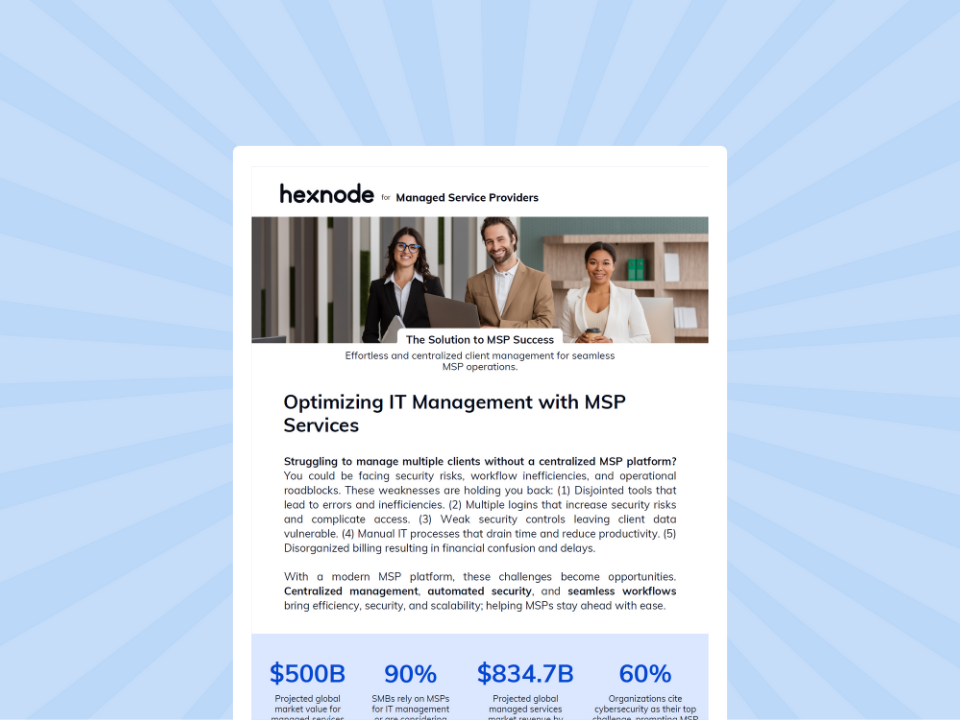
Hexnode UEM for MSPs
See how Hexnode UEM MSP centralizes multi-client device management and supports more efficient MSP operations.
How Do You Run a UEM Evaluation for a DaaS Offering?
Run a DaaS UEM evaluation by mapping your fleet, scoring vendors, testing a representative client, and validating client-ready reporting. This process tests operational fit rather than relying on feature lists or controlled demonstrations.
Step 1: Map Your Current and Projected Device Mix
Document the environment before requesting vendor demos. Include operating systems, device types, ownership models, current client count, and projected client growth.
Also, identify differences between customer environments. This baseline helps vendors demonstrate how their platform meets your actual DaaS UEM requirements instead of presenting generic workflows.
Step 2: Build a Weighted UEM Evaluation Checklist
Score each vendor against the five criteria established earlier:
Multi-tenant architecture
Device lifecycle coverage
Cross-platform breadth
Automation depth
Compliance and reporting granularity
However, avoid weighting every criterion equally. Assign higher scores to capabilities that directly affect your service model and technician workload. For example, multi-tenant architecture may carry greater weight when rapid client growth drives the evaluation.
Offer the weighted scorecard here as a downloadable template. It gives evaluation teams a consistent framework for comparing shortlisted vendors.
Step 3: Test One Representative Client in a POC
Next, run a proof of concept using a representative customer environment or an appropriately isolated non-production environment. Test client onboarding speed and multi-tenant device management rather than demonstrating isolated device commands.
Specifically, verify whether administrators can maintain clear separation between customer devices, policies, access, and management data. Record technician effort and any manual workarounds required during onboarding.
Step 4: Generate a Client-Level Compliance Report
Finally, pull a sample compliance report from the POC. Review it as if you were sending it directly to a customer.
Check whether the report provides the required client-level detail without manual data separation or extensive reformatting. Consequently, the POC tests whether reporting can support recurring customer reviews as the DaaS business scales.
What Questions Should You Ask During Vendor Demos?
During UEM vendor demos, ask vendors to demonstrate real DaaS workflows instead of presenting isolated features from a standard script. Your questions should expose onboarding effort, reporting granularity, and hidden automation dependencies.
Ask every shortlisted vendor these questions:
“How does onboarding a new client account work end-to-end, and how long does it take?” Request the complete workflow. Look for manual configuration, repeated setup, and dependencies that could slow client growth.
“Can you show me a compliance report scoped to a single client, generated live?” Check whether the output works as a client-facing deliverable without manual data separation or extensive reformatting.
“What’s automated out of the box versus what requires custom scripting or a paid add-on?” Separate native automation from capabilities that add development effort or licensing costs.
Finally, record each answer in your UEM evaluation checklist. This approach makes vendor comparisons consistent and evidence-based.
Hexnode UEM maps to the five DaaS UEM requirements used throughout this evaluation: tenancy, lifecycle coverage, platform breadth, automation, and reporting.
1. Multi-tenant architecture:
Hexnode UEM MSP provides a multi-tenant framework for managing separate UEM portals through centralized MSP management. Administrators can monitor portal status and license consumption from a single login. Hexnode also supports Technician Roles and Scope Groups for controlling administrative privileges and scope. Invoice Catalog and Estimated Monthly Bill provide billing and cost visibility across the MSP environment.
2. Device lifecycle coverage:
Hexnode documents a four-stage device lifecycle management model. It covers procurement and enrollment, provisioning, maintenance, and decommissioning. During decommissioning, administrators can wipe and disenroll devices for retirement or re-enroll cleared devices for reuse. Hexnode provides a dedicated Device as a Service use case for UEM, covering enrollment, real-time monitoring, security, and ongoing device management.
3. Cross-platform breadth:
Hexnode UEM supports management across Android, Windows, iOS/iPadOS, macOS, tvOS, visionOS, Linux, ChromeOS, and Fire OS, with capabilities varying by platform. Therefore, DaaS providers can bring heterogeneous client fleets into one UEM platform.
4. Automation depth:
Hexnode Genie AI adds natural-language script generation for Windows, macOS, Android, and Linux. Its Script Editor lets technicians modify generated scripts before saving them to the repository. Hexnode Genie AI also supports conversational device queries when administrators allow it to access device details.
5. Compliance and reporting:
Hexnode UEM provides Built-in Reports, Custom Reports, Scheduled Reports, and Compliance Reports. Custom Reports support configurable fields and conditions, while Scheduled Reports automate report delivery at configured intervals.
What is the difference between a UEM platform for DaaS providers and a standard UEM platform?
A UEM platform for DaaS providers must support multiple client environments while maintaining clear separation between customer devices and management data. It also needs to support scalable onboarding, lifecycle operations, and client-level reporting across the DaaS business.
How can I tell if a UEM platform will scale with my DaaS business?
Test how the platform handles increasing client and device volumes without adding excessive manual work. Evaluate multi-tenant architecture, onboarding effort, automation depth, cross-platform coverage, and client-specific reporting during a proof of concept.
Should DaaS providers choose UEM based on supported operating systems alone?
No, operating system support alone does not indicate whether a UEM platform fits a DaaS model. Providers should also compare management depth across each platform because capability gaps can create additional tools and manual workflows.
How should DaaS providers compare UEM automation capabilities?
Separate native automation from workflows that require custom scripts or additional paid features. Also consider the development, testing, maintenance, and troubleshooting effort required when automation depends heavily on scripting.
What should a DaaS provider test during a UEM proof of concept?
A DaaS provider should test a representative customer environment, or an appropriately isolated non-production environment, instead of evaluating isolated device-management features. Measure client onboarding effort, tenant separation, manual workarounds, and whether compliance reports work as client-facing deliverables.
Can Hexnode UEM support multi-client DaaS operations?
Yes. Hexnode UEM MSP provides separate UEM portals within a centralized MSP management framework. It also supports Scope Groups, centralized license visibility, Invoice Catalog, and Estimated Monthly Bill for administrative and billing visibility across managed environments.
See Hexnode UEM in Action for Your DaaS Offering
Choosing a UEM platform for DaaS providers requires validating how the platform performs against your actual service model. A personalized Hexnode UEM demo can focus that evaluation on the workflows that matter to your operations.
Request a DaaS-focused Hexnode UEM demo and ask the team to walk through a multi-tenant setup using Hexnode UEM MSP. Then, evaluate how administrators manage separate client environments and support devices across lifecycle stages.
Bring your projected client count, device mix, and operational requirements to make the session more relevant.
Test Hexnode UEM Against Your DaaS Requirements
Put multi-client endpoint management, lifecycle workflows, automation and reporting to the test with a 14-day Hexnode UEM trial.
I write at the intersection of technology, process, and people, focusing on explaining complex products with clarity. I break down tools, systems, and workflows without any noise, jargon, or the hype.