Secure access requires verifying both user identity and device compliance, because valid authentication alone does not establish that the requesting endpoint is trustworthy.
Combining identity and device signals helps control access from non-compliant corporate devices, BYOD endpoints, privileged accounts, and remote environments.
Conditional access can use identity, device posture, and resource context to allow, restrict, strengthen verification, or block access.
Why Is User Authentication Alone No Longer Enough?
User authentication confirms who is requesting access, but it does not confirm whether the device making that request is secure, managed or compliant. A valid identity can still originate from an endpoint with outdated software, weak security controls or an unknown management state.
Device risk also varies by access scenario. Managed corporate endpoints typically operate under defined security policies, while BYOD devices may have inconsistent controls. Remote-access environments introduce additional uncertainty because users can connect from devices outside the organization’s direct oversight.
This creates a critical security gap. If identity systems evaluate only credentials, MFA or SSO status, they may grant access without considering endpoint posture. Effective access decisions increasingly require both verified identity and acceptable device compliance.
What Are the Risks of Separating Identity and Device Security?
When identity and device security operate independently, organizations can unintentionally allow access from compromised, outdated or unmanaged endpoints. The identity may be valid, but the device itself can still introduce significant risk.
For example, stolen credentials used from an untrusted endpoint may satisfy authentication checks if policies evaluate only the user. Without device context, access controls cannot distinguish between a trusted corporate device and an endpoint with missing patches, weak configurations or no management controls.
This separation also creates operational problems. Security teams may face:
Greater risk of data exposure from unsafe endpoints.
Inconsistent policy enforcement across users and devices.
Audit gaps caused by fragmented visibility.
More investigation work when correlating identity activity with device posture.
Bringing identity and device signals together helps reduce these blind spots.
What Does Combining Identity and Device Compliance Mean?
Combining identity and device compliance means making access decisions based on both who the user is and whether the requesting device meets defined security requirements. An identity provider contributes authentication, account and access signals, while endpoint-management systems provide information about device ownership, management state and compliance posture.
Conditional access acts as the policy layer connecting these signals. Depending on the user, device and requested resource, policies can allow access, require additional verification, restrict available actions or block the request entirely.
When to Use an Identity Provider: A Practical Guide for IT Teams
Learn when to use an identity provider to simplify authentication and secure enterprise access.
Use Case 1: Block Access from Non-Compliant Corporate Devices
Organizations can require managed corporate devices to satisfy specific compliance conditions before users access protected resources. Relevant signals can include device-management status, operating system condition and required security configurations.
For example, an employee may successfully authenticate with valid credentials and MFA, but their corporate laptop may no longer meet policy because a required security setting is disabled. In that case, access to sensitive applications can remain blocked until the endpoint returns to compliance.
This approach prevents valid user identities from becoming an automatic path into enterprise resources when the associated corporate device no longer meets established security requirements.
Use Case 2: Secure Access from BYOD Devices
Identity and device verification can help distinguish an approved personal device from an unknown or unregistered endpoint. This allows organizations to apply access requirements according to device ownership and trust level rather than treating every authenticated device identically.
For example, corporate devices may receive broader access when compliant, while BYOD endpoints may require stronger authentication or receive limited access to sensitive applications.
Privacy remains important in BYOD environments. Organizations should collect only the device information necessary to make access decisions and clearly explain what is evaluated. Defined privacy boundaries help balance access security with employees’ expectations around personally owned devices.
Use Case 3: Protect Privileged and Administrative Access
Privileged accounts require stronger safeguards because compromised administrative credentials can provide extensive access to systems, configurations and sensitive data. Organizations can therefore combine stronger identity assurance with stricter device-compliance requirements for administrative sessions.
For example, an administrator may be permitted to access a management console only from a verified, compliant corporate endpoint after completing additional authentication.
This approach supports least-privilege principles by limiting high-impact access to trusted conditions rather than relying on credentials alone. Even when administrator credentials are stolen, requiring a compliant endpoint and stronger authentication creates additional barriers against unauthorized privileged activity.
Use Case 4: Restrict Access to Sensitive Enterprise Applications
Not every application requires the same level of protection. Organizations can classify applications according to data sensitivity, regulatory requirements and the potential impact of unauthorized access, then apply access policies accordingly.
Low-risk internal services may require standard authentication, while applications containing financial records, customer information or other confidential data may require both stronger identity verification and a compliant managed device.
This risk-based approach avoids applying identical restrictions across the application portfolio. Policy-controlled access can protect approved web, mobile and SaaS applications according to their sensitivity, allowing organizations to enforce stricter controls where exposure would create greater operational, security or compliance consequences.
Use Case 5: Trigger Stronger Authentication for High-Risk Actions
Device context can also help determine when users should complete step-up authentication before performing sensitive actions. Rather than applying the strongest authentication requirement to every interaction, organizations can increase assurance when the requested activity carries greater risk.
Examples include changing administrative privileges, accessing highly sensitive records or initiating other high-impact operations. If the device context introduces additional uncertainty, the access policy can require another authentication factor before proceeding.
Step-up authentication, however, addresses user verification rather than device remediation. Successfully completing an additional authentication challenge does not make an outdated, compromised or otherwise non-compliant endpoint secure.
Use Case 6: Secure Hybrid and Remote Workforce Access
Remote employees may connect to enterprise applications from different networks, geographic locations and device types. As a result, network location alone provides limited information about whether an access request should be trusted.
Combining identity and device-compliance signals gives organizations additional context about both the user and the endpoint initiating the request.
For example, a remote employee accessing a sensitive SaaS application could be required to authenticate successfully and use a compliant, managed corporate device. Access could then proceed even when the employee is working outside the corporate network, provided the defined identity and endpoint requirements are satisfied.
Use Case 7: Respond to Lost, Compromised or Non-Compliant Devices
Changes in device status can inform access-control workflows when an endpoint becomes lost, compromised or non-compliant. Depending on the available integration, updated device signals can be used to restrict future access or revoke active sessions.
Relevant scenarios include a reported lost device, removal of its management profile, disabled security controls or newly detected policy violations. Once the access-control system receives that updated posture information, policies can reassess whether the device remains eligible to access protected resources.
The effectiveness of this response depends on the integration itself. Device-status changes can influence access decisions only when the endpoint-management system can reliably communicate updated compliance information to the identity or access-control layer.
Featured Resource
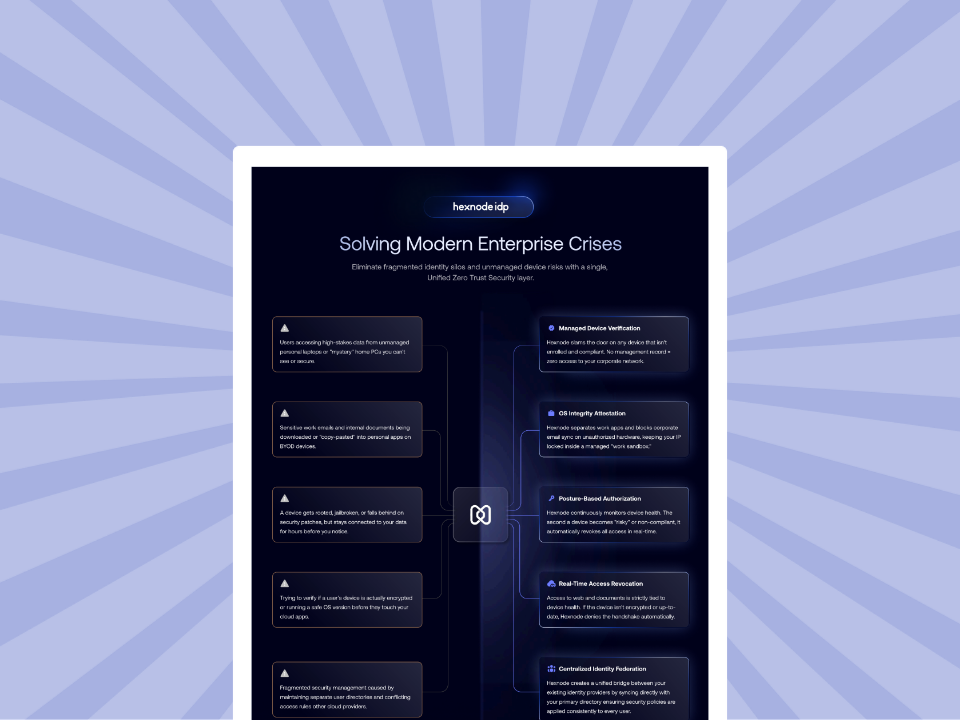
Hexnode IdP use cases
Explore Hexnode IdP use cases for secure identity management, access control, and device-aware authentication.
How Does Hexnode Combine Identity and Device Compliance?
Hexnode IdP Conditional Access enforces access rules using user identity, device compliance and security context, helping organizations reduce risk and prevent unauthorized access. This allows access decisions to consider both who is signing in and the security state surrounding the request.
For personally owned endpoints, Verified BYOD Access can restrict company resources to verified personal devices. This adds device verification to BYOD access instead of relying on user authentication alone.
Hexnode IdP also supports Contextual Authentication, which uses two-factor step-up MFA to add stronger verification for high-risk actions.
For application-level control, Application Access provides secure, policy-controlled access to approved web, mobile and SaaS applications. Organizations can therefore apply access controls to the applications users actually need rather than treating every resource identically.
Finally, Activity Reports centralize visibility across sign-in logs, provisioning and authentication histories for users and applications. This gives administrators a consolidated record for reviewing identity and access activity.
FAQs
How does device compliance improve conditional access decisions?
Device compliance adds endpoint trust signals to identity-based access decisions. It helps organizations distinguish between a valid user signing in from a compliant device and the same user accessing resources from an unmanaged or non-compliant endpoint.
Can organizations apply different access policies to corporate and BYOD devices?
Yes. Organizations can provide broader access to compliant corporate devices while requiring stronger authentication or limiting sensitive application access for personal devices. This allows access controls to reflect device ownership and trust level.
Why should privileged accounts require both identity and device verification?
Privileged accounts can provide extensive access to systems, configurations and sensitive information. Requiring stronger authentication alongside a verified, compliant endpoint creates additional safeguards when administrative credentials are compromised.
Explore Identity and Device-Aware Access with Hexnode IdP
Secure access requires organizations to verify both the user requesting access and the device used to reach corporate resources. Combining identity and device context helps reduce reliance on authentication alone when enforcing access decisions.
Explore Hexnode IdP to see how Conditional Access and Verified BYOD Access can strengthen identity-aware access controls, or request a demonstration to evaluate these capabilities for your environment.
Unite Identity and Device Trust
Combine identity controls with device compliance to strengthen secure access across your organization with Hexnode.
Content writer at Hexnode. Fueled by good coffee and the occasional cat cuddle, I enjoy crafting content that informs, connects, and resonates. Nothing excites me more than knowing my words have been read, appreciated, and maybe even bookmarked.