Large-scale OS updates can create substantial network demand when thousands of endpoints need the same multi-gigabyte payload.
Windows Delivery Optimization uses a cloud-coordinated, multi-source delivery model that can retrieve supported content from Microsoft, cache infrastructure and eligible Windows peers.
Apple Content Caching takes a different approach: a Mac stores eligible Apple content locally so nearby Apple devices can retrieve it without repeatedly accessing the internet.
Hexnode UEM can support bandwidth-conscious update configurations by enforcing Windows Delivery Optimization P2P settings through PowerShell on supported Windows devices and controlling the availability of Content Caching through macOS restrictions.
Caching and peer delivery alone cannot solve update congestion. IT teams still need to consider network topology, rollout scope, update timing and the requirements of remote endpoints.
A multi-gigabyte OS update is routine on one device. Across thousands of enterprise endpoints, it becomes a network capacity challenge. Large-scale Windows and Apple updates can generate substantial traffic across headquarters, branch offices, and remote networks.
Microsoft and Apple address this through different delivery architectures. Windows Delivery Optimization uses multi-source delivery and peer-to-peer capabilities, while Apple Content Caching stores eligible content locally for reuse.
With Hexnode UEM, IT teams can centrally manage relevant platform policies and update controls, combining native delivery technologies with a bandwidth-conscious enterprise update strategy.
Why large-scale OS updates put enterprise bandwidth under pressure
OS updates have become substantial software packages. Feature updates, quality updates, drivers, language packs and applications can all contribute to network utilization across a Windows environment. Microsoft explicitly identifies network resource consumption as one of the problems Delivery Optimization addresses.
The scale quickly becomes clear. If 10,000 endpoints each require a 3 GB payload, that represents 30 TB of potential download demand.
That does not mean the organization will necessarily consume 30 TB of WAN bandwidth. Peer delivery, local caching, existing content, network design and other factors can change the amount of external traffic considerably. But the calculation illustrates why update delivery deserves architectural attention.
The problem also becomes more complicated in a distributed enterprise.
A headquarters campus with high-capacity connectivity does not have the same constraints as a sales office connected through a limited WAN link. Remote employees may work from home broadband or other networks that IT does not control. Global organizations also need to account for different working hours, endpoint availability and maintenance windows.
Bandwidth pressure can therefore affect more than download speed. Poorly planned update activity can increase WAN utilization, extend update windows and make large-scale deployments less predictable.
Enterprises need to control not only whether endpoints update, but also how update content moves through the environment.
What is Windows Delivery Optimization?
Windows Delivery Optimization is Microsoft’s cloud-managed content delivery technology for Windows. It can retrieve supported content from multiple sources, including the original HTTP source, Microsoft Connected Cache and eligible peer devices.
That last component makes Delivery Optimization particularly relevant to large Windows environments.
Instead of requiring every eligible Windows endpoint to retrieve an entire supported package independently from Microsoft’s internet infrastructure, Delivery Optimization can obtain pieces of content from eligible peers. Microsoft verifies pieces received from peers cryptographically before using them, while the original HTTP source remains available as a fallback.
Featured Resource
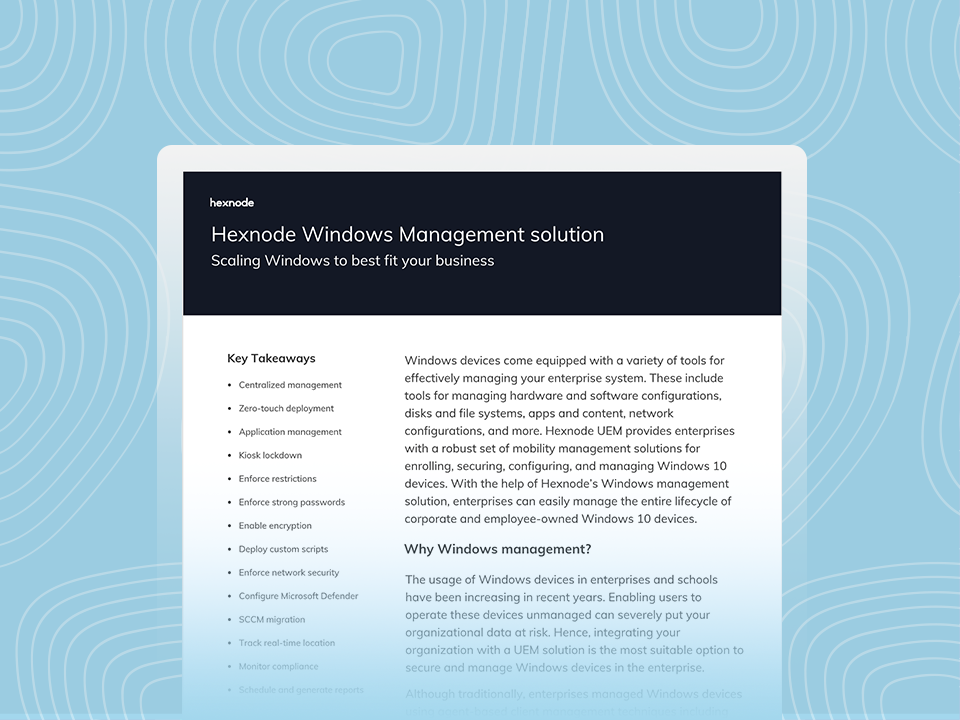
Hexnode Windows Management Solution
Discover how Hexnode simplifies Windows device management, security, configuration, and compliance across enterprise environments.
When a supported download begins, Delivery Optimization obtains metadata that identifies and verifies pieces of the requested content. Depending on the configured download mode, the client can retrieve content from the original HTTP source and eligible alternative sources.
Peer-assisted delivery does not mean one designated Windows PC downloads an update and becomes a traditional file server for every other endpoint. Delivery Optimization uses a cloud-coordinated model to identify eligible peers and exchange available pieces of content. Microsoft describes the system as peer-untrusted: content received from peers undergoes hash verification before Windows uses it.
This architecture gives enterprises another way to approach repeated downloads of identical Microsoft content.
Choosing the right download mode
The download mode determines which sources Delivery Optimization clients can use. For example, HTTP Only disables peer-to-peer caching while retaining Delivery Optimization’s HTTP download functionality. LAN mode enables peer sharing among devices on the same network, while Group mode lets administrators define broader logical peer groups. Microsoft recommends Group mode for many organizations seeking greater bandwidth optimization because administrators can define groups that extend across internal subnets.
This is where network architecture matters. An enterprise should not enable a peer model simply because P2P sounds efficient. IT teams need to align peer boundaries with offices, subnets, WAN design and endpoint behavior.
Microsoft also exposes Delivery Optimization controls for areas such as bandwidth management, peer discovery, cache behavior, VPN peering and P2P fallback delays.
For enterprise administrators, that makes Windows Delivery Optimization more than a caching toggle. It is a configurable content-delivery layer that should reflect the organization’s network topology.
Apple takes a different approach: Content Caching
Apple addresses the same fundamental problem differently.
Apple Content Caching is a macOS service that stores eligible Apple-distributed software and iCloud content on a Mac so other Apple devices can retrieve available content locally.
Consider an office full of Macs, iPhones and iPads. The first request for eligible content may require retrieval from Apple’s infrastructure. Once the content resides in the local cache, subsequent eligible clients can obtain available content from that cache rather than going out over the internet again.
Apple devices can automatically discover a nearby content cache through Apple’s lookup mechanism, so administrators do not need to manually point every client at the caching Mac.
Everything you need to know about managing macOS updates
Learn how to efficiently manage macOS updates for secure, compliant, and up-to-date enterprise devices.
Treat the caching Mac as infrastructure
Content Caching may be simple to enable, but enterprises should plan the infrastructure deliberately.
Apple recommends connecting the caching Mac through Gigabit Ethernet for best performance. A cache can serve hundreds of clients concurrently, which means the local network itself can eventually become the limiting factor. Apple also recommends allocating enough cache capacity to prevent frequently requested content from being removed and downloaded again unnecessarily.
Large environments can deploy multiple content caches. Apple supports peer and parent relationships between caches, giving network architects additional options for distributing requests and managing intersite caching traffic.
The important architectural distinction is clear: Windows Delivery Optimization can use a distributed peer-assisted model, while Apple’s approach centers on Macs operating as content caches.
Managing Windows Delivery Optimization and Apple Content Caching with Hexnode UEM
The underlying delivery technology belongs to Microsoft and Apple. Hexnode UEM provides a centralized management layer that IT teams can use to bring relevant platform controls into their broader endpoint strategy.
That distinction is important. Hexnode does not need to replace the operating system’s content-delivery architecture to help IT teams manage it.
Bringing Windows Delivery Optimization into a Hexnode-managed environment
Microsoft exposes Delivery Optimization through Windows management policies, including settings for download behavior, bandwidth management and peer-to-peer behavior.
On Windows 10 v1709+ and Windows 11 PCs/tablets enrolled through the Hexnode Installer app, administrators can use PowerShell scripts through Hexnode UEM. Hexnode recommends this approach to enforce Windows Delivery Optimization P2P settings for bandwidth optimization.
The configuration itself should reflect the environment.
A Windows-heavy headquarters may benefit from peer-assisted delivery configured around its network boundaries. A bandwidth-constrained branch may require tighter controls. A remote workforce presents another scenario entirely because endpoints may rarely share the same corporate network.
The objective is therefore not to find one universal Delivery Optimization configuration. IT teams should define policies around how their Windows endpoints actually connect.
Controlling Content Caching on managed Macs
Hexnode also exposes a macOS restriction for Content Caching on supported Macs. Administrators can navigate through Hexnode’s macOS restrictions and control whether the Content Caching service remains available. Hexnode documents the restriction for macOS 10.13 and later and notes that disabling it prevents the Content Caching service from operating.
This gives enterprise administrators centralized control over whether managed Macs can participate in the caching architecture.
Hexnode UEM can control whether the Content Caching service is available on managed Macs running macOS 10.13 or later through its Content Caching restriction; configuration of the caching service itself remains a macOS function.
That separation of responsibilities creates a cleaner architecture:
Hexnode manages the endpoints and relevant policies. Microsoft and Apple handle their respective content-delivery mechanisms. The enterprise network provides the transport.
Windows Delivery Optimization vs Apple Content Caching
Both technologies can reduce unnecessary external downloads, but they should not be treated as interchangeable.
Area
Windows Delivery Optimization
Apple Content Caching
Platform
Windows
Apple ecosystem
Core model
Cloud-coordinated, multi-source delivery with P2P support
Mac-based local content cache
Content source
HTTP source, eligible peers and supported cache infrastructure
Apple services and local content caches
Local distribution
Eligible Windows peers can exchange content pieces
Apple devices retrieve eligible content from a caching Mac
Key enterprise consideration
Download modes, peer boundaries, bandwidth and cache policies
Cache placement, capacity, availability and network design
Hexnode’s role
Endpoint management and configuration workflows
macOS policy and restriction management
The architectural difference matters most in mixed-platform environments.
A Windows administrator may think in terms of peer groups, download modes and bandwidth policies. An Apple administrator needs to think about cache placement, storage capacity and which clients can discover particular caches.
The common objective remains the same: avoid treating the internet connection as the only viable source every time another endpoint requests identical eligible content.
FAQs
What is the macOS equivalent of Windows Delivery Optimization?
macOS does not use the same Delivery Optimization architecture. Apple Content Caching addresses a similar bandwidth challenge by storing eligible Apple content on a Mac. Other Apple devices can then retrieve available content from that local cache rather than repeatedly downloading it over the internet.
Can Hexnode help manage Windows Delivery Optimization and Apple Content Caching?
Yes, but the implementation differs by platform. Hexnode documents using PowerShell to enforce Windows Delivery Optimization P2P settings as a bandwidth-control measure for Windows update workflows. On macOS 10.13 and later, Hexnode provides a restriction that controls whether Content Caching is available on managed Macs.
Conclusion
At enterprise scale, approving an OS update solves only half the problem. IT teams also need to determine how gigabytes of content will reach thousands of endpoints across headquarters, branch offices and remote networks.
Windows Delivery Optimization and Apple Content Caching address that challenge through fundamentally different architectures. Microsoft uses a cloud-coordinated delivery system that can incorporate peer-to-peer sources. Apple lets organizations keep eligible content closer to endpoints through local Mac-based caches.
Hexnode UEM adds a centralized endpoint-management layer by supporting Windows Delivery Optimization P2P enforcement through PowerShell, controlling Content Caching availability on managed Macs, and providing Windows and macOS patch and update management capabilities.
The strongest enterprise approach combines all three layers: platform-native content optimization, centralized endpoint management and network-aware rollout planning.
At enterprise scale, managing the update is not enough. IT also needs to manage how efficiently that update reaches the endpoint.
Optimize Update Bandwidth at Scale
Streamline OS updates, reduce network strain, and manage distributed endpoints efficiently with Hexnode UEM.
Content writer at Hexnode. Fueled by good coffee and the occasional cat cuddle, I enjoy crafting content that informs, connects, and resonates. Nothing excites me more than knowing my words have been read, appreciated, and maybe even bookmarked.