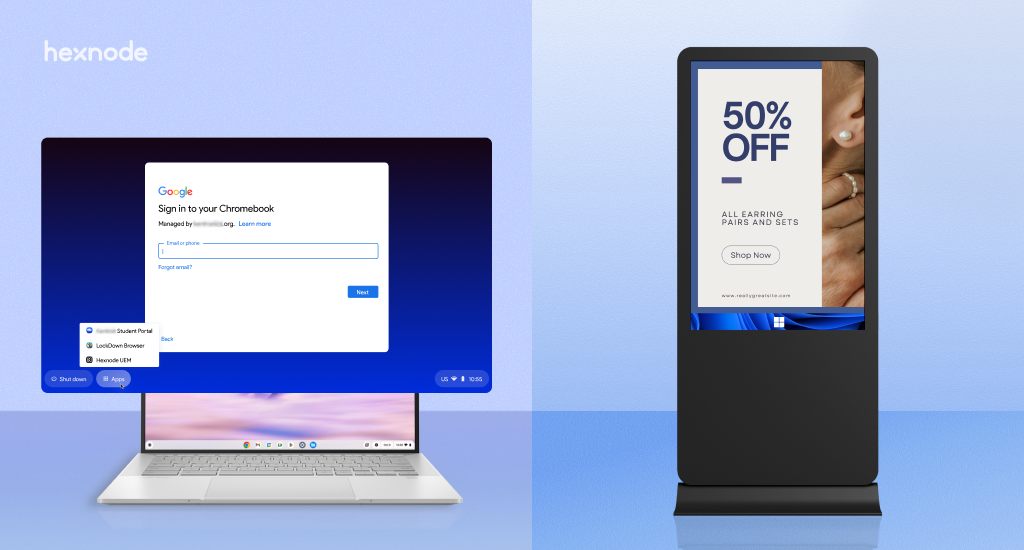
Managing enterprise Chromebooks at scale becomes complex due to enrollment dependencies, layered policies, update and licensing requirements, secure network configurations, and troubleshooting limitations. Hexnode helps reduce this operational burden by centralizing device management, policy deployment, app distribution, updates, kiosk configurations, and remote support across ChromeOS and other platforms.
Enterprise Chromebook Management often starts off looking deceptively simple. A small pilot, i.e., enrolling a handful of devices, pushing a few policies, and deploying apps, can be done in minutes. But as organizations scale, real operational friction starts to occur. Enrollment workflows diversify, policy structures grow complex, app ecosystems fragment and update, and lifecycle management demands tighter control.
Google’s own documentation shows that enterprise Chromebook management often involves both the Google Admin console and a UEM solution, which can introduce sync gaps, extra setup requirements, and policy overlaps.
So the real challenge isn’t whether Chromebooks can be managed, it’s whether they can be managed consistently across a larger number of users, shared devices, kiosks, distributed locations, and ongoing device refresh cycles.
Why this is a platform-wide issue, not a one-vendor issue
The challenges of Enterprise Chromebook Management aren’t tied to a single UEM solution; they stem from how ChromeOS itself is structured for enterprise control. Across vendors, the pattern is consistent. Microsoft Intune, for instance, requires a Chrome Enterprise connector, where devices are first enrolled in Google Admin and then synced, with limited native compliance evaluation. Similarly, Workspace ONE depends on a verified Google domain, ChromeOS upgrades, factory-reset devices, and OU-based policy assignments. Ivanti also highlights that ChromeOS configurations are distributed through directory-based user groups rather than direct device targeting.
What this reveals is simple: at scale, Chromebook complexity is rooted in the underlying management model, not just the tooling layered on top of it.
To understand this better, let’s look at some of the key challenges organizations face when managing Chromebooks at scale.
Challenge 1: Enrollment and provisioning are full of exceptions
In Enterprise Chromebook Management, the complexity arises from how dependent and conditional Chromebook enrollment becomes at scale. Devices may be newly procured, factory reset (Powerwashed), reassigned, or replaced; each scenario often requiring a different enrollment flow, whether manual, bulk, or zero-touch. Maintaining consistency across these paths becomes increasingly difficult as fleets grow.
The real challenge arises from the underlying dependencies. Chromebook enrollment is tightly coupled with Google Workspace, requiring verified domains, Chrome Enterprise Upgrade licenses, API/OAuth configurations, and, in many cases, devices to be in a factory-fresh state. These prerequisites are specific to the ChromeOS management model. At scale, ensuring every device meets these conditions and follows the correct enrollment path becomes a significant operational challenge.
Challenge 2: Policy scope, OUs, and assignment logic get messy fast
In Enterprise Chromebook Management, policy control is not a simple “one policy per device” model. Instead, it operates across multiple layers: device policies, user policies, organizational units (OUs), and groups, along with distinctions like affiliated and unaffiliated users. This layered structure introduces complexity, especially when combined with multiple management consoles. Groups can override OU-based settings, only user accounts (not devices) can be added to groups, and in environments using both Google Admin and an EMM/UEM, policy precedence can vary. It’s also possible for the same user or device to exist in different OUs across consoles, further complicating policy consistency.
From an operational standpoint, this directly impacts how admins manage Chromebooks at scale. ChromeOS policies are ultimately enforced through Google’s domain and OU structure rather than directly on devices. Since OU configurations inherit downward, a poorly structured hierarchy can quickly lead to unintended policy behavior. At scale, maintaining clean OU design and clear assignment logic becomes critical to avoiding policy conflicts and ensuring consistent device behavior.
Challenge 3: Update control, lifecycle planning, and licensing need constant attention
In Chromebooks, updates are designed to be seamless, but at scale, they require careful control. Google’s recommended approach is to keep devices on the latest supported version, and it explicitly discourages long-term version pinning. For organizations that prioritize stability over rapid feature adoption, Google instead suggests using Long-Term Support (LTS) or Long-Term Candidate (LTC) channels.
However, managing updates across a large fleet introduces additional layers of complexity. IT teams must plan staged rollouts, control reboot timing to avoid user disruption, and manage bandwidth usage across distributed locations. There’s also the lifecycle aspect, handling repairs, replacements, and deprovisioning devices in a structured way. The license transfers are also limited: standalone upgrades can be reassigned in specific same-model scenarios, while bundled upgrades typically cannot be transferred.
While solutions like Hexnode help streamline this with capabilities such as automated updates and reboot policies, the underlying ChromeOS lifecycle and licensing rules still define how these processes must be managed.
The complete guide to Chrome OS device management
Read the blog to dive into everything you need to know to manage Chrome OS devices effectively.
Challenge 4: Secure access and certificate-backed networking add enterprise-grade complexity
Organizations must also manage network access, configuring Wi-Fi, proxies, enterprise authentication, certificates, and sometimes VPN-style connectivity. While ChromeOS offers strong security features like TPM-backed client certificates, implementing enterprise-grade access adds complexity. Certificate-based methods such as SCEP, along with tools like Google’s Cloud Certificate Connector, often require integration with existing PKI infrastructure and Active Directory.
Google has already outlined a transition away from its legacy certificate enrollment methods, requiring organizations to adopt the Certificate Provisioning API by the end of 2026.
While Hexnode helps streamline network configuration by centrally deploying Wi-Fi settings, including security types, DNS, proxies, and multiple SSIDs, the underlying certificate strategy and infrastructure planning still remain a critical responsibility for IT teams.
Challenge 5: Troubleshooting still have caveats
Troubleshooting at scale introduces further limitations. Features like remote log collection come with version prerequisites, and remote access sessions may require user consent or follow specific workflow constraints. These factors can slow down issue resolution, especially in distributed environments. As fleets grow, these visibility gaps and support dependencies often translate into increased helpdesk effort, making proactive monitoring and streamlined troubleshooting workflows essential for IT teams.
How Hexnode helps reduce the operational burden
While Enterprise Chromebook Management comes with inherent platform-level complexities, the goal isn’t to eliminate them, it’s to manage them more efficiently. Hexnode helps simplify day-to-day operations while working alongside Google’s native management layer.
Successfully scaling Enterprise Chromebook Management requires more than just deploying devices; it demands a structured and well-documented approach. The following best practices can help IT teams reduce friction and improve consistency:
Start with a “golden” device configuration
Set up and validate policies on a single Chromebook before mass rollout
Use this as a baseline to ensure consistency across the fleet
Standardize enrollment and re-enrollment workflows
Define clear processes for device wipe, replacement, and reassignment
Enable forced re-enrollment for managed devices where applicable
Document exceptions such as developer mode and ChromeOS Flex behavior
Keep OU design simple and intentional
Avoid overly complex OU hierarchies
Use groups carefully, as they override OU-based policies
Ensure consistency across Google Admin and any integrated UEM
Be strategic with app deployment
Prefer web apps or PWAs where possible
Use Android apps selectively, especially on shared or low-storage devices
Plan updates with control, not rigidity
Stay on Stable or use LTS/LTC channels instead of long-term version pinning
Use staged or peer-assisted rollouts to manage risk and bandwidth
Enable visibility from day one
Turn on reporting, telemetry, and alerts early
Monitor for unsynced devices, unmanaged endpoints, crashes, and update failures
Align device mode with use case
Use managed guest sessions for shared access
Use kiosk mode for single-purpose or restricted workflows
Ensure the correct ChromeOS licensing is applied
Document lifecycle and licensing rules
Define deprovisioning and replacement workflows in advance
Account for license transfer limitations between bundled and standalone upgrades
Enterprise Chromebook Management becomes challenging at scale due to enrollment dependencies, layered policy models, app fragmentation, update governance, network and certificate complexities, and visibility gaps. However, these challenges are manageable with the right structure and planning. For organizations managing mixed-device environments, the real value lies in bringing ChromeOS into a unified operational framework, using solutions like Hexnode, while still aligning with Google’s native management model.
FAQs
What is Enterprise Chromebook Management?
Enterprise Chromebook Management refers to the process of managing, securing, and controlling ChromeOS devices at scale using tools like Google Admin Console and Unified Endpoint Management (UEM) solutions. It includes device enrollment, policy enforcement, app deployment, network configuration, and lifecycle management across enterprise environments.
What are the biggest challenges in Enterprise Chromebook Management?
The key challenges in Enterprise Chromebook Management include enrollment dependencies, complex policy structures involving OUs and groups, fragmented app ecosystems, update and lifecycle planning, certificate-based network configuration, and limited visibility for troubleshooting at scale.
How do organizations manage Chromebooks at scale?
Organizations manage Chromebooks at scale by combining Google Admin Console with UEM solutions, standardizing enrollment workflows, structuring OUs effectively, enabling reporting and telemetry, and implementing staged update rollouts. Tools like Hexnode help streamline operations by providing centralized control across multiple device platforms.
Why is policy management complex in ChromeOS environments?
Policy management in ChromeOS is complex because it involves multiple layers such as user policies, device policies, organizational units (OUs), and groups. Additionally, groups can override OU settings, and policies may differ across management consoles, making consistent policy enforcement challenging in Enterprise Chromebook Management.
How can a UEM solution improve Enterprise Chromebook Management?
A UEM solution like Hexnode improves Enterprise Chromebook Management by consolidating device management into a single console, simplifying enrollment and policy deployment, enabling centralized Wi-Fi and app configurations, supporting kiosk and shared device use cases, and improving visibility across the entire endpoint fleet.
I’m a technical content writer at Hexnode who loves simplifying tech. I break down complex ideas, remove the fluff, and help readers clearly understand our product for what it actually is: simple, reliable, and built to solve real problems.