Configuration drift gradually weakens endpoint security, compliance, and operational consistency. Learn why drift occurs, how to detect it early, and how automated endpoint configuration management helps IT teams maintain endpoints in their desired state at enterprise scale.
Every endpoint starts with an approved configuration, but few stay that way. Software updates, user actions, policy changes, and manual interventions gradually alter device settings, creating configuration drift. Left unchecked, these deviations increase security risks, complicate IT operations, and make compliance difficult to sustain. This article explains how organizations can detect, remediate, and prevent configuration drift through continuous monitoring and modern endpoint configuration management.
Configuration drift occurs when an endpoint’s actual configuration no longer matches its approved or intended configuration. Over time, even well-managed devices diverge from security baselines because of legitimate operational changes or unauthorized modifications.
Instead of viewing drift as an isolated incident, organizations should treat it as a continuous operational challenge. Every unmanaged change introduces inconsistency, making endpoints harder to secure, support, and audit.
Desired state vs. actual state
A desired state represents the approved configuration an organization expects every managed device to maintain. It includes security policies, operating system settings, application configurations, compliance controls, and access restrictions.
The actual state reflects the device’s live configuration. Configuration drift appears when these two states no longer match.
Some configuration changes seem harmless but create significant security gaps over time.
Common examples include:
Firewall settings modified
Disk encryption disabled
Security agent removed or outdated
Local administrator privileges granted
USB restrictions changed
VPN configuration deleted
Browser security settings altered
Registry modifications
Missing security updates
Unauthorized applications installed
Why configuration drift happens in enterprise environments
Configuration drift rarely results from a single event. Most enterprises experience thousands of configuration changes every day across users, administrators, operating systems, and business applications.
Understanding the source of drift helps IT teams prioritize prevention instead of relying solely on remediation.
User-driven changes
Employees frequently change device settings to improve convenience or solve temporary issues.
Examples include:
Installing unauthorized software
Disabling security prompts
Changing browser policies
Modifying network settings
Removing security tools
Even users with limited privileges may unintentionally create configuration inconsistencies.
Administrative and operational changes
IT administrators constantly update enterprise infrastructure. These activities sometimes introduce unintended configuration changes.
Typical causes include:
Operating system feature updates
Application upgrades
Manual troubleshooting
Group Policy modifications
Imaging inconsistencies
Configuration conflicts between management platforms
The business impact of unmanaged configuration drift
Configuration drift affects much more than endpoint settings. It directly influences security posture, compliance readiness, operational efficiency, and business continuity.
Security risks
Unauthorized or security-relevant configuration deviations can create attack opportunities.
Common security impacts include:
Expanded attack surface
Disabled security controls
Weak authentication policies
Increased ransomware exposure
Inconsistent endpoint hardening
Small configuration differences often become the entry point for larger security incidents.
Compliance failures
Security standards, frameworks, and regulations often require or recommend secure configuration management, but they differ in scope and legal status; examples include CIS Benchmarks, NIST Cybersecurity Framework, ISO/IEC 27001, PCI DSS, and HIPAA.
Even a single unmanaged deviation can affect audit outcomes.
Operational inefficiencies
Configuration inconsistencies make endpoint management significantly more difficult.
IT teams often experience:
Increased help desk tickets
Longer troubleshooting cycles
Failed software deployments
Inconsistent user experiences
Slower incident response
Without standardized configurations, every endpoint becomes unique—and therefore harder to support.
Detecting configuration drift before it becomes a security incident
Organizations cannot remediate what they cannot identify. Effective detection combines standardized baselines, continuous monitoring, and risk-based prioritization.
Establish configuration baselines
Every managed endpoint should begin with an approved configuration baseline.
How Hexnode UEM helps prevent and remediate configuration drift
Effective endpoint configuration management goes beyond deploying policies—it continuously enforces them. Instead of relying on periodic audits or manual intervention, organizations need a platform that can define the desired state, detect deviations as they occur, and automatically restore compliant configurations.
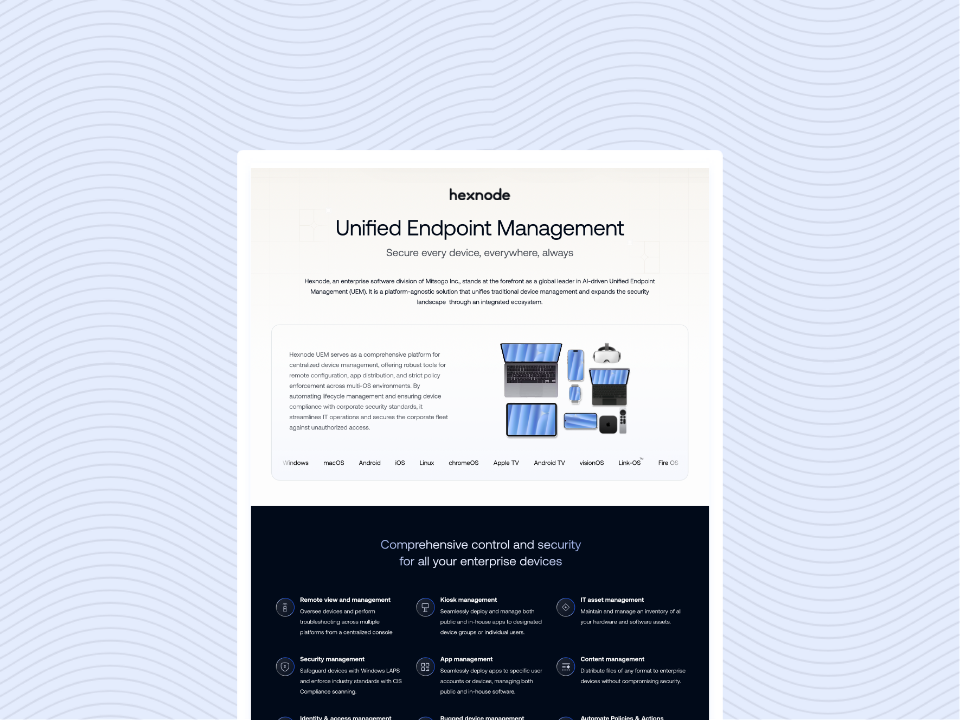
Hexnode UEM helps organizations maintain endpoint consistency through centralized policy management, compliance checks, and admin-configured policy-based remediation workflows. IT administrators can standardize configurations across supported platforms and help keep devices aligned with configured policies and compliance criteria throughout the MDM lifecycle.
Centralize configuration management with policy-based administration
Hexnode UEM enables administrators to create and deploy configuration policies from a centralized console. Policies can be associated with devices, users, groups, or domains, allowing organizations to apply standardized configurations at scale. As devices are enrolled or reassigned, the appropriate policies can be applied automatically, helping maintain consistency across the environment.
Key capabilities include:
Creating reusable configuration policies for multiple device platforms.
Assigning policies based on users, groups, or organizational units.
Automatically applying configurations to newly enrolled devices.
Resolving policy conflicts through Hexnode’s effective policy logic, where restriction and security settings generally prioritize the most restrictive or secure configuration, while other payloads may follow additive, last-applied, or OS-dependent behavior.
Continuously monitor endpoint compliance
Configuration drift often starts with small, unnoticed changes that gradually weaken security or compliance. Hexnode’s compliance management capabilities evaluate managed devices against administrator-defined compliance rules during device checks and syncs, helping IT teams identify deviations from configured requirements.
Organizations can monitor compliance for configurations such as:
Device encryption status
Password and authentication policies
Operating system version requirements
Security restrictions
Device health and compliance posture
Other organization-specific compliance criteria
Automate remediation when drift occurs
Manual remediation becomes increasingly difficult as endpoint environments grow. Hexnode allows organizations to define automated actions that help restore devices to their intended state when they fall out of compliance.
Depending on the organization’s compliance policies, administrators can:
Automatically move non-compliant devices into dynamic device groups.
Apply more restrictive security policies.
Deploy required configurations or applications.
Execute scripts on supported platforms to restore approved settings.
Trigger compliance-based workflows that reduce manual intervention.
Automated remediation shortens the time between drift detection and correction while improving operational efficiency.
Improve visibility with centralized reporting
Hexnode provides reporting capabilities that help administrators review policy deployment status, verify active restrictions, identify non-compliant devices, and monitor compliance over time using built-in, custom, or scheduled reports.
Administrators can use reports to:
Review device compliance status.
Track policy deployment success.
Identify non-compliant endpoints and use reports to monitor compliance status over time.
Verify policy enforcement across managed devices.
Support internal audits and regulatory compliance initiatives.
By combining centralized policy management, continuous compliance monitoring, automated remediation, and comprehensive reporting, Hexnode UEM helps organizations keep endpoints in their desired state while reducing the operational burden of managing configuration drift across enterprise environments.
FAQs
What is configuration drift?
Configuration drift occurs when a device’s current configuration differs from its approved baseline due to user actions, system updates, or administrative changes.
How can endpoint configuration management reduce configuration drift?
Endpoint configuration management helps organizations monitor device settings, enforce approved policies, and, where supported and configured, remediate configurations that deviate from the desired state.
Conclusion
Configuration drift is inevitable in dynamic enterprise environments, but unmanaged drift is not. Organizations that establish clear configuration baselines, continuously monitor endpoint health, and automate remediation can maintain consistent security and compliance across thousands of devices. Modern endpoint configuration management transforms configuration drift from a recurring operational burden into a controlled, measurable, and continuously managed process.
Eliminate Configuration Drift Automatically
Continuously enforce policies, remediate drift, and maintain endpoint compliance with Hexnode UEM.
Content writer at Hexnode. Fueled by good coffee and the occasional cat cuddle, I enjoy crafting content that informs, connects, and resonates. Nothing excites me more than knowing my words have been read, appreciated, and maybe even bookmarked.