Identity federation lets enterprises use one trusted identity source to authenticate users across multiple applications, reducing fragmented accounts and inconsistent access controls. SAML suits many established enterprise web apps, while OIDC fits modern web and mobile sign-in use cases, often alongside OAuth 2.0 for API authorization. Secure federation requires more than login—it depends on clean configuration, lifecycle automation, device context, visibility, and consistent governance.
n employee signs into a finance app, a contractor accesses a project workspace, and a partner connects to a shared portal—each using one trusted organizational identity. Without a federated model, every application can become another account store, another password policy, and another place where access can drift from corporate controls.
Identity federation solves this by allowing one trusted system to authenticate users across multiple applications or services. In practice, most enterprise teams encounter this through SAML and OIDC. But authentication is only one layer. Provisioning, token exchange, workload identity, passkeys, and device context determine whether federated access is actually secure and manageable.
dentity federation is a trust relationship between systems. One system authenticates the user, and another system accepts that authentication without requiring the user’s password to be stored or verified separately by that application.
At an enterprise level, this reduces identity fragmentation. Instead of every SaaS application, partner portal, or internal service managing credentials independently, access decisions can rely on a trusted source of identity.
The core components are:
User: The person requesting access.
Identity provider: The trusted system that verifies the user.
Service provider or relying party: The application that accepts the authentication result.
Assertion or token: The signed proof of authentication.
Claims: Identity details such as email, role, group, or authentication method.
Identity federation vs single sign-on
Single sign-on is the user experience: fewer login prompts and smoother access.
Federation is one common trust architecture that enables single sign-on across separately managed systems.
Think of it like an employee badge accepted across multiple secure buildings. The badge is issued once, but multiple checkpoints trust it.
Why identity federation matters for modern access
The access sprawl problem
Modern access is no longer limited to employees signing into a fixed set of internal applications. Enterprises now manage SaaS sprawl, hybrid workforces, contractors, partner portals, merger-driven identity overlap, and multi-cloud environments.
Without federation, every application can become a separate identity silo. That creates duplicate accounts, inconsistent authentication policies, delayed offboarding, and limited visibility into who has access to what.
Why federation is bigger than password reduction
Identity federation centralizes authentication decisions without requiring every application to manage credentials independently. This improves both security posture and operational efficiency.
Key benefits include:
Reduced account duplication across SaaS and internal applications.
Consistent authentication enforcement, including stronger verification methods.
Faster access revocation when users leave, change roles, or lose eligibility.
Better auditability through centralized identity events and access patterns.
For users, federation means fewer passwords and fewer login interruptions. For IT and security teams, it means tighter control over access decisions across a distributed application estate.
How identity federation works: trust, tokens, and claims
The basic federation flow
Identity federation works by separating the system that authenticates the user from the application that grants access.
A typical flow looks like this:
The user requests access to an application.
The application redirects the user to a trusted authentication system.
The user authenticates using corporate credentials and required controls.
The authentication system sends the application a signed assertion or token.
The application validates that proof and grants access based on the user’s attributes and permissions.
The important distinction is that the application usually does not receive the user’s password. It receives proof that authentication occurred from a trusted source.
Assertions, tokens, and claims
The assertion or token contains claims: identity-related statements the application can use to make access decisions.
Common claims include:
Username or email
User ID
Group membership
Role or entitlement
Authentication method
Session context
These claims allow applications to apply the right level of access without maintaining separate credential stores.
Metadata and certificates
Federation only works when trust is explicitly configured. Systems must agree on endpoints, redirect URLs, signing certificates, encryption keys, allowed audiences, and token validation rules.
This setup prevents tokens from being reused by the wrong application or accepted from an untrusted source. For enterprise teams, these configuration details are not administrative overhead. They are the control plane for federated access.
What is an Identity Provider (IdP)?
Discover what an Identity Provider (IdP) is and how it securely manages and authenticates digital identities.
SAML explained: the XML-based federation standard
What SAML does
Security Assertion Markup Language, or SAML, is a federation standard used to exchange authentication and identity information between trusted systems. It relies on XML-based assertions that tell an application who the user is, how they authenticated, and what attributes are associated with that user.
In a typical SAML flow, the identity provider authenticates the user and sends a signed SAML assertion to the service provider. The service provider validates the assertion and grants access based on the information it receives.
Common SAML components include:
Assertion: The signed identity statement.
Subject: The user the assertion refers to.
Attributes: User details such as email, role, or group.
Metadata: Configuration details used to establish trust.
Signing certificate: Used to verify that the assertion came from a trusted source.
Single logout: A mechanism to terminate sessions across connected services.
Where SAML works best
SAML remains widely used in enterprise web applications, legacy SaaS platforms, internal portals, education, government, and B2B access scenarios. It is mature, well understood, and supported by many enterprise applications.
SAML strengths and limitations
SAML is reliable for browser-based federation, but it has operational trade-offs. XML complexity, certificate rotation, verbose messages, and browser-centric flows can make implementation and troubleshooting harder.
It is also less suited to mobile apps, APIs, and cloud-native architectures where lightweight JSON-based tokens and modern authorization flows are often preferred.
SAML vs OIDC: choosing the right federation protocol
SAML vs OIDC comparison table
Area
SAML
OIDC
Format
XML-based assertions
JSON-based tokens, commonly JWTs
Primary fit
Enterprise web applications
Modern web, mobile, API-driven apps
Token type
SAML assertion
ID token, access token, refresh token
Common use cases
SaaS SSO, internal portals, B2B access
SaaS apps, mobile apps, customer portals, cloud-native services
Implementation complexity
Mature but XML-heavy
Developer-friendly but security-sensitive
Mobile/API support
Limited fit
Strong fit
Troubleshooting
Certificate, metadata, and assertion issues
Redirect URI, token, scope, and client configuration issues
Which protocol should you choose?
There is no universal winner. SAML remains practical when the application already supports it well, especially for enterprise web apps and established SaaS platforms.
OIDC is often the better fit for modern application architectures where mobile access, APIs, and cloud-native integration matter.
The right choice depends on:
Application support
Security requirements
Implementation maturity
Token handling capabilities
Long-term architecture strategy
For most enterprises, the answer is not SAML or OIDC. It is knowing where each protocol belongs and governing both consistently.
Security best practices for federated identity
Configuration risks to avoid
Federated identity failures are often caused by misconfiguration, not protocol weakness. A SAML or OIDC implementation can be technically valid and still expose the business to account takeover, privilege drift, or unauthorized app access.
Security teams should validate the following controls:
Signed assertions and tokens: Require signatures and reject unsigned or improperly signed responses.
Certificate and key rotation: Track expiration dates, rotate keys on schedule, and define ownership for emergency rotation.
Redirect URI validation: Allow only approved redirect URIs to prevent token interception or abuse.
Audience restrictions: Ensure tokens or assertions are accepted only by the intended application.
Token lifetime controls: Keep access tokens short-lived and apply stricter controls to refresh tokens.
Secure metadata handling: Protect federation metadata and validate trusted endpoints.
Replay protection: Use timestamps, nonces, and one-time-use controls where applicable.
Governance and monitoring essentials
Federation should not become a “set and forget” integration. Every federated app needs a clear owner, documented configuration, and recurring review.
Common risks include over-permissive claims, stale group mappings, unmanaged service accounts, forgotten test integrations, and excessive token lifetimes. These issues create access paths that may not appear in standard user reviews.
Provisioning and deprovisioning are equally critical. Authentication proves who the user is; lifecycle controls determine whether the account should still exist and what access it should retain.
Operational guardrails should include:
Centralized logging for authentication and access events.
Periodic access reviews for users, groups, and app assignments.
Least privilege enforcement across claims and roles.
Conditional access policies based on risk, location, device, or session context.
Documented ownership for each federated application.
Keeping federated access aligned across users, devices, and workflows with Hexnode
Reducing setup friction
Getting SAML or OIDC login to work is only the first step. Enterprise teams still need accurate user records, clean group mappings, device association, and visibility into access-related activity.
Hexnode can use an OIDC discovery endpoint to automatically map required metadata for authentication and user synchronization.
This reduces the need for admins to manually enter complex routing URLs such as Authorization URL, Token URL, and JWKS URI by using the IdP’s Discovery URL to map the metadata required for identity federation.
Connecting identity to device and user context
Federated access becomes more useful when identity is tied to the devices users actually work from. Hexnode supports user and group synchronization from services such as Microsoft Entra, Okta, and Google Workspace, helping IT teams align access workflows with existing directory structures.
This helps keep imported user accounts and group structures in Hexnode aligned with the connected identity provider.
Improving visibility and control
Authenticated enrollment is a practical use case. Users are required to enter their directory or local credentials while enrolling the device using authenticated enrollment, helping organizations associate the enrolled device with the authenticated user.
For IT teams, that supports:
Stronger access consistency
Cleaner user-device association
Improved compliance visibility
Less manual reconciliation
Better operational control
Featured Resource
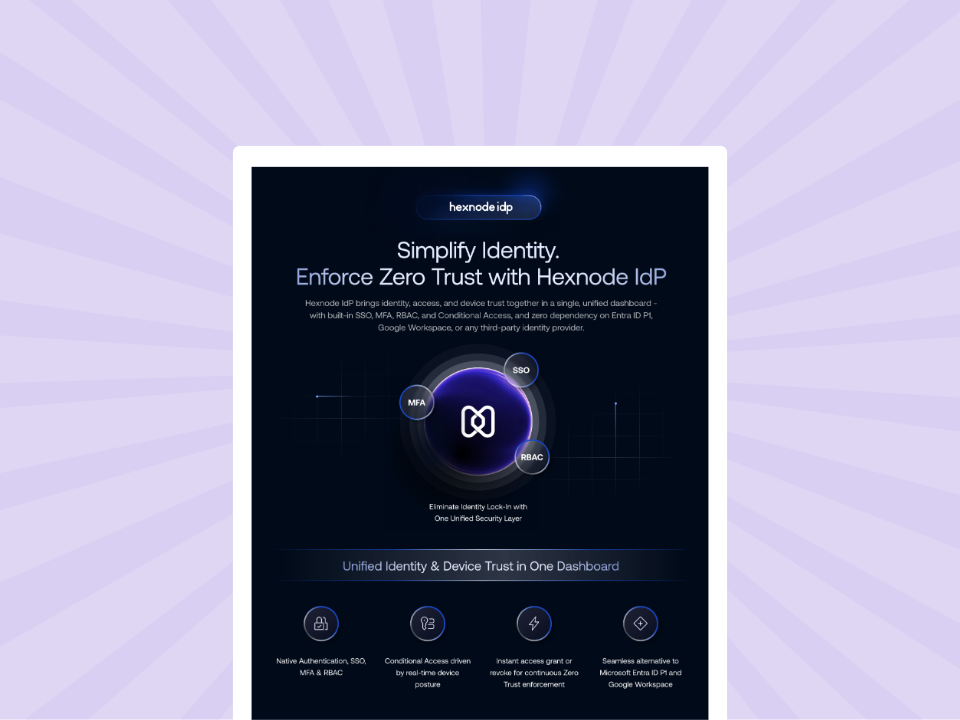
Hexnode IdP Info Sheet
Access the Hexnode IdP Info Sheet to learn how to streamline user authentication and access across your enterprise.
Identity federation is a trust model, not just a way to reduce login prompts. SAML and OIDC both help organizations extend trusted authentication across applications, but they fit different architectures: SAML remains practical for many enterprise web applications, while OIDC is better suited to modern apps, APIs, mobile access, and cloud-native environments. As access models evolve, OAuth, SCIM, passkeys, token exchange, and workload federation expand the identity conversation beyond human sign-ins into authorization, lifecycle management, stronger authentication, and service-to-service access. Secure federation depends on choosing the right protocol, maintaining clean configurations, automating user lifecycle workflows, improving visibility, and applying consistent governance. IT teams should evaluate where federated access is still manual, inconsistent, or poorly monitored.
FAQ
Can an enterprise use both SAML and OIDC at the same time?
Yes, enterprises can use SAML for established web apps and OIDC for modern apps, APIs, and mobile access while governing both consistently.
Does identity federation remove the need for app-specific user accounts?
Not always, because apps may still maintain user profiles, roles, permissions, or local records.
Does federated identity automatically revoke access when a user leaves?
No, access revocation still depends on lifecycle controls, session policies, and deprovisioning workflows.
Why do claims matter in federated access?
Claims determine what identity details and access context an application receives about the user.
What should IT teams check before federating a new application?
Teams should verify redirect URLs, signing keys, audiences, token lifetimes, metadata, logging, and ownership.
Why does device context matter if federation already verifies the user?
Device context helps confirm whether a verified user is accessing resources from a trusted or managed device.
Associate Product Marketer at Hexnode focused on SaaS content marketing. I craft blogs that translate complex device management concepts into content rooted in real IT workflows and product realities.